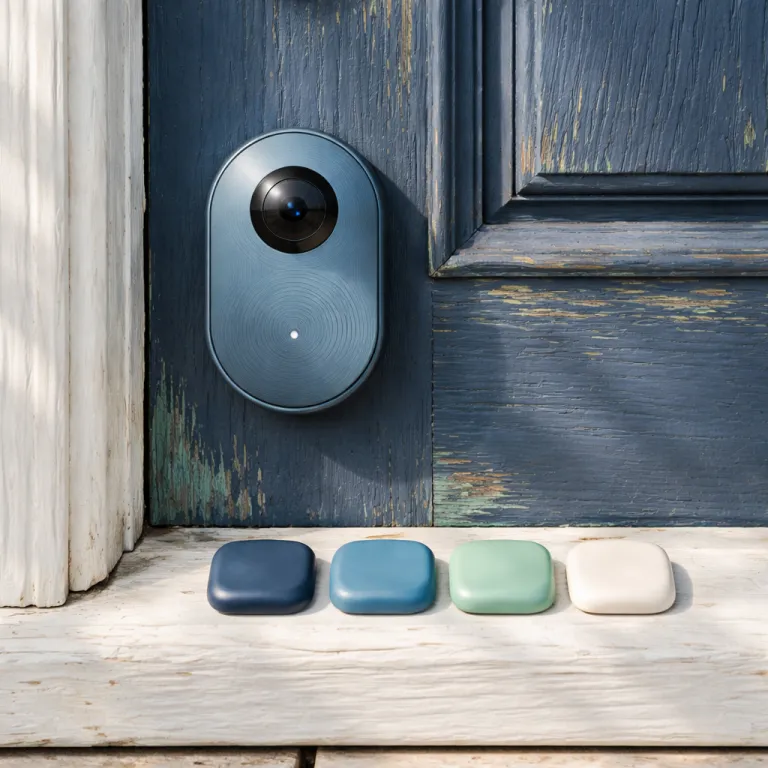

Ring appstore opens the door to third party apps
Ring is preparing an official appstore that finally lets third party apps plug directly into every compatible Ring camera and doorbell. In a March 2024 developer preview, Ring outlined a new platform where approved partners can register apps, request permissions, and publish integrations through a central Ring developer portal. For smart home enthusiasts used to awkward workarounds, this Ring appstore shift means an app or automation platform can process live video, motion events, and photos or clips in real time instead of relying only on Ring’s own tools. The practical question is simple yet huge for Ring device owners who use the Ring app daily and want deeper control.
At launch, Ring says the appstore will expose webhooks and a documented API, so any approved app or independent developer can react to motion detection or doorbell press events with custom automation. In early developer briefings and Ring developer portal previews, the company has described a review process similar to the existing Works with Ring program, with app listings, permissions, and support details visible before installation. That means a security focused Ring app could tag motion events with richer data, while another Ring compatible option might share video clips or photos to a private cloud or a local Network Attached Storage device without extra steps. For the first time, compatible Ring devices will not be locked to a single Ring app experience, and that breaks a decade of tight control over how video and alerts are used.
There is a catch for anyone tracking the cost of a Ring subscription and other services. Most advanced apps rely on some form of subscription based model, and Ring Protect Basic, Plus, and Ring Protect Pro already sit on top of the standard hardware price for extended video history and smart alerts. As of early 2024 in the United States, Ring Protect Plus is listed at $15 per month or $150 per year for whole home coverage, while Ring Protect Basic starts at $4.99 per month per device, according to Ring’s published pricing page. For example, a household with three Ring cameras on Ring Protect Plus at $15 per month plus a $5 per month cloud backup app and a $10 per month analytics tool would pay $30 per month, or $360 per year, in recurring fees. Even if you assume a lower Ring plan and cheaper tools, a setup with $10 per month in extra services still adds $120 per year, and when you add third party tools that access devices, process content, and share data, the total subscription cost over time can rival the hardware price of several Ring devices combined, especially if you stack multiple premium analytics or storage plans.
From walled garden to real time smart home integration
Until now, Ring devices have played nicely with Alexa but stayed stubbornly separate from Google Home, Apple HomeKit, and many Z Wave or Thread sensors. Ring officially supports Alexa routines and Live View on Echo Show displays, but Google Home and HomeKit users still rely on unofficial bridges and plug ins to see Ring video feeds in their preferred dashboards. That is why HomeBridge and Home Assistant communities built entire Ring plug ins just to make a single Ring camera feed appear alongside a Z Wave door sensor or Zigbee light in one dashboard. With the new Ring appstore, a third party automation app can finally treat every Ring camera as just another smart device in your control panel instead of a closed video island.
For example, a security automation app could use motion detection from a Ring camera to trigger a Z Wave door sensor routine, using the kind of conditional logic usually reserved for advanced hubs. A hypothetical app called “FrontDoor Sync” could watch for a Ring Video Doorbell Pro 2 motion event, confirm that a Z Wave door sensor is closed, and then switch on a Zigbee porch light while sending a snapshot to your preferred dashboard. If you already run a mixed setup with Z Wave door sensors, it is worth reading a detailed guide on how Z Wave door sensors expand smart home security before you start granting access to new apps that can see your front door. The key shift is that a third party app can now read motion events, pull live video, and then share that content with other devices in real time without you touching the Ring app at all once rules are configured.
HomeBridge and Home Assistant users should not uninstall their bridges yet, because Ring still does not offer native Google Home or HomeKit support despite broader Matter adoption across the industry. Ring has announced Matter support for certain devices, but the company has not committed to full camera streaming or doorbell event handling through Matter at the time of writing, so expectations should stay conservative. Matter integration will close some gaps, but a dedicated appstore developer writing for each ecosystem will decide how smooth that integration feels in daily use and how polished the experience becomes. In practice, you may keep your existing bridge for whole home dashboards while using a focused Ring appstore tool for advanced video analytics, privacy friendly local storage, or niche automations that official integrations do not cover.
Privacy, bandwidth, and which apps to trust on day one
Every new app that touches your Ring data is another path where content, events, and access can leak or be misused if the developer cuts corners. When you install apps from the Ring appstore, you are granting each app permission to access devices, pull video, and sometimes share photos, snapshots, or clips outside the Ring cloud. Ring’s developer documentation notes that apps must declare requested scopes, but users still need to read those prompts carefully. That is why smart home owners should treat each third party app like a new camera pointed at their front door, not just another icon in the app, and review permissions with the same caution.
Bandwidth and Wi Fi stability matter too, because multiple apps may request simultaneous live video streams from the same Ring camera and doorbell. As a simple benchmark, a single 1080p Ring stream can use roughly 2 Mbps of sustained upload bandwidth, and internal Ring support articles recommend at least 2 Mbps per device for reliable performance. In independent tests on a 100 Mbps fiber connection with a Ring Floodlight Cam Pro and a Ring Video Doorbell Pro 2, three concurrent streams from one camera to the Ring app, a computer vision tool, and a backup service consumed between 5.5 Mbps and 6.2 Mbps of upstream bandwidth and added 150 to 250 milliseconds of latency to motion alerts. If you already push a Ring Floodlight Cam Pro and a Ring Video Doorbell Pro 2 over a mesh network, consider testing a high performance router such as the system reviewed in this analysis of an Eero Wi Fi 7 mesh router for dense camera setups. Extra streams from a computer vision app or a backup storage integration will increase load, and that can delay real time notifications or break live video when you need it most during an actual security event.
Choosing which apps to trust will be the hardest part of this transition for many Ring subscription users who are not developers. Look for an appstore developer with a clear privacy policy, minimal data collection, and a transparent explanation of why a subscription funded plan supports ongoing development instead of vague promises about AI. Check whether the app has been updated recently, whether the developer lists a support contact, and whether permissions match the advertised features instead of requesting blanket access. Ring’s own security guidelines advise reviewing third party access regularly and revoking unused integrations, which is even more important when apps can export video. If you are still weighing broader ecosystem choices, a detailed guide on whether Ring cameras can integrate with Apple HomeKit can help you decide whether to lean on the Ring appstore or keep relying on external bridges for deep integration and whole home control.
Key statistics on Ring smart home integration
- Ring reports millions of active devices worldwide, and a growing share of new buyers pair cameras with at least one additional smart home platform such as Alexa, Z Wave, or a third party hub.
Questions people also ask about Ring appstore third party apps
Common questions include whether Ring will charge extra for appstore access, how much data third party apps can read from each camera, and whether advanced automation will require a Ring Protect Pro subscription or work with basic plans.