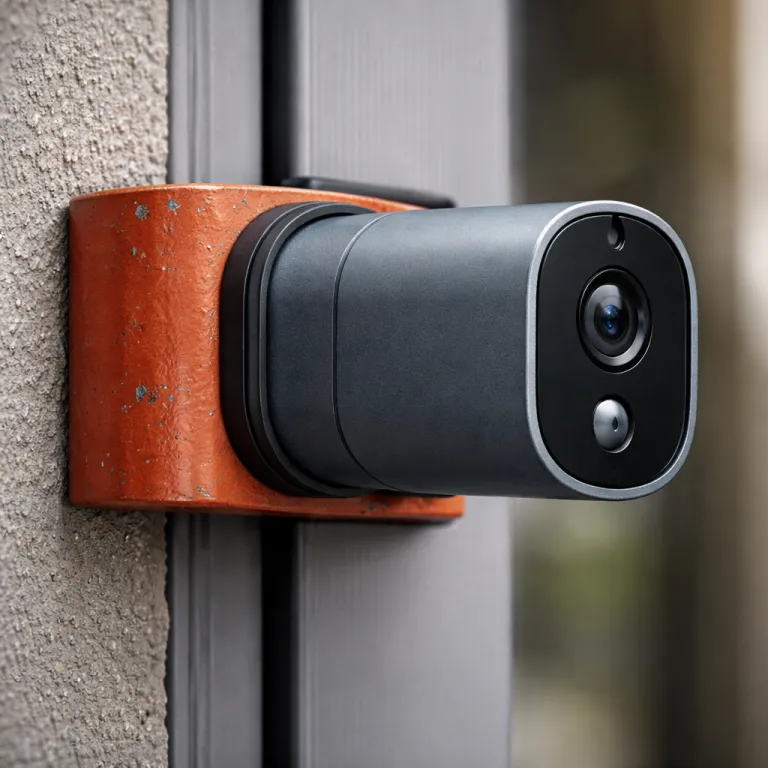

Why a renter focused ring camera installation guide matters
Most official setup manuals for any ring camera quietly assume you own the walls. They expect you to run a wired connection, drill for every mount, and treat the door frame as a blank canvas for a new doorbell and alarm accessory. For a budget conscious renter, that standard cam install approach can break the lease faster than any security upgrade helps.
Think about your reality instead of the glossy marketing video. You probably need a battery powered camera ring model that can sit on furniture, clamp to a balcony rail, or use a removable mounting bracket rather than a permanent mounting plate. You also need a ring app workflow and wifi network setup that survives building quirks, shared corridors, and the occasional power cut without turning your security cameras into expensive paperweights.
That is why this ring camera installation guide focuses on renters first. Every step, from the first app will prompt to the last alarm notification, is filtered through the question : will this work without drilling, rewiring, or losing my deposit. The goal is simple and ruthless ; maximum security per euro, minimum damage per screw.
For most flats, the workhorse is a battery powered Ring Stick Up Cam or a Battery Video Doorbell Plus running purely on its internal battery. These cameras avoid any wired transformer, yet still give you a sharp video view of your landing, lobby, or balcony. When you add a compact solar panel or ring solar accessory on a sunny window ledge, you can stretch battery solar life so far that charging becomes a rare chore instead of a monthly ritual.
Renters also need to think differently about outdoor versus indoor coverage. A single outdoor camera ring unit on a balcony can watch the shared courtyard, while a second cam inside covers the front door from the hallway side. That indoor stick style setup keeps your landlord happy, because the only mounting is a freestanding mount or included mounting base sitting on a shelf.
There is another twist that most ring camera guides skip. Apartment wifi network quality is often worse than the hardware, and many failed cameras are blamed when the real culprit is a weak signal through two concrete walls. Before you buy more cameras, you may need a better router or mesh system to give every cam a stable connection for live video and alarm alerts.
No drill mounting that actually survives heat, cold, and time
Non invasive mounting is where most renter setups either shine or fail. The wrong mount or mounting plate will peel off in summer heat, drop your camera, and leave you with a cracked lens and no security. The right mounting bracket or stick style stand quietly survives both 40 degree heat and minus 5 degree cold without drama.
For lightweight indoor cameras, the included mounting base on a Ring Stick Up Cam works well on a bookcase or high shelf. You can angle the camera ring body down to keep the view tight on the door, while the ring app lets you crop the video frame and set motion zones. This kind of cam install uses gravity instead of glue, so moving out later is as simple as lifting the camera and packing the battery.
Outdoor renters face tougher physics. Adhesive pads that hold a small cam in spring often fail once the wall heats up and the battery adds weight, especially on textured render. If you must use adhesive for an outdoor ring camera, choose heavy duty 3M strips rated for several kilograms and pair them with a wide mount plate to spread the load.
Over the door mounts are a smarter option for many flats. A metal mounting bracket that hooks over the top of the door lets you hang a doorbell or compact cam without touching the frame with a drill. When you close the door, the bracket clamps in place, and the camera view sits just above eye level for clear video of visitors and any attempted forced entry.
Freestanding floor stands are underrated for renters with balconies or patios. A tall stick style stand can hold a battery powered outdoor camera ring unit at about 1,6 metres, which is ideal for facial detail without inviting tampering. Because the stand is not fixed, you can slide the whole security cameras setup indoors during storms or when you travel.
Some renters worry that non drilled mounts look temporary or easy to steal. In practice, a visible cam with a solid mount is a strong alarm deterrent, and most opportunistic thieves will move on when they see the lens and hear the alert chime. For a deeper breakdown of no drilling options that respect deposits, a dedicated guide on Ring cameras a renter can actually install walks through specific brackets and long term durability tests.
Doorbell choices when you cannot touch the frame
Traditional wired doorbell replacements are almost always off the table in rentals. Your landlord probably will not let you remove the existing doorbell, open the chime box, or alter the transformer wiring just to fit a new camera ring model. That is why a battery powered doorbell with a flexible mount is the default choice for most tenants.
The Ring Battery Video Doorbell Plus is designed to run entirely on its internal battery without any wired transformer. You attach it to a mounting plate, clip the body on, and the ring app walks you through each setup step from wifi network selection to motion zone tuning. Because the app will store your preferences in the cloud, you can later move the same doorbell to a new flat and repeat the cam install without losing your preferred video and alarm settings.
Mounting is the tricky part when you cannot drill into the frame. Adhesive doorbell mounts that claim to be rental safe often start strong, then slowly fail after six months of sun, rain, and door slams. If you must use adhesive, choose a mount with a large surface area and pair it with a lightweight battery model rather than a heavier wired doorbell that adds extra strain.
Over the door brackets for doorbells are a better long term answer. These metal mounts slide over the top of the door and present a flat mounting plate on the corridor side, where you can attach the doorbell with screws into the bracket only. When you move out, you simply lift off the bracket, leaving the original door and frame untouched and your deposit intact.
Some renters ask whether upgrading to a more advanced wired doorbell like Ring Doorbell Pro will somehow fix wifi or power issues. It will not, and in a rental it usually creates new problems with permission, wiring, and shared circuits. If you want to understand what those wired models offer for future home ownership, a detailed breakdown of the Ring Doorbell Pro for informed buyers is worth reading, but for now a battery unit is the safer choice.
There is also the question of indoor chimes and alarm style alerts. If you cannot touch the existing chime wiring, use a plug in Ring Chime accessory or rely on phone notifications from the ring app on multiple devices. That way, every press of the doorbell triggers both a clear video clip and an audible alert, even if your phone is in another room.
Wi Fi, power, and solar panels in small apartments
Most failed ring camera setups in apartments are not hardware defects. They are wifi network problems that show up as frozen video, delayed alarm alerts, or cameras that drop offline whenever the microwave runs. Before you blame the cam or buy more security cameras, you need to stabilise the wireless backbone of your flat.
Start by placing your router as centrally as possible, away from thick walls and metal cabinets. A camera ring device on a balcony will struggle if the router sits behind a fridge in the kitchen, because every extra barrier eats signal strength and adds latency to live video. If you have a long narrow flat, a single mesh node halfway down the corridor can transform the reliability of every cam install without touching the cameras themselves.
Mesh routers are usually a better fix than upgrading to a more expensive camera. A mid range battery powered cam on a strong wifi network will outperform a premium wired model on a weak signal every time. When the ring app shows a poor signal for any camera, treat that as a network design problem, not a reason to replace the camera ring hardware.
Power is the other half of the equation for renters. Battery powered cameras and doorbells avoid any need to touch the mains, but they do require a charging routine that fits your life. If you travel often or hate ladders, pairing a camera with a compact solar panel or ring solar accessory on a sunny window can stretch battery solar life dramatically.
Solar panels work best when they have several hours of direct light. In a north facing courtyard, a solar panel may only slow the battery drain rather than fully charging it, so you still need to plan occasional top ups. The ring app will show battery percentage for each cam, and the app will send alerts when levels drop, giving you time to plan a safe ladder trip or swap in a spare battery.
Budget conscious renters also need to think about ongoing service costs. Cloud recording and advanced alarm features require a subscription, and the honest value of those plans depends on how many cameras you run and how often you review video. A detailed cost breakdown of Ring Protect at a low monthly price can help you decide whether to pay for full history or rely on live view and instant alerts only.
Indoor only tricks, moving out cleanly, and account hygiene
Sometimes the safest move in a strict lease is to keep every ring camera indoors. A Ring Stick Up Cam pointed through a peephole or window can still capture useful video of your landing, even if the landlord bans any visible outdoor cameras. This indoor only setup trades some night view clarity for total freedom from arguments about the building façade.
To make that work, place the cam as close to the glass as possible and angle it slightly to reduce reflections. Turn off infrared night vision in the ring app if you see heavy glare, and rely on corridor lighting or a small indoor lamp instead. While this will not match the clarity of a dedicated outdoor camera ring unit, it is often enough to document who comes to your door and when.
Another renter friendly trick is to use multiple small cams instead of one big flagship model. Two modest battery powered cameras, one watching the front door from inside and one covering the main living area, often give better security coverage than a single high end cam in the hallway. Because each camera ring device uses the same ring app, you can arm, disarm, and review video from a single dashboard without extra complexity.
When it is time to move out, treat your cameras like any other connected appliance. First, download any important video clips you might need for records, then remove the devices from your ring app account one by one. After that, perform a factory reset on each cam and doorbell so no wifi network details, alarm settings, or personal data remain on the hardware.
Leaving a configured ring camera behind for the next tenant is a recipe for confusion. They may see your old wifi network name, fail to complete setup, and end up with a useless camera that still shows in your account. A clean reset and account removal ensures that the new tenant can perform their own cam install and setup from scratch without inheriting your history.
Finally, remember that security is a habit, not a one time step. Check your ring app permissions occasionally, remove old shared users, and review which devices receive alarm and motion alerts. In the end, what keeps you safe is not the megapixel count, but the view from your porch at 2 a.m.
FAQ
Can I install a Ring camera in a rental without landlord permission ?
In many rentals you can install a battery powered ring camera indoors without permission, as long as you avoid drilling or altering wiring. Outdoor or doorbell installations that touch the frame, walls, or existing wired chime usually require written approval. Always check your lease and local regulations before any cam install that might be considered a modification.
Which Ring model is best for renters who cannot drill ?
For most renters, a Ring Stick Up Cam Battery or Battery Video Doorbell Plus is the safest choice. Both use a removable battery, work with non invasive mounts, and rely on the ring app for simple setup. You can place them on shelves, use over the door brackets, or pair them with freestanding stands instead of permanent mounting plates.
Will a Ring camera work with weak apartment Wi Fi ?
A ring camera can function on modest wifi, but a very weak signal will cause frozen video and missed alerts. In long or concrete heavy flats, a mesh router or well placed extender usually helps more than buying a higher end camera. Always test signal strength in the ring app at the exact mounting location before final installation.
How often do I need to charge a battery powered Ring camera ?
Most battery powered Ring cameras need charging every one to six months, depending on motion activity, temperature, and settings. High traffic hallways and cold outdoor balconies drain the battery faster than quiet indoor rooms. Adding a small solar panel in a sunny spot can extend battery life significantly, but you should still plan occasional manual top ups.
What should I do with my Ring cameras when I move out ?
Before moving, download any important video clips, then remove each device from your ring app account. Perform a factory reset on every camera and doorbell so no wifi network details or personal data remain. Finally, pack the hardware and any mounting brackets, leaving the walls and door frames in their original condition to protect your deposit.