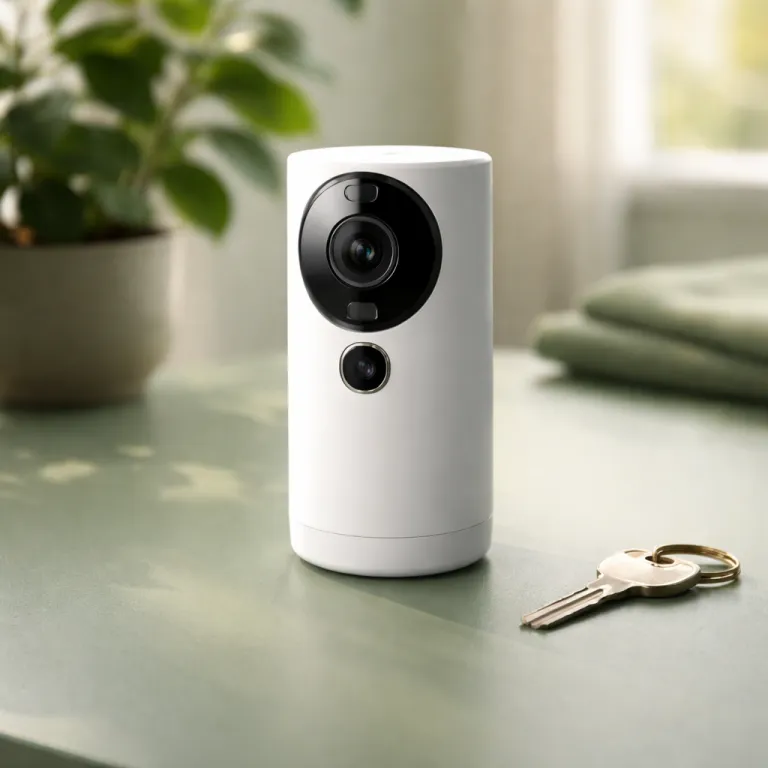

What you really get without any Ring subscription
With a Ring camera or Ring doorbell running unsubscribed, you still see a lot. You keep live video streaming, motion alerts, and two way talk on every compatible Ring device, so the basic security feel remains even without a paid Ring Protect plan. What you lose is the recorded video history that turns a quick notification into evidence you can actually use.
On a bare Ring device, the app will show you who is at the door only in real time. Once the visitor walks away, the Ring camera or Ring alarm linked camera has no clip stored, so you cannot rewind to check a suspicious person or a missed package. For a renter who works from home and usually answers live video alerts, that missing archive may feel annoying rather than catastrophic.
The trade off becomes sharper when you rely on your Ring products while commuting or traveling. If a parcel disappears from the hallway or a bike vanishes from the courtyard, the lack of saving and sharing options for video clips means you will struggle to protect your case with your landlord or the police. In that scenario, the question “is a Ring subscription plan worth it” stops being theoretical and becomes about whether you can afford not to have receipts.
The one camera rental: when Basic makes sense and when it does not
Picture a studio flat with a single Ring doorbell on the shared entrance. You mainly want a log of package deliveries and a simple security record of who buzzed when you were out, so the Ring Protect Basic subscription for one camera Ring device looks like the best fit at first glance. The monthly Ring Protect cost, roughly the price of a takeaway in many regions, feels manageable even on a tight budget, though you should always confirm the latest pricing on Ring’s official plan comparison pages because fees can change over time.
In testing with a Ring Battery Doorbell Plus and a Ring Indoor Cam, the Basic plan did exactly what it promised. It stored motion and ring events for the full video retention period, allowed quick saving and sharing of clips, and unlocked rich notifications that showed a snapshot before you even opened the app, which made the Ring subscription feel more like a real security system than a simple gadget. For a single camera Ring setup, that level of convenience and protection usually justifies the cost, especially if you have frequent deliveries or live in a busy hallway.
The awkward part appears when you add a second or third Ring camera to cover the back stairwell or bike storage. Paying the Basic subscription for each Ring device quickly approaches or exceeds the price of the Ring Protect Standard unlimited plan, which covers all compatible Ring devices in one home. At that point, the Ring subscription plan worth it question shifts from “do I need recordings” to “am I paying the wrong way for the same products Ring already supports.”
Standard unlimited versus Basic: the break even math for renters
Ring Protect Standard, sometimes just called the Ring subscription for unlimited cameras, is priced to push you away from stacking Basics. Once you run more than two doorbells cameras or indoor units, the subscription cost per device drops sharply, and the unlimited plan becomes the best financial choice for most customers. For a renter with three Ring devices, the difference over a full year can equal a decent share of your internet bill, especially if you pay month to month instead of using discounted annual billing.
Here is the practical way to think about it rather than memorizing every plan detail. Count how many Ring camera or Ring doorbell units you actually use, then multiply the Basic price by that number and compare it with the Standard plan, which also covers Ring alarm video verification features and keeps the same video retention and saving and sharing tools. For example, as of early 2024 in the U.S., Ring Protect Basic is listed at about $4.99 per device per month and Ring Protect Standard is advertised at around $10 per month for unlimited cameras at one location, so three devices on Basic would cost roughly $14.97 monthly, while Standard would still be about $10, meaning the unlimited plan would save you close to $5 every month. Exact figures vary by region and over time, so always check Ring’s current plan comparison page before you subscribe.
For a budget conscious renter, the Ring subscription plan worth it question often lands on this break even line. One camera in a small flat can live happily on Basic, while two or more devices almost always justify the Standard tier, especially if you rely on your Ring security setup during travel. If you are unsure, use a detailed guide to Ring doorbell plans from a specialist site or Ring’s own help center to map your exact devices and avoid paying more than you need.
Roommates, shared accounts, and who actually owns the Ring system
Shared rentals complicate every subscription, and Ring is no exception. When three roommates split a Ring alarm kit, a Ring camera in the living room, and a Ring doorbell at the main entrance, someone’s account will technically own the whole security system and the Ring Protect subscription attached to it. That person controls billing, shared users, and what happens to stored video if the household breaks up.
The cleanest approach is to agree upfront that the Ring subscription lives on a neutral email, not on one roommate’s long term personal account. You can then share access with each person as a user, while the group splits the subscription cost like any other utility, which keeps the Ring products and their video history tied to the address rather than to one individual. When someone moves out, you simply remove their access instead of arguing over who keeps months of doorbells cameras footage and alarm events.
This matters because the Ring subscription plan worth it calculation changes if you risk losing access later. If your name is not on the Ring devices account and you are the one paying, you carry the cost without long term control over the camera Ring system or its extended warranty options. In that case, you might prefer a cheaper, no subscription camera with local storage, such as some 4K security cameras with microSD recording, which can sit alongside Ring security gear without tying your budget to someone else’s login.
Moving between apartments: keeping your Ring security investment intact
Renters move more often than homeowners, so any subscription has to survive a change of address. The good news is that a Ring subscription follows your account and your Ring devices, not the flat itself, so you can unmount a battery powered Ring doorbell or camera Ring unit and reinstall it at the next place without losing your plan. Your stored video clips stay in the cloud for the normal retention period, even after the old Wi Fi network disappears.
Where things get tricky is with shared access and compatible Ring alarm setups that stay behind. If you leave a Ring alarm base station or other Ring products for the next tenant, you should transfer ownership properly in the app and cancel or adjust your Ring Protect plan so you are not paying for devices you no longer control, which keeps your subscription cost aligned with your actual security needs. For portable devices like a Ring camera with a removable battery, the Ring subscription plan worth it question becomes easier, because you can keep using the same plan across several moves.
Think about how many months you expect to stay in your current place before committing to higher tiers or add ons like professional monitoring or cellular backup for Ring alarm. If you are likely to move within a short duration, a flexible plan with minimal extended warranty extras may be smarter than locking in a bundle that assumes a long term address. The aim is to let your Ring security system travel with you, not to leave paid features bolted to a doorframe you no longer use.
Cheaper and no fee alternatives that still work with Ring devices
Some renters look at the ongoing Ring subscription and decide they want at least part of their security setup off the monthly treadmill. One option inside the Ring ecosystem is to pair a Ring Alarm Pro base station with local storage, which lets certain compatible Ring cameras record video to an SD card or network drive while you keep cloud features for only the most important devices. That hybrid approach can lower your overall subscription cost while still giving you a robust security system.
Outside the Ring universe, there are battery powered cameras and doorbells cameras that charge more upfront but skip subscriptions entirely. A wireless 4K solar security camera kit with local recording and AI detection, for example, can cover a courtyard or bike rack without any ongoing plan, and it can sit alongside your Ring doorbell as a separate layer of protection. In that mixed setup, you might reserve the Ring Protect subscription for the front door, where saving and sharing clips matters most, while letting the no fee camera handle wide angle surveillance.
For a budget conscious renter, the Ring subscription plan worth it question rarely has a single yes or no answer. It is about which Ring devices truly need cloud video, professional monitoring, or cellular backup, and which can rely on live video only or on local storage. The more deliberately you assign each camera Ring or alarm component to either paid or free recording, the closer you get to the best balance between cost and real world security.
Key figures about Ring subscriptions and renter security
- Ring Protect plans store event videos for a limited number of days, which you can usually extend up to around 180 days in many regions, so a renter can review incidents from several months rather than scrambling to download clips immediately. Always check Ring’s current retention options in your country, as policies and maximum durations can change and may differ from the example figures here.
- The Basic tier covers one device, while the Standard unlimited plan covers all cameras and doorbells at a single location, so households with three devices can often save the equivalent of one Basic subscription every month compared with paying per unit.
- End to end encryption is available on most recent Ring cameras and doorbells, giving renters stronger privacy controls without requiring a higher subscription tier, though you should confirm compatibility for your exact model in Ring’s help documentation.
- Professional monitoring for Ring alarm is optional and adds a separate monthly fee, so renters in buildings with existing concierge or security staff can often skip it and rely on self monitoring instead.
Frequently asked questions about Ring subscription plans for renters
Is a Ring subscription plan worth it if I only have one camera?
For a single Ring doorbell or indoor camera, the Basic plan is usually worth it if you care about recorded history of visitors and deliveries. If you are almost always home and mainly use live view, you can try running without a subscription and see whether the lack of clips actually bothers you. The moment you find yourself wishing you could rewind an event, that is your signal to upgrade.
When does the unlimited Ring Protect plan become cheaper than Basic?
The unlimited Standard plan generally becomes cheaper as soon as you have more than two Ring devices at the same address. Once you hit three cameras or doorbells, paying for multiple Basic plans usually costs more than a single unlimited subscription. At that point, switching to Standard gives you the same features for less money and leaves room to add more devices later.
Can I share my Ring subscription with roommates safely?
Yes, but you should separate ownership and access carefully. Put the Ring account and subscription under a neutral email, then invite each roommate as a shared user so they can view live video and clips without controlling billing. When someone moves out, you remove their access while the subscription and devices stay with the remaining tenants.
What happens to my Ring subscription when I move to a new apartment?
Your Ring subscription stays tied to your account, so you can uninstall battery powered cameras and doorbells and reinstall them at the new place without losing your plan. You should update the location in the app and remove any devices you leave behind, especially Ring alarm bases, so you are not paying for someone else’s security. Stored clips remain available for the normal retention period even after you change Wi Fi networks.
Are there good no subscription alternatives that work alongside Ring?
Several wireless cameras and doorbells offer local storage on SD cards or network drives, which means no ongoing fees. You can mount one of these to watch a wider area, such as a car park or bike rack, while keeping a Ring doorbell with a paid plan at the main entrance for detailed visitor logs. This mixed approach often gives renters strong coverage without stacking multiple subscriptions.