
Summary
Editor's rating
Is the 4‑camera XR kit worth the money?
Simple, low‑profile design that doesn’t scream ‘security system’
The ‘two‑year battery life’ claim vs reality
Weather resistance and reliability day to day
Range, image quality, and motion alerts in real life
What you actually get in the box and how it all works together
Pros
- XR module gives much better range and fewer disconnects than standard Wi‑Fi cameras
- Easy, fully wireless installation with four cameras included for broad coverage
- Decent 1080p image quality and reliable motion alerts for basic home security
Cons
- Real‑world battery life is well below the two‑year claim in busy areas
- Best long‑range mode (XR+) disables microphone and reduces video quality
- Ongoing cost if you want smooth cloud storage and AI features via subscription

Specifications
View full product page →| Brand | Blink |
Wireless cameras that actually reach the back of the property
I’ve been using the Blink Outdoor 4 XR kit for a little over three weeks around a suburban house with a detached garage and a small backyard. Before this, I had a couple of older Wi‑Fi cameras that were fine near the router but useless once you went past the patio. The main reason I tried this kit is the XR sync module that’s supposed to push the range way farther than normal Wi‑Fi. I wanted coverage at the end of my driveway and near a shed where I have no power and weak Wi‑Fi.
In day‑to‑day use, the system feels like a fairly typical Blink setup: small battery cameras, everything managed from the app, and optional cloud subscription. The twist is the XR link that runs on the 900 MHz band, which is what lets you place cameras way further out than usual. I didn’t hit the 1000 ft open‑air claim, but I did get stable signal where my old cameras just dropped out constantly, so there is a real difference in practice.
I used two cameras in what I’d call “normal” spots (front door area and backyard) and two pushed out toward the driveway and side yard, about 250–300 ft from the house with trees and a garage in between. That’s exactly where typical Wi‑Fi cameras struggle. With XR enabled, live view loads faster than I expected at that distance, and motion clips show up reliably in the app. It’s not magic, but it’s clearly more stable than relying only on Wi‑Fi.
If you’re expecting a perfect plug‑and‑forget system with true two‑year battery life in every situation, that’s not what this is. It gets the job done for basic security and long‑range coverage, but you’ll still have to tweak settings and accept that heavy motion areas will chew through batteries quicker. Overall, it’s a decent upgrade if you specifically need range and don’t want to run cables, but it’s not flawless and it’s not the cheapest route if you’re only covering a small porch.
Is the 4‑camera XR kit worth the money?
Value really depends on how much you care about long‑range wireless coverage. If you just want one or two cameras on your front porch and back door, there are cheaper options from Blink and plenty of competitors that will do the job without the XR module. Where this kit starts to make sense is when you have a larger property, a long driveway, or outbuildings where you don’t want to run power or Ethernet.
With four cameras and the XR hub in the box, you can cover most sides of a house plus one or two distant spots. That’s actually decent coverage for a single purchase. The ongoing cost question is the subscription. The free 30‑day trial is nice, but if you want cloud storage after that for all four cameras, you’re paying monthly. You can avoid that by using a MicroSD card for local storage, but managing clips is a bit less smooth and you’re trusting a single card in the hub. Personally, I think the subscription is worth it if you really care about reviewing past events easily and using the AI features, but it does eat into the long‑term value.
Compared to running power and Ethernet to remote locations or paying for a more complex NVR system, this kit is still relatively affordable and much simpler to install. I didn’t have to drill through walls for cables or mess with PoE switches. I literally screwed the mounts in, popped in batteries, and the cameras were online in minutes. For a lot of homeowners, that simplicity is worth paying a bit extra compared to cheaper wired solutions that need more work.
If you already own Blink cameras and just need more range for one or two spots, you might be better off buying the XR module separately (if available) and just a couple of extra cameras, rather than this big kit. But as a fresh setup, I’d say the value is pretty solid as long as you actually use the long‑range capability. If all four cameras are within 30–40 ft of your router, you’re basically paying for a feature you’re not using.
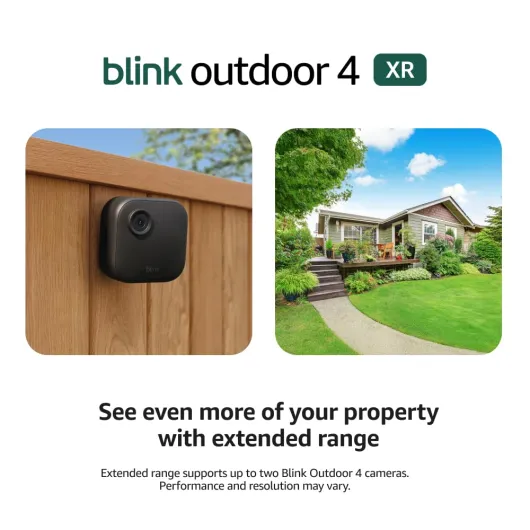
Simple, low‑profile design that doesn’t scream ‘security system’
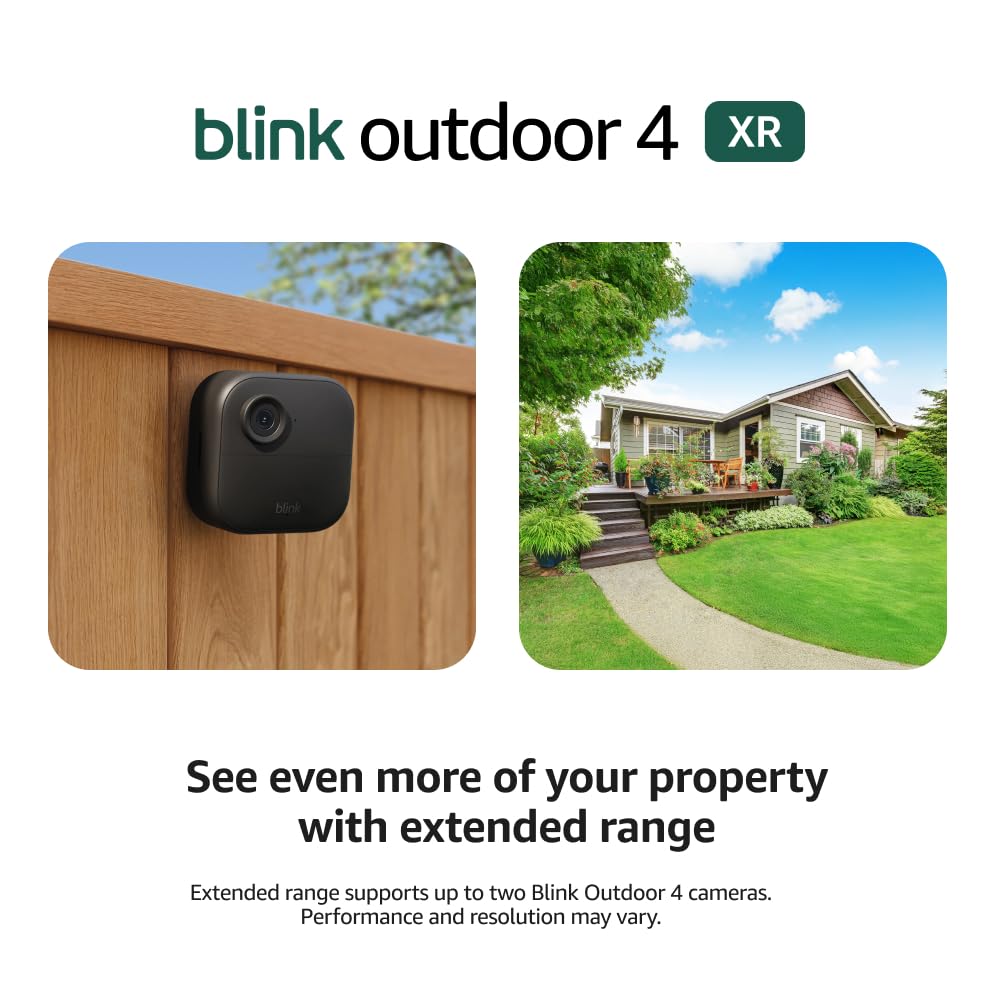
The cameras themselves are the usual Blink style: small black squares, rounded corners, and very light. Each unit is about 2.8 x 2.8 x 1.6 inches and weighs only 5 oz. In practice, that means they don’t draw much attention and they don’t need heavy mounting hardware. I just used the included mounts and standard screws into wood siding and a fence post, and nothing sagged or shifted after a couple of weeks, even with some windy days.
The field of view is 143° diagonal, which in real life covers a good chunk of a driveway or a whole small yard if you place it right. I had one camera on a corner of the house aimed down the driveway and it caught the entire lane plus part of the street. Another one on a fence post covered my whole back lawn and part of the neighbor’s tree line. You don’t get any fancy pan/tilt here, so placement still matters, but the wide angle makes it pretty forgiving.
On the downside, the mounting system is pretty basic. The included mounts are fine for simple wall or post installs, but they don’t offer a ton of precision. If you want a very specific angle or you’re dealing with brick or metal, you might want to pick up third‑party mounts. Also, there’s no built‑in floodlight or siren on these, so visually and functionally they’re more about quiet monitoring than active deterrence. If you want something that lights up intruders, you’ll need to pair it with a floodlight cam or separate lights.
The Sync Module XR is a small flat square that just lives near your router. It’s light and doesn’t get hot. Design‑wise, nothing fancy here, but that’s fine. What matters is where you place it. I got better long‑range performance by moving it a couple of feet away from the router and away from a big metal filing cabinet. So while the design is compact and tidy, you may end up experimenting with location a bit to get the best signal to your furthest cameras.
The ‘two‑year battery life’ claim vs reality
The cameras use two AA lithium metal batteries each (non‑rechargeable), and Blink advertises up to two years of battery life with default settings and typical use. Based on my experience and what I’ve seen in the app’s usage warnings, that two‑year number is pretty optimistic unless your cameras are in very low‑traffic areas. In my case, the driveway camera and the backyard camera get a fair bit of action: cars, deliveries, kids playing, and some wildlife at night.
After about three weeks, the app still shows all cameras above half battery, but the two busier ones have already triggered “excessive usage” warnings when I left everything on default (longer clip length, higher sensitivity, frequent motion). Once I tuned things down—shorter clips, a bit less sensitivity, and no photo capture—the warnings stopped. Still, it’s clear that if you put one of these facing a busy street, you’re not going to see anything close to two years. You’re probably looking at several months, which is still acceptable but not as advertised.
One annoyance: Blink keeps repeating that you cannot recharge the supplied AA lithium batteries. That’s true, but they don’t clearly say in the quick start guide whether you can use your own rechargeable NiMH AAs. From what I’ve seen on other Blink models and user feedback, rechargeables technically work but often give shorter runtimes and the app’s battery gauge is less accurate. So if you want the least hassle, you’re basically pushed toward buying more lithium AAs when they die, which adds to the long‑term cost.
On the positive side, the app does a good job showing battery levels and warning you early. You can also tweak a lot of settings to stretch life: motion sensitivity, clip length, retrigger time, photo capture, and video quality. If you’re willing to compromise a bit on those, you can probably get close to a year in a typical suburban setup. I wouldn’t bank on two years unless the camera is in a very quiet spot that records only a few times a day. So overall, battery life is decent but not magic, and you should plan on either stocking lithium AAs or experimenting with rechargeables at your own risk.
Weather resistance and reliability day to day
These cameras are meant for outdoor use, and in my few weeks of testing they handled normal weather just fine: light rain, a couple of windy days, and temps between about 34°F and 80°F. The housings feel solid enough, no creaks when tightening them on the mounts, and the seams look well sealed. The USB‑C port is covered with a snug rubber flap, and I didn’t see any moisture inside when I checked after rain. So from a basic weatherproofing standpoint, they seem up to the task.
One thing to flag: the specs list two different temperature ranges depending on where you look. The camera section says -4°F to 113°F, while another part lists 32°F to 104°F for indoor use only but that’s clearly referring to the Sync Module XR, not the cameras. In practice, it means the cameras are fine outside in winter, but the XR hub should stay indoors in a normal temperature range. I kept the module in the living room near the router and didn’t have any overheating or random disconnects from that side.
In terms of connectivity reliability, the XR link really does seem more stable than straight Wi‑Fi. I had maybe one or two short disconnects on the furthest camera over three weeks, and they reconnected automatically without me doing anything. My older Wi‑Fi cameras in the same areas used to drop several times a day. That lines up with Blink’s claim of fewer disconnects, and it matters if you’re trying to cover sheds, barns, or gates away from the house.
Long‑term durability is harder to judge this early, but from other Blink gear I’ve used, the main thing that ages is usually the mount hardware (rusting screws) and not the camera body itself. Here, the included hardware is basic steel, so if you’re near the coast or in a very wet climate, I’d consider swapping to stainless screws. Overall, nothing in the build makes me worry, but I wouldn’t call it heavy‑duty pro gear either. It’s consumer‑grade, decent enough for home use if you install it sensibly and don’t beat it up.
Range, image quality, and motion alerts in real life
The big selling point of this kit is the range, and that’s where it does pretty well. In my setup, one camera is about 280–300 ft away from the Sync Module XR with trees, a wooden fence, and a detached garage in the way. With a normal Wi‑Fi camera, that spot was basically a lost cause: constant disconnects and failed live views. With the Outdoor 4 XR on XR+ mode, the connection sits at 2 bars and live view opens in around 3–5 seconds most of the time. Not instant, but usable. I didn’t hit the full 400 ft in a cluttered environment, but I got close enough that I’d say the long‑range claim is not just marketing.
Image quality is 1080p, which is decent but nothing more. During the day, it’s clear enough to see faces, license plates at short distance, and general activity. At night, the infrared does the job, but you’re not reading plates from far away. If you enable XR+ saver mode for long range, the image softens a bit and you lose microphone use, which is a trade‑off. For cameras close to the house, I kept them in standard HD mode with full audio and they looked better. So you kind of end up running two profiles: higher quality for near cameras, more conservative settings for the distant ones.
Motion detection is sensitive out of the box. The first two days I had a camera pointed at the street and it was firing constantly for every car, which triggered the Blink warning about “excessive usage” and battery life. To make it usable, I had to narrow the motion zones and lower sensitivity. Once dialed in, it worked fine: people walking up the driveway, cars entering, and even a cat crossing the yard all showed up in the clips. There is a bit of delay between motion and notification, but it’s in the normal range for consumer cameras.
Two‑way audio is okay on the cameras close to the house. There’s a slight delay but you can hold a short conversation with a delivery driver without too much frustration. On the XR+ long‑range camera, since audio is disabled in that mode, you obviously lose that feature. That’s something to keep in mind: if you need to talk through the camera at a gate 400 ft away, this setup is not ideal unless you can run it in standard XR mode with a strong enough signal.
What you actually get in the box and how it all works together
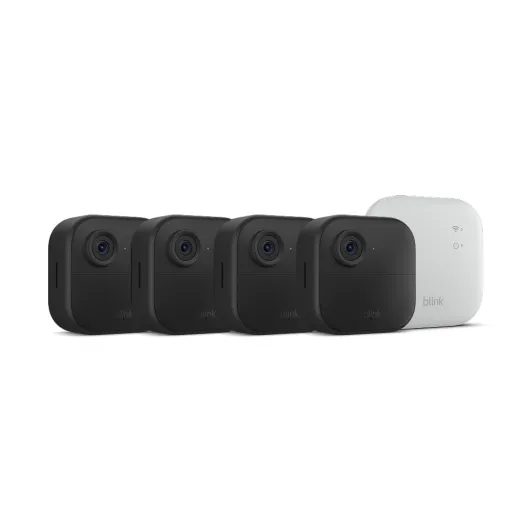
This kit is basically a starter ecosystem: you get four Outdoor 4 cameras, the Sync Module XR, eight AA lithium batteries, four basic mounting kits, and the USB‑C cable plus power adapter for the XR module. No MicroSD card is included, so if you want local storage you’ll need to buy that separately. Out of the box, you can mount and run all four cameras on batteries only, which is nice if you don’t have power outlets outside.
Setup is done through the Blink app. You plug in the Sync Module XR near your router, connect it to Wi‑Fi (2.4 GHz only), then add each camera by scanning a QR code. The app walks you through it step by step. It’s not complicated, but you do need to read carefully the first time, because XR modes and video quality options are not very clearly explained. For example, there’s an XR+ saver mode that cuts microphone use and reduces quality to keep the long‑range link stable and extend battery life.
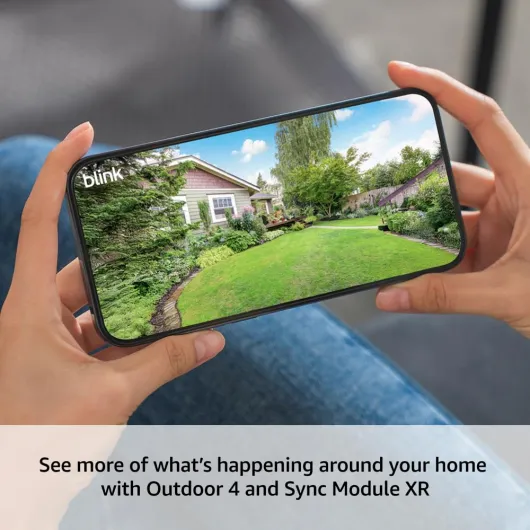
In terms of how it all behaves together: the XR module talks to the cameras on 900 MHz, then it talks to your router on Wi‑Fi. That means even if your phone’s Wi‑Fi is solid, a weak link between a camera and the XR module will still give you slow or unreliable live view. In my house, the module is in the living room next to the router, and I get decent signal to cameras up to about 300 ft with some walls and trees in between. The claim is up to 400 ft in typical use, and from what I saw, that’s optimistic but not totally unrealistic if you place the module smartly.
One thing to be aware of: this system is clearly designed to push you toward the Blink subscription. You get a free 30‑day trial for cloud recording, but after that you either pay monthly or rely on a MicroSD card in the XR module. Local storage works, but it’s less smooth than the cloud in terms of viewing and managing clips. So the headline price of the kit isn’t the full story if you want the most convenient experience. Still, even without a subscription, you can use live view, motion alerts, and local recording, so it’s functional without ongoing fees if you’re willing to deal with the card.
Pros
- XR module gives much better range and fewer disconnects than standard Wi‑Fi cameras
- Easy, fully wireless installation with four cameras included for broad coverage
- Decent 1080p image quality and reliable motion alerts for basic home security
Cons
- Real‑world battery life is well below the two‑year claim in busy areas
- Best long‑range mode (XR+) disables microphone and reduces video quality
- Ongoing cost if you want smooth cloud storage and AI features via subscription
Conclusion
Editor's rating
Overall, the Blink Outdoor 4 XR system is a solid choice if your main problem is distance. The XR hub really does push the cameras further than typical Wi‑Fi, and in my case it turned dead zones at the edge of the property into usable coverage. Video quality is good enough for home security, motion alerts are fast, and setup is straightforward once you get past some vague explanations in the app. The cameras are compact, weather‑resistant, and easy to mount, so you can get a full perimeter up and running in an afternoon without touching any cables.
It’s not perfect. The “two‑year battery life” is very optimistic in busy areas, and you need to spend some time tuning motion settings or you’ll burn through batteries quicker than you’d like. The XR+ saver mode trades audio and some quality for range, which might be a dealbreaker if you want to talk through a far camera. And like most modern systems, the best experience is locked behind a subscription, so factor that into your budget if you want hassle‑free cloud storage.
I’d recommend this kit for people with larger yards, long driveways, small farms, or properties with sheds, barns, or gates that are 200–400 ft away from the house. If you live in an apartment or a small house where everything is close to the router, you’re probably better off with cheaper standard Wi‑Fi cameras. For those who do need that extra reach and still want something easy to install, this Blink setup gets the job done with a good balance of range, features, and overall reliability.