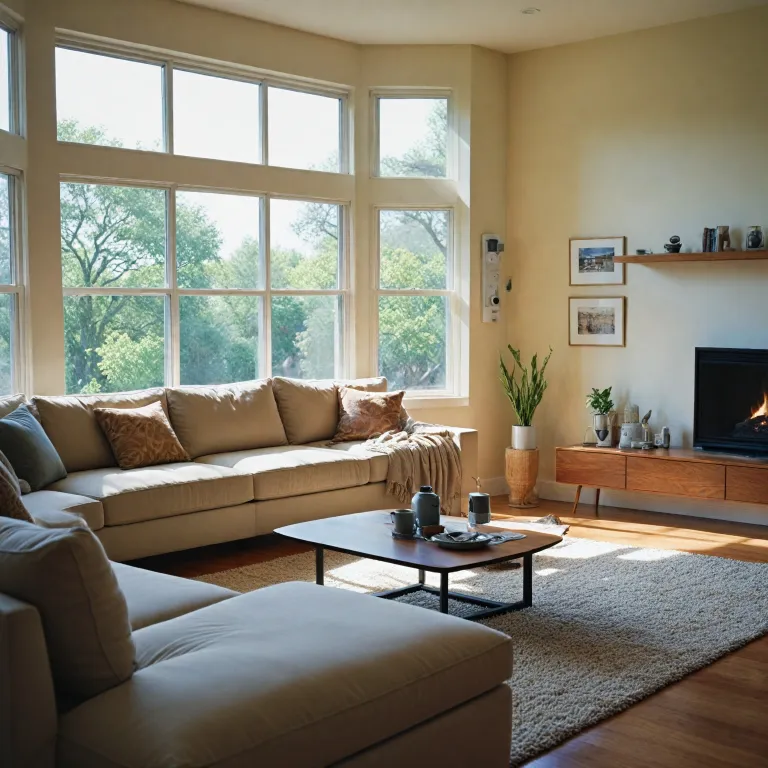

Understanding self monitoring home security systems
What Makes Self-Monitoring Home Security Systems Different?
Self-monitoring home security systems have changed the way people protect their homes. Unlike traditional security systems that rely on professional monitoring services, these systems put you in control. You receive alerts and manage your security through an app, without the need for monthly fees or long-term contracts. This DIY approach is popular for those who want flexibility and direct oversight of their home’s safety.
How Self-Monitored Systems Work
Most self-monitored systems use a combination of wireless sensors, security cameras, and smart home integrations. When a sensor or camera detects unusual activity, the system sends a real-time notification to your phone. You can then decide whether to contact authorities or simply check your video feed. Many systems offer easy setup, making them suitable for renters and homeowners alike.
- Security cameras: Devices like Ring, Arlo, and SimpliSafe Abode provide live video feeds and motion alerts.
- Wireless sensors: Door, window, and motion sensors add extra layers of protection.
- Smart home compatibility: Integration with home automation platforms lets you control lights, locks, and alarms from one app.
- DIY installation: Most systems are designed for easy setup without professional help.
Comparing Self-Monitoring to Professional Monitoring
With self-monitored systems, you avoid monthly fees and have direct control over your alarm system. However, you are responsible for responding to alerts in real time. Some brands, like Abode and SimpliSafe, offer optional professional monitoring plans if you want extra peace of mind. The best security system for you depends on your comfort with technology, your budget, and how hands-on you want to be.
For those interested in advanced options, Power over Ethernet (PoE) security cameras are changing home surveillance by offering reliable video and easier installation for larger properties.
Key features to look for in a ring camera
Essential Capabilities for Effective Home Security
When selecting a Ring camera for your self monitoring home security system, it’s important to focus on features that truly enhance your home’s protection. The right combination of video quality, smart integration, and user-friendly controls can make a significant difference in your daily experience and peace of mind.
- Video Resolution and Night Vision: Look for cameras offering at least 1080p HD video. Clear footage is vital for identifying details in real time. Many Ring cameras also provide color night vision, which can be a game changer for monitoring after dark. For more on maximizing your system during special times, check out how to boost your home security with Ring cameras during the holidays.
- Motion Detection and Alerts: Advanced motion sensors help reduce false alarms and ensure you’re only notified when it matters. Customizable motion zones allow you to focus on key areas, making your system more efficient.
- Two-Way Audio: This feature lets you communicate directly through the camera using the Ring app. It’s useful for greeting visitors or deterring suspicious activity without opening the door.
- Smart Home Compatibility: Integration with smart home platforms like Alexa, Google Assistant, or Apple HomeKit can streamline your security system. This allows you to control cameras, alarms, and sensors from a single app or voice command.
- Wireless and DIY Installation: Many Ring cameras are designed for easy, wireless setup, making them ideal for DIY self monitoring systems. Look for models that support wireless sensors and flexible placement options.
- Cloud Storage and Local Backup: Consider how your video footage is stored. Some systems offer cloud storage with monthly fees, while others provide local backup options. Evaluate which aligns with your privacy preferences and budget.
- App Experience and Monitoring Options: The Ring app is central to managing alerts, live video, and system settings. Compare how different systems offer self monitoring versus professional monitoring services, and check if there are additional fees for advanced features.
Comparing Ring with Other Security Systems
It’s worth comparing Ring cameras with other popular brands like Arlo, SimpliSafe, and Abode. Each system has its strengths, whether it’s wireless security, home automation, or flexible monitoring plans. Some systems offer professional monitoring, while others are designed for self monitored setups with no monthly fees. Assess your needs, such as the number of cameras, type of sensors, and whether you want a fully integrated alarm system or a more basic DIY solution.
By focusing on these key features, you can build a home security system that fits your lifestyle and offers reliable protection without unnecessary complexity or costs.
Privacy and data security concerns
Balancing Security and Privacy in Smart Home Systems
When adding a Ring camera or any smart home security system, privacy and data security are top concerns for many homeowners. These devices, while offering advanced monitoring and alarm features, also collect and store video footage, sensor data, and sometimes audio. Understanding how your system handles this information is crucial for peace of mind and effective self monitoring.
- Data Storage: Most security cameras, including Ring, store video either locally or in the cloud. Cloud storage often requires monthly fees, but it can offer more convenience and accessibility. Always review how long your footage is kept and who can access it.
- Encryption: Look for systems that use end-to-end encryption for video and data. This ensures that only authorized users can view your recordings, adding a layer of protection against unauthorized access.
- App Permissions: The app you use to control your security system may request access to your phone’s location, microphone, or contacts. Regularly check and limit these permissions to what’s strictly necessary for monitoring and alarm notifications.
- Sharing and Integrations: Many smart home systems offer integrations with other devices or professional monitoring services. Be cautious about what data is shared with third parties, especially if you use features like video sharing or home automation routines.
- Account Security: Enable two-factor authentication on your Ring account and any related apps. This simple step can prevent unauthorized access, even if your password is compromised.
It’s also important to consider how motion sensitivity settings affect your privacy and the effectiveness of your monitoring plan. For more on this, check out this guide on understanding motion sensitivity in Ring cameras.
Choosing the best security system means weighing the convenience of self monitoring and DIY self installation against the need for robust privacy controls. Systems like Ring, Arlo, and SimpliSafe Abode offer various options for wireless sensors, alarm monitoring, and smart home integration. Always review the privacy policy and security features before committing to a system or monitoring plan.
Installation tips for ring cameras
Step-by-Step Setup for Your Ring Camera
Getting your Ring camera up and running is a straightforward process, even for those new to DIY self monitoring home security systems. Most Ring cameras are designed for easy installation, making them a popular choice for smart home enthusiasts and those seeking a reliable security system without professional installation fees.- Choose the Right Location: Select a spot that covers key entry points or high-traffic areas. Make sure your wireless security camera has a clear view and is within range of your Wi-Fi network for optimal video streaming and monitoring.
- Mounting the Camera: Use the included hardware to mount your camera. For battery-powered models, you have more flexibility in placement. Wired cameras may require access to a power outlet, so plan accordingly.
- Connect to the App: Download the Ring app to your smartphone. The app will guide you through connecting your camera to your home Wi-Fi and setting up your monitoring plan. This is also where you’ll manage alerts, view live video, and adjust settings.
- Test the System: Once installed, test the camera’s field of view and motion detection. Adjust the angle or sensitivity if needed to avoid false alarms or missed activity.
- Integrate with Other Devices: Many systems offer compatibility with other smart home devices, such as wireless sensors, alarms, and home automation platforms. Linking your Ring camera with these can enhance your overall security system.
Tips for a Smooth DIY Experience
- Read the instructions carefully before starting. Each model, whether it’s Ring, Arlo, or Simplisafe Abode, may have unique steps.
- Keep your Wi-Fi credentials handy. A strong, stable connection is crucial for real-time monitoring and video storage.
- Consider the power source. Battery-powered cameras offer flexibility, but remember to recharge or replace batteries as needed. Wired systems may require more planning but eliminate the need for battery changes.
- If you’re adding multiple cameras or sensors, label each device in the app for easy management.
When to Consider Professional Help
While most Ring cameras are designed for DIY self installation, some situations may call for professional assistance:- Complex setups involving multiple security cameras, sensors, or integration with an existing alarm system.
- Homes with challenging layouts or limited Wi-Fi coverage.
- Desire for a fully managed security system with ongoing professional monitoring services.
Managing alerts and notifications
Getting the Most Out of Alerts and Notifications
Managing alerts and notifications is a key part of using a Ring camera or any self monitoring home security system. The right settings help you stay informed without feeling overwhelmed by constant updates. Here’s how to make your system work for you:
- Customize Motion Zones: Most Ring cameras and other security cameras let you set specific areas to monitor. This reduces unnecessary alerts from passing cars or animals, making your home security system more effective.
- Adjust Sensitivity: Fine-tune the motion sensitivity in your app. If your system is too sensitive, you’ll get too many notifications. If it’s not sensitive enough, you might miss important activity. Testing different settings helps you find the right balance for your home.
- Choose Notification Types: Decide if you want push notifications, email alerts, or both. Some systems offer smart alerts that only notify you when a person is detected, not just any motion.
- Schedule Alerts: Many smart home security systems, including Ring, allow you to set schedules. For example, you might want alerts only at night or when you’re away from home. This feature is especially useful for DIY self monitored systems.
- Integrate with Other Devices: If you use a broader home automation setup, connect your Ring camera to other smart devices. For instance, you can set your alarm system to trigger lights or sirens when motion is detected, adding another layer to your security.
Reducing Notification Fatigue
Too many notifications can lead to ignoring important alerts. Here are some tips to avoid this:
- Review your notification history in the app to spot patterns and adjust settings accordingly.
- Use the app’s snooze or do-not-disturb features during times you don’t want to be interrupted.
- For systems offering professional monitoring or alarm monitoring, consider using those services for critical events, while keeping self monitoring for everyday activity.
Best Practices for Timely Responses
Responding quickly to alerts is crucial for effective home security. Make sure your phone or device has the app installed and notifications enabled. If your system supports multiple users, share access with trusted household members so someone is always available to check alerts in real time.
Whether you use Ring, Arlo, SimpliSafe Abode, or another DIY self monitored system, managing alerts and notifications is essential for a secure and stress-free experience. Regularly review your settings to ensure your home security system matches your lifestyle and needs.
Troubleshooting common issues with ring cameras
Quick fixes for common Ring camera problems
Even the best security cameras can run into issues from time to time. If your Ring camera or self monitoring system isn’t working as expected, there are several practical steps you can take before reaching out to professional support or considering a new system. Here are some common troubleshooting tips for Ring cameras and similar smart home security systems:
- Check your Wi-Fi connection: Many issues with video streaming or alerts are caused by weak or unstable Wi-Fi. Make sure your camera is within range of your router and that your internet connection is stable. If you use wireless sensors or a diy self monitoring setup, a strong network is essential for real-time monitoring.
- Restart your camera and app: Sometimes, a simple restart can resolve glitches. Unplug your camera, wait a few seconds, and plug it back in. Also, close and reopen the Ring app or your home security app to refresh the connection.
- Update firmware and app: Security systems and cameras like Ring, Arlo, or SimpliSafe Abode often release updates to fix bugs and improve performance. Check for updates in your app and install them promptly to keep your system running smoothly.
- Review power sources: If your camera is battery-powered, check the battery level and recharge or replace if needed. For wired cameras, ensure the power cable is securely connected.
- Adjust motion settings: If you’re getting too many or too few alerts, revisit your motion sensitivity and zone settings in the app. Fine-tuning these can help reduce false alarms and ensure you’re notified only when it matters.
- Test sensors and alarms: For systems with additional sensors or an alarm system, regularly test each component to confirm they’re communicating with your main hub or app. This is especially important for diy self monitored systems where professional monitoring isn’t included.
- Check for monthly fees or plan issues: Some features, like video history or advanced alerts, may require a monitoring plan. If something stops working, verify your subscription status in the app.
When to seek professional help
If you’ve tried these steps and your home security system or Ring camera still isn’t functioning properly, it may be time to contact customer support. Most systems offer troubleshooting guides on their websites, and professional monitoring services can provide additional assistance if you have a monitoring plan. Remember, regular maintenance and timely updates are key to keeping your smart home security system reliable and effective.