

What does IP of camera mean?
Understanding the Unique Address of Your Security Camera
Every device on your home network, including your Ring camera, has a unique identifier called an IP address. This address acts like a digital home address for your camera, allowing it to communicate with your router and other devices. When you connect a camera to your network, the router assigns it an address so you can access video feeds, manage settings, and ensure your security cameras are working as intended.
For security cameras, especially CCTV camera systems, knowing the camera address is essential for configuration and troubleshooting. The IP address helps you find your camera on the network, set up port forwarding for remote access, and check if the camera is properly connected. If you want to disable your Ring camera temporarily, understanding its network address is a key step.
- Camera network: The collection of all cameras and devices connected to your router.
- Address bar: Where you enter the camera address in a web browser to access its settings (for some models).
- Static address: A fixed IP address you can set for your camera to avoid changes after a reboot.
- Port number: Used with the IP address to specify which service or software you want to access on the camera.
Understanding these basics will help you find the address of your camera, manage your devices, and keep your security system running smoothly. In the next section, you’ll learn practical steps to find your Ring camera’s IP address and add it to your address list for easy access.
How to find the IP of your Ring camera
Steps to Locate Your Ring Camera’s IP Address
Finding the IP address of your Ring camera is a key part of managing your home security setup. The IP address acts as a unique identifier for your camera on your network, letting you connect, configure, and troubleshoot as needed. Here’s how you can find the camera address and what to look out for:- Check Your Router’s Device List: Most routers offer a list of connected devices. Log in to your router’s admin page (often by entering the default address like
192.168.1.1in your web browser’s address bar). Look for a section called "Device List," "Connected Devices," or "DHCP Clients." Your Ring camera should appear, often labeled as "Ring" or "camera." Note the IP address next to it. - Use the Ring App or Software: Some security cameras, including Ring, allow users to check network details directly in the app. Open the Ring app, go to the camera’s settings, and look for network or device information. This section may display the camera’s IP address and port number.
- Advanced Network Scanning: If you have multiple security cameras or devices, a network scanning tool (like Fing or Advanced IP Scanner) can help you find all camera addresses on your network. These tools scan your address network and list each device’s IP, making it easier to identify your Ring camera among other CCTV cameras and devices.
- Physical Label or Manual: Some cameras include a default address or QR code on the device or in the manual. This can be useful if you’re setting up the camera for the first time or need to reset it.
What to Do After Finding the Camera Address
Once you have the IP address, you can enter it in your web browser’s address bar (if supported by your camera model) to access the camera configuration page. Here, you may be prompted for a username and password. Always use a strong password and change the default credentials to protect your security camera from unauthorized access. If you’re looking to disable your Ring camera temporarily or for privacy reasons, you can follow the steps outlined in this guide to disabling your Ring camera. Remember, the process might differ slightly depending on your router, camera model, or network setup. If you run into issues, check your camera’s manual or the manufacturer’s support site for specific instructions. Managing your camera network effectively is essential for both convenience and security.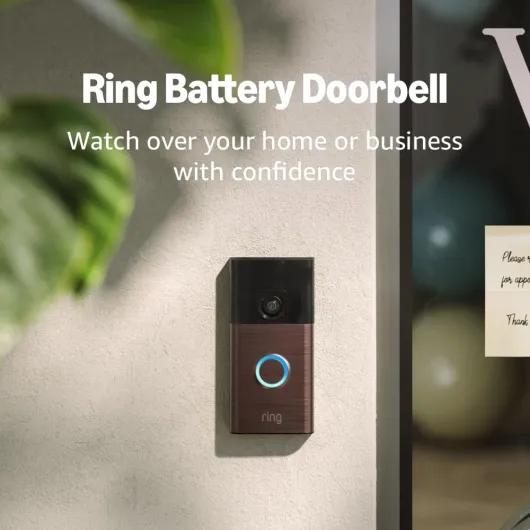
- + Head-to-Toe Video for comprehensive coverage
- + Live View feature for real-time monitoring
- + Two-Way Talk for easy communication
- + Motion Detection & Alerts for enhanced security
- + Stylish Venetian Bronze finish

Why the IP of your camera is important for security
How your camera’s IP address impacts security
Every Ring camera on your network has a unique IP address. This address acts like a digital street number, helping your router and other devices find and communicate with your camera. When you set up security cameras, understanding this address is crucial for keeping your video feeds secure and private.
If someone gains access to your camera address, they might try to enter your network or view your video stream. This is why it’s important to check your camera configuration and change the default address or password when possible. Many users overlook the importance of updating the default username password, which can leave their security camera exposed to risks.
- Unauthorized access: If your camera’s IP address is easy to find, hackers could try to connect camera devices using common port numbers or default credentials. This is especially true for cctv cameras and other security cameras that are often targeted.
- Network vulnerabilities: Weak camera network settings or an outdated camera router can make it easier for attackers to exploit your address list and access other devices on your network.
- Privacy risks: Without proper management of your camera addresses, your video feeds could be exposed to unwanted viewers. This is why it’s essential to set strong passwords and regularly check your camera configuration.
To enhance your home’s protection, consider using a static address for your Ring camera. This makes it easier to manage your devices and monitor any suspicious activity. For a deeper look at how advanced surveillance technology can improve your security, check out this guide on how a 360 surveillance camera can transform your home security.
Remember, the step of securing your camera’s IP address is just as important as installing the camera itself. Always use updated software, secure your router, and regularly review your camera network settings to keep your video and data safe.
Common issues related to camera IP addresses
Frequent IP-Related Problems with Ring Cameras
When using a Ring camera or other security cameras, users often encounter issues related to the camera’s IP address. These problems can affect your ability to access video feeds, manage camera configuration, or maintain a secure camera network. Here are some of the most common challenges:- IP Address Conflicts: If two devices on your network share the same address, your camera may disconnect or fail to stream video. This can happen if you manually set a static address that overlaps with another device, or if your router assigns the same address to multiple devices.
- Changing Network Settings: When you change your router, update Wi-Fi credentials, or modify the network address range, your camera may lose connection. You’ll need to enter the new network details into the camera configuration, often through a web browser or the Ring app.
- Port Forwarding Issues: Some users want to access their security camera remotely. If the correct port number isn’t set on your router, or if the port is blocked, you won’t be able to connect to your camera from outside your home network. This is a frequent issue for those trying to view CCTV camera feeds remotely.
- Default Address Problems: Many cameras come with a default address or default username password. If these aren’t changed, your camera could be vulnerable to unauthorized access. Always update these details during setup.
- Difficulty Finding the Camera Address: Sometimes, users struggle to find the address camera uses on their network. This can make troubleshooting or connecting the camera to other devices challenging. Using your router’s address list or dedicated software can help you find camera addresses quickly.
How to Troubleshoot Address Issues
If you’re experiencing problems, here are some steps you can take:- Check your router’s connected devices list to find the camera address and confirm there are no conflicts.
- Use the Ring app or web browser to access the camera configuration page. Here, you can set a static address or update network settings as needed.
- Ensure you use a strong password and change the default username password to protect your security camera from unauthorized access.
- If you need remote access, verify that the correct port number is open and forwarded to your camera’s address.
- Restart your camera and router if you’re unable to connect camera to the network. This can resolve temporary glitches.
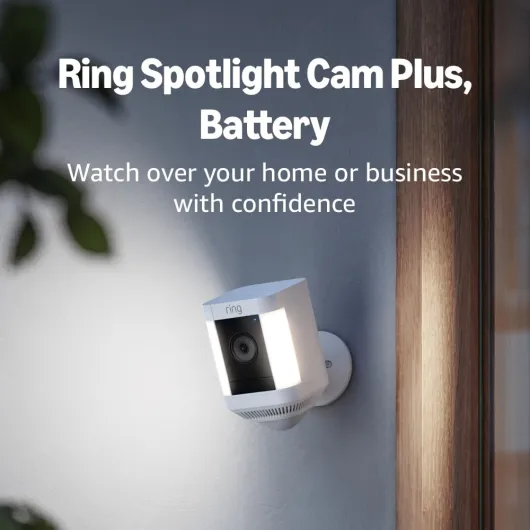
- + HD Video quality for clear images
- + Two-Way Talk feature for communication
- + Color Night Vision for visibility in low light
- + Built-in Security Siren for added protection
- + Suitable for home or business use
Tips for managing your Ring camera’s IP address
Practical steps to manage your camera’s IP address
Managing the IP address of your Ring camera is a key part of keeping your security system running smoothly. Here are some practical tips and steps to help you handle your camera address and network settings effectively:- Reserve a static address: Assigning a static IP address to your camera can prevent it from changing every time your router restarts. This makes it easier to find your camera on the network and helps with troubleshooting. Most routers allow you to reserve an address for specific devices in the router’s configuration menu.
- Check your address list regularly: Periodically review the list of devices connected to your network. This helps you spot any unfamiliar devices and ensures your camera addresses are up to date. Your router’s admin page usually displays this list.
- Update your password and username: Change the default username and password for your camera and router. Using strong, unique credentials for each device reduces the risk of unauthorized access to your security cameras.
- Use secure ports: If your camera uses a specific port number for remote access, make sure it’s not the default port, which can be a target for attackers. Change the port in your camera configuration and update your router’s port forwarding settings if needed.
- Keep software updated: Regularly check for firmware updates for your Ring camera and router. Updated software often includes important security patches that protect your devices and video feeds.
- Access via web browser safely: When you need to enter your camera address in a web browser, always use a secure connection and avoid public networks. Enter the address in the address bar, not in a search engine, to avoid phishing risks.
Additional tips for a secure camera network
- Limit the number of users who can access your camera network. Only trusted users should have the username and password.
- Disable unused services or ports on your camera and router to reduce potential vulnerabilities.
- Document your camera addresses and configuration settings in a secure place for easy reference if you need to troubleshoot or reset your devices.
Privacy concerns and best practices
Protecting Your Privacy When Using Ring Cameras
When you set up a Ring camera on your home network, you’re not just adding a layer of security—you’re also introducing new privacy considerations. The camera’s IP address, which you may have learned how to find and manage earlier, plays a key role in how your device communicates with your router and other devices. Here’s what you should know to keep your video feeds and personal information safe.- Change Default Settings: Many security cameras, including Ring models, come with default usernames and passwords. Always set a strong, unique password and, if possible, change the default username. This helps prevent unauthorized access to your camera address or configuration page.
- Secure Your Network: Make sure your Wi-Fi network is protected with a strong password and up-to-date encryption. If your router supports it, use WPA3 security. This makes it harder for anyone to access your camera network or intercept video streams.
- Limit Port Forwarding: Avoid opening unnecessary ports on your router for your camera. Port forwarding can expose your camera to the internet, making it easier for attackers to find and access your camera address. Only open ports if absolutely necessary, and always check which port numbers are in use.
- Regularly Update Software: Keep your camera’s firmware and any related software up to date. Manufacturers release updates to patch security vulnerabilities, so check for updates regularly through your camera’s app or web browser interface.
- Monitor Device Access: Review the list of devices connected to your network. If you see unfamiliar devices, investigate immediately. Some routers let you check this through their admin page, often found by entering the router’s address in your browser’s address bar.
- Use Static IP Addresses Carefully: Assigning a static address to your camera can make network management easier, but be sure to keep a record of your camera addresses and avoid using easily guessed numbers. This step helps you find and manage each camera, but don’t share your address list publicly.
Best Practices for Video Privacy
- Restrict Access: Only share camera access with trusted users. Set up individual user accounts if your camera supports it, and review permissions regularly.
- Disable Unused Features: If you don’t need remote access or certain integrations, disable them in your camera configuration. Fewer open features mean fewer potential vulnerabilities.
- Check Privacy Settings: Many security cameras let you set privacy zones or disable audio recording. Adjust these settings to limit what your camera records and shares.