
Summary
Editor's rating
Value for money: where it shines and where ANNKE clearly cut corners
Chunky but reassuring: NVR and domes built more for function than looks
Build quality and weather resistance: feels solid, but long-term is still a question
4K image, 15 fps reality: how it actually performs day and night
What you actually get in the box and how it all fits together
Does it actually make you feel more secure day-to-day?
Pros
- Sharp 4K image with good daytime clarity and usable night modes (IR and colour spotlight)
- Reliable PoE wired setup with 2 TB NVR included, no cloud subscription needed
- AI human/vehicle detection significantly reduces useless motion alerts once tuned
Cons
- 4K stream capped at around 15 fps, not ideal if you want very smooth video
- AI metadata doesn’t integrate well with some third‑party NVRs and software
- Camera adjustment range is limited when side-mounting, can make some angles tricky

Specifications
View full product page →| Brand | ANNKE |
A wired 4K kit for people who are done with flaky Wi‑Fi cameras
I put this ANNKE 4K PoE kit in to replace a mixed bag of old Wi‑Fi cameras and an aging DVR. In practice, I was mainly looking for three things: decent picture quality, reliable recording without random dropouts, and something my partner could actually use from the app without calling me every time. After a few weeks, I can say it ticks most of those boxes, but it’s not magic either.
The first thing you notice is that this is a proper PoE wired system. So it’s not like those little battery cams you stick anywhere. You need to run Ethernet cables to each camera, which is a bit of a job if your house isn’t already cabled. On the plus side, once the cables are in, it’s basically fire-and-forget: power and data over one cable, no random Wi‑Fi drops, no charging batteries.
Compared to my old system, the jump to 4K and AI person/vehicle detection is very noticeable in everyday use. Faces and number plates are easier to recognise, and the NVR with the 2 TB drive means I’m not constantly worrying about running out of space. That said, some of the marketing around AI and 4K is a bit optimistic. Yes, it’s 4K, but frame rate and night performance have their limits, and you need to tune the settings a bit to get the best out of it.
If you want a totally plug-and-play experience with no cables and zero learning curve, this isn’t it. But if you’re okay doing a bit of DIY and clicking through some menus, it’s a pretty solid system that feels more like a proper CCTV install than a bunch of gadgets stuck to the wall. Overall, it gets the job done well enough that I’d keep it, but there are a few things I’d change if I could.
Value for money: where it shines and where ANNKE clearly cut corners
In terms of price versus what you get, this kit is pretty good. You’re getting four 8 MP PoE cameras, an 8‑channel NVR with a 2 TB drive already installed, and all the basics to get going. If you tried to piece this together from higher-end brands, you’d be spending quite a bit more. For a typical homeowner or small business that wants wired reliability and decent image quality without going full professional, this hits a sweet spot.
Of course, there are trade‑offs. The most obvious one is the 4K at 15 fps limit. Some people will care, some won’t. For me, it’s acceptable, but if you’re picky about super smooth video, you might feel short-changed. Another corner that’s clearly trimmed is integration with third‑party systems. The cameras support RTSP and ONVIF, so you can add them to Synology, Blue Iris, etc., but the AI metadata (person/vehicle tags) doesn’t carry over nicely. If your plan is to build a fancy NVR setup with Frigate and Home Assistant, I’d probably look at the slightly higher-end Annke models or other brands.
Where the value really shows is the combination of PoE, AI detection, and included storage. You don’t have to deal with SD cards in each camera, there’s no cloud subscription forced on you, and you’re not adding hidden costs after the purchase. The app is free, remote access works without messing with port forwarding, and for most people that’s all they need. The fact it has 8 channels also means you can expand later without replacing the NVR.
Overall, I’d call it good value for money if your expectations are realistic. It’s better built and more capable than the really cheap no‑name kits, but it’s not on the same level as top-tier pro systems. If you catch it on sale or a Prime deal, it becomes a very sensible buy for someone who wants a reliable wired system at home without spending a fortune.
Chunky but reassuring: NVR and domes built more for function than looks
Design-wise, this kit is very much in the “security gear” camp, not “nice smart home gadget”. The NVR is a plain black box with a couple of LEDs on the front, USB ports, and all the ports at the back. It looks very similar to Hikvision/Dahua style recorders, which makes sense given the comments that it probably shares a lot of hardware with them. It’s not something you put on display in your living room, but in a cupboard or next to your router it blends in fine.
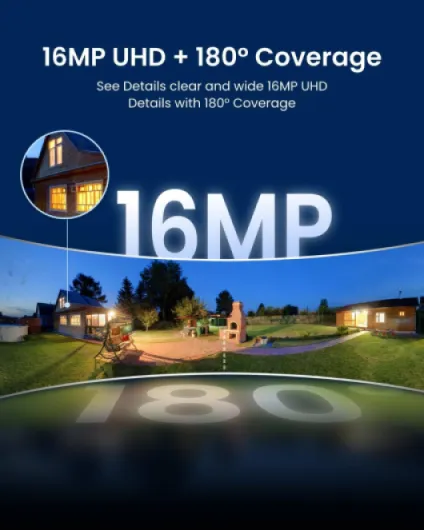
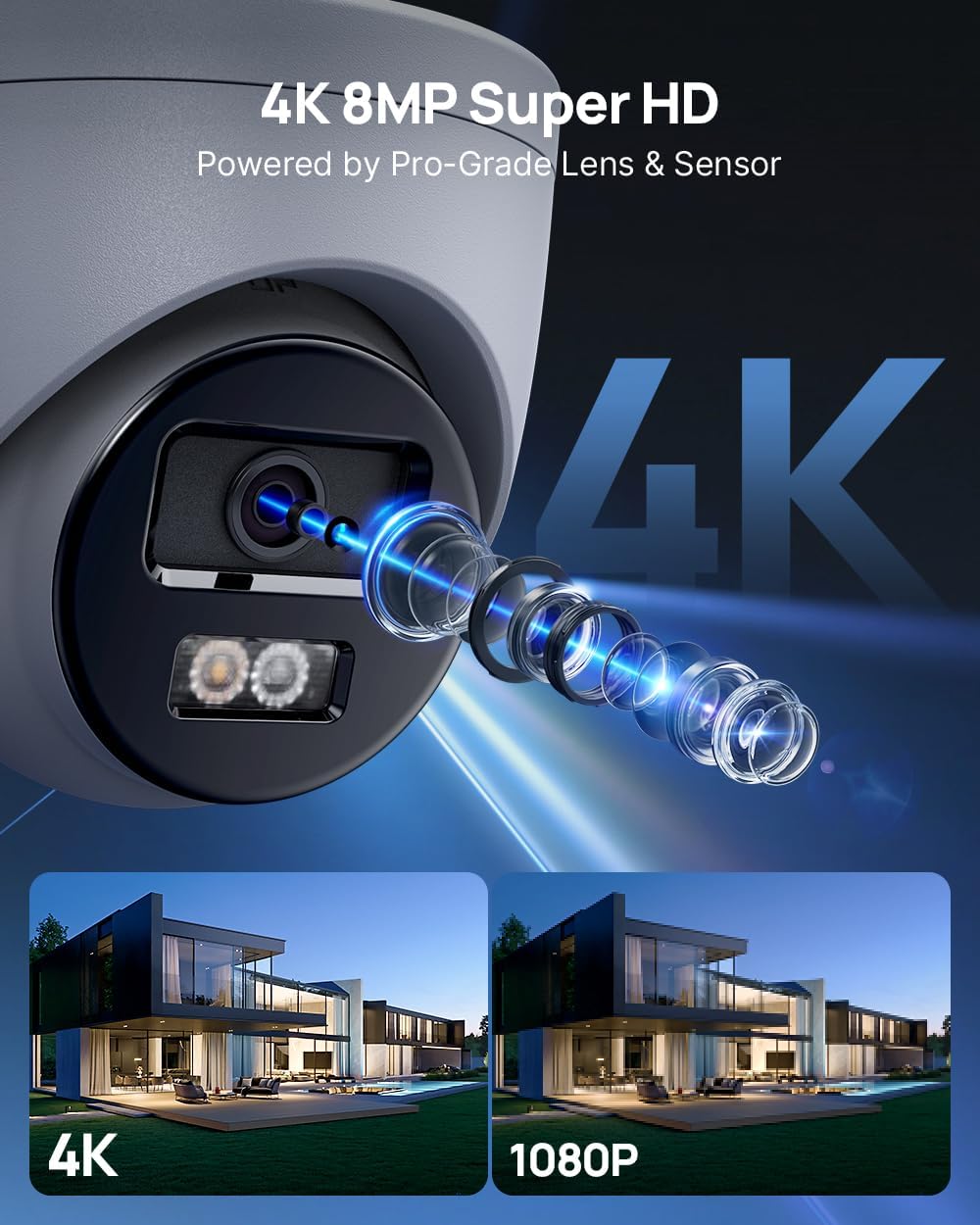
The dome cameras are decent-sized white metal domes, not tiny but not ridiculous either. They look like proper CCTV cameras you’d see on a shop front. The viewing angle is around 127°, and you can tilt and rotate the lens inside when you mount them. One thing that annoyed me a bit: when you side-mount one on a wall and want to rotate it 90° to cover a driveway or narrow passage, the adjustment isn’t super flexible. Another user mentioned having to make an adapter plate; I ended up compromising a bit on angle instead of fabricating something, but it’s definitely a limitation.
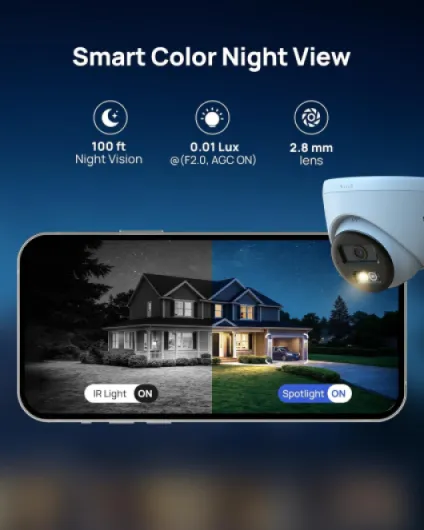
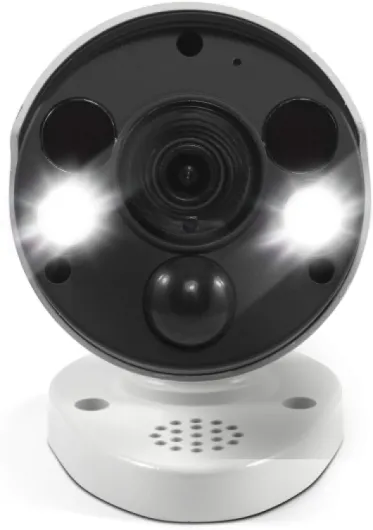
On the upside, the domes don’t scream “cheap plastic”. The metal housing and the IP67 rating give a bit of confidence that they’ll survive outdoors. They have built‑in IR and a spotlight for colour night vision, so there are small LEDs around the lens. At night, the spotlight coming on is noticeable but not ridiculous. If you want stealth, you can stick to IR black-and-white mode and turn the light off in the settings.
In everyday use, the design is practical: Ethernet in, no external power brick on each camera, and the domes are compact enough to fit under eaves or soffits. They’re not pretty, but they look serious enough that I’d count the visual deterrent as a plus. If you’re after super discreet mini-cams, these are not that, but for a normal house or small business, they look appropriate.
Build quality and weather resistance: feels solid, but long-term is still a question
The cameras are rated IP67, which on paper means they’re dust-tight and can handle heavy rain. In real life, I’ve had them outdoors through a couple of rough, wet, windy days and a few cold nights, and they haven’t flinched. No fogging inside the dome, no water ingress, and the metal housings still look new. Compared to some cheaper plastic cameras I’ve used before, these feel more like proper outdoor kit than disposable gadgets.
I’ve previously had a Reolink camera fail because the “waterproof” connector wasn’t that waterproof, so I paid attention to how I mounted these. I used proper junction boxes and made sure the cable entry points were sealed. So far, so good. The dome design also helps a bit because most of the connection is tucked away, and you’re not leaving fragile connectors hanging in the wind. I’d still recommend spending a bit of time on weatherproofing your cable runs; even the best camera won’t survive if the RJ45 connector is sitting in a puddle.
The NVR itself is just sitting in a ventilated cupboard. It does get slightly warm, but not hot. The built‑in 2 TB surveillance-grade HDD is designed for 24/7 use, so continuous recording shouldn’t be an issue. You can hear a faint hum from the drive and whatever small fan is inside, but once the door is closed, it’s basically silent. I haven’t had it long enough to comment on multi-year reliability, but based on the feel and user reviews, it’s not toy-level hardware.
Where I’m a bit cautious is firmware and software support over time. ANNKE isn’t the biggest brand, so I don’t know how many years of updates they’ll push. For now, everything is stable, and I haven’t had random crashes or reboots. If you want enterprise-grade longevity with guaranteed support, you’d be looking at more expensive brands like Hikvision, Dahua, etc. For home and small business use, this feels solid enough, but I wouldn’t call it bulletproof until it’s survived a couple of winters.
4K image, 15 fps reality: how it actually performs day and night
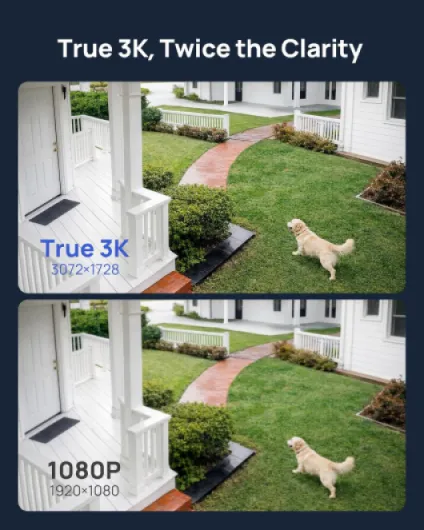
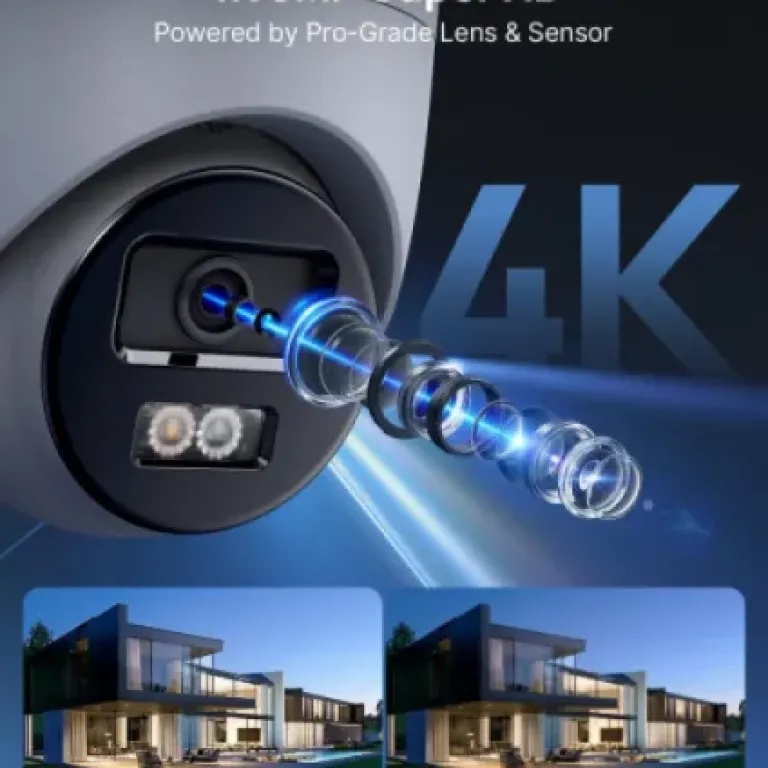
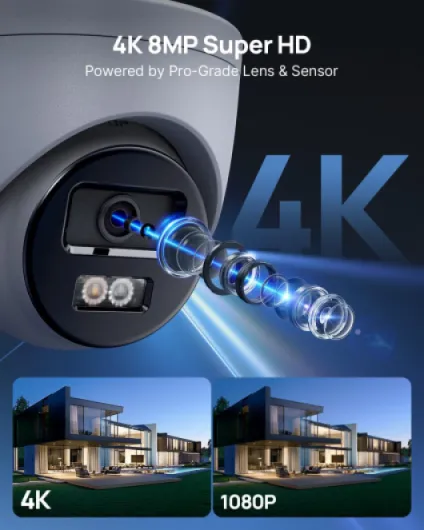
The big selling point here is 4K (8 MP) resolution, and to be fair, the daytime image is genuinely sharp. You can zoom into the footage and still read number plates at a reasonable distance, and faces are clear enough to be useful. Compared to my old 1080p system, it’s a clear step up. The catch: at full 4K, the cameras top out at around 15 fps, not 25/30 fps. For general security, that’s fine, but if you expect super smooth video for fast-moving scenes, this isn’t that. Personally, for home use, I found 15 fps acceptable.
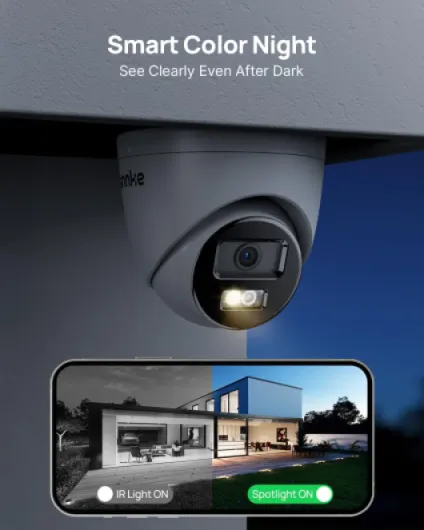
Where it gets more interesting is the night performance. The cameras offer three modes: standard IR black-and-white, full-time colour with the spotlight, and a smart hybrid mode that stays in IR and kicks on the white LED when it detects motion. In practice, I ended up using the smart mode. IR-only gives you decent visibility up to the claimed 30 m/100 ft, but like most systems, it can blow out close faces a bit. The colour mode with spotlight gives a nicer, more natural image, but you have to be okay with the light coming on whenever there’s motion. On my driveway, that was fine; on a back garden facing neighbours, it might be annoying.
The AI human/vehicle detection is actually one of the better surprises. Once I drew proper detection zones and reduced sensitivity, it did a decent job of ignoring trees and small animals. It’s not perfect, but the number of random alerts dropped a lot compared to simple motion detection. The downside is that some of the AI metadata doesn’t carry over nicely if you’re using third‑party NVRs or software like Synology or Frigate. On the included ANNKE NVR, though, it works as advertised: you can filter recordings by person or vehicle events, which saves a lot of scrolling.
Remote access via the app is okay. Live view loads reasonably fast on Wi‑Fi and 4G, and you can jump to motion events from the timeline. One limitation: you can’t really fast-forward video at crazy speeds on mobile; instead you scrub and jump between motion events. It’s workable but not as slick as it could be. For local viewing on a monitor connected to the NVR, playback is smoother and you can fast-forward/rewind like a normal DVR. Overall, performance is solid for the price range, as long as you understand the 15 fps 4K trade-off and are willing to tweak some settings.
What you actually get in the box and how it all fits together
The kit I tested is the 8‑channel NVR with 2 TB HDD and 4x 8 MP dome cameras. So out of the box, you get: the NVR (the recorder), four PoE cameras, a mouse, HDMI cable, power adapter for the NVR, some Ethernet cables (2x 30 m, 2x 18 m), and the usual paper manual. No screen included, so you’ll need a TV or monitor with HDMI to set it up the first time. The NVR supports up to 8 channels, so you can add four more cameras later if you want.
Setup is honestly quite straightforward once you’ve run the cables. You plug each camera into the NVR’s PoE ports with Ethernet, connect the NVR to your router with the short network cable, plug in HDMI to a screen, and power it up. It really is plug-and-play in the sense that the cameras come up automatically; you’re not messing around with IP addresses or anything like that if you stay in the ANNKE ecosystem. The initial wizard walks you through setting a password and basic settings. Took me about 20–30 minutes including some menu fumbling.
The system records to the internal 2 TB drive using H.265+, so it’s quite space‑efficient. With four cameras on continuous recording at close to max quality, I was getting roughly 2–3 weeks of history before it started overwriting. If you switch to motion-only recording, you can stretch that much further. The NVR can handle up to 12 MP on some channels, but with these 8 MP cameras it’s more than enough for home use. Remote access is done via the ANNKE Vision app, which you set up by scanning a QR code on the NVR. That part is pretty painless.
Overall, the package feels like a proper kit, not a pile of random parts. The cables they include might or might not be long enough depending on your house, so be ready to buy extra Cat5e/Cat6 if needed. But in terms of ecosystem, everything talks to everything, and you don’t have to be an IT guy to get a working system in an afternoon, as long as you’re comfortable drilling a few holes.

Does it actually make you feel more secure day-to-day?
From a pure “does this help me keep an eye on my place” angle, I’d say yes, it does the job. After a couple of weeks, the main difference compared to my old mishmash of cameras is consistency. The PoE connection means the cameras are always on, they don’t randomly fall off Wi‑Fi, and I’m not getting gaps in the recordings because a battery died. When something happens, I know I’ll have a recording, and that’s basically the whole point of a CCTV system.
The motion alerts and AI detection help a lot with day-to-day use. Instead of scrolling through 24/7 footage, I just open the app, tap on the timeline where it shows a person or vehicle icon, and jump straight to the relevant clip. For example, I used it to check when a parcel was actually delivered and whether the driver left it where they claimed. The built‑in microphone is surprisingly usable; it’s not studio quality, but you can clearly hear voices and some background sounds, which gives more context to the video.
There are still some annoyances. Tuning motion zones and sensitivity takes a bit of trial and error. At first I had way too many alerts from passing cars on a main road, and the system was buzzing my phone constantly. After I tightened the zones and played with the AI filtering, it calmed down, but you need a bit of patience the first few days. Also, remember that 4K doesn’t magically solve everything: if someone is far away and it’s pitch dark, you still won’t get CSI-level detail, especially if you stick to IR mode.
In practice, I now check the app a couple of times a day, mainly when I get a person detection while I’m away. It’s quick enough to open, see the short clip, and move on. For reviewing incidents, the NVR interface on a monitor is more comfortable. If you’re expecting a perfectly smart system that never misfires, you’ll be disappointed; but as a straightforward security tool, it’s effective and feels like a clear upgrade over cheap standalone Wi‑Fi cams.
Pros
- Sharp 4K image with good daytime clarity and usable night modes (IR and colour spotlight)
- Reliable PoE wired setup with 2 TB NVR included, no cloud subscription needed
- AI human/vehicle detection significantly reduces useless motion alerts once tuned
Cons
- 4K stream capped at around 15 fps, not ideal if you want very smooth video
- AI metadata doesn’t integrate well with some third‑party NVRs and software
- Camera adjustment range is limited when side-mounting, can make some angles tricky
Conclusion
Editor's rating
After living with the ANNKE 4K PoE CCTV System for a bit, I’d sum it up like this: it’s a solid, no‑nonsense wired kit that does what most people actually need from a home security system. The image quality in 4K is clear, the PoE setup is reliable, and the built‑in 2 TB NVR means you’re not juggling SD cards or subscriptions. The AI person/vehicle detection and the included microphone make day-to-day use easier, and once you’ve tuned the motion settings, you get far fewer pointless alerts than with basic motion detection cameras.
It’s not perfect. 4K is limited to about 15 fps, the app is usable but not polished, and integration with third‑party NVRs doesn’t fully exploit the AI features. You also need to be comfortable running Ethernet cables and spending a bit of time in the menus. If you want something you literally stick on a wall and forget in five minutes, a battery Wi‑Fi cam would be simpler, but also less reliable.
I’d recommend this system to people who: want a dependable wired setup, care more about reliability and clarity than fancy smart-home tricks, and are okay with a bit of DIY. If you’re a power user building a complex NVR/Frigate/Home Assistant stack, or you’re obsessed with high frame rates, you’ll probably want to spend more on higher-spec cameras. For a normal house or small business on a reasonable budget, though, this kit is pretty solid and gets the job done without too much drama.