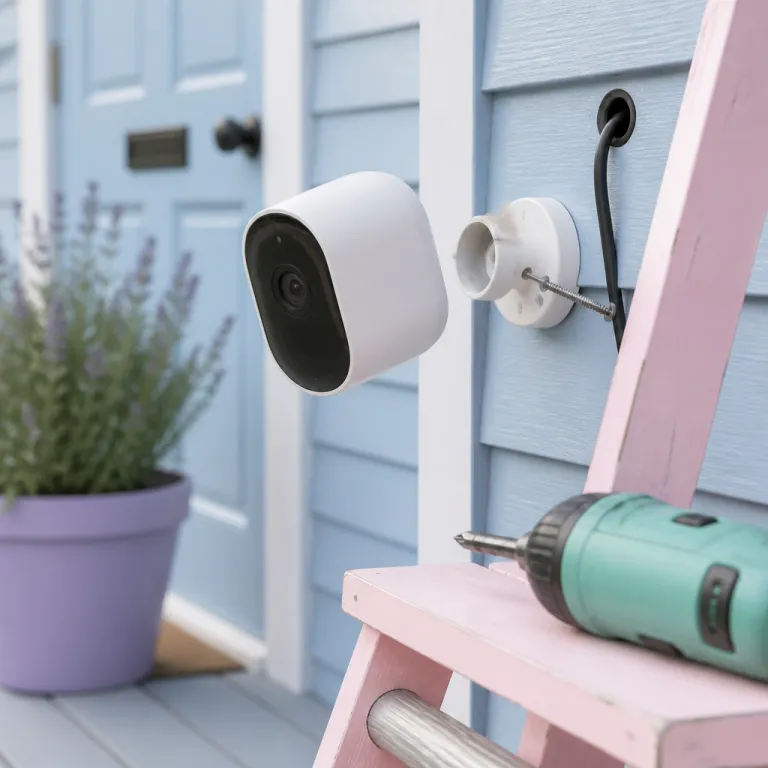

How the Ring outdoor cam with Cam Plus subscription actually works
The Ring outdoor cam with Cam Plus subscription combines a compact security camera with cloud recording and smart detection features. This Ring Outdoor Camera paired with a Cam Plus or Ring Protect Plus plan records high definition video, supports live view, and links to the Ring app so you can check your property from almost any phone, tablet, or computer. For many households, this pairing of outdoor cam hardware and subscription software becomes the best balance between cost, reliability, and day to day usability.
At its core, the Ring camera captures video whenever motion detection is triggered or when you start a live view session. Those clips are then uploaded through your home WiFi connection to Ring Protect cloud storage, where you can review every event, trim footage, and share clips if needed. According to Ring’s support pages for Ring Protect Basic and Plus, recordings are typically kept for up to 180 days in many regions, though you can often choose shorter retention in the app such as 30 or 60 days. Without an active Cam Plus or Ring Protect plan you still get live video and basic alerts, but you lose the longer term event history that often matters most after a break in or suspicious incident.
The outdoor cam itself is weather resistant, designed to handle rain, dust, and temperature swings around typical European and North American climates. For example, Ring lists the Stick Up Cam Battery as operating from roughly −20°C to 50°C (−5°F to 122°F), which covers most outdoor scenarios for a consumer security camera. You can power it either from the mains or with a removable battery and optional battery pack, which makes placement more flexible on exterior walls or near gates. In independent tests by reviewers such as Wirecutter and TechRadar, a Stick Up Cam Battery on default settings and moderate motion typically lasts between four and eight weeks before needing a recharge. When the camera is positioned to protect key entry points and tuned for accurate motion detection, the combination of hardware and subscription turns a simple cam into a more complete security system.
What Cam Plus and Ring Protect actually add beyond the basic camera
Many buyers underestimate how limited a standalone Ring cam feels without a Ring Protect or Cam Plus subscription. With only the basic free tier, you see live video and receive alerts, but once an event ends there is no recorded clip to review or share with neighbours or police. A paid Ring Protect or Cam Plus plan changes that by storing video securely in the cloud for a defined retention period, usually long enough to cover holidays or busy work weeks, and by letting you download clips directly from the Ring app.
Cam Plus on a Ring outdoor cam unlocks richer motion detection options, including person focused alerts that reduce false alarms from pets or tree branches. It also enables extended recording for each motion event, so your video does not cut off just as someone walks out of the frame, and it supports snapshot capture between events to give a more continuous view of what happened. When combined with the Ring app, these features make it easier to scroll through a timeline, tap the play icon on any clip, and quickly check icon indicators that show which events involved people versus general motion.
Ring Protect plans also integrate multiple devices, so several outdoor cam units and indoor cameras can share one subscription and one event history. If you are comparing advanced subscription tiers or AI focused options, a detailed analysis such as a reality check on higher priced intelligence plans can help you decide whether Cam Plus is sufficient. For most homes that simply need to protect entrances, monitor parcels, and maintain a reliable video archive, the mid tier Ring Protect and Cam Plus options offer a strong middle ground between free access and more complex feature bundles, with clear pros such as multi device coverage and longer history, and cons such as ongoing monthly fees and reliance on a stable broadband connection.
Costs, value, and when a subscription may not be necessary
Evaluating the Ring outdoor cam with Cam Plus subscription means looking beyond the monthly price and focusing on what you actually gain in security. In the UK, for example, Ring Protect Basic is typically priced per camera per month, while Ring Protect Plus covers multiple devices at a slightly higher flat rate; in the US, pricing is broadly similar in structure, with discounts for annual billing. If you rarely travel, live in a low risk area, and mainly want to check a live view when you hear a noise, then a basic Ring camera without paid storage might be enough. In that scenario, you could even compare the Ring outdoor cam to other options on a guide to security cameras with no subscription to see whether a one time purchase suits you better.
For many households though, the value of Ring Protect and Cam Plus becomes clear the first time you need to share a video clip of a suspicious event. The ability to scroll back through several days of motion detection events, tap a play icon, and export that footage directly from the Ring app can save hours compared with manually managing local storage. When you factor in that one subscription can cover multiple devices, the effective cost per camera often drops significantly, especially if you run several outdoor cam units around a large property.
There are also indirect savings that matter over the long term, such as potential insurance benefits when you can provide clear video evidence of a break in or vandalism. Some insurers in Europe and North America offer small premium reductions when you install a monitored security device, and an actively recording Ring Protect subscription can help demonstrate that your system is more than just a dummy camera. If you decide that ongoing fees are not justified, you still retain a weather resistant camera with live view and alerts, but you should accept that your ability to protect your home with historical evidence will be more limited.
Key features that matter when choosing a Ring outdoor cam
When you compare different Ring outdoor cam models, focus first on power options, connectivity, and field of view. A version with a rechargeable battery and optional battery pack gives more flexibility for renters or anyone who cannot easily run cables, while a wired model may offer more consistent power for continuous live view. Check that your home WiFi signal is strong at the installation point, because a weak connection leads to delayed alerts, missing video segments, and unreliable motion detection.
Next, look closely at how the camera handles weather and placement challenges. A truly weather resistant housing with proper seals and cable routing will protect the device from rain and dust, while a flexible mounting bracket lets you angle the camera to avoid glare from streetlights or car headlights. The best results usually come when the outdoor cam is mounted around 2 to 2.5 metres high, tilted slightly down so that the view captures faces clearly without leaving blind spots near doors or windows.
Interface details inside the Ring app also matter more than many buyers expect. Clear icons, such as an arrow icon to jump along the timeline or a close icon to exit live view quickly, make daily use less frustrating, especially for family members who are not very technical. When the app shows a large check or check icon next to successfully uploaded clips, you gain confidence that your Ring Protect or Cam Plus subscription is actually recording every important event rather than silently failing.
Understanding icons, settings, and technical terms in the Ring app
New users of the Ring app often feel overwhelmed by the number of icons and settings linked to a Ring outdoor cam. On the event timeline, you may see an arrow icon that lets you skip forward, a play icon to start video, and a close icon to return to the main view, all of which are designed to keep navigation simple once you learn them. The paid subscription does not change these basics, but it does add more event types and filters, so understanding each icon ring symbol becomes more important.
In some technical documentation you may notice references to how icons and graphics are drawn inside the app interface, but these design details do not affect your security directly. What matters for everyday use is that you can quickly see whether the cam is online, whether Ring Protect is active, and whether each video clip has a clear confirmation mark or check style indicator showing that it is safely stored.
Settings for motion zones, sensitivity, and alerts are where the Ring outdoor cam and Cam Plus subscription truly interact with your daily routine. You can define narrow zones so that the camera ignores passing traffic but still sends alerts when someone approaches your door, and you can adjust how often the device records repeated motion events. Once these are tuned, most people find that the combination of smart alerts, reliable live view, and clear icon feedback turns a simple outdoor cam into a dependable part of their home security plan.
How to integrate Ring outdoor cams into a broader smart security setup
A single Ring outdoor cam with a Cam Plus subscription can stand alone, but many households gain more value by integrating several devices into a coordinated system. You might pair an outdoor cam at the front door with another camera covering the driveway and a compatible indoor cam watching the hallway, all linked through one Ring Protect plan. This approach lets you follow a person or event across multiple views, using the Ring app timeline to jump between clips with the same timestamp and check icon markers.
When you add other smart devices, such as connected lights or locks, the Ring outdoor cam and subscription become part of a wider automation strategy. For example, motion detection from the front camera can trigger smart lights to turn on, while a live view session can confirm whether a parcel has been left safely before you remotely unlock a gate for a neighbour. If you are comparing indoor options to complement your outdoor setup, a resource such as this guide to top indoor security cameras with two way audio can help you choose models that integrate smoothly.
Privacy and data handling should also be part of your planning when you rely on any cloud based security device. Use strong passwords, enable two factor authentication in the Ring app, and review which family members or neighbours have shared access to live view and stored video. By combining careful configuration with the capabilities of the Ring Protect and Cam Plus ecosystem, you can protect your property while maintaining control over who sees each recorded event and how long that footage remains available.
Key statistics about Ring outdoor cameras and subscriptions
- According to Amazon financial reports, Ring revenue has grown steadily over recent years, reflecting increased adoption of outdoor cam and subscription bundles in both North America and Europe.
- Consumer testing by organizations such as Consumer Reports has found that cloud based security cameras with subscription plans typically capture more usable evidence than models relying only on local storage, because remote access and automatic uploads reduce the risk of lost footage.
- Independent WiFi performance studies show that many households experience a 20 to 30 percent drop in bandwidth at exterior walls, which can directly affect live view quality for any Ring camera mounted far from the router.
- Surveys by home insurance providers indicate that properties with visible security cameras and active recording are less likely to suffer repeat burglary attempts, suggesting that a working subscription can have a deterrent effect as well as evidential value.
FAQ about Ring outdoor cam and Cam Plus subscription
Do I need a Ring Protect or Cam Plus subscription for my Ring outdoor cam to work ?
The camera will function without a subscription, providing live view and motion alerts through the Ring app, but it will not store video clips after each event. A Ring Protect or Cam Plus subscription is required if you want to review, download, or share past footage. Most users who care about evidence after an incident choose at least the basic paid tier.
How much internet bandwidth does a Ring outdoor cam with subscription use ?
Data usage depends on how often motion detection is triggered and how frequently you use live view, but high definition video typically requires a stable upload speed of at least 2 Mbps per camera. In a quick real world check with a single 1080p Ring cam on a 5 Mbps upload connection, the live view remained smooth while still leaving enough bandwidth for basic web browsing. Homes with multiple devices may need higher capacity or a mesh system to maintain quality. Checking your WiFi strength at the mounting point before installation helps avoid performance issues.
Can I share Ring outdoor cam footage with neighbours or the police ?
Yes, the Ring app allows you to download clips from your event history and share them via messaging or email, provided you have an active Ring Protect or Cam Plus subscription. Some regions also support community sharing features, but participation is optional. Always follow local privacy laws when sharing video that includes public areas or neighbouring properties.
What happens to my recordings if I cancel the Ring outdoor cam plus subscription ?
If you cancel, new events will no longer be stored in the cloud, and existing clips are typically deleted after the end of your billing period, as described in Ring’s support documentation for Ring Protect. The camera itself continues to provide live view and instant alerts, so it still functions as a basic security device. To keep important footage, download any critical video files before your subscription expires.
Is the Ring outdoor cam suitable for harsh weather conditions ?
The Ring outdoor cam is designed to be weather resistant and can handle typical rain, wind, and temperature ranges specified in its product documentation. For very exposed locations, mounting under an eave or small canopy can extend the device lifespan. Always follow installation guidelines to ensure that power connections and seals remain protected from water ingress.