Back to school home security camera priorities for an emptier house
When the school season starts, your house shifts from noisy to empty fast. That back to school home security camera you bought in a rush now has to act like a real security system, watching the front door, side gate, and driveway while every adult and child is out. The goal is simple: use a small set of Ring security cameras and smart home tools to help protect your family without turning your phone into a constant siren.
For most first time owners, I recommend starting with a Ring Video Doorbell plus one Ring Stick Up Cam Battery as the core home security setup. The video doorbell covers the main door and porch, while the Stick Up Cam handles the side yard, garage, or the path your kids usually take home after day school ends. This two camera system gives you real time video surveillance of the approaches to your home, which is where most property crime actually happens.
Think about your daily school year rhythm before you buy more cameras. If both kids and adults leave by 7:30 a.m., your security camera plan should arm all surveillance systems then, not at midnight. A smart schedule like this keeps the system focused on the hours when the house is empty, which is when a quiet street can turn into an opportunity for crime.
Ring’s Modes are the easiest way to match your security to the school day. Set Away mode to arm every outdoor camera and indoor camera you use for video surveillance, then schedule it to kick in automatically on school days at the time the last child leaves. Home mode can then relax things when kids arrive home around 15:00, so you keep an eye on the front door without recording every move inside the house.
If you want a back to school home security camera that feels more like a full security system, pair Ring cameras with a Ring Alarm system and smart locks on the main door. The alarm system handles entry sensors and sirens, while the security camera and video doorbell give you eyes on the porch and driveway in real time. This layered approach turns a basic smart home into a set of practical security solutions that actually match the school year schedule.
For image quality, Ring’s 1080p cameras are enough for most small home layouts, but 2K and better models from other brands can help in wide front yards. Many Ring battery doorbells and Stick Up Cams record at up to 1080p HD and around 15–20 frames per second in typical use, which is sufficient for faces at common porch distances. If you are comparing options, look at a curated list of top 2K security cameras to understand what higher resolution really buys you in terms of facial detail and license plate clarity. Just remember that placement, lighting, and a clear view of entry points usually matter more for safety than raw pixel counts.
Best Ring cameras for empty house hours and package runs
Once the house is empty from morning until mid afternoon, you need cameras that handle long quiet stretches and sudden bursts of activity. For most first time homeowners, the best back to school home security camera setup starts with a Ring Video Doorbell 4 or Ring Battery Doorbell Plus on the front door. Both models balance battery life, video quality, and smart features that help protect packages and give you peace of mind when you cannot be home.
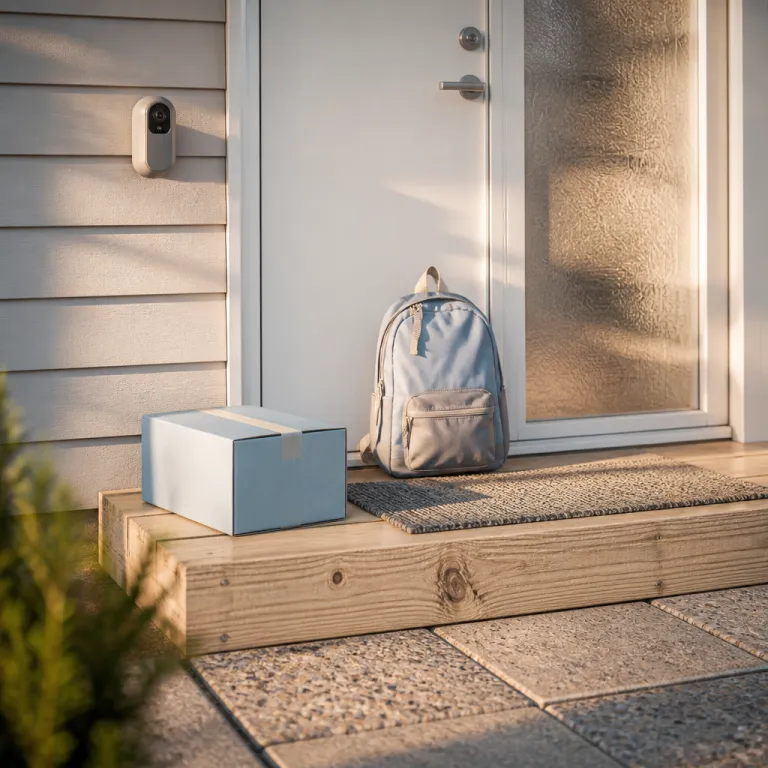
The Ring Battery Doorbell Plus offers a taller field of view that shows packages on the porch and the feet of visitors at the door. That vertical framing matters during back to school supply season, when delivery drivers stack boxes of school shoes and laptops right under the camera. Pair it with Quick Replies so the video doorbell can play a pre recorded message like “Please leave the package at the door” when no one answers, which is a small but real safety upgrade for your family and your deliveries.
For side yards, garages, and the path from the bus stop, the Ring Stick Up Cam Battery is the most flexible security camera in the Ring lineup. It mounts almost anywhere, works indoors or outdoors, and ties into the same security system and Ring app as your doorbell camera. In typical use, a fully charged Stick Up Cam Battery can last several weeks to a few months between charges, depending on motion activity and settings. If you have a larger house, adding a second Stick Up Cam to cover the driveway or back door gives you overlapping video surveillance that makes it harder for crime to slip between blind spots.
Parents who want to keep an eye on kids arriving home without feeling like they run a surveillance bunker should focus on motion zones and notifications. Set one motion zone that covers the walkway and front door, then tune alerts so you only get pings when someone approaches the house, not every time a car passes the school bus stop. This kind of fine tuning turns security cameras from noisy gadgets into quiet safety tools that respect your child and your own attention span.
If you are tempted by non Ring options, look at models with strong smart home integration and reliable cloud video. A good comparison point is any camera that offers clear night video, robust Wi Fi, and simple app controls rather than just a long spec sheet. The best back to school home security camera for your family is the one you can actually manage on a busy school morning, not the one with the most marketing buzzwords.
Whatever you choose, make sure your cameras, alarm system, and smart locks work together as one system. That means a single app where you can check video, lock the door, and arm the security system before you rush out for the day school drop off. When everything is tied together, your smart home stops feeling like a pile of gadgets and starts acting like a quiet, reliable safety net.
Tuning Ring modes, motion alerts, and geofencing for the 3 p.m. door
The real test of any back to school home security camera setup is the 3 p.m. window. That is when kids arrive home to an empty house, packages sit on the porch, and the street fills with school buses and parents. You want security cameras and surveillance systems that send you a real time alert when your child opens the front door, without buzzing every time a bus rolls past.
Start with Ring Modes and schedules that match your school year routine. Set Away mode to arm all outdoor cameras and any indoor camera you use for video surveillance from the time the last adult leaves until just before the first child usually returns. Then use Home mode to keep only the front door camera and maybe a hallway camera active, so your family has privacy while you still keep an eye on entrances.
Motion zones are where most people either drown in alerts or miss important events. On your Ring Video Doorbell, draw one tight zone around the porch and front door, and a second wider zone that covers the walkway but stops short of the street and school bus route. This way, the security camera focuses on people who actually approach the house, which is what matters for safety and crime prevention.
Next, adjust motion sensitivity and smart alerts. Turn down sensitivity if you get constant pings from passing cars, and enable person only alerts so the system ignores swaying trees and pets. These small tweaks turn your back to school home security camera into a calmer, smarter part of your smart home, instead of another noisy app on your phone.
Geofencing is the lazy but effective backup for busy mornings. When you enable Ring’s geofencing, the security system can switch to Away mode automatically when the last phone leaves the house, and flip back to Home mode when someone returns. For details on how geofencing works with your specific devices, check the official Ring support pages in the Ring app or on Ring’s website. It is not perfect, but for many families it is the difference between a consistently armed system and one that stays off because everyone forgot in the rush to school.
Do not forget about night coverage during the early weeks of the school season, when after school activities run late. Good color night vision or strong infrared lighting makes it easier to identify who is at the door after dark, which matters when teens come home from practice or a late bus. If you are comparing options, look at a guide to security cameras with color night vision to understand how much better a lit scene can be for real time identification.
Indoor privacy, package theft, and keeping the system running
Indoor cameras raise different questions once the school season starts and children spend more time moving between school, activities, and home. A back to school home security camera inside the house can help protect a child who arrives to an empty living room, but it also needs strict privacy rules. The key is to use Home mode, privacy zones, and clear family agreements so surveillance supports safety without feeling like constant monitoring.
On a Ring Indoor Cam, set privacy zones that block bedrooms, bathrooms, and play areas from video surveillance. Aim the camera toward entry points and common spaces instead, so you see who comes through the door and how kids settle in after day school, without recording every moment of their downtime. This balance respects your child while still giving you the ability to check in quickly if something looks off in real time.
Package theft is another big back to school headache, especially when online orders of school supplies and clothes stack up. To help protect your deliveries, angle your video doorbell and any nearby security camera to cover both the porch surface and the approach from the street or driveway. For more detailed mounting diagrams and recommended heights, refer to the official Ring installation guides and support pages for your specific model.
Use Quick Replies on the Ring Video Doorbell so drivers hear a clear instruction when no one answers. Combine that with smart locks on the main door if you use in home delivery services, so you can grant temporary access while watching the process on video. These smart solutions turn a simple camera and lock into a coordinated home automation system that quietly reduces risk.
None of this matters if your cameras go offline the first time the router hiccups. Take an hour before the school season ramps up to test Wi Fi coverage at every camera, check battery levels, and confirm that your alarm system, security cameras, and smart home devices all reconnect smoothly after a reboot. If you run into recurring outages or setup headaches, a practical guide on keeping your Ring camera installation stable can save you from learning those lessons during a real security event.
For many first time homeowners, the most important shift is mental. Stop thinking of your back to school home security camera as a gadget, and start treating it as part of a layered safety plan that includes lighting, locks, neighbors, and clear rules for children. In the end, what keeps your family safe is not the megapixel count, but the view from your porch at 2 a.m.
FAQ
How many Ring cameras do I need for a small home during the school year ?
Most small homes do well with one Ring Video Doorbell plus one or two Ring Stick Up Cams. The doorbell covers the main door and packages, while the extra cameras watch the driveway, side gate, or back door. Add more only if you still have blind spots around key access points.
Should I use indoor Ring cameras when my children are home after school ?
Indoor cameras can be helpful for quick check ins when kids arrive to an empty house. Aim them at entryways and common areas, and use privacy zones to block bedrooms and bathrooms. Always explain to children where cameras are and what they are for, so safety does not feel like spying.
What is the best way to avoid constant motion alerts around 3 p.m. ?
Use motion zones to limit detection to your porch, walkway, and doors, not the whole street. Then enable person only alerts and lower sensitivity until school buses and passing cars stop triggering notifications. You should end up with alerts only when someone actually approaches your house.
Do I need a Ring Alarm system, or are cameras alone enough for back to school security ?
Cameras alone can show you what is happening, but an alarm system adds door and window sensors plus a siren. For many first time homeowners, a Ring Alarm kit plus a video doorbell is the best balance of cost and safety. If your budget is tight, start with cameras and plan to add the alarm system later.
How can I make sure my Ring setup keeps working during the busy school season ?
Before the school year ramps up, check Wi Fi strength at every camera, update firmware, and fully charge batteries. Set calendar reminders to test motion alerts and door sensors once a month, just like a smoke alarm check. A few minutes of maintenance prevents the worst kind of failure, which is a dead camera during a real incident.