Ring indoor and rivals: choosing the right ecosystem for your home
Ring Indoor cameras sit at the centre of many apartment and small home setups, especially where renters cannot drill into walls or rewire circuits. When you compare Ring Indoor with Nest Cam, Arlo Essential, Tapo, or Kasa Spot, the real question is how each ecosystem fits your existing devices and habits. A camera that works with your current router, smart speakers, and phones will always feel like the best choice, even if another model advertises slightly stronger features on paper.
Ring Indoor cameras with two way audio integrate tightly with Amazon Alexa, so you can say that a camera works with Amazon Alexa and instantly pull up a live video feed on an Echo Show. If your household already uses Alexa Google style voice commands across several rooms, this seamless control can outweigh small differences in image sharpness or field view. However, people who rely on Google Assistant or Apple HomeKit may find Nest Cam or certain Eufy and Logitech models more natural, because those cameras with native support for these platforms reduce app switching and simplify daily routines.
For renters, the choice between wired and plug in indoor security cameras is especially important. A compact wired indoor cam that plugs into a standard socket and uses adhesive mounts can be moved easily when you change apartments, which is why many guides to the best Ring camera for an apartment you do not own highlight flexibility. Before you buy, check whether the camera offers pan tilt movement, how many degrees it can rotate, and whether the power cable length suits your current and future living rooms.
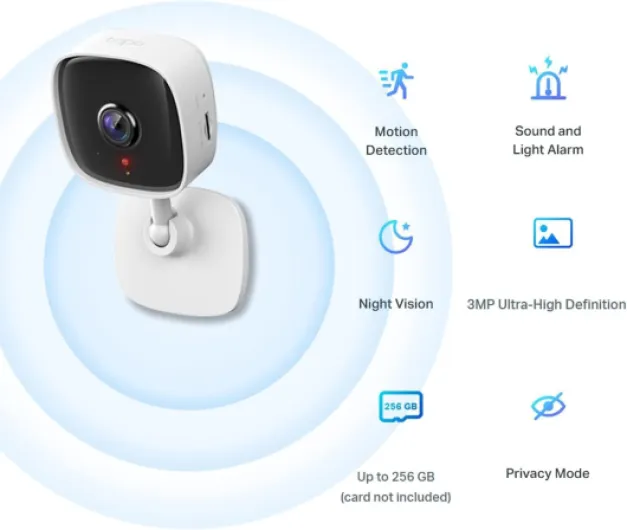
Cloud storage policies differ significantly between Ring, Google, and Arlo, and these differences affect both privacy and cost. Ring Indoor cameras rely on Ring Protect plans for extended cloud recording, while Nest Cam uses Google cloud services and Arlo Essential connects to Arlo Secure subscriptions. If you prefer local storage, some Tapo and Kasa Spot Pan models support a microsd card, which can reduce monthly fees but requires you to manage card health and capacity and to check vendor spec sheets for maximum supported card size.
Interoperability is another subtle but crucial factor when you build a multi room indoor security system. A camera that works with both Amazon Alexa and Google Assistant may sound ideal, yet in practice you will probably standardise on one voice assistant to avoid confusion. Think about how you want to arm cameras with routines, link them to smart locks, or trigger lights when motion is detected, then choose the ecosystem that handles those automations most gracefully and has a track record of maintaining integrations over several years.
Finally, remember that the best indoor security cameras with two way audio are not only about technology but also about how comfortable you feel using them every day. Check whether the Ring Indoor app or its rivals make it easy to mute microphones, disable video, or schedule privacy zones during family evenings. When a system respects your boundaries and offers clear controls, you are far more likely to keep cameras with audio enabled instead of unplugging them in frustration.
Pan tilt, field view and night vision: understanding critical camera optics
Optics define how much of a room your indoor security camera can actually see and record. A wide field view, often between 110 and 150 degrees, lets a single device cover an entire living area without leaving blind spots near doors or windows. When you compare the best indoor security cameras with two way audio, pay close attention to how field view, pan tilt motors, and night vision work together in real homes rather than in marketing diagrams.
Fixed lens cameras with a generous field view suit small rooms, while pan tilt models shine in open plan spaces or long corridors. A spot pan or full spot pan tilt camera can rotate through 340 degrees horizontally and 90 degrees vertically, tracking movement as people walk across the room. This mechanical flexibility reduces the number of cameras with overlapping coverage you need, but it also introduces moving parts that must be durable and quiet, especially if you run patrol modes overnight.
Night vision performance separates serious indoor security cameras from basic baby monitors or budget webcams. Look for infrared night vision that keeps faces recognisable at 7 to 10 metres, because many living rooms and hallways fall within that range. In third party comparison tests from reviewers such as PCMag and TechRadar, cameras that maintain consistent exposure across the frame and avoid blowing out bright windows or lamps tend to capture more usable detail than models that simply advertise longer night vision distance.
Brands like Arlo Essential, Nest Cam, and certain Tapo and Kasa Spot models each take different approaches to low light video. Arlo Essential cameras often emphasise colour night vision with built in lights, while Nest Cam leans on advanced processing to reduce noise in dark scenes. When you read independent tests of top 4K security cameras, you will notice that resolution alone does not guarantee clarity if the lens and sensor struggle with shadows or fast motion.
Pan tilt controls should feel responsive but not twitchy, whether you use a phone app or voice commands through Alexa Google style assistants. If a camera works with Alexa or Google Assistant, you may be able to say simple phrases to move the lens toward the kitchen or front door. Test how quickly the camera responds, how smoothly it stops, and whether the video stream keeps up without blurring during motion, then compare your impressions with reviewer benchmarks for latency and tracking accuracy.
Finally, remember that every extra optical feature, from wider degrees of rotation to brighter infrared emitters, consumes power and generates heat. Wired indoor cameras with stable power supplies usually handle these demands better than battery models, especially when you stream video frequently or leave pan tilt patrol modes running overnight. A balanced design that pairs strong optics with reliable power and storage will serve your indoor security needs for many years.
Cloud storage, microsd card options and data protection
Behind every smooth live view lies a complex decision about where your video is stored and who can access it. Cloud storage gives you the convenience of viewing clips from any device, but it also introduces ongoing subscription costs and questions about data retention. When you evaluate the best indoor security cameras with two way audio, treat storage as a core feature rather than an afterthought.
Most major security cameras now offer some form of cloud recording, often with a rolling history of several days for free and longer periods for paying customers. Ring Indoor uses Ring Protect plans, Nest Cam relies on Google cloud infrastructure, and Arlo Essential connects to Arlo Secure, each with different prices and retention policies published on their official support pages. If you plan to install several indoor cameras with high resolution video, calculate the total monthly cost of cloud plans before you commit to a single brand.
Local storage through a microsd card appeals to people who prefer to keep video within their own walls. Tapo and Kasa Spot cameras with card slots can record continuously or on motion, letting you review events even if your internet connection fails. However, microsd card reliability varies, so choose high endurance cards, check them periodically, and remember that a stolen camera may take your only copy of the footage with it unless you also use a network video recorder.
Hybrid systems that combine cloud and local storage offer a practical middle ground for indoor security. You might configure a camera with cloud backup for critical areas like entrances, while using local microsd card recording for secondary rooms where you mainly want a short history. This approach reduces subscription costs while still protecting you against device failure or theft, and it mirrors the setups recommended in many professional security audits and insurance guidelines.
Data protection extends beyond where files sit to how they are encrypted and accessed. Look for security cameras that support strong encryption in transit and at rest, multi factor authentication for accounts, and clear logs of who accessed which video. When a camera works with Amazon Alexa or Google Assistant, check how those platforms handle voice recordings and whether any clips are used to train algorithms without your explicit consent.
Finally, review each manufacturer’s privacy dashboard and deletion policies before you buy, not after an incident. A trustworthy indoor cam provider should let you delete cloud clips, disable audio recording, and set retention limits without digging through obscure menus. When storage, encryption, and user control align, your best indoor security cameras with two way audio can protect both your home and your peace of mind.
Smart home integration with Alexa, Google Assistant and Apple HomeKit
Smart home integration turns a simple indoor security camera into part of a coordinated safety system. When a camera works with Alexa, you can arm it with a voice command, view live video on an Echo Show, or trigger routines that switch on lights when motion is detected. The same principle applies when a camera works with Google Assistant or Apple HomeKit, but the details of each ecosystem shape how natural the experience feels.
For households already invested in Amazon Alexa, Ring Indoor and several third party cameras with the “Certified for Humans” label offer especially smooth setup. You plug in the wired indoor cam, open the Alexa app, and often see it appear automatically, ready to join routines and announcements. This tight integration makes it easier to use two way audio hands free, for example by asking Alexa to talk through the living room camera while your hands are busy cooking.
People who rely on Google Assistant may prefer Nest Cam or compatible Tapo and Kasa Spot models that integrate deeply with Google Home. When a camera works with Google, you can cast live video to a Nest Hub display, group cameras with other security devices, and receive proactive alerts on Android phones. The combination of indoor security cameras and Google services can feel particularly cohesive if you already use Gmail, Google Photos, and other cloud tools daily.
Apple HomeKit users often prioritise privacy and local processing, which influences their choice of indoor cameras with two way audio. Certain brands support HomeKit Secure Video, which stores encrypted clips in iCloud and processes motion analysis on Apple devices rather than in remote cloud servers. If you live fully inside the Apple ecosystem, a HomeKit compatible security camera may integrate more elegantly with your iPhone, iPad, and Apple TV than a Ring Indoor model.
Cross platform households face a different challenge, because family members may use a mix of Android phones, iPads, and smart speakers from different brands. In such cases, choosing cameras with broad compatibility, such as those that work with both Amazon Alexa and Google Assistant, can reduce friction. However, you will still benefit from choosing one primary platform for automation, otherwise routines and notifications can become fragmented and harder to troubleshoot.
Before finalising your purchase, map out the specific actions you want your smart home to perform during the day and at night. Perhaps you want indoor security cameras to arm automatically when everyone leaves, send a silent alert if they detect motion at night, and trigger a spoken warning only in specific scenarios, which you can refine using guidance from analyses of when active warnings deter and when they annoy neighbours. When your choice of ecosystem, camera features, and daily routines align, the best indoor security cameras with two way audio become an unobtrusive but powerful layer of protection.
Buying guide: selecting the best ring cameras for home use
Choosing the best Ring cameras for home use requires a different lens from comparing generic indoor models. Ring Indoor, Ring Stick Up Cam, and Ring Floodlight Cam each target distinct locations, so you should start by mapping entrances, hallways, and shared spaces. For pure indoor security, Ring Indoor cameras with two way audio usually offer the most compact and affordable option.
Begin by deciding where you need constant monitoring and where occasional checks are enough. A wired Ring Indoor camera in the main hallway can capture everyone entering or leaving, while a second indoor cam in the living room covers shared valuables and windows. Bedrooms and private offices may not need continuous video, but you might still place cameras with privacy shutters nearby to monitor doors without filming the entire room.
Next, consider how Ring’s cloud storage model fits your budget and expectations. Ring Protect plans scale by number of cameras and recording length, so a home with several Ring Indoor devices can accumulate costs over time. Weigh these subscriptions against the simplicity of having all security camera footage in one app, especially if you already use Ring doorbells or outdoor cameras and prefer a single notification stream.
Integration with Amazon Alexa is one of Ring’s strongest advantages, particularly for hands free control. When a Ring Indoor camera works with Amazon Alexa, you can ask an Echo speaker to show the nursery, talk through the kitchen camera, or arm all indoor security devices at once. This level of voice control can be especially helpful for older relatives or guests who find phone apps confusing.
Image quality, field view, and night vision still matter, even within a single brand like Ring. Check the degrees of horizontal coverage for each model, how well night vision preserves detail in dark stairwells, and whether two way audio remains clear when the television is on. If you need more flexible framing, you might supplement Ring Indoor units with a separate pan tilt camera from Tapo or Kasa Spot Pan in secondary rooms, while keeping Ring as the core system.
Finally, think about long term support, firmware updates, and how comfortable you feel with Ring’s privacy policies. A strong home security setup is not only about buying the best indoor security cameras with two way audio today, but also about trusting that the company will maintain apps, patch vulnerabilities, and communicate changes clearly. When you align your budget, privacy expectations, and daily habits, the best Ring cameras for home can provide reliable protection without overwhelming you with alerts or complexity.
Key statistics on indoor security cameras and smart home adoption
- Market analysts report that global smart home security camera shipments reached tens of millions of units in a recent twelve month period, reflecting double digit growth as more households adopt indoor security solutions. Always check the latest figures from named research firms, such as IDC or Strategy Analytics, because volumes and growth rates change quickly.
- Surveys from major research firms indicate that more than 60 percent of new smart camera buyers prioritise two way audio, showing how communication features now rival video resolution in importance. This trend appears consistently across vendor sponsored polls and independent consumer studies.
- Data from cloud storage providers suggest that average households with multiple indoor cameras generate several hundred gigabytes of video per month, which explains the rising interest in hybrid cloud and microsd card storage strategies. Exact numbers vary by resolution, frame rate, and motion sensitivity settings.
- Consumer studies consistently find that cameras which work with at least one major voice assistant, such as Amazon Alexa or Google Assistant, achieve higher satisfaction scores than standalone models without smart home integration. Users often cite easier daily control and faster access to live feeds as the main reasons.
- Privacy focused polls reveal that a significant share of users, often above 40 percent, say clear data deletion controls and transparent cloud policies are decisive factors when choosing the best indoor security cameras with two way audio. Reading official privacy summaries and third party reviews before buying can help you avoid unpleasant surprises later.