
Summary
Editor's rating
Value for money: strong features, expensive ecosystem
Design and mounts: practical more than fancy
Battery life: good, but very dependent on your settings
Unboxing and setup: clean, but firmware updates slow you down
Weather, build quality and long-term feel
4K image, detection and app: where it shines and where it’s just OK
What you actually get in the box and what it really does
Pros
- Very sharp 4K image with wide 180° field of view, good for identifying faces and plates
- Colour night vision with spotlight and siren provides decent deterrent and usable night footage
- SmartHub allows local storage and system feels like a real multi‑camera setup, not just a gadget
Cons
- Subscription needed to fully benefit from AI detection, cloud storage and extra features
- Battery life drops quickly on busy cameras with 4K and spotlight enabled
- Initial setup slowed down by multiple firmware updates and ecosystem feels expensive overall

Specifications
View full product page →| Brand | Arlo |
4 cameras, 4K image and a lot of conditions
I’ve been using this Arlo Ultra 3 kit (4 cameras + SmartHub) for a few weeks around my house: driveway, garden, front door and back door. I replaced a mix of older 1080p Wi‑Fi cameras and a cheap NVR kit, so I had something to compare it to right away. I’m not sponsored, I paid for my own Arlo system at home, and my opinion is pretty straightforward: it’s good gear, but not magic, and you need to accept the subscription angle.
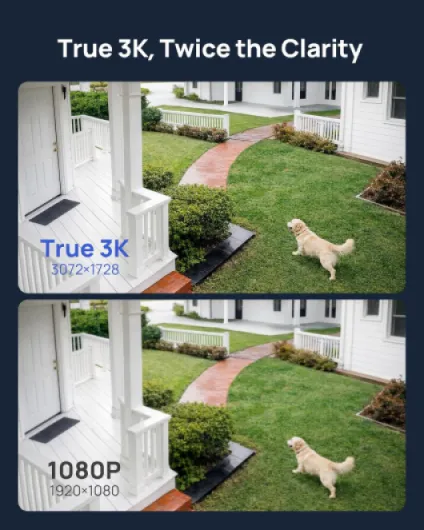
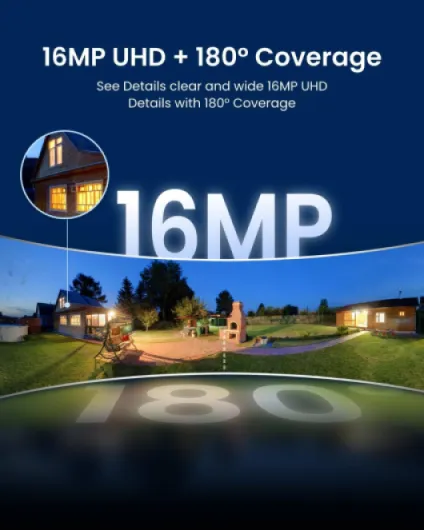
The first thing that stands out is the image quality. Going from 1080p to 4K is clearly noticeable: number plates, faces, small details on clothes – it’s just easier to see what’s going on. The 180° field of view also means you cover a lot of space with each camera. For my driveway, one camera now covers what I used to need two for. So on the pure video side, it does the job very well.
Where it gets a bit more mixed is everything around the video: setup, app, subscription, and hardware quirks. The hub needs updates, the cameras need updates, and the famous “AI features” that Arlo keeps pushing are mostly locked behind a monthly plan. You can store videos locally on the SmartHub, but the whole experience clearly nudges you towards paying for Arlo Secure if you want all the bells and whistles.
Overall, my feeling after a few weeks: this kit is technically strong (image, detection, night vision, smart home compatibility), but the price of the hardware plus the ongoing subscription makes it more of a premium choice. If you just want cheap cameras with basic recording, this is probably overkill. If you care about detail, wide coverage and smart alerts, and you’re fine paying monthly, then it starts to make sense.
Value for money: strong features, expensive ecosystem
On value, this is where opinions will split. The hardware kit with 4 cameras and a SmartHub is not cheap, and then you have the Arlo Secure subscription on top if you want the full feature set. Compared to cheaper brands that give you basic cloud storage for free or for a lower price, Arlo is clearly on the higher end. You’re paying for 4K, wide angle, AI detection, and the backing of a big security company (Verisure connection), but the bill adds up over a year.
If you actually use the features – 4K clarity, AI person/vehicle/package detection, colour night vision, early warning, SOS, cloud storage, theft replacement – then the cost is easier to justify. For example, if you run a small business or you’ve had security issues before, having clear footage and reliable alerts can be worth the money. In that case, this kit feels like a solid DIY alternative to a professional install. On the other hand, if you just want to occasionally check who’s at the door, it’s overkill and probably not the best use of your budget.
The local storage on the SmartHub is a plus for value, because you’re not totally forced into the subscription. But in practice, Arlo clearly designed the experience around the cloud service. The app, the AI, the theft replacement – all of that is tied to Arlo Secure. So yes, you can save clips locally, but you lose some of the smarter features and remote convenience. You have to decide if you’re OK with that or not.
So my honest take: as a full package, it’s good gear but expensive. If you’re price‑sensitive and don’t care about 4K or AI detection, you can find cheaper cameras that still get the job done for basic monitoring. If you’re already in the Arlo ecosystem or you want a higher‑end wireless setup with good image quality and decent smart features, then it starts to look more reasonable, as long as you accept the recurring cost.
Design and mounts: practical more than fancy
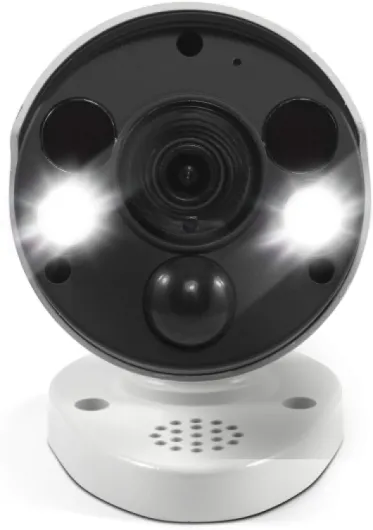
Design‑wise, the Arlo Ultra 3 cameras are compact white bullets with rounded edges. They look clean and modern enough, but in the hand they feel more like solid plastic tools than some high‑end gadget. The housing is polycarbonate, and you can tell it’s made to live outside in the rain, not to impress on a design shelf. Personally, I’m fine with that – I care more about them surviving winter than looking like art pieces on my wall.
One thing I did like is the mounting system. The kit I used came with wall mounts and screws, not the older ball‑style magnetic mount. You screw the base into the wall, slide the camera on, and you can adjust the angle. It’s basic but sturdy. Once in place, the camera doesn’t wobble, even in wind. I mounted one above a back door that gets a lot of gusts; it hasn’t moved a millimetre. Adjusting the angle is a bit more fiddly than a magnetic mount, but you do it once and you’re done, so it didn’t bother me.
The cameras are not tiny, but still smaller than a lot of wired CCTV bullets. For reference, each one is roughly 9 x 5 x 8 cm and about 218 g. On a white wall they don’t scream for attention, but they’re still visible enough to act as a deterrent. If you want something very discreet, these are a bit chunky. If you actually want burglars to see the cameras and think twice, the size is fine. The spotlight LED is clearly visible on the front, which also helps with the deterrent effect at night.
Inside, the SmartHub is just a small white box that sits next to your router. It doesn’t make noise and doesn’t get very hot. You forget it’s there after a day. Overall, I’d sum up the design as: functional, neutral, clearly built for outdoor use. It doesn’t look cheap, but it also doesn’t look like a piece of luxury tech. For this kind of product, that’s honestly enough for me.
Battery life: good, but very dependent on your settings
The cameras are battery powered by default, with the option to hardwire if you want. Each one comes with a rechargeable battery, and you charge it with the included USB cable (or a separate outdoor charger if you buy one). In my case, I left them on battery because I don’t have power everywhere outside. Battery life is where you really see how much your settings and placement matter.
On my quiet side garden camera, with medium sensitivity, recording only on people/vehicles, and no constant live view, I got roughly 3–4 weeks before dropping under 20% battery. That’s with a few events per day. On the driveway camera, which faces the street and gets a lot more motion (cars, people, deliveries), the same battery lasted more like 7–10 days with 4K recording and spotlight enabled on motion. When I turned down the video quality and limited detection zones to avoid the street, I managed to stretch it to about 2 weeks.
So yes, the official capacity (5655 mAh) is there, but in practice, if the camera is busy all day, the battery drains fast. It’s not surprising for 4K wireless cameras, but you need to be aware of it. If you hate climbing a ladder every 1–2 weeks, either:
- Be aggressive with motion zones and sensitivity
- Lower video quality or disable some features like auto‑tracking
- Consider hardwiring the most active cameras (front door/driveway)
Charging itself is simple but a bit annoying: you either take the whole camera down or open the housing to remove the battery, depending on how you mounted it. I’d strongly suggest buying at least one spare battery so you can swap quickly instead of waiting while it charges. Overall, I’d call the battery decent but not impressive. It’s totally fine for low‑traffic areas, but in busy spots you’ll feel it. If you’re expecting 3 months per charge like some marketing blurbs suggest (not specifically Arlo, but in general), that’s not what I saw in real life with 4K and spotlight on.
Unboxing and setup: clean, but firmware updates slow you down
The packaging is pretty standard for this kind of kit: compact box, each camera in its own compartment, accessories in small cardboard sections. Everything arrived in good condition, no loose parts rattling around. It looks organised and easy to navigate, which helps when you’re trying not to mix up batteries and mounts for four cameras. It’s not luxury packaging, but it’s clean and efficient, which is all I really want for a security kit.
The first slightly annoying part is setup with the SmartHub. You plug the hub into power and your router, download the Arlo app, make an account, and then the app walks you through pairing the cameras. The process is clear enough, but there are a lot of firmware updates the first time. In my case, the hub needed an update, then each camera needed one. That added a good 20–30 minutes of waiting around, rebooting, and re‑pairing once or twice. Not a disaster, but not plug‑and‑play either.
Once everything is updated, adding extra cameras is faster. You press sync, the app finds the camera, and it shows up in the list. You then set activity zones, notification preferences, and schedules. There are a lot of options, which is good, but it can feel a bit overwhelming at first. I had to tweak settings a few times in the first days to find the right balance between catching important events and not spamming my phone every time a car passed by.
Overall, I’d say unboxing and setup are decent but not frictionless. If you’re used to smart home stuff, you’ll manage fine. If you’re not very tech‑savvy, you may need to be patient during the first evening, especially with all the updates. Once it’s done, day‑to‑day use is much simpler and the system just runs in the background, but don’t expect to be fully done in 10 minutes straight out of the box.
Weather, build quality and long-term feel
In terms of durability, the cameras feel solid enough for outdoor use. They’re IP65, which means they handle rain, splashes and dust, but you still shouldn’t dunk them in water. I’ve had them go through several heavy rain days and a couple of cold nights; no condensation inside the lens, no random reboots, and no signs of water getting in. The plastic housing doesn’t flex or creak when you press on it, and the seams look tight.
The mounts are metal/plastic combos that actually feel stronger than they look. After a few weeks on an exterior brick wall that gets a lot of wind, nothing loosened. I gave them a good shake by hand and the camera stayed in place. For long term, I think the weak point is more likely to be the screws in bad masonry than the mount itself. If your walls are crumbly, use proper wall plugs and maybe longer screws than the ones in the box.
One thing that can be a concern is theft or tampering. The cameras are fairly easy to remove if someone really wants to. They’re high enough that it’s not trivial, but it’s not a locked system either. Arlo mentions camera theft replacement in its Secure plans, which is good because local‑only systems can lose all evidence if someone walks off with the camera. Here, if you use cloud storage, the clips are already uploaded. Still, if you live in an area where people might grab outdoor gear, it’s worth mounting them out of easy reach.
Long term, I can’t judge years of use yet, but based on other Arlo models I’ve seen, they usually hold up fine for at least a couple of winters. The 2‑year warranty is also a safety net. The only real red flag from other users is the occasional faulty hub or camera and some people complaining about Arlo’s customer service. I haven’t had to deal with support yet, but reading reviews, it’s clearly not perfect. So in short: the hardware itself feels robust for outdoor use, but if you’re unlucky with a faulty unit, getting it swapped might be the annoying part.
4K image, detection and app: where it shines and where it’s just OK
On the video performance, this kit is strong. In daytime, the 4K image is very sharp. I can clearly read car plates at the end of my driveway and recognise faces even when people are not right under the camera. The HDR helps when the sun is low or when someone is standing half in shadow, half in sunlight. Compared to my older 1080p cameras, there’s a clear step up: zooming in doesn’t turn everything into mush right away. The 180° field of view is handy too; it does bend the edges a bit (fisheye effect), but it means one camera can cover my whole front garden.
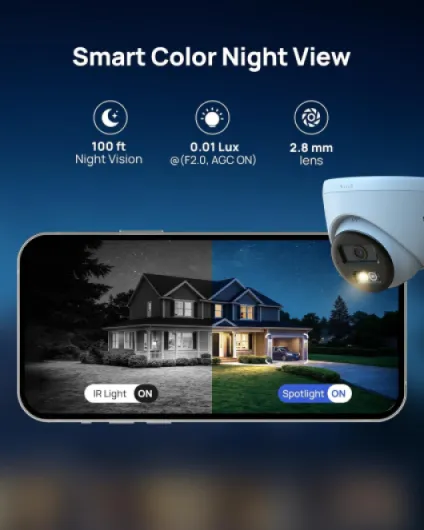
At night, the colour night vision is decent as long as there’s a bit of ambient light (street lamp, porch light). You get real colours, not just grey blobs. When it’s really dark, the built‑in spotlight kicks in and lights the scene enough to keep some detail. If you turn the spotlight off, it falls back to more classic night mode and you lose detail and colour. I ended up leaving the spotlight on for the front door and driveway and lowering the brightness a bit so it doesn’t blind people. For the back garden, I rely more on ambient light and it’s still usable, just not as clean.
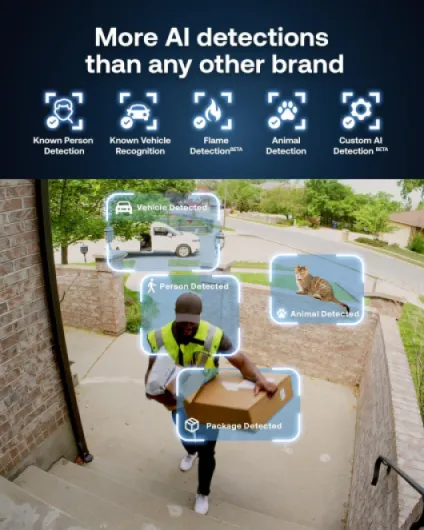
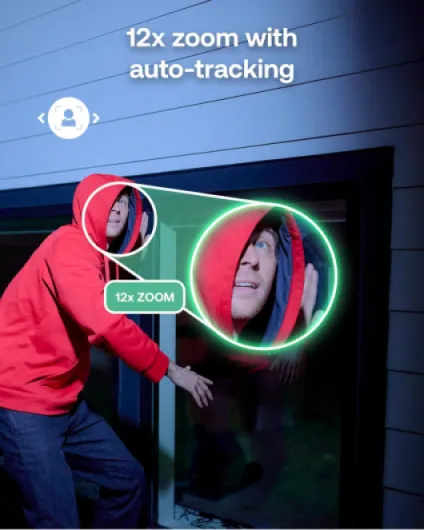
For motion detection and AI, when the subscription is active, it’s pretty solid. It does a good job of telling people apart from cars and animals. My cat walking across the driveway doesn’t trigger a “person” alert, and passing cars on the street only alert when they enter the defined activity zones. I still get the occasional false alert (tree branch in heavy wind, spider walking across the lens), but it’s less noisy than the cheap cameras I used before. The auto‑tracking/auto‑zoom works, but it’s more of a nice‑to‑have than a must. It follows people reasonably well, but sometimes it over‑zooms and you lose context.
The Arlo Secure app is overall responsive: live view loads in a few seconds on Wi‑Fi, scrubbing through recorded clips is smooth enough, and notifications arrive quickly. I didn’t notice major lag unless my home Wi‑Fi was acting up. On the other hand, there are quite a few menus and options, and the constant reminders about subscription features can be a bit annoying. In short: performance is strong where it matters (image, detection, alerts), but don’t expect zero false alerts or perfect auto‑tracking. It’s good, not magic.
What you actually get in the box and what it really does
This kit is the 4‑camera Arlo Ultra 3 pack with the SmartHub. In concrete terms, you get: 4 wireless 4K cameras, 4 rechargeable batteries, 4 wall mounts with screws, one SmartHub (VMB5000) and a power adapter plus an indoor charging cable. No Ethernet cable for the hub in my box, so plan one if your router isn’t right next to it. The cameras are rated IP65, so they’re fine for rain and dust, as long as you don’t mount them in a place that turns into a waterfall.
The cameras record in 4K (up to 24 fps) with a 180° viewing angle and digital zoom (12x). They have a built‑in spotlight, siren, two‑way audio, and colour night vision up to about 7 m according to the spec. They connect wirelessly to the hub over Wi‑Fi, and the hub is what connects to your router. You manage everything through the Arlo Secure app on phone or tablet. It works with Alexa, Google Assistant, SmartThings and, with a hub, Apple HomeKit. So if you’re into smart home voice control, you’re covered.
On the software side, Arlo really pushes its Arlo Secure subscription. That’s where you get the AI detection (people, vehicles, packages, animals, fire/alarms), cloud storage, and the early warning/SOS features. Without the subscription, you still get live view, notifications and local storage to the hub (with a USB drive or microSD depending on hub revision), but the smart classification and some advanced features are limited. The first trial period is included, then you pay monthly per camera or for a multi‑camera plan.
So in practice, this kit is meant for someone who wants a full system: several zones covered (front, back, side), decent local storage options, and the option to add more cameras later on. It’s not a simple single‑camera gadget. It’s closer to a lightweight, DIY CCTV system with a price tag that matches that idea. If you’re expecting a cheap Ring‑style doorbell experience, you’ll probably find this overbuilt and too expensive. If you’re replacing an old multi‑camera DVR setup, it feels more natural.
Pros
- Very sharp 4K image with wide 180° field of view, good for identifying faces and plates
- Colour night vision with spotlight and siren provides decent deterrent and usable night footage
- SmartHub allows local storage and system feels like a real multi‑camera setup, not just a gadget
Cons
- Subscription needed to fully benefit from AI detection, cloud storage and extra features
- Battery life drops quickly on busy cameras with 4K and spotlight enabled
- Initial setup slowed down by multiple firmware updates and ecosystem feels expensive overall
Conclusion
Editor's rating
After using the Arlo Ultra 3 4‑camera kit day‑to‑day, my feeling is pretty clear: technically it’s a strong system, financially it’s a commitment. The 4K image is sharp, the 180° view really helps cover large areas, and the colour night vision plus spotlight give you usable footage 24/7. Motion detection and AI alerts are mostly reliable when the subscription is active, and the app, while a bit busy, is functional and fast enough for everyday use. For someone who wants serious coverage around a house or small business without running cables everywhere, it does the job well.
On the downside, you need to be OK with a few things: battery life that can drop fast on busy cameras, a setup phase with multiple firmware updates, and a subscription that isn’t cheap if you want all the features. The hardware itself feels solid and weather‑ready, but there are some reports of faulty hubs and not‑so‑great customer service, so there’s a bit of a gamble there, like with many tech brands. I’d say this kit is for people who care about image quality and smart alerts and are ready to pay for it over time. If you just want basic surveillance with no ongoing cost, or if you hate subscriptions on principle, you’ll probably be happier with a simpler, cheaper system from another brand.