
Summary
Editor's rating
Is the eufyCam S3 Pro kit worth the money?
Chunky cameras, decent look, a few mount quirks
Solar charging and battery life: does “Forever Power” hold up?
Build quality and weather resistance over time
Image quality, detection, and app: how it behaves day to day
What you actually get in the eufyCam S3 Pro 3-Cam Kit
Pros
- Sharp 4K image quality with good colour night vision
- Local storage on HomeBase with no mandatory monthly subscription fees
- Solar charging that can keep batteries topped up with decent placement
Cons
- Plastic mounts feel fragile and can crack if over-tightened
- High upfront cost compared to basic cameras and solar depends heavily on sun exposure

Specifications
View full product page →| Brand | eufy Security |
A 4K solar camera kit that finally ditches subscriptions
I’ve been using the eufyCam S3 Pro 3-Cam Kit for a little over a month around my house: one at the front door, one over the driveway, and one in the back garden. I bought it because I was tired of paying subscriptions for other brands and constantly worrying about battery levels. On paper, this kit ticks a lot of boxes: 4K video, solar charging, local storage, and no monthly fees. So I wanted to see if it actually holds up in real life, not just in the marketing.
In day-to-day use, the system feels more like a proper home setup than a random cheap Wi‑Fi cam. Everything goes through the HomeBase S380, which sits next to my router, and the three cameras talk to that. The app is central to everything: notifications, live view, recordings, zones, AI stuff like face recognition. If you’re not comfortable with apps and menus, there’s a bit of a learning curve, but nothing crazy.
What hit me first was the image quality and how quickly alerts came through. Someone walks up the path, and within a couple of seconds my phone buzzes. No waiting 15 seconds like with some older cloud cameras I had. Also, the fact that I’m not constantly being nagged to subscribe for basic features feels good. You get activity zones, smart alerts, and remote access without paying extra, which is how it should be for a security product you already paid a lot for.
It’s not perfect though. The kit is expensive, the mounts feel a bit plasticky compared to the weight of the cameras, and the solar charging depends a lot on where you live and how you angle them. Overall, I’d say it’s a pretty solid system for someone who wants quality and no subscriptions, but you do need to accept a higher upfront cost and spend a bit of time on placement and settings to get the best out of it.
Is the eufyCam S3 Pro kit worth the money?
This kit is not cheap, especially when you compare it to the endless list of budget 1080p Wi‑Fi cameras on Amazon. But you have to look at what you’re actually paying for: 4K resolution, three cameras, solar panels, a HomeBase with local storage and AI, and no subscription fees. If you add up what you’d spend on a rival system plus a few years of cloud storage, the price starts to look more reasonable.
Where it really beats some competitors like Arlo is the business model. With Arlo and similar brands, you quickly realise that without a subscription, half the useful features are locked or very limited: no proper cloud recording, no smart zones, limited remote access. One of the Amazon reviewers summed it up well: their old Arlo setup felt almost useless without paying monthly. With eufy, out of the box you get activity zones, remote playback, and AI features without paying extra. Over a few years, that can save you a good chunk of money.
That said, if you only need one basic camera to watch a shed or an indoor room, this kit is overkill and not good value for you. You’re paying for the ecosystem: multiple cameras, hub, expandable storage, and solar convenience. If you’re not going to use at least most of that, there are cheaper options that will do the job. Also, the mounts could be better for the price; they feel like the one part where eufy cut a bit of cost.
Overall, I’d call the value “good but not bargain-level”. You’re paying a premium up front but saving on subscriptions and getting a system you can expand and control locally. For someone setting up proper home coverage and planning to keep it for years, it makes sense. For casual users or renters who just want a quick cam, it’s probably too much.
Chunky cameras, decent look, a few mount quirks
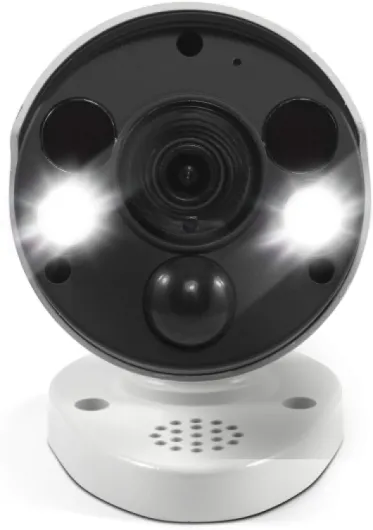
The cameras themselves are fairly big and heavy. They feel like proper outdoor gear, not a lightweight plastic toy. The black-and-white colour scheme is neutral enough; they don’t scream for attention but they’re not exactly hidden either. If you want something discreet, you’ll have to tuck them under eaves or in corners. Personally, I like that they look solid – it gives a small deterrent effect when someone sees them.
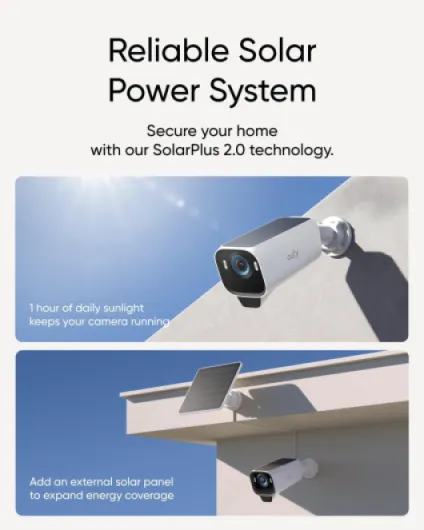
The built-in solar panel sits on top of each camera, which is practical but also means you need to think about angles. You’re not just pointing for the best view; you’re also trying to get some sun on that panel. In my case, the front camera got plenty of light and stayed at 100% battery. The one on the north-facing side dropped a bit on cloudy days, but still stayed usable. The extra external panel helps for the bad position, but it means another cable to route and another thing to mount.
The weak point in the design, in my opinion, is the mount system. It’s mostly plastic and doesn’t match the weight of the camera. I didn’t break any, but I can see how someone could crack the plastic around the screw hole if they go too hard with the drill or screwdriver, like one of the Amazon reviewers mentioned. Also, getting a perfect angle sometimes needs a bit of fiddling, and I ended up loosening and tightening a few times to get it right. A more robust metal mount would fit better with the overall price and weight of the product.
On the whole, the design is practical and focused on outdoor use: weatherproof housing, integrated solar, clear lens area, and a good field of view (around 135°). It’s not pretty or stylish; it’s just functional. If you’re okay with slightly bulky cameras on your walls and you take a bit of care with the mounts, the design gets the job done without major issues.
Solar charging and battery life: does “Forever Power” hold up?
The big promise here is the SolarPlus 2.0 “Forever Power” idea – basically that you rarely, if ever, need to manually charge the cameras. In practice, it depends heavily on where you live and how you mount them. On my south-facing camera, with a few hours of decent light per day, the battery stayed at 100% the whole time. I checked the stats in the app and you can see the daily charge/discharge curve; it was consistently topping up more than it used, even with several motion events per day.
On the side of the house that gets less sun, the situation was different. The battery slowly ticked down by a couple of percent per day on cloudy weeks, which lines up with what one Amazon reviewer mentioned (around 2% per day). It’s not dramatic – you still get weeks or months of runtime – but it’s not truly “forever” unless the panel sees enough sun. That’s where the extra external solar panel comes in handy. I hooked it up to the worst-positioned camera, angled it better toward the sun, and the battery drop stopped and even climbed back up.
If you put these under a roof with barely any direct light, you should expect to have to recharge them via USB from time to time. The good news is that because the base battery is fairly large (around 44.3 Wh), you’re not recharging every week; it’s more like every few months, depending on usage and weather. Also, if you set smart detection (human-only, zones, etc.), you cut down on recordings and save battery.
Overall, I’d say the battery and solar system are strong, but with a big asterisk: you need to be thoughtful with placement. If you can give the panels a few hours of light, the “set it and forget it” idea is pretty realistic. If your house is in constant shade or you mount them in bad spots, you’ll still save a lot of charging compared to non-solar cameras, but it won’t be completely hands-off.

Build quality and weather resistance over time
The cameras are built for outdoor use and feel solid in the hand. They have a good bit of weight to them, which usually means a bigger battery and more robust housing. I’ve had them out in rain, wind, and a couple of colder nights, and they’ve kept working without any issues. The waterproofing seems fine; no leaks or obvious signs of water ingress so far. One Amazon user did mention that after heavy rain the lens got a bit steamy and needed a clean, and I had a similar thing once after a big storm – a light fog on the glass that cleared up later but did soften the image for a while.
The weak link, again, is the mount rather than the camera body. The plastic around the screw area doesn’t inspire a ton of confidence if you’re heavy-handed with tools. I didn’t crack mine, but I took it easy when tightening. If you’re installing into brick or concrete and you overtighten, I can absolutely see the mount splitting like that reviewer described. Once in place, though, they’ve stayed put. No sagging or drifting angle, even with wind and a bit of vibration from a nearby road.
As for long-term durability, I obviously don’t have years of data, but eufy gear in general has a decent reputation and the customer reviews (average 4.3/5) suggest most people aren’t seeing mass failures. The HomeBase sits indoors, so it’s not really under stress. If anything fails, it’s likely to be either the mount or the solar panel efficiency dropping over years, which is kind of normal for any solar product.
In short, the cameras themselves feel tough enough for typical UK/European weather: rain, cold, a bit of heat. Just be ready to wipe the lens now and then, especially after heavy rain or pollen season, and don’t go Hulk-mode on the mounts during installation. If you want something truly bombproof, you might look at wired pro systems, but for a consumer wireless kit, this is pretty solid.
Image quality, detection, and app: how it behaves day to day
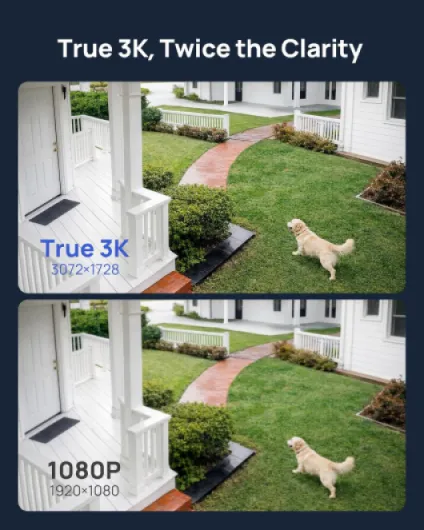
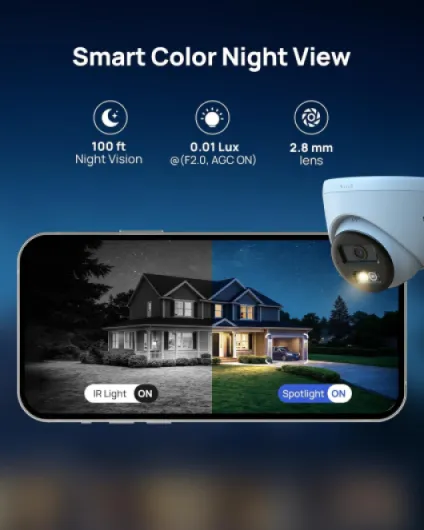
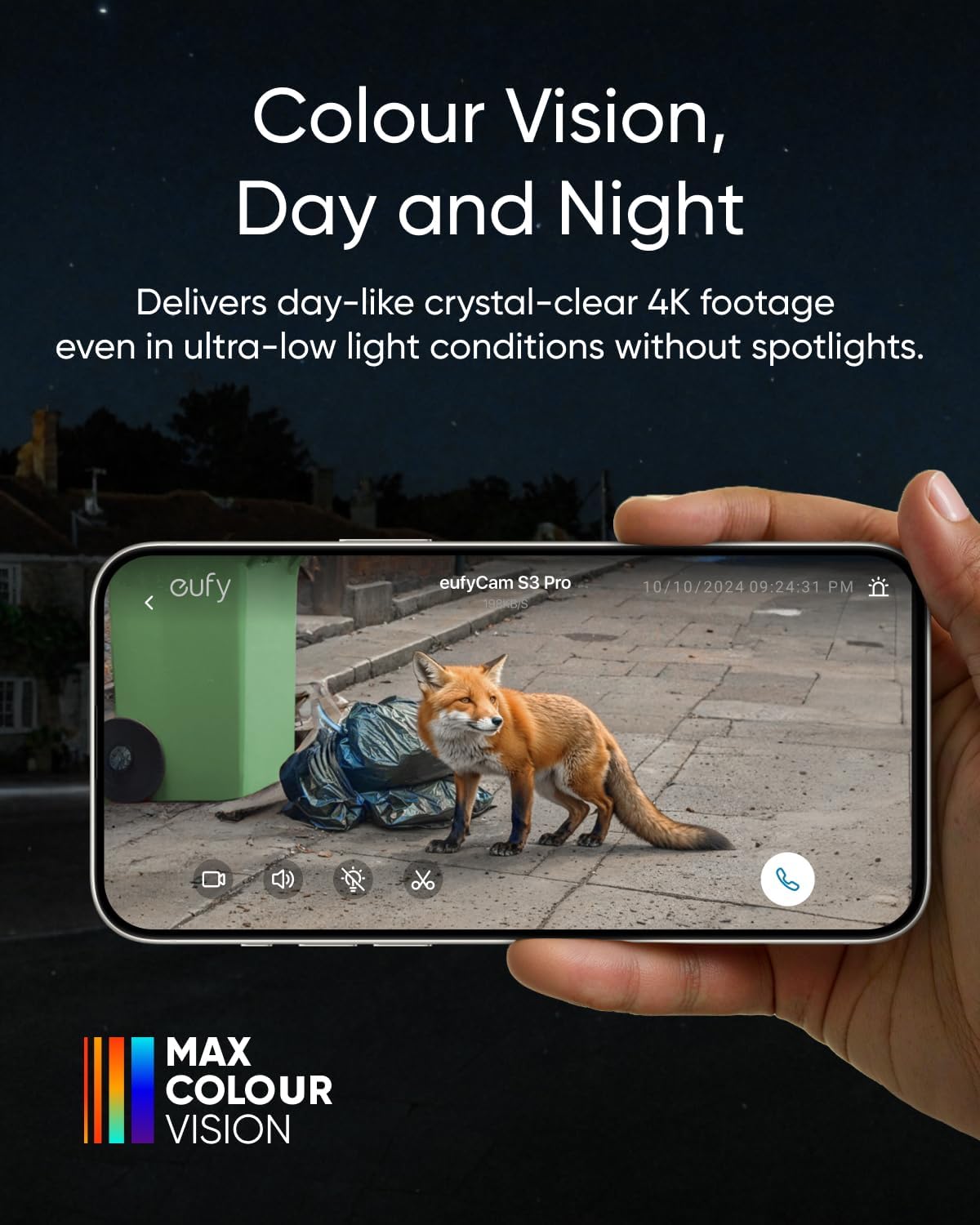
In terms of pure performance, the cameras do a pretty solid job. The 4K image is sharp enough that you can easily recognise faces and read number plates at reasonable distances, at least in daylight. Compared to older 1080p cams I had, the difference is clear when you zoom in. You don’t get that mushy, pixelated look as quickly. At night, the Colour Night Vision with their MaxColour tech is actually useful. In low light, it still keeps colour and decent detail without needing to blast a spotlight, which is nice if you don’t want to annoy neighbours.
Motion detection is handled by a mix of radar and PIR. In real use, that means fewer random alerts from branches and light changes. I set up activity zones around the driveway and front path, and it mostly only pinged me when someone or a car entered that area. It still occasionally picks up small stuff if you set sensitivity high (insects, small animals), but you can dial that down. Compared to some older systems I tried (like Arlo), I spent less time swiping away useless notifications.
The app is where you feel the system is fairly mature. You can tweak almost everything: detection zones, notification types, human-only detection, face recognition, and recording length. Face recognition is decent but not perfect; it correctly tagged known faces most of the time, but I wouldn’t rely on it as a security decision-maker, more as a convenience to know if it’s family or a stranger. Alerts usually reached my phone within 2–3 seconds of motion, which is fine. There’s the occasional lag, especially when my Wi‑Fi was busy, but nothing dramatic.
Remote viewing and playback from the HomeBase worked reliably. Since everything is stored locally, scrolling through the timeline is fairly quick, and you’re not at the mercy of a cloud server. The only performance drop I noticed is if you insist on 4K live view on a weaker internet connection; it can stutter a bit, so sometimes I just switch to a lower resolution when I’m on mobile data. Overall, the performance is strong enough for real home security use, not just casual monitoring.
What you actually get in the eufyCam S3 Pro 3-Cam Kit
Out of the box, the kit is fairly complete. You get three 4K wireless cameras, the HomeBase S380 hub, a power adaptor for the base, an Ethernet cable, screws, wall mounts, a USB charging cable, positioning stickers, a reset pin, a quick start guide, and one extra solar panel. Each camera already has a built-in SolarPlus 2.0 panel on top, and the extra panel is for the spot that gets the worst sun. It’s not a small bundle; you feel like you’re setting up a proper system, not just one random gadget.
The HomeBase S380 is basically the brain and storage unit. It comes with 16 GB built-in, and you can add up to 16 TB if you stick in a drive. For most people, the 16 GB is fine to start with; I ran three cameras with motion-triggered recording and didn’t fill it in a week. But if you want long retention or lots of continuous clips, the option to upgrade is there. This is where it beats the usual cloud-only brands: once you buy your own storage, you’re done, no monthly bill creeping up on you.
On the software side, the system works with the eufy Security app, Alexa, and also HomeKit (with a catch: video drops to 1080p in HomeKit). I tried both the eufy app and Alexa. The app is more complete: zones, face recognition, sensitivity, solar/battery stats. Alexa is fine for basic stuff like “show me the driveway camera” on an Echo Show. If you’re deep into Apple’s ecosystem, you’ll probably be happy just to have real HomeKit support, even if you lose 4K there.
Overall, the kit is positioned clearly as a higher-end home system: 4K, solar, local AI, and multi-camera out of the box. It’s not the cheapest, and you can feel that the target audience is more “I want something solid for the long term” than “I want the cheapest camera on Amazon”. If you just want one quick indoor cam, this is overkill. But if you’re trying to cover a whole house and hate subscriptions, the package makes sense.
Pros
- Sharp 4K image quality with good colour night vision
- Local storage on HomeBase with no mandatory monthly subscription fees
- Solar charging that can keep batteries topped up with decent placement
Cons
- Plastic mounts feel fragile and can crack if over-tightened
- High upfront cost compared to basic cameras and solar depends heavily on sun exposure
Conclusion
Editor's rating
The eufyCam S3 Pro 3-Cam Kit is a solid choice if you want a proper home security setup with 4K video, solar charging, and local storage, and you’re done with monthly fees. In daily use, the cameras deliver clear footage, quick alerts, and reliable motion detection without throwing constant false alarms, as long as you spend a bit of time tuning zones and sensitivity. The Colour Night Vision is genuinely useful, and the integration with the HomeBase S380 and the app feels stable and complete. You also get the bonus of Alexa and HomeKit support, even if HomeKit drops you down to 1080p.
It’s not perfect. The mounts feel a bit cheap compared to the price and the weight of the cameras, solar performance depends a lot on placement and sunlight, and the upfront cost is high if you’re used to cheap single cams. But compared to systems that lock key features behind subscriptions, eufy’s approach is much more straightforward: pay once, use the features you bought, and add storage if you need more. If you want long-term home coverage, care about privacy and local storage, and don’t mind paying more at the start, this kit makes sense. If you’re on a tight budget or only need one simple camera, you’ll be better off with something cheaper and simpler.