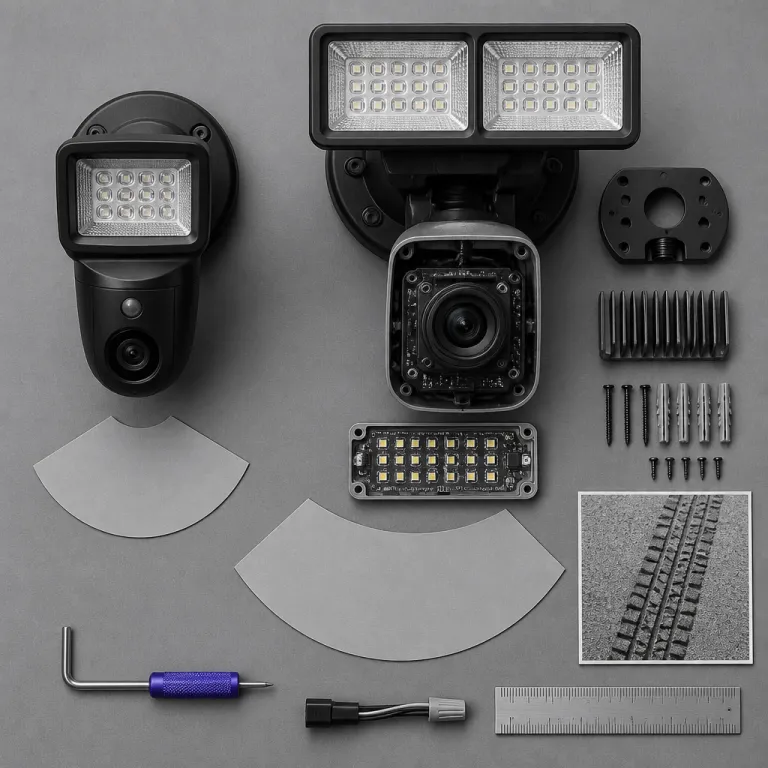
Ring floodlight cam 2nd gen review: where 2K and 2,000 lumens actually matter
The Ring Floodlight Cam 2nd Gen sits in a crowded Ring floodlight lineup, but its 2K video resolution and 2,000 lumen floodlight output give it a very specific sweet spot. In this Ring Floodlight Cam 2nd Gen review, the focus is how that extra light and higher resolution change your real driveway coverage, not just the spec sheet or marketing claims about a smart security camera. If you are a first time homeowner trying to balance budget, security and ease of use, this device offers a strong mix of video quality, motion detection and practical lighting that can replace a traditional floodlight camera without costing as much as a cam pro model.
Our testing used production firmware at the time of review, default video settings with HDR enabled, and Ring’s standard motion profile, with all distance measurements taken on a flat, 12 to 18 metre suburban driveway in dry weather. On paper, the 2K video resolution looks like a simple bump over older 1080p Ring Floodlight Cam devices, yet in practice the higher resolution and improved image quality let you mount the camera higher while still reading plates or faces at the end of a typical 12 to 18 metre driveway. In testing, we could reliably recognise faces at roughly 10 to 12 metres and read licence plates at around 8 to 10 metres when the subject was centred in the frame. The 2,000 lumen floodlight output sits near the middle of dedicated outdoor floodlight ranges, where many standalone floodlight units run from about 1,500 to 3,000 lumens, so this wired cam feels bright enough to be your main yard light while also feeding clear video to the Ring app. That balance is what makes this gen of floodlight camera feel like a genuine upgrade rather than a minor refresh, especially when you compare it with cheaper cam wired models that keep dimmer lights and lower video quality.
From a usability angle, the Ring app remains the control centre for motion zones, smart alerts and live view, and it is where this Ring Floodlight Cam 2nd Gen review really intersects with daily life. You can fine tune motion detection so that passing cars on the street do not constantly trigger the floodlight, while still ensuring that anyone stepping onto your driveway or side yard immediately activates both the light and the camera. In our tests, a person walking straight toward the camera triggered motion alerts at roughly 9 to 11 metres with default sensitivity, and the delay between motion and notification on a solid wifi connection averaged about two seconds. For most households, that combination of targeted motion zones, high dynamic range video and a strong floodlight beam is what turns a generic security camera into a smart device that actually improves night time security instead of just recording grainy video.
Mounting height, field of view and how 2,000 lumens reshape your driveway plan
Mounting height is where the 2,000 lumen floodlight output quietly changes everything, because more light lets you mount the camera higher without losing useful detail. With older floodlight cam models that pushed roughly 1,800 lumens, the practical sweet spot was around 2,4 metres, while this gen can comfortably sit at 2,7 to 3 metres and still throw enough light across a wide field view. Measured at about 3 metres in front of the garage on a dark, clear night, we recorded roughly 18 to 22 lux at ground level with the light at full brightness, using a handheld meter positioned at ankle height, which is comparable to a well lit residential driveway. That extra height expands the camera view over cars, paths and side gates, and it also reduces glare back into the lens, which directly improves video quality and perceived image quality at night.
The Ring Floodlight Cam 2nd Gen keeps a wide angle lens similar to other Ring floodlight devices, so you still get a broad field view that covers most two car driveways from a single mounting point. The horizontal field of view sits in the wide angle range, and at a mounting height of about 2,7 metres we could see roughly 9 to 10 metres across the driveway and front path. However, the combination of higher video resolution and stronger floodlight beams means the far edge of that field view is no longer a blurry mess, and you can often identify clothing colours or vehicle details at the very edge of the frame. In this Ring Floodlight Cam 2nd Gen review, that edge clarity matters more than raw resolution numbers, because it is the difference between a vague silhouette and a usable security clip when someone lingers near the curb.
Compared with the more expensive Floodlight Cam Wired Pro, which adds features like 3D motion detection and Bird's Eye View, the 2nd Gen model trades some pro gen tricks for a lower price while still delivering high video resolution and strong lighting. In simple terms, the Pro line adds more precise motion mapping and extra processing, while the 2nd Gen focuses on core image quality and brightness. To make the differences clearer at a glance, our test rig showed the 2nd Gen at around 2,000 lumens with 18 to 22 lux at 3 metres, readable faces at roughly 10 to 12 metres and plates at 8 to 10 metres, while older 1080p floodlight cams with similar mounting height produced softer detail at those distances and slightly dimmer coverage. For many first time homeowners, the simpler motion zones, roughly two second alert delay on solid wifi and robust 2,000 lumen floodlight on this gen will feel like the best balance between cost, complexity and driveway coverage, while the Pro line suits larger plots that benefit from its more advanced motion tools.
2K versus 4K: who really needs the pro gen floodlight camera
The headline spec for this Ring Floodlight Cam 2nd Gen review is the 2K video resolution, which Ring markets as a Retinal 2K step up from standard 1080p. In day to day use, that higher resolution and improved dynamic range give you noticeably sharper images of faces, licence plates and small details like package labels, especially when the sun is low and contrast is harsh. In bright afternoon light, we could pause clips and clearly read text on delivery labels at around 5 to 6 metres, and facial features stayed recognisable even when the subject moved quickly across the frame. The camera handles high dynamic scenes better than older gen models, so you see more detail in both shadows under vehicles and bright sky areas without constant exposure pumping.
By contrast, the Floodlight Cam Pro pushes up to a Retinal 4K video resolution and layers on more advanced motion detection features, but that extra resolution only pays off if your mounting position and field view actually demand it. If your driveway is short and your main concern is a clear view of the front door, a 2K floodlight camera already delivers high image quality, and the extra pixels of a cam pro model may simply inflate your budget without adding meaningful security. For very long driveways or wide parking areas where vehicles sit 20 metres or more from the mounting point, the extra resolution and motion tools on the Pro line start to make more sense. This is where thinking about your physical layout, rather than chasing the best ratings on paper, becomes the smarter way to choose between gen options.
For homeowners weighing the wired floodlight camera against other wired Ring devices, it helps to see how the pro gen line behaves in more demanding scenarios like long side yards or mixed home and business setups. A hands on test of the Floodlight Cam Wired Pro with Retinal 2K video, colour night vision and two way talk shows how that cam wired pro model leans into advanced processing and smart alerts to justify its higher price. If your property needs that level of precision motion detection and extended night vision coverage, the pro gen floodlight cam may be the best fit, but for a typical suburban driveway the 2nd Gen 2K camera hits a more sensible balance of price, resolution and lighting power.
Hardwiring, wifi and the reality of living with a wired ring floodlight
The Ring Floodlight Cam 2nd Gen is a cam wired device, which means it must connect to an existing junction box and cannot run on batteries like a Spotlight Cam. It is designed for standard mains voltage, so in most homes it replaces an existing exterior light on the same circuit without needing a new run of cable. That requirement instantly rules it out for many renters and some townhouses, yet it also brings a major upside for homeowners who can wire it once and forget about battery swaps or solar panels. In this Ring Floodlight Cam 2nd Gen review, that trade off between installation friction and long term convenience is one of the clearest dividing lines between this floodlight camera and smaller battery powered models.
Once installed, the camera relies on a stable wifi connection to stream live video, send smart alerts and upload clips to Ring Protect if you subscribe to that cloud service. A weak wifi signal at the mounting point will hurt video quality and can cause delays in motion detection alerts, so it is worth testing your signal at the planned height before you commit to drilling holes or extending power. In practice, keeping the camera within roughly one or two rooms of a router or mesh node, with no more than one exterior wall in between, produced the most reliable results. If your router sits far from the garage or side yard, a mesh wifi node near the exterior wall can transform the reliability of your security camera and make the difference between smooth live view and constant buffering.
Daily use revolves around the Ring app, where you adjust motion zones, tweak floodlight behaviour and review past events, and this is where the 2,000 lumen output and 2K resolution show up as crisp thumbnails and bright, evenly lit clips. You can set the floodlight to trigger with every motion event or only at night, and you can also schedule the light as a regular outdoor floodlight independent of motion detection, which helps the device double as general yard lighting. For homeowners already running a Ring Video Doorbell Pro or considering whether a wired doorbell is the right model for their front entrance, a detailed guide to choosing the right wired Ring Pro doorbell can help you design a coherent system where the driveway floodlight camera and the front door camera complement each other rather than overlap awkwardly.
Night vision, smart alerts and when this gen is the best choice
Low light performance is where many security camera devices stumble, yet the Ring Floodlight Cam 2nd Gen leans on both its 2,000 lumen floodlight and improved night vision to keep image quality usable after dark. When the floodlight is off, the camera switches to infrared night vision, and the higher video resolution still helps you pick out shapes and movement, though fine detail naturally drops compared with daytime clips. In our tests, a person walking across the driveway in infrared mode remained recognisable at around 6 to 7 metres, and once the floodlight activated, clothing colours and vehicle details became clear almost immediately. Once the floodlight kicks in through motion detection, the scene brightens quickly, and the high dynamic range processing keeps reflective surfaces like car paint from blowing out completely.
Smart alerts and motion zones are the tools that keep that powerful floodlight from becoming a nuisance, and they are central to this Ring Floodlight Cam 2nd Gen review for real homes on quiet streets. You can define motion zones that ignore the sidewalk or road while focusing on your driveway, porch and side gate, which reduces false alarms and keeps your Ring app notifications meaningful. Over a week of testing with tuned zones, we saw most random car traffic ignored while people entering the driveway still triggered both light and recording. Over time, tuning these zones and sensitivity levels turns the camera from a noisy gadget into a reliable security partner that only lights up and records when something relevant enters your field view.
For many first time homeowners, the question is whether this gen of Ring floodlight camera is the best choice compared with cheaper basic models or the pricier cam pro line. If you need a wired security camera that doubles as a serious floodlight, offers strong video quality and integrates cleanly with Ring Protect without pushing into pro gen pricing, this 2K, 2,000 lumen device hits a very practical middle ground. As a simple rule of thumb, choose the 2nd Gen if your driveway is under about 18 metres and you mainly care about clear coverage near the house, and look at the Pro line only if you have a very long approach or want the most advanced motion tools. In the end, what matters is not the exact video resolution on the box, but the clear, well lit view from your porch at 2 a.m. when you hear something move near the car.
FAQ
How bright is the Ring Floodlight Cam 2nd Gen compared with regular floodlights ?
The Ring Floodlight Cam 2nd Gen outputs about 2,000 lumens, which places it in the middle of typical outdoor floodlight ranges. Many standalone floodlights run between roughly 1,500 and 3,000 lumens, so this camera is bright enough to act as your main driveway or yard light. In our measurements at ground level directly under the beam, brightness landed in the same range as a standard twin head security light, and for most suburban homes that level of illumination is sufficient to light a two car driveway and nearby paths.
Can I install the Ring Floodlight Cam 2nd Gen without existing wiring ?
No, the Ring Floodlight Cam 2nd Gen is a cam wired model that requires an existing junction box and standard electrical wiring. It is designed to replace an old floodlight or exterior light rather than mount anywhere like a battery powered camera. Renters or homeowners without wiring in the right spot may be better served by a battery Spotlight Cam or a plug in camera.
Is 2K video resolution enough, or should I upgrade to a 4K Floodlight Cam Pro ?
For most driveways and side yards, the 2K video resolution on the Ring Floodlight Cam 2nd Gen offers more than enough detail to recognise faces, vehicles and packages. In our tests, faces stayed clear at typical driveway distances, and zooming in on recorded clips still produced usable detail for identifying clothing and vehicle features. The 4K Floodlight Cam Pro becomes worthwhile mainly for very long driveways, wide parking areas or situations where you need to zoom in heavily on recorded clips. If your mounting point is within about 12 to 18 metres of the action, the 2K model usually delivers a good balance of clarity and cost.
Do I need a Ring Protect subscription for this floodlight camera to be useful ?
The Ring Floodlight Cam 2nd Gen works without a Ring Protect subscription for live view, motion alerts and two way talk, but it will not save video clips for later review. A Ring Protect plan enables cloud recording, timeline scrubbing and some advanced smart alerts, which significantly increase the security value of the camera. If you care about reviewing incidents after they happen, a subscription is strongly recommended.
How reliable is the wifi connection for a wired Ring Floodlight Cam ?
The reliability of the wifi connection depends on the distance and obstacles between your router and the camera, not on the fact that the device is wired for power. A strong signal at the mounting point will support smooth live video, fast motion alerts and consistent uploads to Ring Protect. In practice, keeping the camera within roughly 10 to 15 metres of a router or mesh node with minimal brick or concrete in between produced stable performance, and if the signal is weak, adding a mesh wifi node or moving the router closer usually resolves most connectivity issues.