
Summary
Editor's rating
Is the ANNKE 3K kit good value for money?
Design and build: looks like proper CCTV, not a gadget
Build quality and how it should hold up outside
Image quality, night vision and smart detection in real life
What you actually get in the box
Does it actually make you feel more secure?
Pros
- Sharp 3K image with very good colour night vision and clear details
- PoE wired setup with 24/7 local recording on included 2TB HDD, no subscription
- Human/vehicle AI detection, strong deterrent lights and siren, plus two‑way audio and custom voice warning
Cons
- Setup, app and NVR menus can be a bit technical for beginners
- Included Ethernet cables feel basic for long-term outdoor use and HDD reliability can be a question mark over time

Specifications
View full product page →| Brand | ANNKE |
A proper wired CCTV kit without subscription nonsense
I put this ANNKE 3K PoE kit (8CH NVR + 4 cameras, 2TB HDD) in for a small business and partly to cover my driveway at home. I’ve used battery cameras before (Blink, Eufy style), and I was getting tired of charging batteries and missing clips when the Wi‑Fi glitched. So I wanted something wired, always recording, that I could just forget about once it was set up. This kit fits that idea pretty well overall.
The first thing to know: it’s a proper PoE system. One Ethernet cable to each camera, power and data over the same cable, everything goes back to the NVR box. No cloud subscription, the 2TB hard drive records locally. That alone already makes it feel more serious than the usual Wi‑Fi cams. But it also means you have to be ready to drill, run cables, and spend a bit of time planning where everything goes.
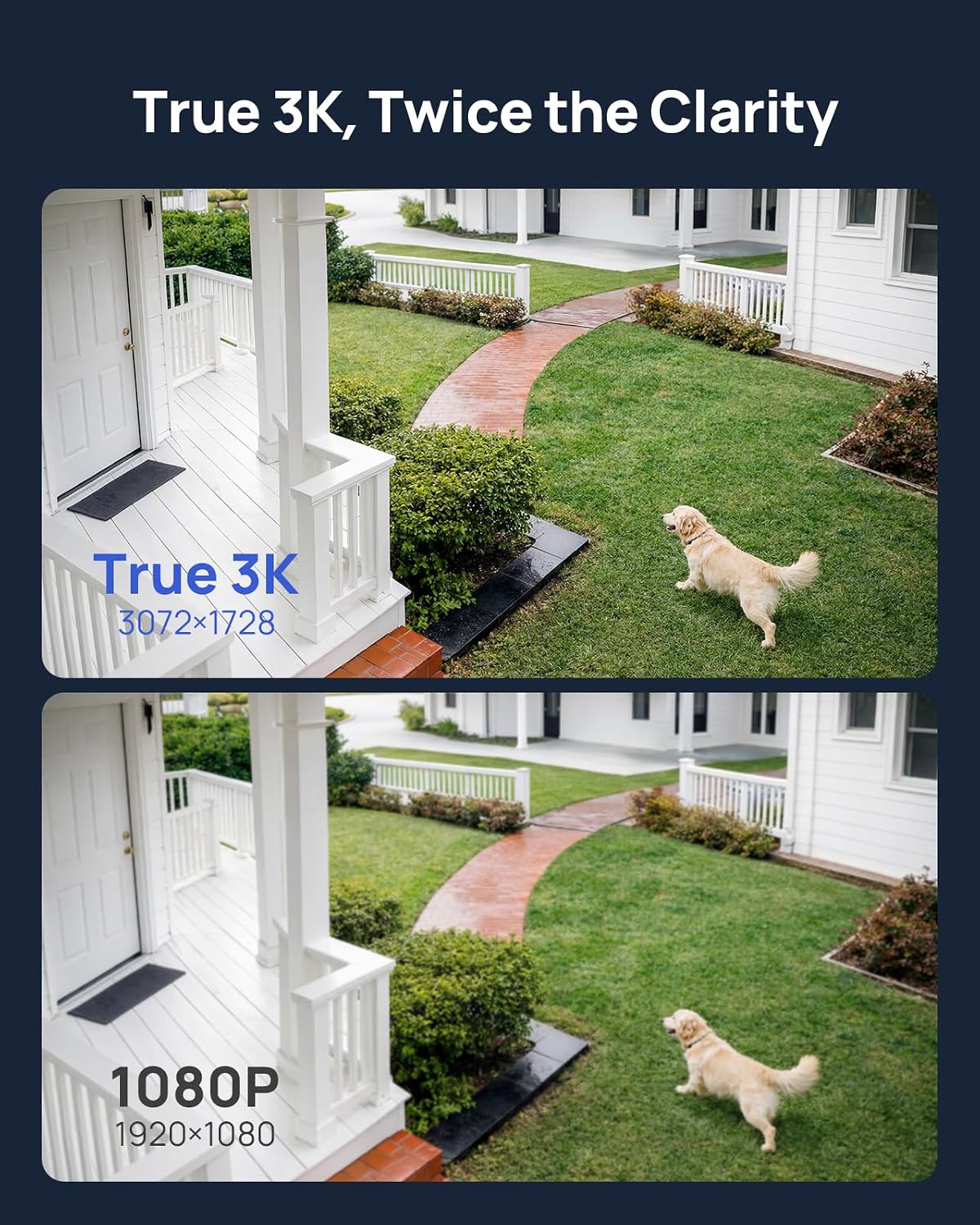
In daily use, the picture quality is actually better than I expected for the price. The 3K image is sharp enough to read plates in decent lighting and recognise faces easily, and the colour night vision is honestly the main thing that stands out compared to older IR-only systems. The app (ANNKE Vision) is okay once it’s set up, but it’s not the most intuitive thing if you’re not used to CCTV menus and network stuff.
Overall, after a couple of weeks of use, I’d say this system is pretty solid for someone who wants set‑and‑forget security and doesn’t mind doing a bit of DIY and menu digging. It’s not perfect, and there are some annoyances (H.265+ not enabled by default, notifications can be a bit chatty until tuned, and the HDD reliability is a question mark), but for the price bracket it gets the core job done: clear footage, 24/7 recording, and fewer false alerts than cheap motion‑only cameras.
Is the ANNKE 3K kit good value for money?
Price-wise, this kit sits in that middle zone: not the cheapest no‑name CCTV kit, but nowhere near the top-end commercial stuff either. For the money, you’re getting 4x 3K PoE cameras, an 8‑channel NVR, and a 2TB HDD already installed. If you price those pieces separately (decent 3K PoE cams + NVR + surveillance drive), the bundle actually works out fairly reasonable. Plus, you’re not locked into any subscription, which is a big plus over many Wi‑Fi cloud systems that look cheap up front but bleed you monthly.
Compared to battery cameras like Blink or Arlo, you lose the easy, no‑cable install, but you gain constant recording, better night vision, and usually more reliable detection. If you’re covering a proper business premises, a yard, or a whole house perimeter, this kind of wired kit makes more sense in the long run. One user mentioned they were quoted around £1200 for a similar install and ended up doing it themselves with this kit, saving a big chunk of cash. So if you’re a bit handy with a drill and ladders, the value is pretty good.
The hidden costs to consider: maybe replacing the HDD after a couple of years (£50–£80), possibly buying some outdoor‑rated Ethernet cable or trunking, and a bit of your time to set everything up and tune the alerts. If you factor that in, it’s still cheaper than paying an installer for most small setups. The cameras are only 3K, not 4K, so if you’re obsessed with maximum resolution you’ll find higher‑end options, but you’ll also pay more and often still need to buy the HDD separately.
So in simple terms: for what you pay, it’s good value if you actually need wired CCTV and plan to use the features (AI detection, 24/7 recording, deterrent lights/siren). If you just want one or two casual cameras to see who’s at the door, this is overkill and not great value. But for a small business or someone serious about covering a property, it hits a nice balance between price and what you get.
Design and build: looks like proper CCTV, not a gadget
The design is very much “classic CCTV” rather than trying to be pretty. The cameras are black bullet‑style units with a metal housing, a sun shield, and a decent amount of adjustment on the bracket. Once mounted, they look like serious security cameras, which is honestly a plus if you want a visible deterrent. They’re not tiny, but they’re not comically big either – about what you’d expect for a PoE bullet cam.
The NVR is a plain black box, compact enough to tuck on a shelf or in a cupboard. On the front you’ve got a few status LEDs and USB for the mouse, and on the back all the PoE ports, HDMI/VGA, LAN, and power. No fancy design there, but it’s a box you’ll probably hide anyway. The fan noise is there but not crazy; in a living room you’d notice it in a quiet room, in a hallway or comms cupboard you’ll forget about it.
One thing I liked: the weatherproof gaskets on the Ethernet connectors at the camera end. They’re not perfect, but they’re better than bare RJ45 ends hanging out in the rain. You still want to think about where the connections sit – ideally under eaves or in a junction box if you’re picky – but for a straightforward install they’re fine. The cameras feel solid enough in the hand, not flimsy plastic.
On the downside, the included Ethernet cables are a bit of a question mark for outdoor longevity. They work, and one Amazon reviewer mentioned they held up fine after a year of British weather, but they don’t feel like heavy-duty outdoor‑rated cable. If you’re doing a long run along a fence or roofline, I’d personally use proper outdoor Cat5e/Cat6 and keep the supplied ones for shorter/indoor runs. Overall though, the design is practical: visible deterrent, simple NVR, nothing fancy but functional.
Build quality and how it should hold up outside
The cameras are rated IP67, which basically means dust-tight and can handle heavy rain and bad weather. The metal housings feel sturdy, and the brackets lock tight once you’ve set the angle. After being out in typical UK weather (rain, wind, some frost), there’s no sign of misting inside the lens or water ingress. Other buyers on Amazon also mention 1–2 years of constant outdoor use with no water issues or corrosion, so on the camera side I’m not too worried.
The potential weak point is more the cabling than the camera body. The included Cat5 cables are functional but don’t scream “heavy-duty outdoor cable”. One reviewer had the same concern but came back a year later saying they were still fine, so maybe I’m being picky. Personally, for long external runs where the cable is exposed along a wall or fence, I’d rather use proper outdoor-rated Cat5e/Cat6 and save the included cables for shorter or sheltered runs. That’s more of a peace-of-mind thing than a must, but it’s worth thinking about when you plan the install.
The NVR itself is a simple Linux box with a fan and a 3.5" drive. It doesn’t get too hot in normal use, and it’s designed for 24/7 operation. The only real wear item here is the hard drive. As mentioned, one user had the 2TB drive fail after about 12 months and had to spend around £55 on a replacement. That’s annoying, but not shocking – hard drives can die. If the system is critical (business, remote site), I’d budget for a higher‑grade surveillance drive or at least be ready to swap it once in a while.
Overall, in terms of durability, I’d say the system is solid enough for long-term use if you install it with a bit of care: keep connectors sheltered where possible, maybe upgrade the longest cables to outdoor-rated, and don’t put the NVR in a boiling hot loft. It’s not a delicate gadget; it’s meant to sit there and run. Based on user feedback over a couple of years, that’s exactly what it does, apart from the occasional HDD story which is fairly standard with any DVR/NVR setup.
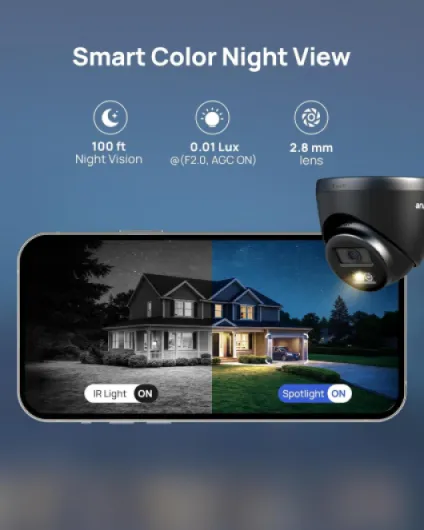
Image quality, night vision and smart detection in real life
In terms of performance, the cameras do their main job well: the 3K image is sharp enough to be useful, not just nice to look at. During the day, faces and number plates are clear if you’re not too far away and the angle is reasonable. It’s noticeably better than 1080p systems I’ve used – you can zoom in a bit on playback and still make out details without the whole thing turning into mush.
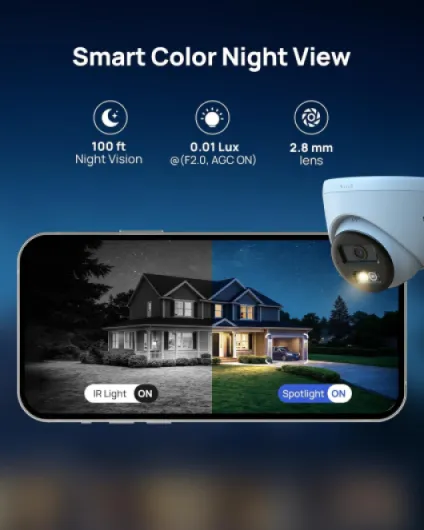
Where it surprised me most is the night performance. The colour night vision hangs on in colour much longer than older IR‑only cameras. Around my driveway, with a streetlight about 20–25 metres away, it still shows a colour image when it feels pretty dark to my eyes. When it finally switches to IR, the black and white image is clean, and the claimed 30m range is roughly accurate in open space. No weird glowing fog effect like cheaper IR cams sometimes have. The dual lights (white + red/blue) and siren are properly bright and loud when they trigger – enough to get attention.
The AI motion detection is a big upgrade over the usual “anything that moves” motion detection. You can set it to only alert on humans and vehicles, which cuts down a lot of false alerts from trees, rain and insects. It’s not flawless – a big dog might trigger a human alert depending on angle, and headlights can still cause some noise – but compared to basic motion systems it’s a big step forward. Smart playback that highlights human/vehicle events actually saves time when you’re scrubbing through footage after something happens.
One thing to do right away is go into the NVR settings and enable H.265+. For some reason it’s not turned on by default. Once enabled, it keeps the quality but reduces the storage usage a lot, which means more days of footage on the same 2TB drive. Remote viewing performance on the app is decent, but obviously depends on your upload speed. On my mediocre broadband, the live view is fine on substream, and a bit choppy if I force full resolution – that’s more my internet than the system itself. Overall, performance is solid and consistent: it records all the time, doesn’t need rebooting, and just does its job in the background.
What you actually get in the box
Out of the box, the ANNKE 3K kit is pretty straightforward: you get the 8‑channel 4K NVR with a 2TB surveillance‑grade hard drive already installed, 4 black PoE cameras, Ethernet cables, power cable for the NVR, mouse, and screws/anchors for mounting. There’s also some paperwork and quick start guides, and the drill templates for the cameras are actually useful, which is rare. No HDMI cable for the TV/monitor though, so you need to have one lying around.
The NVR has 8 PoE ports on the back, so you can plug in up to 8 cameras total if you buy extra ones later. For now, with the 4 included cameras, you’re using half the capacity. The cameras are 3K resolution (3072×1728), fixed lens with about a 90‑degree field of view, and rated IP67 for weather. They also have dual lights (white + red/blue) and a siren, plus the option to use your own recorded voice as a warning. It’s a bit overkill for a driveway, but for a shop or yard it’s actually useful.
The system records to the internal 2TB HDD by default. With H.265+ enabled and 24/7 recording on four 3K cameras, you’re looking at roughly a couple of weeks of history before it overwrites, depending on your settings. If you only record on motion and tune the AI detection (human/vehicle), you can stretch that much longer. The NVR supports up to 6TB if you want to swap the drive or add a bigger one later.
Control-wise, you have three main options: plug the NVR into a monitor/TV and use the included mouse, use the ANNKE Vision app on your phone, or use a browser/client on a PC. For most people, it’ll be TV + phone app. The app is free, no subscription, and lets you do live view, playback, talk through the cameras (2‑way audio), and tweak some settings. It’s not the slickest app on earth, but it does what it needs to once you’ve fought through the initial pairing.

Does it actually make you feel more secure?
From a pure security angle, this kit is more effective than the random Wi‑Fi cams I used before. The main reason is simple: it records 24/7 to a local hard drive. No batteries to die, no Wi‑Fi dropout killing the recording, no cloud subscription that might change terms later. Once it’s set up, you know that if something happens at 3am, there will be footage on the NVR. That alone is worth a lot if you’ve ever missed an important clip because a battery camera was asleep or offline.
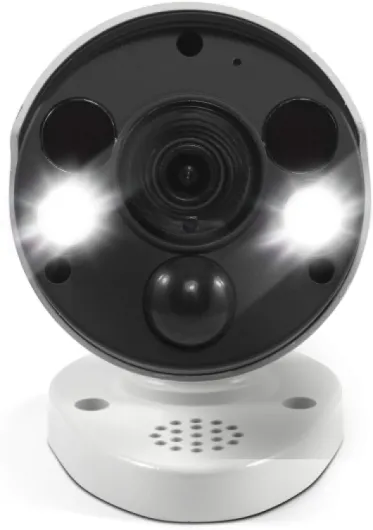
The deterrence side is also decent. The cameras are clearly visible, and when the AI spots a human or vehicle in the detection zone, you can have it trigger the red/blue lights, the white spotlight, the loud siren, and even a custom voice warning you record yourself. Hearing an actual human voice telling you you’re being recorded is probably more effective than a generic beep. For a shop entrance or a dark side alley, that’s genuinely handy. At home, I toned it down a bit so it’s not blasting every delivery driver.
Notification-wise, the human/vehicle detection does help reduce spam, but you still need to spend a bit of time tuning the detection zones and sensitivity. Out of the box, it picked up people walking on the pavement in front of my house, which was a bit too much. After shrinking the detection area and lowering sensitivity, it calmed down and now mostly only pings when someone actually comes onto the property. Expect to spend an evening tweaking this if you don’t want your phone buzzing constantly.
As for reliability, most users (and my own experience so far) report that the cameras and NVR just run. One Amazon review mentioned a hard drive dying after about 12 months, which can happen even with surveillance drives. It’s annoying, but at least it’s a standard 3.5" drive you can replace yourself for £50–£70. So in terms of effectiveness: yes, it does the job of actually securing a place better than basic consumer cams, as long as you accept the wired install and a bit of fiddling with settings at the start.
Pros
- Sharp 3K image with very good colour night vision and clear details
- PoE wired setup with 24/7 local recording on included 2TB HDD, no subscription
- Human/vehicle AI detection, strong deterrent lights and siren, plus two‑way audio and custom voice warning
Cons
- Setup, app and NVR menus can be a bit technical for beginners
- Included Ethernet cables feel basic for long-term outdoor use and HDD reliability can be a question mark over time
Conclusion
Editor's rating
Overall, the ANNKE 3K PoE CCTV System is a solid wired option if you want proper, always‑on security without paying a monthly subscription. The 3K image is clear, the colour night vision is genuinely useful, and the human/vehicle detection cuts down a lot of junk alerts once you’ve tuned it. The deterrent side – red/blue lights, siren, and custom voice message – is more than just a gimmick, especially for a business entrance or car park. It feels like a system that’s meant to be installed once and then mostly ignored while it quietly records everything.
It’s not perfect though. The setup and menus are a bit techy if you’re not used to CCTV systems, the included Ethernet cables don’t inspire huge confidence for very long outdoor runs, and there are a few reports of the hard drive dying around the one‑year mark. None of those are deal‑breakers, but they’re things to keep in mind. If you’re comfortable with a drill, don’t mind running cables, and want reliable 24/7 recording plus decent smart detection, this kit is good value and gets the job done. If you just want something quick and cable‑free for a small flat, or you hate fiddling with settings, a simpler Wi‑Fi camera might suit you better.