
Summary
Editor's rating
Bang for your buck and the subscription question
Small, light, a bit cheap-feeling but easy to place
Build quality, reliability and how they hold up
Image quality, alerts, and app: how it behaves day to day
What you actually get in the box and what it really does
Do they actually make your place feel more secure?
Pros
- Good 2K image quality and decent night vision for the price
- Easy setup and a simple, mostly reliable app with live view and alerts free
- Two cameras in the pack with optional SD or reasonably priced cloud storage
Cons
- Cheap-feeling plastic build and strictly indoor-only use
- 2.4 GHz Wi‑Fi only and viewing angle could be wider
- Cloud recording requires a subscription after the trial if you don’t use SD cards

Specifications
View full product page →| Brand | GNCC |
Two budget cams to cover a whole flat
I’ve been using this GNCC Indoor Camera 2K 2-pack for a couple of weeks now, one in the living room and one in the hallway. I didn’t buy them expecting miracles – I just wanted something cheap to keep an eye on the door and the pets when I’m not home. So I went in with pretty low expectations, especially at this price point and with all the usual “2K, night vision, motion alerts” marketing claims.
In practice, they’re actually pretty solid. Not perfect, but definitely not toy gadgets either. The picture is clear enough that you can see faces and read what’s going on, the app works better than I expected, and they haven’t dropped off Wi‑Fi every five minutes like some other budget cameras I tried before. I had them both running in under 15 minutes, including app install and Wi‑Fi setup.
Of course, there are trade-offs. There’s no battery, so you’re tied to sockets and dangling cables. The build feels light and a bit cheap, the viewing angle isn’t ultra-wide, and if you want easy playback in the cloud long term, you’ll pay a small monthly fee. You can avoid that with a microSD card, but then you’re managing local storage yourself. So it’s not some magic all‑inclusive solution.
Overall, if you want something basic to watch a room, a baby, or a pet, they get the job done without too much drama. If you’re expecting pro-level security with super wide angles, person detection, and no subscription talk at all, these will feel a bit limited. I’ll break down the good and the annoying parts in more detail below.
Bang for your buck and the subscription question
On the value for money side, this 2-pack is pretty hard to argue with. For the price of one mid-range camera from a big brand, you’re getting two that cover most basic needs: 2K image, night vision, motion and sound alerts, two-way audio, and both local and cloud storage options. If you just want coverage of a couple of rooms without dropping a lot of cash, this set makes sense. It’s very much in the “cheap and cheerful but functional” category.
The big thing to understand is the cloud subscription. You get 14 days free, and then if you want to keep using the cloud for recordings, you have to pay monthly. The good news: live view, alerts, and two-way audio remain free. You’re not forced into paying just to see what’s happening in real time. The cloud just makes it easier to go back and watch past events. Prices are relatively low compared to some other brands (especially vs Ring/Arlo type stuff), but it’s still an ongoing cost. If you want to avoid that completely, just stick a microSD card in each camera and you’re done, as long as you’re okay with local storage.
Compared to more expensive cameras, you do lose some things: no advanced detection (no person-only alerts), no fancy smart home integrations mentioned, cheaper materials, and a slightly narrower viewing angle than some competitors. But you’re also paying a lot less. In everyday use, the important stuff works: the app is stable, the video is clear, and alerts are usable. That’s why I’d say the overall value is good, especially if you just need something simple and don’t care about brand names.
If you’re the type who hates subscriptions on principle, plan to buy microSD cards right away and ignore the cloud. If you like convenience and don’t mind a small monthly fee for easier playback and storage, the subscription is reasonable. Either way, you’re not locked out of the core features without paying, which is a big plus compared to some systems that basically force you onto a plan. For budget indoor monitoring, this 2-pack gives you a lot for what it costs.
Small, light, a bit cheap-feeling but easy to place
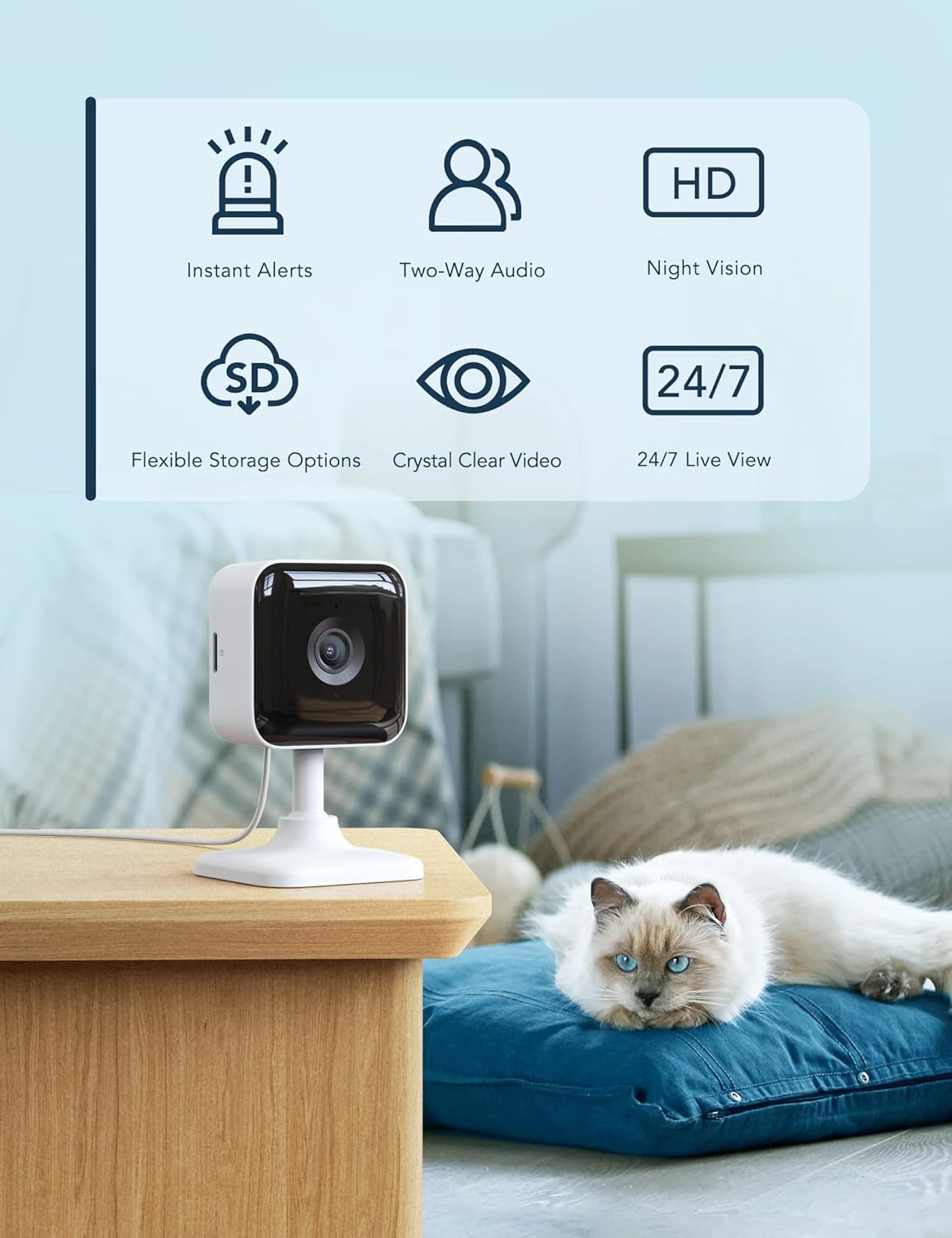
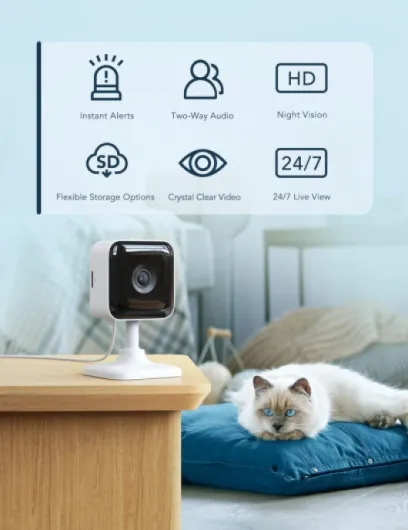
Design-wise, these GNCC cams are as simple as it gets: small white plastic body, round camera head on a stand, and a power cable hanging out the back. They’re light (around 70 grams each), which is good for wall or ceiling mounting with tape, but it also means they don’t feel particularly premium. When you pick one up, it feels more like a gadget than a serious piece of hardware. For the price, I’m not shocked, but don’t expect something that feels tank-like or heavy-duty.
The form factor is compact enough that you can tuck them on a shelf, on top of a cupboard, or behind a plant without them screaming “security camera” from across the room. The base lets you tilt and angle the lens, so getting the right view is fairly simple. The viewing angle is about 110 degrees, which covers a room okay but not wall-to-wall. In my living room, I had to place it in a corner and angle it carefully, and even then, one side of the room is slightly out of frame. For a narrow hallway, it’s fine; for a wide open-plan space, you might want more coverage or a different placement.
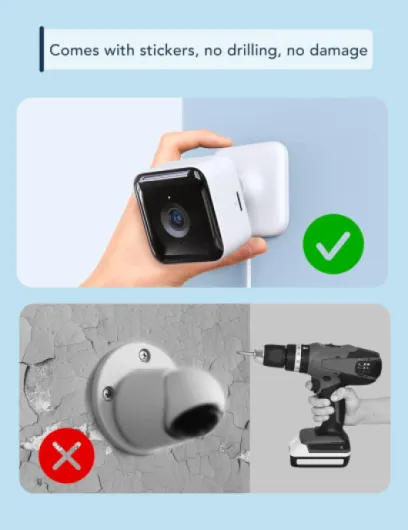
The included tape mount is honestly one of the more practical touches. You can just stick the base to a flat surface and be done. I was skeptical it would hold, but after a couple of weeks, the camera stuck to the wall hasn’t fallen off. That said, if you’re planning to move them often or mount on less smooth surfaces, I’d probably use screws or stronger adhesive of my own. The power cable is reasonably long, but you still need a socket nearby, so you end up planning around outlets more than ideal camera angles.
There are no flashy lights or weird design choices. A small status LED and the lens, that’s it. For a living room or bedroom, I like that it doesn’t draw too much attention. Overall, the design is basic but practical: light, easy to place, and not ugly, just obviously plastic and budget. If you care a lot about aesthetics or want something that looks more like a premium gadget, you might find them a bit cheap-looking, but for a discreet indoor cam, they’re okay.
Build quality, reliability and how they hold up
In terms of build quality, these cameras are clearly made to hit a low price. The plastic is light, the body doesn’t feel particularly solid, and if you squeeze it, there’s a bit of flex. That said, once they’re mounted and left alone, that doesn’t matter much. They’re not meant to be handled daily. After a couple of weeks running pretty much non-stop, neither camera has shown any obvious issues: no overheating, no weird noises, and the image quality is the same as on day one.
They’re not water resistant and not meant for outdoor use, so this is strictly indoor gear. I wouldn’t even risk putting one in a damp bathroom or near a kitchen stove where there’s steam all the time. The power cable and adapter are basic but do the job. The cable length is enough for most setups, but if your socket is far from where you want the camera, you’ll probably end up using an extension lead. The cameras run at low power (around 3W), so leaving them on 24/7 isn’t a big deal for electricity usage.
In terms of software reliability, which is part of durability for this kind of product, things are okay so far. The app still connects quickly, firmware updates didn’t break anything, and the cameras haven’t randomly reset themselves or lost settings. There’s no official guarantee on software updates length, which is pretty standard at this price, but that also means you don’t know how long they’ll keep improving or patching the app and firmware. For a budget camera, I wouldn’t expect years of big new features anyway.
Overall, I’d call durability acceptable for the price. They feel cheap in the hand but stable in day-to-day use. As long as you keep them indoors, don’t drop them, and don’t yank on the cables, they should last a while. If you’re used to heavier, more robust brands, these will feel a bit flimsy, but for a simple indoor setup that you mount once and forget, it’s not a huge issue.

Image quality, alerts, and app: how it behaves day to day
In daily use, the image quality is genuinely decent for the price. During the day, the 2K feed is sharp enough to clearly see faces, read labels on bigger objects, and check what the pets are destroying this time. I compared it side by side with an older 1080p camera I have, and the GNCC feed is noticeably crisper. At night, once the infrared kicks in, the image switches to black and white but stays quite clear up to a few meters. Beyond that, it’s more guesswork, but that’s normal in this range.
The motion and sound detection is where a lot of cheap cams fall apart, but here it’s fairly usable. Out of the box, it was a bit too sensitive – it pinged me for minor noises and small light changes – but after tweaking the sensitivity in the app, it calmed down. Once set up, the alerts felt more reasonable: it notified me for actual movement (someone walking into the room, the dog jumping on the sofa) instead of every tiny flicker. You still get the odd pointless alert, but it’s not non-stop spam. When motion or sound is detected, it records a short clip and you get a push notification on your phone.
The Osaio app surprised me in a good way. I expected slow loading and random disconnects, but most of the time, the live feed loads in a few seconds, and switching between the two cameras is smooth. The interface is straightforward: live view, event list, settings. No clutter. I tried the free cloud trial: the timeline and event clips are easy to scrub through, and it’s faster than manually jumping around an SD card. Without cloud, you can still view recordings, but it’s less convenient. For casual use, the free stuff is already enough; if you want serious history access, the cloud subscription is there and the basic tier is relatively cheap.
Connectivity-wise, both cameras stayed on Wi‑Fi pretty reliably. I had one brief disconnect when my router rebooted, but they reconnected automatically. Just remember: 2.4 GHz only. If you’re in a crowded apartment building with a lot of Wi‑Fi networks, you might have to pick a less congested channel. Overall, in terms of performance, they’re not mind-blowing, but they’re stable, reasonably fast, and do what they’re supposed to do without constant babysitting, which is what I actually care about.
What you actually get in the box and what it really does
Out of the box, you get two cameras, two power adapters, two USB cables, and the usual quick-start leaflet. There’s also sticky tape and mounting bits so you can slap them onto a wall or ceiling without drilling. Each camera is small and light, basically a little white plastic dome on a stand. No base station, no hub, everything connects straight to your 2.4 GHz Wi‑Fi through the Osaio app. Important detail: 5 GHz Wi‑Fi is not supported, so if your router is only 5 GHz or you don’t know how to split the bands, expect a bit of fiddling.
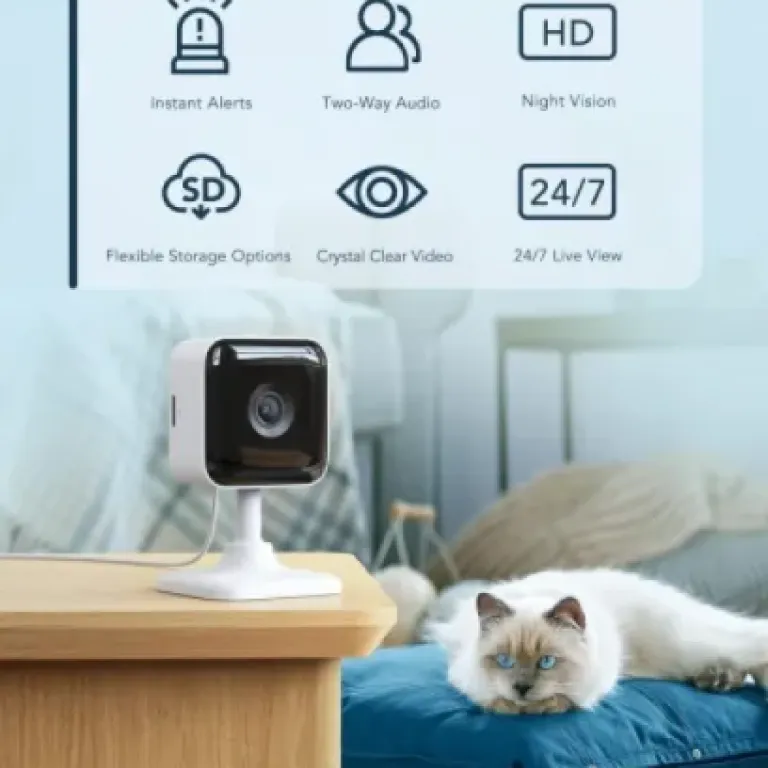
On paper, you get 2K resolution, night vision up to about 8 meters (26 ft), motion and sound detection, two-way audio, and local or cloud recording. In practice, the 2K image is clearly better than old 1080p cheap cams I’ve used: faces and small details are easier to see, especially in good light. Night vision is decent – black and white, but sharp enough to tell who’s who if they’re not too far from the camera. It’s not cinema quality, but for checking what’s happening in a room, it’s fine.
Storage-wise, you can either stick a microSD card (up to 128 GB, not included) into each camera or rely on the cloud. The cloud has a 14‑day free trial, then it becomes a paid subscription. The good thing is that live view, notifications, and two‑way audio are free forever, you only pay if you want easy access to past recordings in the app. I tested both: the cloud is more convenient for quickly scrolling through events, but local SD storage works fine if you’re okay with digging into the timeline on the device.
The cameras are clearly aimed at home users: baby monitoring, pet watching, or basic indoor security. No outdoor rating, no waterproofing, no PoE, no fancy smart home integrations. If you just want simple “see and talk through an app” cameras in a flat or small house, the feature set matches that use pretty well. If you’re building a full-blown security system, these are more like add-ons than the main solution.
Do they actually make your place feel more secure?
From a practical point of view, these cameras do the basic job: you can see what’s happening at home and get notified when there’s movement or noise. I used one to watch the front door area and one to keep an eye on the pets in the living room. When I’m at work or out in the evening, I can quickly open the app, check that everything looks normal, and close it again in seconds. That alone makes them useful. It’s not hardcore security, but it’s enough for peace of mind in a flat or small house.
The two-way audio is handy but not perfect. I can talk through the app and the sound comes out of the camera clearly enough for someone in the room to hear, and I can hear what’s happening on the other side. There is a small delay, and the sound quality is a bit tinny, but for shouting at the dog to get off the sofa or saying a quick word to a family member, it works. Don’t expect crystal-clear conversations, but it’s usable. One thing to note: if the room is noisy (TV on, kids shouting), the microphone struggles a bit.
In terms of real security, keep your expectations realistic. These are indoor-only, not tamper-proof, and anyone who gets close can just unplug them. They’re more of a monitoring tool than a serious deterrent. Where they shine is as baby/pet/room monitors: you can check if the baby is crying, see if the cats are wrecking the curtains, or confirm that the kids actually came home from school. The motion clips are clear enough to review what happened if you miss the live alert.
I’d say they’re effective for everyday home monitoring, not for high-risk security scenarios. If all you want is to know what’s going on at home and maybe have some recorded clips in case of an incident, they’re fine. If you need advanced features like smart detection (people vs pets vs cars), strong integration with alarms, or robust physical security, you’ll hit the limits of these pretty quickly. For what they are, they do the job without much hassle.
Pros
- Good 2K image quality and decent night vision for the price
- Easy setup and a simple, mostly reliable app with live view and alerts free
- Two cameras in the pack with optional SD or reasonably priced cloud storage
Cons
- Cheap-feeling plastic build and strictly indoor-only use
- 2.4 GHz Wi‑Fi only and viewing angle could be wider
- Cloud recording requires a subscription after the trial if you don’t use SD cards
Conclusion
Editor's rating
After using the GNCC Indoor Camera 2K 2-pack for a bit, my feeling is pretty straightforward: they’re budget cams that actually work and are easy to live with. The video quality is solid for the price, night vision is good enough for normal rooms, and the app is surprisingly usable without constant crashes or lag. Motion and sound alerts are a bit sensitive at first, but once tuned, they’re practical rather than spammy. For watching pets, kids, or just keeping an eye on a couple of rooms, they get the job done without much hassle.
They’re not perfect. The build feels cheap, the viewing angle isn’t huge, and they’re strictly indoor-only. If you want full security coverage, smart detection, or deep smart-home integration, you’ll probably outgrow them. The cloud subscription is another thing to think about: it’s optional and reasonably priced, but if you don’t like ongoing costs, you’ll want to add microSD cards and skip the paid plan. Still, considering what you pay and the fact you get two cameras in the box, the overall value is pretty strong.
I’d recommend these to people who want simple, low-cost indoor monitoring: renters, pet owners, parents who want a basic baby/room cam, or anyone wanting to keep an eye on an entryway. If you’re very picky about build quality, need outdoor use, or want advanced AI features and tight smart home integration, you should look at higher-end brands instead. For basic, everyday use, these GNCC cameras are decent, practical, and better than their price tag suggests.