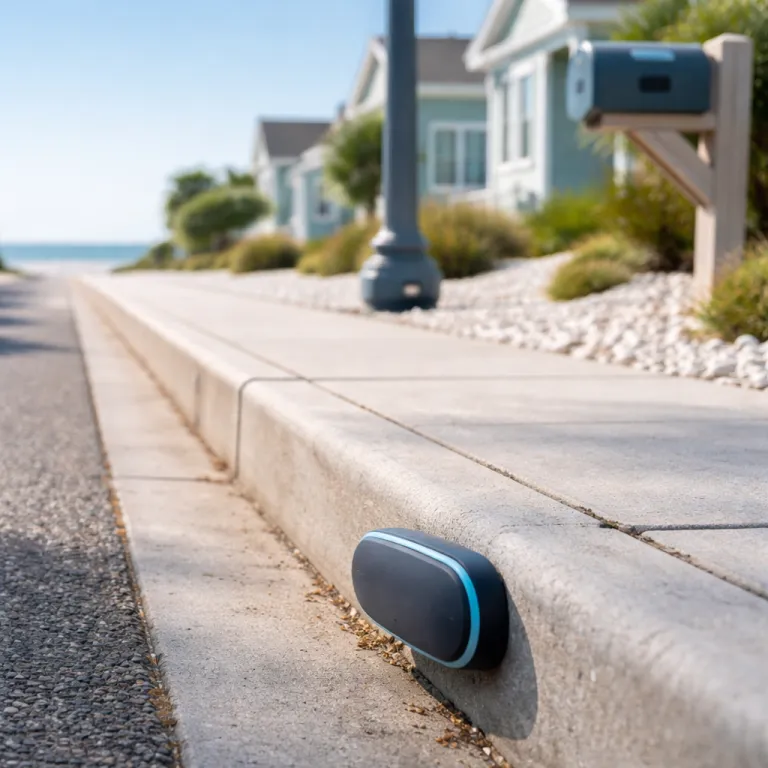
Ring sidewalk sensors: what changes for outdoor camera owners
Ring Sidewalk sensors arrive as the missing layer between cameras and alarms. For outdoor camera users who never bought a Ring Alarm Base Station, these new sensor devices finally let you add motion, glass break, flood, and freeze coverage without a traditional hub. The main Ring Sidewalk sensor lineup rides on the Amazon Sidewalk network, which turns nearby compatible devices into a low-bandwidth mesh that can keep working when your Wi-Fi or power goes down within supported regions such as the United States and parts of the United Kingdom, as outlined in Amazon’s Sidewalk service documentation and Ring’s regional availability pages.
In practice, each motion or contact sensor now behaves like a small smart radio that joins the shared Sidewalk coverage instead of talking only to a single base station. That means a door sensor on a garden gate, or Ring sensors on a detached garage, can stay online even in Wi-Fi dead zones where your outdoor cameras struggle. For many households in the United Kingdom and North America, this makes a Ring product ecosystem built around cameras and sensor devices more attractive than a full alarm panel, especially when you already own a compatible Echo or Ring Bridge that participates in Amazon Sidewalk and can relay encrypted packets on the mesh.
The newest model sensors are grouped by Ring into three layers of security, safety, and control, and every device is designed to show a clear icon and arrow status inside the Ring app. Security covers motion, glass break, and contact sensor units for each door or window, while safety adds flood, freeze, smoke listen, sump pump, and air quality sensor options. Control devices round out the lineup with smart plugs and switches that can turn on lights when a camera or sensor detects movement on the sidewalk, and Ring’s published specs quote typical battery life in the range of one to three years depending on usage and temperature, with independent reviewers reporting similar lifespans in mixed indoor and outdoor tests.
For camera‑first buyers who already bought a battery-powered Ring Stick Up Cam, Spotlight Cam, or Floodlight Cam, the appeal is obvious. You can now pair Ring Sidewalk sensors directly to your account with almost no installation steps beyond pulling a tab and waiting for the app to show a green icon. There is no separate hub to wire, no extra alarm keypad to mount near the front door, and no need to reconfigure Wi‑Fi every time you move a device, as long as it remains within the Sidewalk coverage created by nearby Ring and Echo hardware that Amazon lists as Sidewalk‑enabled in its compatibility charts.
Sidewalk network coverage is where this approach stands out most clearly from older compatible Ring Alarm kits. Traditional Z‑Wave sensors talk only to the base station inside your home, so a shed or side alley can fall out of range, while Amazon Sidewalk can hop through neighboring devices to reach the cloud. That mesh design means better battery life for each sensor device, because it can use lower‑power radios and still keep your outdoor security alerts flowing, and independent reviewers have measured real‑world ranges of several hundred metres in open areas, broadly matching the long-range estimates in Amazon’s Sidewalk technical overview for LoRa‑based links.
There are trade‑offs that every smart home enthusiast should weigh before leaning fully on Amazon Sidewalk for home security. Your router and compatible devices contribute a small slice of bandwidth to the shared Sidewalk coverage, and some people are uncomfortable with any network traffic leaving their home in this way. Amazon’s Sidewalk white papers describe multiple layers of encryption, rotating IDs, and strict bandwidth caps, but the fact remains that your equipment helps carry anonymised packets for nearby devices. If you open the Ring app settings and scroll to the Amazon Sidewalk section, you will find a toggle that lets you disable the Sidewalk network entirely if you prefer a more traditional security posture and want sensors to rely only on your own Wi‑Fi or Ring Alarm hub.
Sidewalk versus alarm hubs: when the hub free path makes sense
For outdoor camera households, the key question is whether Ring Sidewalk sensors can replace a Ring Alarm hub or simply complement it. If you mainly care about extending motion and door sensor coverage around driveways, side paths, and garden gates, the hub‑free approach is usually enough. A Ring camera watching the front sidewalk, paired with a few sensor devices on gates and sheds, already gives you a strong perimeter view without the cost of professional monitoring or a full keypad‑driven alarm system.
Ring Alarm systems still matter when you want insurance‑grade security and police‑linked responses. The current Ring Alarm Base Station supports sirens, cellular backup, and certified professional monitoring that many insurers require before they offer discounts, and Sidewalk alone does not change that. In those scenarios, Ring sensors that talk to both the Alarm hub and the Sidewalk network give you redundancy rather than a full replacement, so a single contact sensor can raise a local siren and still send a cloud alert if your broadband fails.
Real‑world testing shows where Sidewalk shines for outdoor cameras. Place a freeze sensor or contact sensor on a basement freezer in a Wi‑Fi dead zone, and you will usually see stable alerts in the Ring app even when your phone struggles for signal. The same goes for a door sensor on a back gate that sits beyond your router range but inside the broader Sidewalk coverage created by neighboring Amazon Sidewalk devices, and early third‑party reviews report consistent notifications after months of use in these fringe locations, with only occasional delays when the mesh has to hop through several participating nodes.
Installation is where the new product design feels closest to a consumer appliance rather than a traditional alarm accessory. You power on the device, scan the small QR‑style code in the Ring app, and wait for the arrow to confirm that the sensor has joined your account, with no manual network pairing. For renters or anyone in the United Kingdom living in terrace housing, that simplicity makes it realistic to add multiple Ring Sidewalk sensors along a shared alley or communal path without drilling, wiring, or asking a landlord to approve a full alarm panel, and Ring’s support pages explicitly position these devices as renter‑friendly.
Sidewalk‑based sensors are not perfect for every outdoor security plan, especially if you rely on customer reviews to validate long‑term reliability. Early reviews on Amazon and other retailers often focus on ease of installation and app design, while long‑term battery life and weather resistance take months to surface in detailed customer reviews. Smart home enthusiasts should read beyond the star rating and look for feedback about how well each sensor device holds up on a windy, rain‑exposed sidewalk, paying attention to comments about cold‑weather performance, ingress protection ratings listed on Ring’s spec sheets, and how often batteries need replacing.
For a deeper look at how outdoor cameras pair with these sensors, independent testing of weather‑resistant models such as the Ring Outdoor Cam and Stick Up Cam shows how motion alerts, Live View, and colour night vision behave when triggered by nearby sensors. A detailed breakdown of an outdoor‑ready Live View security camera setup is available in this analysis of a multi‑camera pack, which explains how motion alerts from sensors can be chained into camera recording routines. That kind of integrated security workflow is where compatible Ring devices, from cameras to sensors, start to feel like a cohesive system rather than a box of separate gadgets.
Privacy, monitoring gaps, and how to choose the right Ring setup
Privacy is the quiet footnote in every conversation about Ring Sidewalk sensors and the wider Sidewalk network. When your devices join Amazon Sidewalk, small encrypted packets can hop through neighboring routers and compatible devices, and the reverse can happen when your network helps relay someone else’s sensor data. Ring and Amazon state that this traffic is capped and anonymised, but the fact remains that your home becomes part of a shared infrastructure unless you turn off the Sidewalk toggle in the Ring app settings.
For some households, that shared mesh is a fair trade for more resilient security. A motion sensor on a dark side path that still sends an alarm to your phone during a power cut can be the difference between catching a prowler and waking up to a broken door. For others, especially those wary of any external traffic, a classic Ring Alarm hub with local sensors and optional professional monitoring feels more controlled and predictable, because every alert flows only through your own broadband or the hub’s cellular backup.
Sidewalk‑based sensors also have limits when it comes to high‑value rooms and insurance requirements. Glass break sensors in a home office full of equipment, or contact sensor units on a safe room door, are still better tied into a monitored Ring Alarm package with Ring Protect and a paid Ring subscription. That combination ensures that an alarm event can trigger professional monitoring, phone calls, and potentially emergency dispatch, rather than just a push notification that you might miss while travelling or when your phone is on silent.
Choosing between a camera‑only setup with Ring Sidewalk sensors and a full alarm system comes down to your risk tolerance and daily routine. If you mainly want to know when someone walks up your front sidewalk or opens a side gate, pairing a battery‑powered video doorbell or Outdoor Cam with a handful of sensor devices is usually enough, and you can see one example of a battery video doorbell tested in this detailed wireless doorbell camera review. If you travel frequently, store valuables at home, or live in a detached property with multiple entry points, the extra cost of a Ring Alarm hub and professional monitoring is easier to justify.
For enthusiasts tracking the newest model cameras and sensors, the latest 4K‑capable doorbells and outdoor cams show how far the ecosystem has moved beyond simple motion alerts. A technical breakdown of the Pro‑series doorbell and Outdoor Cam lineup explains how higher resolution, better microphones, and smarter motion zones pair with sensors to reduce false alarms and focus on real threats. In that context, Ring Sidewalk sensors are less about flashy specs and more about quietly extending that intelligence to the edges of your property, especially around driveways, pavements, and shared walkways.
Across the United Kingdom, Canada, Mexico, and the United States, the pattern is clear as more households buy compatible Ring devices that lean on Amazon Sidewalk rather than a central hub. Smart security is shifting from a single alarm box in the hallway to a web of small, battery‑powered devices Ring has tuned for quick installation and long battery life at the edge of your Wi‑Fi. For outdoor camera owners, the real upgrade is not the megapixel count, but the view from your porch at 2 a.m. when a sensor on the sidewalk sends the first silent warning and your cameras wake up in response.