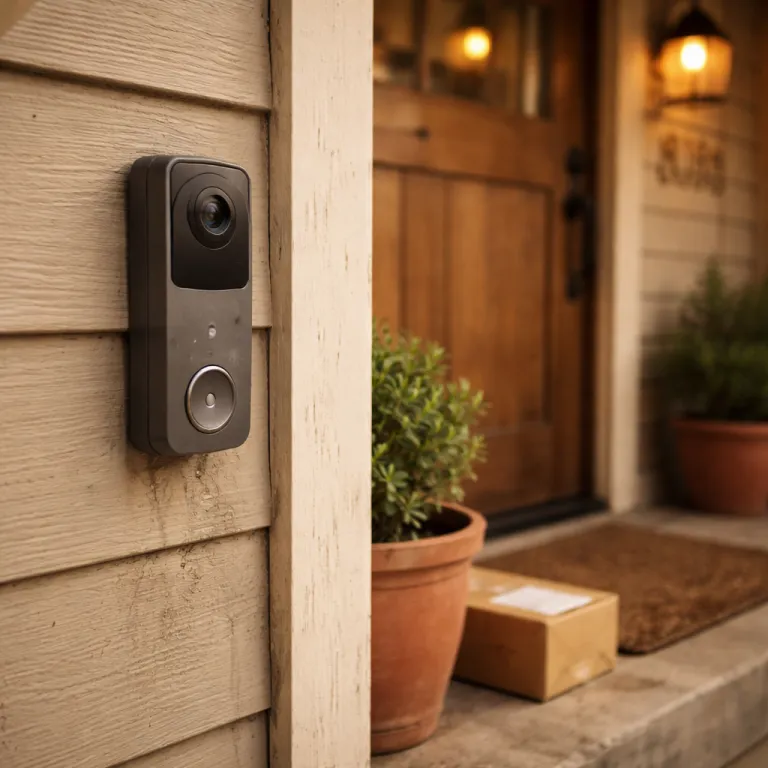

The first six months with a Ring video doorbell: honeymoon phase explained
TL;DR long‑term Ring video doorbell review: the first 6–12 months usually feel flawless, with sharp video, fast alerts, and a slick app. Around 18 months, battery life often shortens, motion detection can drift, and Wi‑Fi hiccups appear. Firmware updates improve security but sometimes introduce bugs you cannot roll back. Ring Protect becomes a recurring cost that can exceed the original doorbell price over several years. Plan for spare batteries, solid Wi‑Fi, and a realistic subscription budget, and replace the device only when features or reliability no longer meet your needs.
Quick verdict: a Ring video doorbell is a strong long‑term security upgrade if you accept subscription costs, occasional firmware quirks, and the need to maintain Wi‑Fi and power. Expect roughly three to five years of practical use from most models, with wired units aging more gracefully than battery versions.
When a new Ring video doorbell goes on your door, everything feels sharp. In the first weeks, the camera looks crisp, motion alerts feel instant, and the Ring app makes your phone buzz every time someone even slows near the door. This is the stage when most people leave glowing comments in a doorbell review and call it the best security upgrade they have made.
During this honeymoon, both wired and battery doorbell models usually behave almost perfectly, whether you choose a Ring Video Doorbell Pro 2, a basic wired doorbell, or a Ring Battery Video Doorbell Plus. Motion detection zones are easy to tune, the field of view feels wide enough, and night vision looks surprisingly clean for such a small camera. If you pair the smart doorbell with Alexa devices, chimes and motion announcements on an Echo speaker or Fire TV feel magical, and the whole video doorbell experience seems effortless.
Most first time owners also accept the Ring Protect subscription without much thought, because the free trial hides the long term cost. You get cloud video storage, person detection, and a tidy event timeline in the app, so the subscription feels like part of the product rather than an optional extra. At this stage, you rarely think about long term battery health, Wi‑Fi signal strength near the door, or how many other doorbell cameras and security cameras might be competing for your attention in the same ecosystem.
- Pros (first 6–12 months): fast alerts, clear video, simple app, strong Alexa integration, generous free trial.
- Cons (to watch for later): subscription dependence, battery wear, Wi‑Fi sensitivity, and non‑reversible firmware updates.
The 18 month slump: battery fatigue, motion drift, and Wi Fi stumbles
After roughly a year and a half, patterns change and the Ring video doorbell review you would write becomes less enthusiastic. On battery powered units like the Ring Battery Video Doorbell Plus or older Ring Video Doorbell 2, the pack that once lasted several months can start needing a recharge every few weeks. Ring’s own guidance suggests that typical battery life ranges from about one to six months depending on temperature and activity, and many owners report a drop from around 60–90 days of runtime in the first year to closer to 20–40 days by the second winter. Cold weather, more motion events, and a growing library of recorded clips all push the lithium‑ion cell harder than you expected.
Motion detection can also drift over time, especially on models that rely heavily on software tuning rather than pure hardware sensors. You may notice more false alerts from passing cars, or missed events when someone stands close to the door but outside the original field of view, which makes you question the security value of the camera. Owners of wired doorbell models like the Ring Doorbell Wired or Doorbell Pro sometimes report that motion zones they set once now feel either too sensitive or strangely blind in certain corners, prompting a fresh round of adjustments in the app.
Wi‑Fi reliability becomes another pain point around this 18 month mark, particularly if your router has moved or you have added more cameras and smart devices. Some video doorbells start dropping offline for a few minutes at a time, which means no live video when someone is at the door and gaps in your event history. Ring’s Device Health screen and support pages emphasize that a stable 2.4 GHz signal with at least a fair RSSI value is essential, and community reports suggest that even brief drops of 30–60 seconds a few times per week can be enough to miss a visitor. If you are comparing options, it is worth reading a detailed wireless video doorbell review such as the Wyze Wireless Duo Cam video doorbell review, because it shows how rival doorbell cameras handle similar long term Wi‑Fi and battery challenges and gives you a reference point for what is normal.
Ring Video Doorbell battery life by model — real‑world style benchmarks
| Model type | Ring’s typical range | Common first‑year pattern | Common second‑year pattern |
|---|---|---|---|
| Battery doorbells (e.g., Battery Video Doorbell Plus) | ~1–6 months per charge | ~60–90 days in mild weather | ~20–40 days with more events and cold |
| Wired doorbells (e.g., Doorbell Wired, Pro 2) | Continuous power | No recharging required | No recharging required |
Firmware updates and the Ring Protect creep: what changes after several years
Ring pushes firmware updates automatically to every video doorbell and camera, and you cannot roll them back once installed. Most updates are invisible and improve security, but some owners of the Doorbell Pro and Floodlight Cam have reported that a firmware update breaks features like reliable motion alerts or stable live video. SmartThings and Ring community threads describe cases where a single firmware build caused repeated disconnects or delayed notifications across multiple homes, and Mozilla’s privacy assessment of the Ring Doorbell Pro Gen 3 notes that these devices depend heavily on ongoing cloud and software changes. When that happens, your personal Ring video doorbell review can swing from positive to frustrated overnight, even though the hardware on your door has not changed.
Because Ring promises at least four years of software security updates from the date of purchase in its support documentation, you can expect your smart doorbells and other cameras to keep receiving patches for a reasonable period. The trade off is that you are trusting the company to avoid pushing an update that harms your specific wired doorbell or battery doorbell configuration. If a firmware change does cause problems, your only real tools are checking your Wi‑Fi, power, and app settings, or contacting Ring doorbell customer service, which has become a key part of how Ring support builds trust when your security matters most.
Over the same multi year span, the Ring Protect subscription that once felt cheap can slowly become a larger line in your household budget. Price adjustments, new subscription tiers, and the temptation to add more doorbell cameras or a Ring Alarm Pro base station all increase your total cost of ownership. By year three, many households are paying for Ring Protect on several Ring cameras and a video doorbell, and the quiet subscription creep can matter more than the original purchase price of the Doorbell Pro or Doorbell Elite hardware.
What still works reliably after three years: alerts, night vision, and the app
Even after several winters and summers on the same porch, some core features of a Ring video doorbell keep doing their job. Doorbell alerts routed through Alexa devices remain one of the most reliable parts of the system, and hearing a chime from an Echo speaker when someone presses the door still feels reassuring. For many owners, this simple integration is why their long term video doorbell review stays positive despite other annoyances.
Night vision performance on most recent Ring doorbells, including the Ring Video Doorbell Pro 2 and the wired doorbell models, tends to hold up well over time. Infrared LEDs age, but not quickly, so you still get clear black and white video of visitors at the door, even when the street is dark. Some models add color night vision when there is enough ambient light, which can help you identify clothing or vehicles in the field of view more easily and provide more useful evidence after an incident.
The Ring app itself remains a strong point, especially the event timeline that organizes every motion, ring, and live view into a scrollable list. Even if you have multiple cameras, such as a Ring Alarm linked to indoor cameras and a video doorbell at the front door, the app keeps events from all devices in one place. For a first time homeowner, this unified view of security activity is often more valuable than any single camera feature, because it turns scattered clips into a coherent story of what happened around your home.
When to replace the device and when a fresh battery is enough
Not every annoyance means it is time to replace your Ring doorbell or other cameras. If your main complaint is short battery life on a battery doorbell, a new official Ring Quick‑Release Battery Pack or a plug in adapter can often restore months of runtime. Ring’s help articles note that heavy use can cut endurance to a few weeks, so seeing 10–20 days between charges after two or three years is not unusual, and a fresh pack can move you back toward the higher end of the expected range. Cleaning the camera lens with a soft cloth and checking that the doorbell is firmly mounted and angled correctly can also sharpen video quality and improve motion detection.
You should start thinking about a full replacement when the hardware can no longer support the features you need, not just when it feels old. For example, if your older video doorbell lacks head to toe view, advanced motion detection, or reliable dual band Wi‑Fi, upgrading to a Ring Video Doorbell Pro 2 or a newer wired doorbell can bring real security gains. The same applies if your door frame or porch layout has changed and the existing field of view now misses key areas near the door, such as packages on the ground or a side path.
On the other hand, if your device still connects reliably, records clear video, and works well with your Ring Alarm or Alarm Pro base station, you may be better off keeping it and investing in better Wi‑Fi or lighting. A simple mesh router upgrade or a dedicated 2.4 GHz network can stop random offline moments that make any doorbell review sound worse than the hardware deserves. Think of replacement as a strategic move tied to new features and layout changes, not just a reaction to the natural aging of doorbell cameras and their batteries.
Choosing the right Ring setup for a first home: long term thinking
For a first time homeowner, the best Ring setup is the one that still fits your life three years from now. If you have a solid doorbell transformer in the 16–24 V AC range and do not mind a bit of wiring, a wired doorbell like the Ring Doorbell Wired or Doorbell Pro 2 avoids battery swaps and usually offers the most stable video and motion detection. These models pair well with a Ring Alarm system, because they stay powered during long recording sessions and frequent live views.
If you rent or cannot touch the existing door wiring, a battery doorbell is the practical choice, but plan for spare batteries from day one. Mount the camera where it has a clear field of view of the approach to your door, and test motion zones over several days to avoid constant false alerts that will make you mute notifications. Consider how many other cameras you might add, such as a Spotlight Cam or Floodlight Cam, and read a focused test like this Spotlight Cam Plus plug in home or business security review to understand how non doorbell cameras behave in the same ecosystem.
Finally, think about subscription costs and privacy before you commit to several Ring doorbells and cameras. Ring Protect is almost mandatory if you care about video storage and rich notifications, but the bill grows with every new device you add to your security setup. A long term Ring video doorbell review is really a review of the whole system, from the camera on your door to the app on your phone and the subscription that quietly renews every month, because what matters most is not the megapixel count, but the view from your porch at 2 a.m.
Key figures on Ring video doorbells and long term security
- Ring commits to providing at least four years of software security updates for its devices from the date of purchase, which means a new Ring video doorbell should keep receiving critical patches for most of its practical life, according to its own support documentation.
- Independent privacy reviews, such as Mozilla Foundation's assessment of the Ring Doorbell Pro Gen 3, highlight that smart doorbells combine physical security benefits with complex data handling practices that homeowners should evaluate carefully, and they encourage reading the official privacy policy.
- Community reports, including recurring SmartThings forum threads and Ring community discussions, show that a single firmware update can affect multiple models like Floodlight Cam and Doorbell Pro at once, underlining the importance of monitoring device behavior after each update.
- Across major smart doorbell brands, subscription plans for cloud video storage and advanced detection features can add the equivalent of a mid range device purchase every few years, especially when several cameras share the same account and each one depends on premium features.
Ring Wi‑Fi and power troubleshooting checklist
- Check RSSI in the Device Health screen; aim for a value in the “good” or “fair” range rather than “poor” to reduce random offline moments.
- Confirm your router broadcasts a 2.4 GHz network, since many Ring video doorbells rely on that band for range and wall penetration.
- Reboot the router and doorbell if you see repeated disconnects, then test live view several times to confirm stability.
- For wired units, verify the transformer is within the recommended 16–24 V AC range and that any chime kit or bypass module is installed correctly.
- Reduce excessive motion zones or high‑frequency notifications that can stress both the battery and your Wi‑Fi if events trigger constantly.
Frequently asked questions about Ring video doorbells over the long term
How long does a Ring video doorbell usually last on the same porch ?
Most Ring video doorbells can remain physically usable for many years, especially wired models that do not rely on a rechargeable battery. The practical lifespan is often defined by software support, changing features, and your own expectations for video quality and motion detection. As long as Ring continues to provide security updates and the hardware still records clear video, replacement is a choice rather than a strict requirement.
Is a wired Ring doorbell more reliable than a battery model over time ?
Wired Ring doorbells tend to be more consistent over several years, because they avoid the gradual battery wear that affects every rechargeable pack. With stable power, they can handle frequent live views, motion events, and night vision recording without sudden shutdowns. The trade off is the need for a compatible transformer and a bit more effort during installation.
Do I really need a Ring Protect subscription after the free trial ends ?
You can use a Ring video doorbell without a Ring Protect subscription, but you lose access to recorded video storage, rich notifications, and some advanced detection features. For many homeowners, those features are the main reason to own a smart doorbell in the first place. If you care about reviewing past events or sharing clips after an incident, the subscription is effectively part of the long term cost.
When should I replace the battery instead of the whole Ring doorbell ?
If your only issue is shorter runtime between charges and the camera still records sharp video with reliable motion alerts, replacing the battery is usually enough. A fresh official Ring battery can restore much of the original endurance, especially on models designed for quick swap packs. Consider a full device upgrade only when you also want new features like head to toe view, better Wi‑Fi, or improved night vision.
How can I tell if a firmware update has caused problems with my Ring doorbell ?
Sudden changes in motion detection, frequent offline periods, or broken integrations with Alexa and other services right after an update are strong clues. Check the Device Health section in the Ring app, your Wi‑Fi status, and community forums to see if other owners of the same model report similar issues. If the pattern matches, contact support and adjust settings, because rolling back firmware is not an option in the Ring ecosystem.