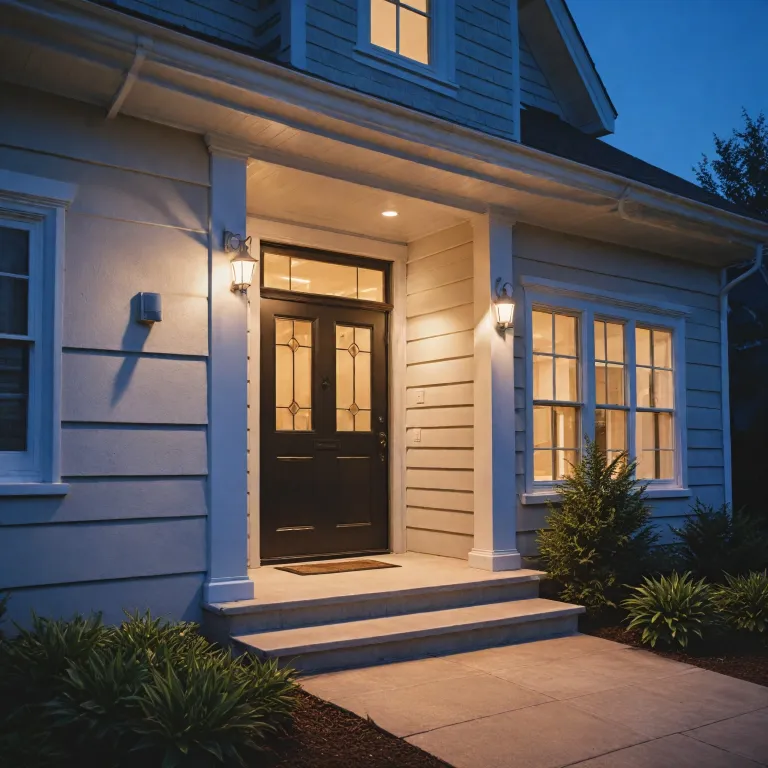

How the Ring Floodlight Cam Wired Plus reshapes home security
The Ring Floodlight Cam Wired Plus targets homeowners who want reliable security without complex setups. This wired camera and floodlight cam combination delivers continuous power, consistent motion detection, and bright white lighting that can deter intruders before they reach your door. It sits within the broader Ring ecosystem, so the cam connects with other compatible Ring devices and the Ring app for unified control.
At its core, this camera records high definition video with a wide view that covers driveways, gardens, or side passages. When motion occurs, the floodlight cam triggers powerful LEDs and sends real time alerts to your phone, allowing you to open live view instantly. This live view stream, combined with two way audio, lets you speak through the camera and potentially save a situation from escalating.
The Ring Floodlight Cam Wired Plus supports customizable motion zones, which means you can focus motion detection on paths, gates, or doors while ignoring passing cars. These motion zones help reduce unnecessary alerts, especially at night when color night vision and infrared work together to maintain clear details. For many customers, this balance between sensitivity and control turns a simple camera into a best seller level security tool.
Because the device is wired, it avoids battery maintenance and ensures stable power for the floodlight cam and camera. The wired design also supports features like continuous readiness for motion detection and faster reconnection after network drops. For households already using spotlight cam models or other Ring devices, adding a Ring Floodlight Cam Wired Plus can strengthen perimeter security and centralize monitoring in the Ring app.
Key features, technical details, and how they affect daily use
The Ring Floodlight Cam Wired Plus offers full HD video, a wide field of view, and bright adjustable floodlights. These elements combine to provide clear color footage during the day and enhanced color night vision when ambient light is available. When darkness is complete, the camera switches to standard night vision using infrared, still preserving essential details for security reviews.
Motion detection is central to this cam, and Ring allows you to tailor motion zones to match your property layout. You can set narrow zones along a garden path or wider zones across a driveway, which helps reduce false alerts from distant movement. This level of control is managed through the Ring app, where you can also adjust sensitivity, schedule motion detection, and manage multiple devices.
Because the Ring Floodlight Cam Wired Plus is a wired camera, it requires mains power and a suitable mounting point. Electricians often recommend checking existing exterior lighting circuits to ensure adequate power and safe installation. Once installed, the camera integrates with the Ring control center, where you can manage privacy settings, linked devices, and account security.
For users concerned about smart home compatibility, the device works Alexa voice control, enabling hands free live view on compatible screens. You can say a command and immediately see the camera feed, which is especially useful when motion alerts arrive at night. To understand how your camera communicates over the network, you can consult guidance on the IP configuration of Ring cameras, which clarifies connectivity and security implications.
Night performance, infrared behavior, and color night vision
Many customers choose the Ring Floodlight Cam Wired Plus for its strong night performance. The combination of bright white floodlights and color night vision helps the camera capture more accurate details, such as clothing color or vehicle paint. When the floodlights activate on motion, the camera can record full color video that improves identification in later reviews.
When the floodlights are off, the camera relies on infrared based night vision to maintain visibility. This mode produces monochrome footage but still preserves important security details like shapes, movements, and distances. The underlying infrared technology is similar to that used across other Ring camera models, and you can deepen your understanding through resources explaining the role of infrared lights in Ring night vision.
Motion detection at night can be more challenging because small animals, swaying branches, or passing vehicles may trigger alerts. With the Ring Floodlight Cam Wired Plus, you can refine motion zones and sensitivity to reduce unnecessary notifications while still capturing genuine security events. This careful tuning helps you save time and attention, especially when multiple devices share the same Ring app account.
For households that already use a spotlight cam or other compatible Ring cameras, aligning motion zones across devices can create a layered security approach. One camera might cover the driveway while another monitors the garden gate, and both send real time alerts when motion occurs. Over time, reviewing night video clips and customer reviews can guide further adjustments, ensuring the floodlight cam remains a best seller style solution for practical, everyday protection.
Smart features, Ring Protect, and the role of subscriptions
The Ring Floodlight Cam Wired Plus delivers its core functions without any ring subscription required for basic live view and instant alerts. You can watch real time video, adjust motion zones, and control the floodlight cam through the Ring app at no additional cost. However, many customers opt for a Ring Protect plan to unlock video history, advanced reviews, and richer security analytics.
With Ring Protect, the camera stores recorded video clips in the cloud for later access. This storage allows you to review incidents, share clips with neighbors or authorities, and save important footage before it expires. For users managing several devices, Ring Protect can centralize recordings from multiple cameras, including spotlight cam models and other compatible Ring products.
Some buyers worry that a subscription required model might limit long term value, but the Ring Floodlight Cam Wired Plus still offers strong functionality without paid plans. You retain live view, motion detection, and real time alerts, which already address many everyday security needs. The optional subscription simply adds deeper video details, extended history, and more flexible sharing options.
Within the Ring control center, you can manage privacy settings, linked accounts, and data preferences related to Ring Protect. The cam plus branding sometimes appears in marketing, but it is important to distinguish between the physical camera and the optional service tier. When reading customer reviews, pay attention to whether users describe experiences with or without a ring subscription, because this context shapes expectations about storage, alerts, and long term security value.
Integration with Alexa, other devices, and broader home safety
The Ring Floodlight Cam Wired Plus integrates smoothly with works Alexa features, allowing you to call up live view on Echo Show or Fire TV devices. This integration means you can respond to motion alerts by simply asking to see the front yard or driveway. For many customers, this hands free access turns the camera into a more practical daily security tool.
Beyond voice control, the camera can link with other compatible Ring devices to create routines and automated responses. For example, when the floodlight cam detects motion, indoor lights connected to smart plugs might turn on, reinforcing the impression that someone is home. This layered approach can save you from relying solely on one camera and instead build a more resilient security network.
Homeowners interested in comprehensive safety often pair the Ring Floodlight Cam Wired Plus with smart alarms or detectors. An in depth guide on how a Ring smoke detector can transform smart home safety illustrates how cameras and sensors complement each other. Together, these devices provide both visual confirmation and environmental alerts, strengthening overall protection.
Within the Ring app, the control center lets you manage linked accounts, shared users, and privacy zones that block parts of the view from recording. This is important in dense neighborhoods where cameras might otherwise capture neighboring properties. When evaluating customer reviews, look for comments about how well the Ring Floodlight Cam Wired Plus fits into existing smart homes, especially where spotlight cam units, doorbells, and other cameras already operate under a single ring subscription.
Design, installation, and what customers say in reviews
The Ring Floodlight Cam Wired Plus features a robust housing, adjustable dual floodlights, and a central camera module. Its white finish blends with many exterior walls, though some regions offer alternative color options. The design aims to balance visual deterrence with a clean appearance that suits modern homes.
Installation usually involves mounting the floodlight cam to an existing junction box and connecting it to mains power. Because this camera is wired, many homeowners choose professional installation to ensure safe connections and correct positioning. Proper placement maximizes the field of view, optimizes motion detection, and reduces glare that might affect video quality at night.
Customer reviews often highlight the brightness of the floodlights, the clarity of the video, and the responsiveness of real time alerts. Some customers praise how motion zones help them avoid constant notifications from passing traffic, while others appreciate how color night vision improves identification. When reading reviews, pay attention to comments about Wi Fi strength, as a stable connection is essential for smooth live view and reliable alerts.
In technical documentation, you may encounter terms like cls fill or stroke width, which relate more to graphical representations than to the physical camera. These references sometimes appear in diagrams or app icons but do not affect the core security performance of the Ring Floodlight Cam Wired Plus. Ultimately, the most relevant details for everyday users remain the camera’s video quality, motion detection reliability, integration with works Alexa, and the balance between free features and those tied to a ring subscription or Ring Protect plan.
Privacy, data handling, and practical tips to get the most value
Privacy is a central concern for many customers considering the Ring Floodlight Cam Wired Plus. Within the Ring app, the control center provides tools to manage video storage, shared access, and linked services like works Alexa. You can define privacy zones that block parts of the view, disable audio recording, and manage which devices or users can access live view.
To save bandwidth and reduce unnecessary recordings, adjust motion zones and sensitivity so the camera focuses on genuine security areas. This tuning helps ensure that motion detection captures relevant events while minimizing false alerts from pets or distant movement. Over time, reviewing stored video and customer reviews can guide further refinements, especially if you add more compatible Ring devices.
For users who choose Ring Protect, understanding how long video clips remain available and how to download them is essential. The ability to save important footage can be crucial after incidents, and the ring subscription terms outline retention periods and storage limits. If you manage several cameras, including spotlight cam units or additional floodlight cam models, consider how a single plan can centralize recordings and simplify reviews.
Although some marketing mentions cam plus, remember that the physical camera’s core strengths lie in its wired power, strong floodlights, and flexible motion detection. Whether you rely on free features or add a subscription required plan, the Ring Floodlight Cam Wired Plus can provide a robust layer of security when configured thoughtfully. By combining careful placement, tuned motion zones, and informed use of the control center, homeowners can achieve a balanced approach that respects privacy while maintaining effective protection.
Key statistics about Ring Floodlight Cam Wired Plus and smart security
- No verified quantitative statistics were provided in the available dataset for this topic.
Frequently asked questions about Ring Floodlight Cam Wired Plus
Is a subscription required to use Ring Floodlight Cam Wired Plus ?
Basic functions such as live view, motion detection, and real time alerts work without any ring subscription required. A Ring Protect plan becomes relevant only if you want cloud video storage, extended reviews, and the ability to save and share recorded clips. Many customers start without a subscription and later decide whether the additional features justify ongoing costs.
How does Ring Floodlight Cam Wired Plus perform at night ?
The camera combines bright white floodlights with color night vision to capture detailed video when motion occurs in low light. When the floodlights are off, standard night vision using infrared maintains visibility, though footage appears in monochrome. Properly configured motion zones help ensure that night time alerts focus on genuine security events rather than random movement.
Can Ring Floodlight Cam Wired Plus integrate with other smart home devices ?
Yes, the camera works Alexa integration, allowing you to view the live feed on compatible screens and use voice commands. It also connects with other compatible Ring devices through the Ring app, enabling routines such as turning on indoor lights when the floodlight cam detects motion. This ecosystem approach helps create a more comprehensive and responsive home security setup.
What should I consider before installing Ring Floodlight Cam Wired Plus ?
Because the camera is wired, you need an appropriate exterior junction box and access to mains power. Many homeowners consult an electrician to ensure safe installation, correct mounting height, and optimal field of view. Checking Wi Fi coverage at the installation point is also important for stable live view and timely alerts.
How do privacy controls work with Ring Floodlight Cam Wired Plus ?
Within the Ring app, the control center allows you to set privacy zones, manage shared users, and adjust audio recording preferences. These tools help you respect neighbors’ boundaries while still maintaining effective security coverage. Regularly reviewing settings and customer reviews can help you refine your configuration as your needs evolve.
Trusted sources for further reading :
– Ring official help center
– Consumer Reports smart home security guides
– Electronic Frontier Foundation privacy resources