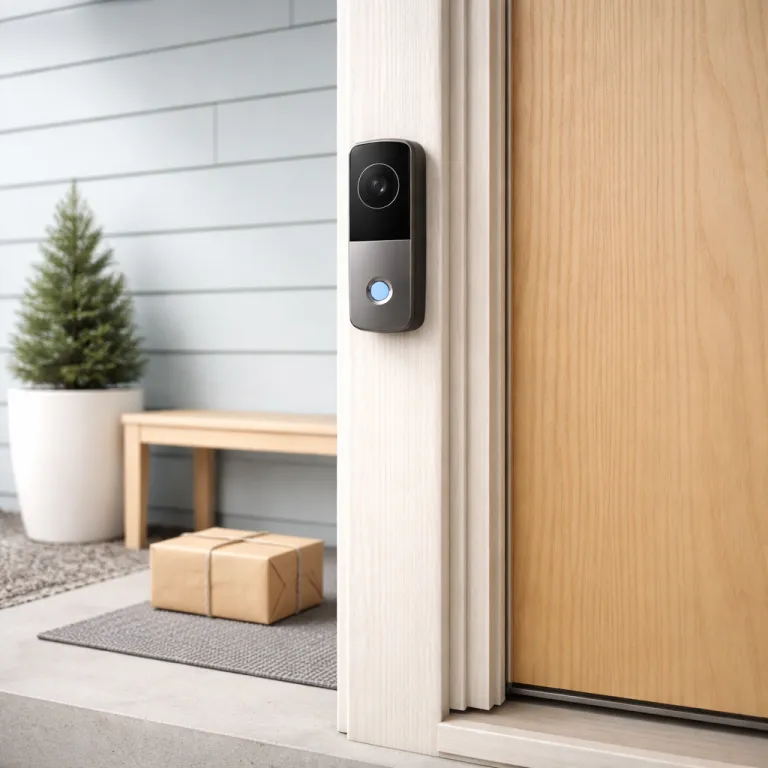
Why the best video doorbell for home is a long term decision
The best video doorbell for home is not a short lived gadget; it is part of your home’s long term infrastructure. When you choose a smart doorbell or several smart doorbells, you are effectively locking your property into one ecosystem, one app, and one way of doing home security. That decision will shape how your security cameras, your smart home routines, and even your future security cameras and doorbells work together over the next decade.
For a first time homeowner, the real question is not which doorbell camera has the flashiest video or the most aggressive marketing on Amazon, but which doorbell camera and which video doorbells will still feel reliable when your battery has aged and your subscription prices have crept up. A Ring video doorbell that integrates cleanly with Amazon Alexa, Google Home, and other smart home devices will usually age more gracefully than a doorbell camera that relies on a fragile app or a niche cloud storage service. Think of your doorbell wired or battery powered choice as you would plumbing or electrical work, because replacing a wired smart doorbell in a few years is more painful than swapping a light bulb.
Ring has turned the humble doorbell into a networked security camera with cloud storage, optional local storage on some security cameras, and tight links to Amazon Alexa and broader Google ecosystems. Nest Doorbell, Arlo, and Tapo have followed similar paths with their own cloud plans and hubs. That means the best video doorbell for home is also a decision about video storage, about whether you are comfortable with a cloud subscription, and about how much local storage you want to keep on a microSD card or similar card. When you commit to Ring, Nest Doorbell, Arlo, or Tapo cameras, you are also committing to how your home security footage is stored, shared, and deleted over time, and to how those brands handle privacy, firmware updates, and long term security patches.
Ring lineup snapshot: wired, battery, and Pro generations
Ring’s current video doorbell lineup falls into three clear families that matter for any best video doorbell for home decision. There are basic Ring Video Doorbell models that can run on a rechargeable battery or as a doorbell wired to your existing chime, there are mid range wired doorbells like Ring Video Doorbell Wired and Ring Video Doorbell Pro, and there are higher end Pro 2nd Gen style models with better video and smarter motion detection. Each generation, or gen, changes how your home security system behaves day to day.
The entry level Ring Video Doorbell and Ring Video Doorbell (2nd Gen) are flexible, because you can start on battery and later convert to a doorbell wired setup if you renovate your home. Their 1080p video is good enough for most front porches, and with a Ring Protect subscription you get cloud storage for your video storage, plus smart alerts that distinguish people from cars. If you want a cheaper wired only option, Ring Video Doorbell Wired gives you a compact camera with night vision, but it absolutely requires existing doorbell wiring and does not run on battery at all.
At the top, Ring Video Doorbell Pro and Ring Video Doorbell Pro 2 are the models that feel built for a house you will live in for a decade. They are fully wired, support more advanced motion zones, and integrate tightly with Amazon Alexa devices like Echo Show screens for instant video. Their video doorbells offer better HDR video, more reliable night vision, and faster wake times than battery models, which matters when someone presses the doorbell and you want the camera recording immediately. If you care about testing high performance local storage for other cameras, look at tools like this microSD card speed test guide to understand how card quality affects video storage on devices that support a microSD card.
To make the trade offs clearer, here is a concise pros and cons snapshot based on typical pricing in the US and UK as of early 2026 (always confirm current offers on the official product pages, because discounts and bundles change frequently):
- Ring Video Doorbell (Battery/Wired) – Approx. US$100 / £90. Pros: flexible power options, solid 1080p video, affordable entry into the Ring ecosystem. Cons: bulkier design, fewer advanced motion tools than Pro models, relies heavily on subscription for full features.
- Ring Video Doorbell Wired – Often around US$50–60 / £50. Pros: very low upfront cost, compact body, reliable wired power. Cons: no battery option, requires existing wiring, slightly narrower feature set than Pro 2.
- Ring Video Doorbell Pro / Pro 2 – Typically US$170–250 / £160–£230 depending on bundles. Pros: best motion detection, faster notifications, slimmer design, superior HDR and night vision. Cons: higher price, wired only, installation may require an electrician in older homes.
Comparable Nest Doorbell (battery) and Nest Doorbell (wired) units usually sit in a similar or slightly higher price band than Ring Pro models, while Tapo and some Arlo Essentials doorbells often undercut Ring on hardware cost but lean more on local storage or brand specific hubs. These ranges are indicative, not guarantees, and should be treated as ballpark figures rather than fixed prices.
Why wired almost always wins for a long term home
For a homeowner planning to stay put, a wired Ring video doorbell is usually the best video doorbell for home over ten years. A doorbell wired directly to your transformer never needs a battery swap, never suffers from battery degradation, and wakes up faster when someone approaches your door. That reliability is what separates infrastructure from gadgets, especially when your smart home and home security depend on that single camera.
Battery powered doorbell cameras are tempting because you can mount the camera anywhere without touching electrical wiring, which is ideal for renters or for doors without existing chimes. If you are renting and cannot drill or rewire, a battery Ring video doorbell paired with no drill mounts and careful placement can still give you solid home security, and guides like this one on installing Ring without drilling or wiring show how to do it safely. For a house you own though, climbing a ladder every few months to charge a battery, or juggling spare batteries, becomes a chore that outlives the novelty of a new smart doorbell.
Wired Ring Pro models also handle video better under stress, because they do not throttle features to save battery life. You get consistent night vision, full resolution video, and faster notifications to your phone or to Amazon Alexa and Google Home displays. If you ever expand to more security cameras or add a Tapo camera, Arlo floodlight, or Nest Doorbell at a side entrance, a wired main doorbell becomes the stable anchor of your wider smart home system, while battery cameras fill in the gaps where wiring is impossible.
From a testing perspective, long term owners often compare wired and battery units by logging how many missed or delayed motion events occur over several months, how often batteries need charging, and whether cold weather causes dropouts. In most user reports and informal tests, wired models show fewer gaps and more consistent notifications, which is why they are usually recommended for permanent homes.
Resolution, field of view, and what actually helps at 2 a.m.
Many product pages push 4K video and high dynamic range as if they alone define the best video doorbell for home. In practice, a 1080p Ring Video Doorbell Pro 2 with a tall, head to toe field of view and reliable night vision will help you more than a cramped 4K frame that misses packages on the ground. What matters most is whether your doorbell camera shows faces clearly, captures the doorstep, and records quickly enough when motion starts.
Ring’s Pro 2nd Gen models use a vertical field of view that shows visitors from head to shoes, which is crucial when you need to see parcels or pets near the threshold. Their video doorbells also use HDR to balance bright skies and shaded porches, so you can identify people even when the sun is behind them, and this is more useful than chasing extra pixels. If you compare that to some Tapo cameras, Arlo doorbells, or a Nest Doorbell, you will notice that the framing and motion detection zones often matter more than raw resolution for real world home security.
Cloud storage and local storage also shape how useful your video is when something happens at night. With a Ring Protect subscription, your video storage in the cloud typically keeps clips for up to around 180 days in many regions; this figure is based on Ring’s published plan descriptions at the time of writing and may change, so always confirm current terms on the official plan page. Other brands like Tapo or some Google Nest and Nest Doorbell models let you record to a microSD card for local storage, while Arlo often uses a base station or SmartHub for on premises recording. If you rely on local video storage alone and the card or hub fails, you lose evidence, so for a house you will live in for years, a mix of cloud storage and carefully tested local storage on a quality card gives you resilience.
When reviewers compare resolution and motion performance across Ring, Nest, Tapo, and Arlo, a common methodology is to place each doorbell at the same height, walk test routes at different speeds, and capture still frames at night and in backlit conditions. That kind of side by side testing usually reveals that motion tuning, field of view, and notification speed matter more than headline resolution numbers.
Integration tax: living with Ring, Amazon, Google, and Tapo over time
Choosing the best video doorbell for home also means choosing who runs your smart home for the next decade. A Ring video doorbell lives most comfortably in an Amazon Alexa ecosystem, where Echo Show screens act as always on monitors and routines can flash lights when the doorbell rings. If you already own Amazon speakers or plan to add them, that integration tax is worth paying once, instead of juggling half working skills between Alexa, Google, and other platforms.
Google Home and Google Nest devices work with Ring to a point, but the experience is less seamless than with Amazon Alexa, while Nest Doorbell models obviously integrate best with Google Home. Arlo and Tapo sit somewhere in the middle, with decent support in both ecosystems but some advanced options locked to their own apps. If you expect to mix brands, such as running a Ring smart doorbell at the front and Tapo security cameras or an Arlo Pro camera at the sides, check how each app handles notifications, video storage, and cloud subscription tiers. Over ten years, the subscription costs for cloud storage, plus any local storage accessories like a Tapo hub, Arlo SmartHub, or a network video recorder, will likely exceed the price of the doorbells and cameras themselves.
There is also the question of how many separate apps you want to manage on your phone. A first time homeowner often starts with one doorbell camera, then adds more security cameras, then maybe a Tapo camera in the garage, and suddenly there are three apps and two subscription plans. If you want to avoid that sprawl, pick a primary ecosystem now, accept its integration tax, and let every new camera, doorbell wired or wireless, and smart home device fit into that single structure.
To compare ecosystems fairly, many reviewers create a simple scoring sheet that tracks setup time, notification delay, app reliability, and how many steps it takes to share a clip. Running that same checklist across Ring, Nest, Tapo, and Arlo over several weeks gives a more honest picture than marketing claims alone.
Longevity, end of life signals, and the honest pick for most homes
Ring, like every smart home brand, eventually retires older gen hardware and trims features, which matters when you are choosing the best video doorbell for home you plan to keep. Watch for signs such as firmware updates slowing down, new features skipping first gen or second gen models, and support pages quietly marking older doorbells as legacy. Those are your early warnings that a doorbell camera may not receive security patches or new integrations with Amazon Alexa or Google Home forever.
Battery chemistry also ages, so a battery powered Ring Video Doorbell that feels fine in the first year may struggle to hold charge after several winters, especially in colder climates. Ring itself suggests that most battery doorbells last roughly one to three months per charge in moderate use; user reports indicate that heavy motion activity or freezing temperatures can cut that duration by about half, so treat these figures as practical estimates rather than guarantees. A wired Ring Video Doorbell Pro or Pro 2 avoids that decay, and because it relies on your home’s electrical system, it is more likely to feel invisible and dependable, which is exactly what you want from home security infrastructure. If you ever move to an apartment or a rental where wiring is off limits, resources like this guide to the best Ring camera for an apartment you do not own can help you pivot to battery models without starting from zero.
For the average first house buyer who is not planning to replace everything in two years, the honest recommendation is a wired Ring Video Doorbell Pro 2 at the main entrance, backed by a Ring Protect subscription for cloud storage and a couple of compatible security cameras watching side paths. That setup balances cost, video quality, night vision, and integration with Amazon Alexa and broader smart home gear, without locking you into constant upgrades. If you prefer Google’s ecosystem, a Nest Doorbell (wired) with Nest Aware offers a similar long term pattern, while budget focused buyers might pair a Tapo or Arlo doorbell with local storage and a smaller cloud plan. Doorbells are infrastructure now, and the right pick is not the one with the loudest specs, but the one that still works quietly every night when someone walks up your path at 2 a.m.
Buying guide: matching Ring models to real world layouts
Layout matters as much as specifications when you choose the best video doorbell for home. A narrow townhouse with steps leading straight to the door needs a doorbell camera with a wide vertical field of view, like Ring Video Doorbell Pro 2 or Nest Doorbell (wired), to capture faces close to the lens and parcels on the mat. A detached house with a long driveway might benefit more from pairing a mid range Ring Video Doorbell Wired with extra security cameras or a Tapo camera watching the gate.
If your existing doorbell wiring is unreliable or absent, factor the cost of an electrician into your budget before dismissing wired options, because that one time spend can save you years of battery juggling. In homes where running new cable is impossible, a battery Ring video doorbell combined with plug in Ring security cameras indoors can still form a coherent home security system, especially when tied together through Amazon Alexa or Google Home routines. Think about where you actually stand when you answer the door, how high you can mount the camera, and whether nearby lights will help or hurt night vision.
Storage strategy should be part of your layout thinking as well. If you plan to rely on cloud storage through a subscription, make sure your Wi Fi coverage at the front door is strong enough to upload video clips quickly, or your video storage will be full of gaps and stutters. If you prefer some local storage, perhaps on a microSD card in a companion camera or a Tapo hub, place those devices where they are safe from tampering and where you can reach them for maintenance without climbing awkward ladders.
When estimating storage, remember that standard 1080p video from a doorbell camera can consume roughly 300 to 700 megabytes per hour of continuous recording, based on typical 2 to 5 Mbps bitrates. These are engineering style estimates rather than promises, but they illustrate why a 32 gigabyte microSD card can fill up in a few days of constant motion events, and why mixing cloud and local storage often makes more sense than relying on a single tiny card.
Key figures that shape long term video doorbell choices
- Ring Protect Basic cloud storage plans typically keep video clips for around 180 days in many regions, which means a single incident can be reviewed for months rather than days, unlike some competitors that limit retention to 30 days; this figure is drawn from Ring’s public plan descriptions at the time of writing and should be treated as indicative only, so always confirm current terms on the official plan page because policies change.
- Most Ring battery video doorbells last between 1 and 3 months per charge in moderate use, but heavy motion activity or cold weather can cut that duration roughly in half, which becomes a long term maintenance burden for homeowners; these ranges come from Ring’s own estimates and aggregated user reports rather than controlled lab measurements, so your real world results may vary.
- Standard 1080p video from a doorbell camera can consume around 300 to 700 megabytes per hour of continuous recording, based on typical 2 to 5 Mbps bitrates, so relying solely on local storage with a 32 gigabyte microSD card can fill up in a few days of constant motion events; this is a back of the envelope calculation, not a brand specific guarantee.
- Typical home Wi Fi routers start to struggle beyond roughly 10 to 15 active video streams, so planning a system with one main video doorbell and a handful of security cameras keeps network load manageable without requiring enterprise networking gear; this rule of thumb is based on common consumer router specifications and reviewer stress tests, but you should check your own router’s documentation for exact limits.
- Professional installation of a wired doorbell circuit in an existing home can cost the equivalent of a mid range doorbell itself, often in the US$100–200 / £80–£150 range depending on region and complexity, but spread over a decade of use, that upfront cost often works out cheaper than replacing multiple aging battery units or paying for repeated service visits.
FAQ: choosing and living with a Ring video doorbell
Is a wired Ring video doorbell really better than a battery model for a long term home ?
For a house you plan to live in for many years, a wired Ring video doorbell is usually more reliable than a battery model. Wired doorbells avoid battery wear, wake faster, and support full feature sets without power saving compromises. The main trade off is the need for existing wiring or a one time electrician visit, which pays off over a decade of use.
How much cloud storage do I actually need for a video doorbell ?
Most homeowners find that a basic cloud subscription with around 30 to 180 days of retention is enough for a single video doorbell and a few security cameras. This level of cloud storage lets you review incidents, share clips with neighbours or authorities, and check patterns of activity without hoarding years of footage. If you add many more cameras, consider mixing cloud storage with local storage on a hub or microSD card to control costs, whether you are using Ring Protect, Nest Aware, Arlo Secure, or a Tapo plan.
Can I mix Ring with Nest Doorbell, Tapo, or other brands in one home ?
You can mix Ring, Nest Doorbell, Tapo, Arlo, and other brands, but you will juggle multiple apps and sometimes overlapping subscriptions. Smart home platforms like Amazon Alexa and Google Home can unify basic controls and live video, yet advanced features such as smart alerts or detailed video storage settings usually stay inside each brand’s app. For simplicity over ten years, most homeowners are happier choosing one primary ecosystem and adding only a few secondary devices.
What happens to my Ring doorbell if I stop paying the subscription ?
If you cancel your Ring Protect subscription, your Ring video doorbell still works as a live camera and doorbell, but it stops saving new recordings to the cloud. You lose access to past clips once their retention period ends, and some smart alerts or rich notifications may be reduced. For long term home security, budget for the subscription as part of the overall cost of ownership, just as you would for Nest Aware, Arlo Secure, or a Tapo cloud plan.
How do I know when my Ring doorbell is nearing end of life support ?
Signs that a Ring doorbell is approaching end of life include fewer firmware updates, new features skipping your specific gen, and official documentation labelling it as a legacy product. You may also see app prompts suggesting upgrades or notices about reduced support windows. When those signals appear, plan a replacement within a couple of years to avoid security gaps in your home system, and apply the same thinking to Nest, Tapo, Arlo, or any other brand you rely on.