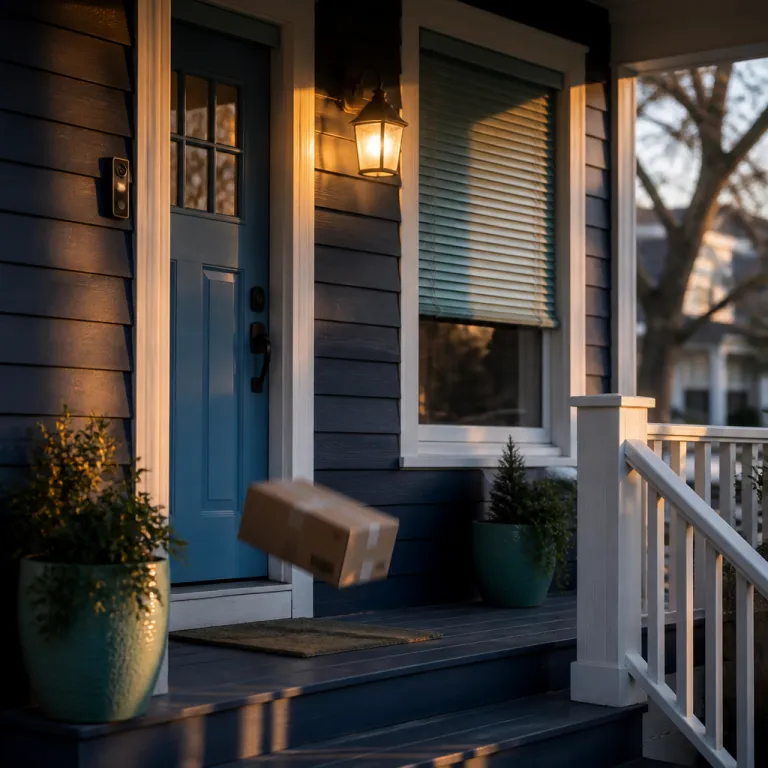
What ring footage really captures and why it matters for privacy
Ring footage is more than a simple home video; it is a continuous record of how people move around your front door and nearby spaces. When a ring camera records in real time, the resulting videos can reveal routines, visitors, and even the exact time you usually arrive home. That level of detail makes ring footage powerful for security but also sensitive for privacy.
Every ring device, from a basic battery doorbell to a wired doorbell pro, turns your entrance into a monitored zone that can be viewed through the ring app. The live view feature lets you tap a small camera icon and instantly see who is close to your doorbell camera, even when you are away. Because this live video and the stored ring videos sit inside your ring account, they must be treated as personal data that deserves careful protection.
People often focus on the visible hardware, such as the video doorbell or the compact ring camera mounted above a garage. Yet the more critical layer is the invisible recording pipeline, where motion detection triggers a recording, sends an alert to the app, and stores the video under your ring subscription or protect plan. In one widely reported case, for example, a homeowner only realized how much of the sidewalk was being captured after reviewing a week of clips in the control center privacy dashboard. Understanding how each feature works, from night vision to the privacy dashboard and account controls described in Ring’s own support materials, is the first step toward using ring footage without giving away more than you intend.
Configuring the ring app to limit exposure of your ring footage
Strong privacy with ring footage starts inside the ring app, not on the wall where the camera hangs. Once your installation is complete, open the app, tap the menu icon (☰), and go straight to Control Center > Privacy & Security to review privacy and security settings. This is where you decide who can view live video, which ring device is shared, and how long recordings stay attached to your ring account.
Begin by checking that two factor authentication is enabled for every user who can access your ring videos. In the app, go to Account Settings > Two-Step Verification and require SMS or an authenticator app for sign in, as Ring’s security guidance recommends. When a family member wants to see the live view from the ring doorbell, they should sign in with their own profile rather than sharing a password, because separate accounts make it easier to audit access over time. You can then use the app to manage each video doorbell or ring camera individually, adjusting motion detection zones so the device only records when someone is close to your property line.
Privacy also depends on how you integrate other tools with your ring subscription and protect plan. If you connect third party apps or smart displays, review their product reviews and privacy policies before allowing them to show ring footage on a screen in your living room. For people who want deeper control, pairing the ring app with complementary smart security apps can help centralize alerts and reduce notification fatigue, and guides on essential apps for Ring Doorbell users explain how to do this without weakening privacy.
Who can access ring footage and how to manage law enforcement requests
Access to ring footage extends beyond your household if you are not careful about permissions and legal requests. When you create a ring account and activate a ring subscription or protect plan, you agree to terms that describe how videos may be shared with law enforcement or other parties. Reading those terms closely, and revisiting them from time to time, is essential if you want to keep control over your ring videos.
Law enforcement agencies sometimes request ring footage during investigations, especially when a ring doorbell or doorbell camera faces a public street. In the United States, for example, public reporting in 2022 and 2023 documented cases where police obtained doorbell recordings through formal requests or emergency disclosures, and civil liberties groups have published detailed timelines of how those practices evolved. In many regions, police must ask you directly for access, but policies can change and may differ between countries or even cities. To stay informed, privacy advocates recommend following legal analyses that explain how police access to ring footage has evolved and what settings you should adjust now, such as the detailed guidance in this resource on police access to Ring footage.
Inside the control center of the ring app, you can review which services are linked to your ring device and whether any neighborhood sharing features are active. Turning off automatic sharing and requiring explicit consent for every request keeps your ring camera focused on home security rather than broad surveillance. When you combine these controls with careful use of motion detection and shorter recording retention under your protect plan, you reduce the chance that old videos will be pulled into investigations that have nothing to do with your household.
Balancing security benefits and privacy risks in everyday use
People install a ring doorbell or ring camera because they want better security, but the same ring footage that deters intruders can also capture neighbors and passers by. A wide field of view and strong night vision make it easier to see suspicious motion, yet they also increase the amount of public space that ends up in your recordings. The challenge is to keep the security advantages while trimming away unnecessary video.
Instead of tweaking settings at random, use a simple checklist to tune motion detection and retention in a structured way. First, open the ring app and, for each video doorbell or ring camera, draw motion detection zones that cover your porch and the first few feet of walkway, then gradually expand until deliveries and visitors are captured but pedestrians on the far sidewalk are not. Second, fine tune sensitivity so that passing cars or distant pedestrians do not constantly activate live view and fill your ring subscription with irrelevant clips. Third, set a retention window in your protect plan that matches your risk level: many households start with 14 to 30 days, then shorten or lengthen based on how often they actually review older clips.
Another practical step is to shorten how long your protect plan keeps ring videos before automatic deletion. Long retention periods may seem attractive, but they also increase the volume of ring footage that could be exposed if your ring account is compromised. When you combine shorter retention with careful placement of each ring device and regular checks of product reviews for new privacy focused feature updates, you create a more respectful balance between home security and the rights of people who share your street.
Choosing the right hardware and installation for safer ring footage
The type of ring device you choose has a direct impact on how your ring footage is captured, stored, and shared. A wired doorbell pro with constant power can support longer recording windows and more advanced motion detection, while a battery doorbell may prioritize shorter clips to conserve energy. Both wired and battery powered options can provide high quality video, but their installation and maintenance patterns shape how consistently they protect your home.
Professional installation is worth considering if you plan to mount several ring camera units around a large property. An experienced installer can angle each doorbell camera so it covers entry points without pointing directly into neighbors’ windows or shared pathways. They can also help you position devices to take advantage of night vision while avoiding reflective surfaces that might wash out important details in the video.
Homeowners who prefer to handle installation themselves should still plan the layout carefully and review independent product reviews before buying multiple units. When you add more cameras, you also add more ring footage, more notifications, and more potential privacy questions, so it is wise to study guidance on whether two cameras or four cameras actually improve security, such as the analysis available through this comparison of camera counts and notifications. Matching the number of devices to your real security needs keeps your ring subscription manageable and your protect plan focused on the most critical views.
Managing subscriptions, retention, and long term control of ring footage
Once your hardware is in place, the long term privacy of your ring footage depends on how you manage your ring subscription and protect plan. Without a paid plan, you may only have access to live view and very limited recording, which changes how you use the ring app for evidence or incident review. With a subscription, your ring videos are stored for a defined time window, and that window should match your actual security needs rather than a default setting.
Review the retention options in your ring account at least a few times each year and adjust them when your situation changes. Many households find that a 14 to 30 day window is enough to spot package theft or vandalism without building a large archive. If you move to a quieter area or reduce the number of ring device units in use, you might not need long storage periods for every camera. Shorter retention reduces the amount of historical video that exists, which in turn lowers the risk if someone gains unauthorized access to your account or if a legal request targets older footage.
It is also wise to periodically export and securely store only the ring footage that truly matters, such as clips of attempted break ins or suspicious motion near vehicles. Keeping a small, encrypted archive on a separate device lets you cancel or downgrade a ring subscription without losing critical evidence. Over time, this disciplined approach to managing ring videos, combined with careful reading of updated product reviews and privacy policies, helps you maintain real time security while still respecting your own long term digital footprint.
Key statistics about smart doorbell cameras and privacy
- Consumer surveys from major privacy organizations report that more than half of smart doorbell owners worry about how long companies keep their video recordings, which reinforces the importance of adjusting retention settings in any protect plan.
- Studies of urban neighborhoods with high adoption of video doorbell devices show measurable reductions in opportunistic thefts near monitored entrances, but they also highlight increased recording of public sidewalks and shared spaces.
- Security research consistently finds that enabling two factor authentication on accounts for connected cameras, including ring account profiles, can block the majority of automated credential stuffing attacks that target reused passwords.
- Independent product reviews of smart cameras often note that misconfigured motion detection zones are a leading cause of unnecessary recordings, which means careful setup can significantly reduce the volume of stored footage.
FAQ about ring footage, privacy, and home security
How long should I keep my ring footage?
The ideal retention period for ring footage depends on how often incidents occur near your home and how quickly you usually notice them. Many people find that keeping recordings for a few weeks is enough to review suspicious motion without building a large archive. Shorter retention also limits the amount of historical video that could be exposed if your ring account is compromised.
Can my neighbors object to being recorded by my ring camera?
Neighbors may raise concerns if your ring camera or doorbell camera clearly records their private spaces, such as windows or enclosed gardens. You can reduce tension by adjusting motion detection zones and camera angles so the device focuses on your own entrances and paths. In some regions, local laws also require that cameras do not intrude unreasonably on neighboring properties.
Is a wired doorbell pro more secure than a battery doorbell?
Both wired and battery powered models can be secure if configured correctly, but they behave differently in daily use. A wired doorbell pro benefits from constant power, which supports more consistent recording and advanced features, while a battery doorbell offers flexible installation but may limit clip length to preserve charge. The choice should reflect your wiring options, climate, and willingness to recharge or replace batteries.
Do I need professional installation for my ring devices?
Professional installation is not mandatory, yet it can improve both security coverage and privacy. Installers understand how to angle each ring device to capture entrances while avoiding unnecessary views of public areas or neighbors’ homes. If you install devices yourself, take time to test different positions and review the resulting ring footage before finalizing mounts.
What happens to my videos if I cancel my ring subscription?
When you cancel a ring subscription or protect plan, stored ring videos are typically deleted after a short grace period defined in the service terms. You will still have access to live view from your cameras, but you may lose the ability to review past recordings. To preserve important clips, export and store them securely on another device before ending your plan.