Summary
Editor's rating
Is it good value compared to other CCTV kits?
Chunky PTZ domes and a basic but practical NVR box
Build quality and reliability issues you should know about
Image quality, tracking, and night vision in real‑world use
What you actually get in the box and how it all fits together
How well it actually secures the house day to day
Pros
- PoE wired connection is stable and avoids Wi‑Fi dropouts
- Four PTZ cameras with wide coverage and usable auto‑tracking
- No monthly subscription and NVR comes with a pre‑installed hard drive
Cons
- 500 GB storage is small for 24/7 recording of four cameras
- Setup and cabling require some DIY skills and time
- Interface and app feel a bit dated and need tweaking for best results
Specifications
View full product page →| Brand | Camcamp |
A wired CCTV kit for people who are done with flaky Wi‑Fi cameras
I’ve been slowly replacing random Wi‑Fi cameras around the house with wired PoE gear, because I’m tired of disconnects and apps freezing. This Camcamp 5MP 8‑channel PoE kit with 4 PTZ cameras caught my eye for one reason: four motorised cameras, no subscription, and a hard drive already in the box. On paper, it gives you full coverage and 24/7 recording without having to pay a cloud fee every month.
To be clear, this is not a tiny plug‑in baby monitor type setup. It’s a proper CCTV kit with an NVR (the recorder box), Ethernet cables, power supplies, and four outdoor cameras that move, zoom, and track people. You need to be comfortable drilling into walls or at least planning cable routes. If you’re expecting a one‑cable, five‑minute install, this isn’t it.
I used it in a typical UK house: small front drive, side path, and a bit of garden at the back. I first wired everything in the living room to test before climbing ladders. That’s something I’d recommend to anyone: bench‑test all cameras and the NVR so you don’t discover a dead unit once it’s already on the wall. Out of the box, all four cameras powered up and showed an image on the monitor without much effort.
Overall first impression: the system feels like proper CCTV gear rather than a cheap toy, but it’s not perfect. The app is usable but a bit clunky, the interface looks dated, and you need some patience to get all the smart functions tuned properly. If you just want simple motion clips on your phone, this might feel like overkill. If you want always‑on recording and real PTZ control, it starts to make sense.
Is it good value compared to other CCTV kits?
For the price bracket this sits in, you’re mainly paying for three things: PoE reliability, PTZ on all four cameras, and the fact there’s a hard drive already installed. If you compare it to buying four separate PTZ PoE cameras plus a bare NVR and a drive, you’d probably end up paying more with big brands. So on paper, it’s pretty solid value, especially if you actually need PTZ and auto‑tracking on every channel.
Where the value is a bit mixed is the hard drive size and long‑term use. 500 GB is not huge for 24/7 recording of four 5 MP streams. If you want more than a few days of history, you’ll likely buy a 2–4 TB drive, which adds cost. Some listings and reviews mention 3 TB, so there’s a bit of confusion there. Just assume you’re getting 500 GB and treat any more as a bonus. The upside is there are no monthly fees. Once you’ve bought the kit and done the install, that’s it.
Compared to Wi‑Fi kits in the same price area, you’re trading ease of installation for stability and features. A wireless system is quicker to set up but often has worse reliability and fixed cameras. Here you get wired stability, better control, and no cloud nonsense, but you’re running cables and spending time on ladders. If you’re not handy or don’t want to drill through walls, you might end up paying an installer, which eats into the value quickly.
Overall, I’d call it good value for someone who: 1) wants wired PoE, 2) likes the idea of PTZ on all cameras, and 3) is happy to tinker with settings and maybe upgrade the hard drive later. If you just want a couple of simple indoor cams with cloud storage, this is overkill and not the right use of your money. For a small business, farm, or house where you actually care about 24/7 recording and coverage, the price makes sense.
Chunky PTZ domes and a basic but practical NVR box
The cameras themselves are classic white PTZ domes with a bracket for wall mounting. They’re not tiny, and that’s not a bad thing in my opinion. They look like proper security cameras, which is a bit of a deterrent on its own. Each camera has a visible lens, IR LEDs, and spotlights on the front. The body feels like hard plastic, not metal, but the shell seems thick enough for outdoor use. They’re IP66, so fine for rain and typical UK weather.
The NVR is a simple black box, compact enough to tuck under a TV or in a cupboard. Front panel is minimal: a couple of LEDs and USB ports. Most of the action is on the back: 8 PoE ports, HDMI, VGA, LAN, and power. No fancy styling, just functional. The included USB mouse is cheap but does the job. You’ll mostly use it for initial setup and occasional tweaks; day to day, I used the app more.
In terms of movement, the PTZ range is pretty generous: about 355° horizontally and 90° vertically. In practice, that means you can cover a big area from a single mounting point, especially if you use presets. I set one camera on the front drive with presets for the gate, the car, and the doorstep. Switching between them from the app is quick enough. The auto‑tracking feature is visible: when someone walks into view, the camera head physically turns to follow them.
The only design gripe I have is cable management. Each camera has a short pigtail with connectors that you need to tuck somewhere. If you’re not careful, you end up with a bundle hanging out under the camera. You’ll probably want a junction box or to drill slightly larger holes to pull the connectors inside. Not a dealbreaker, but you need to think about it if you want a clean install and don’t want spiders building webs around cable loops.
Build quality and reliability issues you should know about
I haven’t had this running for years obviously, but I did pay attention to build and checked other buyers’ feedback. The housings feel solid enough for outdoor use, with tight seams and no obvious weak points where water would get in. The IP66 rating is standard for outdoor cameras, and after a few proper rain showers there was no fogging or moisture inside the domes on my side. The brackets hold the weight fine, and once tightened, the cameras don’t sag or move with wind.
One thing that’s worth flagging: a few reviews mention cameras failing after a month or two. I didn’t experience that myself during the test period, but it’s a real concern. With PoE systems, failures can come from dodgy power injectors or cable runs too, not just the camera. To be safe, I’d recommend bench‑testing all cameras for a week indoors before drilling. Also keep an eye on temperatures: these things get warm, especially if the spotlights and IR are on a lot, so avoid mounting them in a sealed box with no airflow.
The NVR itself runs quietly. There is a small fan and the hard drive noise, but in a living room cabinet it’s not too annoying. Heat seems under control; the case gets warm but not hot to the touch. If you plan to upgrade the drive to something bigger (2–4 TB), go for a surveillance‑rated drive; they handle constant writes better and reduce the chance of failures down the line. The NVR menu even has SMART info so you can check drive health, which is useful.
On the support side, the brand does offer a 12‑month warranty and “lifetime” tech support. A couple of reviewers said they got quick help and clear instructions when they were locked out of the recorder, while one buyer said they couldn’t get a response when two cameras died. So I’d say: keep all your order info, register the product, and test every camera early. As with many mid‑range Chinese systems, quality control is decent but not bulletproof. If you get a good kit, it should last well; if you hit a bad unit, push for a replacement within the return window.
Image quality, tracking, and night vision in real‑world use
On paper it’s a 5 MP system, but the NVR lists the recording resolution as 1080p. In practice, the image is sharp enough to read number plates at a reasonable distance and clearly see faces at the front door. It’s not cinema quality, but for security it’s more than fine. The live view on a monitor looks better than on the phone screen, which is normal because the app compresses the stream more.
Daytime performance is straightforward: colours look natural, movement is smooth at around 25–30 fps, and there’s no obvious lag on the local network. I tried forcing one camera to constantly pan and tilt with presets, and the NVR kept up without dropping frames. Over the app, there is a small delay, but nothing that stops you from tracking someone walking up to the door or checking what’s going on outside.
Night performance is where I was more curious. You get two options: classic black‑and‑white IR or colour night vision with the white LEDs. In IR mode, you get that typical grey image but it’s clean, and I could see across a small garden and driveway (around 10–12 metres) without much issue. In colour mode, the spotlights kick in when motion is detected, and you get a colour image with good detail within that same 10–15 metre range. If you’re in a quiet street, the lights turning on when someone walks past are pretty noticeable, which can be good for deterrence but might annoy neighbours if the sensitivity is too high.
The auto human tracking is hit and miss. When someone walks across the frame at normal speed, the camera usually locks on and follows them. If the person moves quickly or very close under the camera, tracking can lose them or overshoot. I had to tweak the sensitivity and detection zones to avoid the camera constantly following passing cars on the road. Once tuned, it’s usable, but don’t expect perfect AI. For basic use—getting a clip of someone approaching the house and having the camera roughly centred on them—it works well enough.
What you actually get in the box and how it all fits together
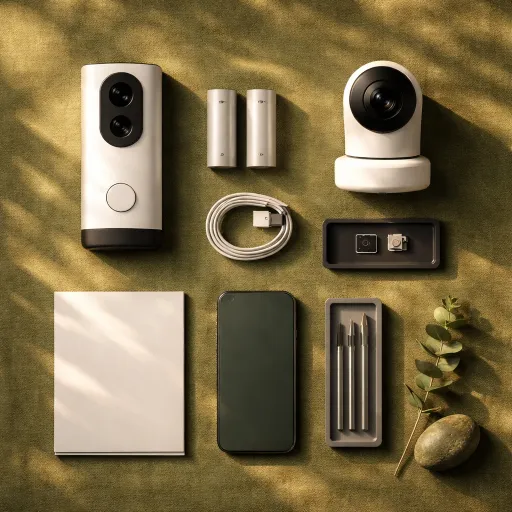
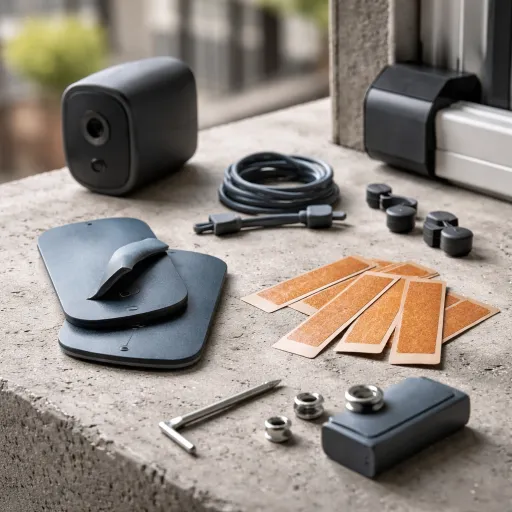
The kit is basically a full starter package. You get: the 8‑channel NVR with a 500 GB hard drive pre‑installed, four 5 MP PTZ outdoor cameras, power supplies, a short HDMI cable, a mouse, a short network cable for the router, and screws/positioning stickers. You still need your own longer Ethernet cables to run from the NVR to each camera if you’re putting them around the house, because the ones in the box are only a couple of metres. So budget for that.
Setup flow in practice went like this for me: plug the NVR into power, connect it to the router with the included network cable, hook it to a monitor or TV via HDMI, plug in the mouse, then run Ethernet from the NVR to each camera. As soon as each camera got power, it popped up on the screen. The interface walks you through a basic wizard: set time, set password, and choose recording mode. For a basic 24/7 setup, you barely have to touch anything else.
The app side is done through CloudEye 365. You scan the QR code on the NVR and link it to your account. Remote viewing worked fine on 4G and Wi‑Fi once I opened the app permissions. There’s a bit of delay when controlling PTZ over the app, but nothing crazy. You can switch between live view, playback, and PTZ control. It’s not the slickest UI compared to brands like Reolink, but after a couple of days I knew where everything was.
One important point: the listing and some reviews talk about a 3 TB drive, but this specific version states 500 GB. Mine behaved like a 500 GB drive in the storage menu. For 4 cameras recording 24/7 in 5 MP, that fills up fairly quickly (a few days depending on bitrate). You can expand up to 6 TB, but that’s an extra cost. So if you want long retention, plan on swapping the drive later.
How well it actually secures the house day to day
From a pure security point of view, this kit does what I wanted: 24/7 recording, reliable connection, and decent alerts. Because it’s PoE, once you’ve run the cables, the link is rock solid. I didn’t have any random disconnects like I used to see with Wi‑Fi cameras when the microwave was on or when the router had a bad day. The NVR just sits there, records everything, and you can scrub back through the timeline whenever you want.
Motion alerts to the phone are reasonably quick, usually a couple of seconds after movement starts. The AI human detection helps cut down on false alerts, but it’s not magic. I still got some notifications from tree shadows and cats until I tightened the detection zones. The built‑in siren and strobe are loud and very obvious. I tested them once at night, and honestly, I turned them off after because it felt a bit over the top for my area. I ended up just using the lights and notifications, which are enough for me.
The two‑way audio works, but you need to manage expectations. You can talk to someone at the door, but there is a small delay and the speaker on the camera is not hi‑fi. People can hear you, you can hear them, and that’s it. It’s handy for deliveries: I told a courier to leave a parcel in a safe spot without opening the door. Just don’t expect smooth back‑and‑forth conversation like a phone call.
For coverage, the PTZ really helps. I replaced what used to be two fixed cameras at the front with a single PTZ. With presets and a bit of patience, you can cover driveway, gate, and front door. The downside is that if the camera is pointing one way and something happens behind it, you obviously don’t see it at that second. Auto‑tracking partly solves that, but for critical areas you might still want more than one camera or careful positioning. Overall, as a home system, I’d say it’s effective and gives a clear sense of what’s going on around the property, as long as you’re willing to spend time setting it up properly.
Pros
- PoE wired connection is stable and avoids Wi‑Fi dropouts
- Four PTZ cameras with wide coverage and usable auto‑tracking
- No monthly subscription and NVR comes with a pre‑installed hard drive
Cons
- 500 GB storage is small for 24/7 recording of four cameras
- Setup and cabling require some DIY skills and time
- Interface and app feel a bit dated and need tweaking for best results
Conclusion
Editor's rating
If you want a straightforward, wired CCTV setup with proper PTZ cameras and you’re not scared of running Ethernet cables, this Camcamp kit is a decent option. The image quality is good enough to clearly see faces and number plates at normal distances, the colour night vision and spotlights help a lot in darker areas, and the PoE connection means it just works once installed. The NVR records 24/7 without needing any subscription, and the app gives you remote access, notifications, and PTZ control from your phone. It feels like a real CCTV system rather than a toy smart camera.
It’s not perfect though. The interface looks dated, the app is a bit clunky, and the auto‑tracking and AI detection need some tweaking before they behave properly. The 500 GB hard drive is on the small side for continuous recording, and there are a few reports of camera failures, so I’d definitely test everything thoroughly within the return window. Also, if you’re not handy with tools, installation can be a bit of a project, and paying someone to do it will eat into the value.
I’d recommend this to people who want: wired reliability, full‑time recording, and the flexibility of PTZ cameras (homeowners with drives/gardens, small shops, farms, workshops). If you live in a flat, just want a simple door camera, or hate dealing with cables and settings, you’re probably better off with a simpler Wi‑Fi doorbell or a small wireless kit. For the right user, though, this Camcamp system gets the job done without needing a monthly subscription and gives a solid feeling of control over what’s happening around the property.