

Understanding ethernet powered CCTV systems
What Makes Ethernet Powered CCTV Different?
Ethernet powered CCTV systems, often called Power over Ethernet (PoE) camera systems, use a single ethernet cable to deliver both power and data to each camera. This approach simplifies installation and reduces the need for multiple cables or nearby power outlets. PoE cameras connect directly to a network video recorder (NVR) or a PoE switch, making them a popular choice for homeowners seeking a reliable and scalable security solution.
Core Components of a PoE Security System
- PoE Cameras: These surveillance cameras receive power and transmit video signals through the same ethernet cable, ensuring stable video quality and easy placement.
- PoE NVR: The network video recorder manages video storage, recording, and playback. It often includes multiple channels to support several cameras in one system.
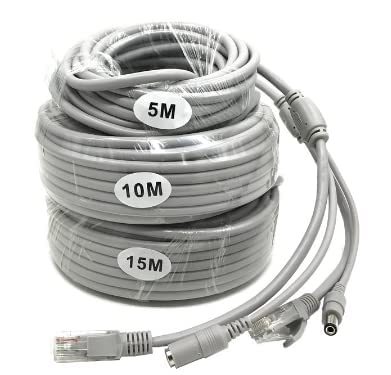
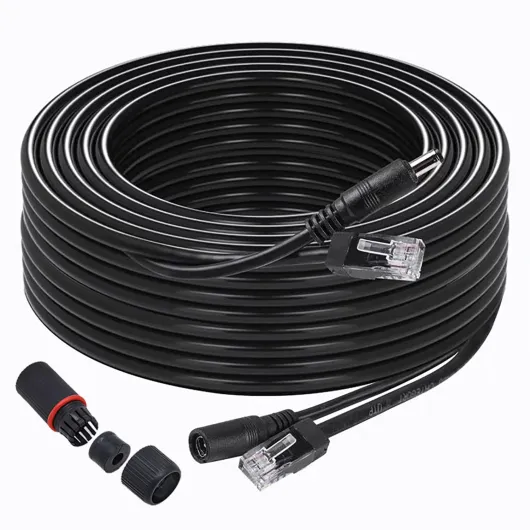
- Ethernet Cable: Cat5e or Cat6 cables are commonly used, supporting both power and high-definition video transmission over long distances.
- Hard Drive: Integrated into the NVR, it stores recorded footage for later review, with storage capacity depending on the number of cameras and video quality settings.
Popular Features and Brands
Modern PoE security cameras offer advanced features like motion detection, color night vision, and high-definition video. Brands such as Reolink and others available on Amazon are recognized for their reliable camera systems, offering options for both indoor and outdoor surveillance. Many systems support expandable channels, letting homeowners add more cameras as needed.
Why Choose PoE for Home Security?
- Consistent Power: No need for separate power adapters or outlets near each camera.
- High Video Quality: Stable ethernet connections mean less interference and better video clarity, especially important for night vision and motion detection.
- Centralized Video Storage: Footage is stored on a local hard drive in the NVR, offering more control over your video storage and privacy.
For homeowners interested in how advanced camera technology is shaping the future of home security, check out this resource on how Wisenet camera technology is changing home security.
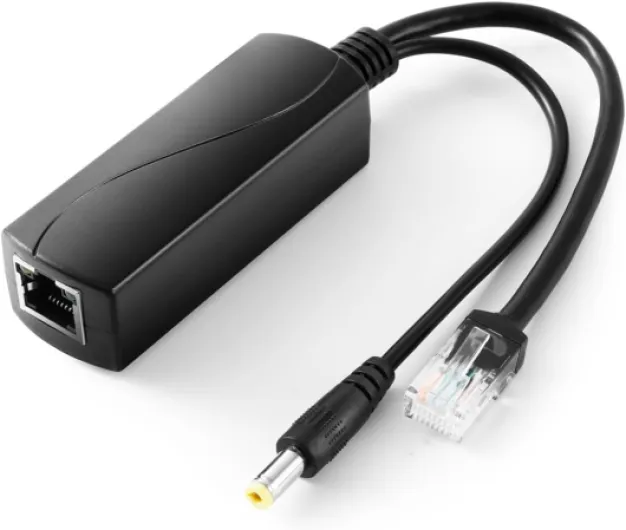
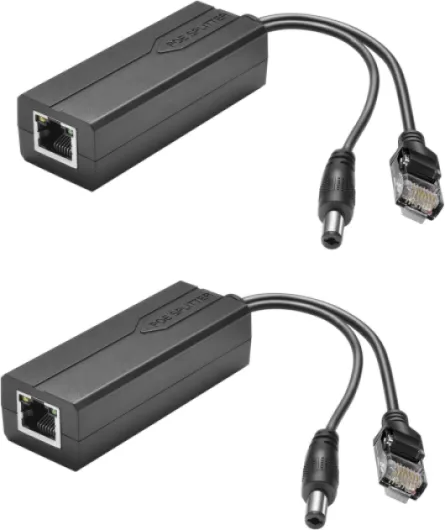
- + Gigabit Speed: Supports 10, 100, 1000Mbps
- + Power Over Ethernet: Compliant with IEEE 802.3af/at
- + Output: 12V 2A for reliable power
- + Ideal for: Security Cameras and CCTV surveillance
- + Compatible Plug: 5.5x2.1mm DC Plug

Key benefits of ethernet powered CCTV for homeowners
Why Homeowners Choose Ethernet Powered CCTV
Ethernet powered CCTV systems, often called PoE (Power over Ethernet) camera systems, are gaining popularity among homeowners looking for reliable and efficient security solutions. These systems combine power and data transmission through a single ethernet cable, making installation and maintenance much simpler compared to traditional setups.
- Reliable Power and Data: With PoE cameras, both power and video signals travel through one cable. This reduces clutter and the risk of power issues, ensuring your security cameras stay online when you need them most.
- High Video Quality: Ethernet connections support higher bandwidth, which means better video quality and smoother footage. This is especially important for surveillance cameras with features like color night vision and motion detection.
- Centralized Video Storage: Many PoE camera systems use a network video recorder (NVR) with a hard drive for local video storage. This setup offers more control over your footage and can be more secure than relying solely on cloud storage.
- Scalability: Adding more cameras to your security system is straightforward. Most PoE NVRs support multiple channels, so you can expand your coverage as needed without complicated rewiring.
- Enhanced Night Vision: Modern PoE security cameras often come with advanced night vision, including color night options, providing clear images even in low-light conditions.
- Cost-Effective Installation: Since power and data run through the same ethernet cable, installation is less labor-intensive and often more affordable. This is especially true for larger homes or properties with multiple surveillance cameras.
For homeowners interested in maximizing their security, features like motion detection and high-definition video quality are essential. Brands like Reolink offer some of the best PoE cameras available on Amazon, with options for different budgets and needs. Whether you’re looking for a single camera or a full camera system, PoE security systems provide flexibility and robust protection.
If you want to learn more about how motion sensor cameras can further enhance your home security, check out this guide on how a motion sensor camera can enhance your home security.
How ethernet powered CCTV integrates with Ring cameras
Connecting Ring Cameras with PoE CCTV Systems
Many homeowners are interested in combining their Ring cameras with ethernet powered CCTV systems for a more robust security setup. While Ring cameras are primarily Wi-Fi based, you can integrate them with PoE (Power over Ethernet) camera systems for enhanced video quality, reliable power, and centralized video storage. Here’s how these systems can work together to strengthen your home security:
- Unified Surveillance: By using a PoE NVR (Network Video Recorder) system alongside your Ring cameras, you can monitor both PoE cameras and Ring devices from a single interface. This is especially useful if you want to expand your security system with additional channels or surveillance cameras that offer features like color night vision and advanced motion detection.
- Video Storage Options: PoE camera systems often include a hard drive for local video storage, providing a backup to the cloud storage offered by Ring. This dual approach ensures your video footage is accessible even if your internet connection is interrupted.
- Power and Connectivity: PoE cameras draw both power and data through a single ethernet cable, reducing installation complexity and ensuring consistent operation. While Ring cameras typically use Wi-Fi, some models support ethernet connections for more stable performance, especially in areas with weak wireless signals.
- Enhanced Night Vision: Many PoE security cameras, such as those from Reolink or other best-rated brands on Amazon, offer superior night vision capabilities. Integrating these with your Ring system can provide clearer video at night, improving overall security coverage.
For homeowners looking to maximize motion detection accuracy, integrating PoE camera systems with Ring can help reduce false alerts and improve real-time monitoring. If you want to learn more about optimizing motion sensitivity, check out this guide on understanding motion sensitivity in Ring cameras.
Ultimately, combining ethernet powered CCTV with Ring cameras creates a flexible, scalable, and reliable security system. Whether you’re adding a new channel NVR, upgrading to the best PoE camera system, or simply looking for better video quality and storage, this integration offers a comprehensive approach to home surveillance.
Installation tips for ethernet powered CCTV
Preparing for a Smooth Setup
Before starting the installation of your ethernet powered CCTV system, gather all the necessary components. This typically includes PoE cameras, a PoE NVR, ethernet cables, a compatible hard drive for video storage, and mounting hardware. Make sure your network infrastructure can support the number of cameras you plan to install. Many modern camera systems, like Reolink or other best PoE security cameras, offer clear instructions and compatibility details on their websites or product manuals.
Choosing the Right Locations for Cameras
Identify key areas around your property that require surveillance. Entry points, driveways, and backyards are common choices. Position your security cameras to maximize coverage and minimize blind spots. For night vision and motion detection, ensure the cameras are not obstructed by trees or walls. Color night vision features are best utilized in areas with some ambient lighting.
Running Ethernet Cables Efficiently
Ethernet cables provide both power and data to PoE cameras, simplifying installation. Plan cable routes to avoid electrical interference and physical damage. Use weatherproof ethernet cables for outdoor installations. If you have a multi-channel NVR, label each cable to match the corresponding camera channel for easier troubleshooting later.
Mounting and Connecting Your Cameras
- Securely mount each PoE camera using the provided hardware.
- Connect the ethernet cable from each camera to the PoE NVR or PoE switch.
- Install the hard drive into the NVR for local video storage if not pre-installed.
- Power up the system and check each camera’s video quality and night vision capabilities.
Integrating with Existing Security Systems
If you are adding PoE security cameras to an existing security system or integrating with smart home devices, follow the manufacturer’s guidelines for compatibility. Many systems allow you to add additional surveillance cameras or upgrade to higher resolution models for better video quality. Some brands, like Reolink, offer flexible options for expanding your camera system.
Testing and Fine-Tuning
After installation, test all cameras for motion detection, night vision, and video recording. Adjust camera angles and detection zones as needed to optimize coverage. Regularly check the hard drive status and video storage settings to ensure continuous recording. For best results, periodically review footage and update firmware to maintain security and performance.
Security and privacy considerations
Protecting Your Data and Privacy
When using ethernet powered CCTV systems, especially those integrated with Ring cameras, it's essential to consider how your video and personal data are handled. Modern security cameras, including PoE cameras and NVR systems, often store footage on a hard drive or transmit video over your network. Ensuring your system uses encrypted connections and secure video storage helps protect against unauthorized access.
- Encryption: Choose camera systems that support encrypted video transmission and storage. This is vital for both live feeds and archived footage on your NVR or hard drive.
- Access Controls: Set strong, unique passwords for your camera system and NVR. Regularly update credentials and limit access to trusted users only.
- Firmware Updates: Keep your cameras, NVR, and related software up to date. Manufacturers like Reolink and others release updates to patch vulnerabilities and improve security.
Network Security Best Practices
Since PoE security cameras rely on your home network, securing your ethernet cable connections and router is crucial. A compromised network can expose your video feeds and stored footage.
- Use a separate VLAN or network segment for your surveillance cameras and NVR to isolate them from other devices.
- Enable firewalls and disable unused network ports to reduce the risk of unauthorized access.
- Monitor your network for unusual activity, especially around night vision and motion detection events.
Privacy Considerations for Homeowners
Installing security cameras, especially those with advanced features like color night vision and motion detection, raises privacy questions. Be mindful of where your cameras are pointed—avoid areas where neighbors or visitors might expect privacy. Many regions have laws about recording audio or video, so check local regulations before installation.
- Display clear signage indicating the presence of surveillance cameras.
- Configure your camera system to mask or blur areas outside your property if possible.
- Review your system’s privacy settings regularly, especially after updates or changes to your installation.
Balancing Security and Convenience
While features like remote access, high video quality, and easy installation make PoE camera systems attractive, always weigh convenience against potential risks. Choosing the best PoE NVR and security system means considering not just video quality and storage, but also how well your data and privacy are protected. Reliable brands and systems available on Amazon or through specialized retailers often provide better support and security features.
Troubleshooting common issues with ethernet powered CCTV
Common Problems and Practical Fixes
Even the best poe security camera systems can run into issues. Here are some frequent problems homeowners encounter with ethernet powered CCTV and practical ways to address them:
- No Video Signal: If your poe camera or poe nvr shows no video, first check the ethernet cable connections. A loose or damaged cable can disrupt both power and video transmission. Try swapping cables or ports to isolate the issue.
- Poor Video Quality: Blurry or pixelated footage from your security cameras can be caused by low bandwidth or interference. Ensure your network can handle the video quality settings, especially for high-resolution night vision or color night vision cameras. Adjust the bitrate or resolution in your camera system settings if needed.
- Camera Not Powering On: If a poe camera fails to power up, confirm that the poe switch or injector is functioning. Some poe cameras require a specific power standard (like 802.3af or 802.3at). Double-check compatibility between your poe nvr, switch, and cameras.
- Motion Detection Not Working: For systems with motion detection, ensure detection zones are set up correctly in the software. Firmware updates for your security system can also resolve detection bugs.
- Storage Issues: If your hard drive or video storage is full, the system may stop recording. Regularly check your nvr’s storage status and set up automatic overwriting or add a larger hard drive if needed.
- Remote Access Problems: Trouble viewing your surveillance cameras remotely? Confirm your nvr is connected to the internet and that port forwarding is set up if required. Some poe nvr systems also need updated apps for mobile access.
When to Seek Professional Help
While many installation and troubleshooting steps are straightforward, some issues—like persistent power failures or complex network conflicts—may require a professional installer. This is especially true for large camera systems with multiple channel nvr units or advanced video analytics.
Maintaining Your System for Long-Term Security
- Regularly clean camera lenses for the best video quality, especially for outdoor security cameras exposed to the elements.
- Update firmware on your poe nvr and cameras to patch security vulnerabilities and improve features like night vision or motion detection.
- Check all ethernet cable connections and replace any that show signs of wear.
Brands like Reolink and other top-rated systems on Amazon offer detailed support guides for their poe cameras and security systems. Following these troubleshooting steps helps keep your home security running smoothly, day and night.