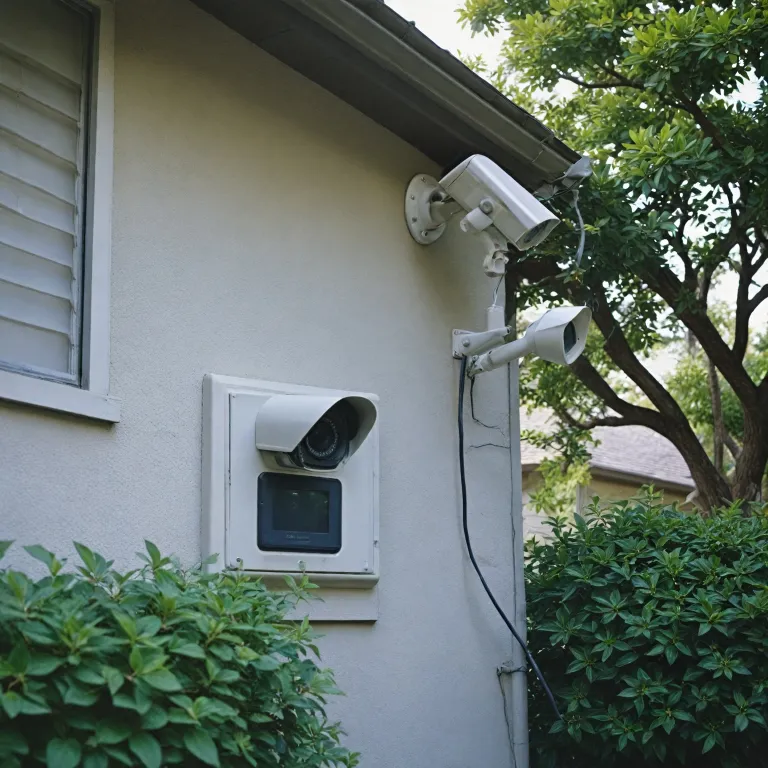

Understanding the basics of wiring outdoor security cameras
What Makes Outdoor Camera Wiring Different?
Wiring outdoor security cameras is not quite the same as setting up indoor systems. Outdoor environments expose your camera wires and cables to weather, temperature swings, and potential tampering. This means you need to think carefully about the type of cables, the way you run them, and how you protect each connection. The right approach will help your camera system last longer and work reliably, even in tough conditions.
Key Components of a Wired Security Camera Setup
Most outdoor security cameras need two things: power and a way to send video back to your recorder or network. Some systems use separate wires for power and data, while others, like PoE (Power over Ethernet) cameras, combine both in a single ethernet cable. Understanding the difference between these systems is essential before you start your installation. You’ll also need to consider the gauge of your wires, especially if you’re running security camera cables over long distances.
- Power cables: Deliver electricity to your cameras. Some use low-voltage wires, while others may require a dedicated power source.
- Ethernet cables: Used for PoE cameras, these cables carry both power and data, simplifying installation.
- Coaxial cables: Older camera systems often use these for video transmission, sometimes paired with a separate power wire.
- Fish tape: A tool that helps you pull wires through walls or conduit, making the process easier and neater.
Wired vs. Wireless Security Cameras
While wireless security cameras are popular for their easy installation, wired systems offer more reliability and are less prone to interference. Wired camera systems are ideal for permanent setups where you want consistent power and a stable connection. If you’re considering a pole-mounted camera for broader coverage, check out this guide to pole-mounted security cameras for more insights.
Understanding the Installation Process
Before you start running cables or drilling holes, it’s important to plan your installation. Think about where your cameras will go, how you’ll route the wires, and what tools you’ll need. The next sections will cover how to choose the right cables and equipment, plan your camera placement, and follow safety precautions during installation. By understanding these basics, you’ll be better prepared for a smooth and secure camera wiring project.
Choosing the right cables and equipment
Key Factors in Selecting Cables and Equipment
Choosing the right cables and equipment is a crucial step for a reliable security camera installation. The type of wire you select will impact your camera system’s performance, durability, and safety. Here’s what to consider before you start running wires or drilling holes for your outdoor security cameras.
- Power Source: Decide if your cameras will use Power over Ethernet (PoE) or require separate power cables. PoE systems allow both power and data to run through a single ethernet cable, simplifying installation and reducing cable clutter.
- Ethernet Cables: For PoE cameras, use high-quality ethernet cables like Cat5e or Cat6. These cables are designed for outdoor use and can handle both power and data transmission. Make sure the cable is rated for outdoor or direct burial if you plan to run it underground.
- Gauge Wires: If your security cameras need a separate power supply, select the correct gauge wires. Thicker wires (lower gauge numbers) are better for longer runs, as they reduce voltage drop and maintain stable power to your cameras.
- Weatherproofing: Outdoor camera wiring must withstand rain, sun, and temperature changes. Use weatherproof cables and connectors, and protect all connections with waterproof tape or enclosures to prevent corrosion and short circuits.
- Fish Tape and Tools: Invest in fish tape for pulling cables through walls or conduit, and use a quality drill for making holes. These tools make the installation process smoother and safer.
- PoE Switch: For larger camera systems, a PoE switch can power multiple cameras from a single location, reducing the need for multiple power adapters and simplifying wiring security for your home.
For a hands-on look at a robust camera system and its wiring requirements, check out this test of an outdoor 4 XR six-camera system. It covers real-world installation tips and highlights the importance of choosing the right equipment for your security needs.
As you move forward, keep these factors in mind to ensure your camera wiring is safe, efficient, and built to last. Proper equipment selection will make the next steps—planning placement and running cables—much easier and more effective.
Planning your camera placement and cable routes
Mapping Out Your Security Camera Coverage
Before you start running cables or drilling holes, it’s important to map out exactly where you want your security cameras. Think about the main entry points, driveways, and any blind spots around your property. Good planning helps avoid unnecessary wiring and ensures you get the best coverage from your camera system.- Walk around your property and note potential mounting spots for each camera.
- Consider the field of view for each camera—avoid obstructions like trees or gutters.
- Make sure your cameras will be within reach of power sources or, if using PoE, your ethernet cables and PoE switch.
Planning Cable Routes for Safe and Efficient Installation
Once you know where your cameras will go, plan the cable routes. This step is crucial for both wired and PoE security camera systems. Try to keep cable runs as short and direct as possible to minimize signal loss and reduce the risk of damage.- Use fish tape to help guide wires through walls or tight spaces.
- When running security camera wires outdoors, choose weather-resistant cables and use conduit for extra protection.
- Keep cables away from high-voltage lines to avoid interference.
- Mark the locations where you’ll need to drill holes for cable entry points.
Factoring in Power and Connectivity Needs
Decide if you’ll use traditional power adapters, PoE, or a combination. PoE (Power over Ethernet) simplifies installation by delivering both power and data through a single ethernet cable. If you’re using wireless security cameras, you’ll still need to plan for power unless the cameras are battery-operated.- Check the gauge of wires needed for your camera wiring—thicker wires are better for longer runs.
- For PoE systems, ensure your ethernet cables are rated for outdoor use and are long enough to reach your PoE switch.
- Plan for future expansion by leaving extra slack in your cables and considering additional camera placements.
Safety precautions when installing outdoor wiring
Essential Safety Measures Before You Start
- Turn Off Power: Always switch off the power at the breaker before handling any wiring. This is crucial to prevent electrical shock when working with camera wires, power cables, or installing a new camera system.
- Use the Right Tools: Equip yourself with insulated tools, a voltage tester, and fish tape for running wires through walls or tight spaces. These tools help minimize risk and make the installation process smoother.
- Wear Protective Gear: Safety goggles and gloves are essential when drilling holes or handling cables outdoors. This protects you from debris and accidental contact with live wires.
- Check Local Codes: Before you install security cameras or run new wiring, verify local electrical codes and building regulations. Some areas require permits or specific types of cables for outdoor installations.
Safe Handling of Cables and Connections
- Weatherproofing: Use weatherproof junction boxes and cable covers to protect connections from rain, snow, and UV exposure. This extends the life of your camera wiring and reduces the risk of shorts or corrosion.
- Secure All Wires: Fasten cables with cable clips or conduit to prevent sagging and accidental damage. Avoid running security camera wires where they could be tripped over or chewed by animals.
- Choose Proper Gauge Wires: Match the gauge of your wires to the power requirements of your camera system. Using the wrong gauge can lead to overheating or power loss, especially for longer cable runs or PoE systems.
- Label Everything: Clearly label each wire and connection point. This makes troubleshooting easier and helps prevent mistakes during installation or future upgrades.
Best Practices for Outdoor Installation
- Avoid Water Hazards: Never run cables through areas prone to flooding or standing water. Use drip loops to prevent water from following the cable into your camera or junction box.
- Plan for Expansion: Leave extra slack in your cables and consider conduit for future upgrades. This makes it easier to add more cameras or replace wires security without redoing the entire installation.
- Test Before Finalizing: After running your ethernet cables or power wires, test each camera and connection before sealing up walls or burying cables. This step can save you time and frustration if adjustments are needed.
Step-by-step guide to wiring your outdoor security cameras
Preparing Your Tools and Materials
Before starting the installation, make sure you have all the necessary equipment. This includes your security cameras, the right gauge wires or ethernet cables (Cat5e or Cat6 for PoE systems), a power source or PoE switch, a drill with appropriate bits, fish tape, cable clips, electrical tape, and a screwdriver. Double-check that your camera system matches the wiring method you plan to use, whether it’s traditional power and video cables or a single ethernet cable for PoE.Marking and Drilling Entry Points
Identify where each camera will be mounted. Mark the spots where wires will enter your home or junction box. Use a drill to create holes just large enough for your cables. If you’re running security camera wires through exterior walls, angle the drill hole slightly downward to prevent water from following the cable inside.Running Cables and Wires
Use fish tape to pull cables through walls or tight spaces. For longer runs, especially with ethernet cables, avoid sharp bends and keep cables away from high-voltage wires to reduce interference. Secure the cables with cable clips or conduit for added protection and a tidy installation. If you’re wiring security cameras in multiple locations, label each cable to keep track of which wire goes to which camera.- For PoE camera systems, connect each ethernet cable from the camera to the PoE switch or NVR.
- For traditional systems, run separate power and video cables from each camera to the DVR and power supply.
Making Secure Connections
Strip the ends of each wire as needed and connect them to the camera terminals or ports. For ethernet cables, use pre-made cables or crimp your own connectors. Make sure all connections are tight and protected with electrical tape or weatherproof covers. Double-check polarity and color codes for power wires to avoid damaging your camera system.Powering Up and Testing
Once all wiring is complete, plug in your power supply or activate your PoE switch. Turn on the camera system and check each camera feed. Adjust camera angles as needed. If a camera isn’t working, recheck the cable connections and ensure the wire gauge is appropriate for the distance. Proper installation and testing help ensure your security cameras will provide reliable protection for your property.Troubleshooting common wiring issues
Identifying and Fixing Power Issues
When your security cameras are not powering on, start by checking the power source. Make sure the outlet or power supply is working. If you are using a PoE switch, confirm that the ethernet cables are properly connected and the switch is functioning. For cameras that use gauge wires for power, inspect the wire connections for any loose or exposed wires. A multimeter can help verify if power is reaching the camera system.
Addressing Video Signal Problems
If your camera is not displaying video, inspect the camera wiring and cable connections. Ethernet cables should be securely plugged into both the camera and the network device. For analog systems, check the BNC connectors and ensure the cable camera connections are tight. Damaged or kinked cables can disrupt the video signal, so replace any faulty wires security as needed.
Resolving Connectivity Issues
For networked security cameras, unstable connections can often be traced to poor cable runs or interference. Make sure the ethernet cables are not running parallel to high-voltage wires, which can cause signal loss. Use fish tape to reroute cables if necessary, keeping them away from sources of electrical noise. If you are using wireless security cameras, check the Wi-Fi signal strength and consider relocating your router or camera for better coverage.
Dealing with Weather-Related Wiring Problems
Outdoor camera systems are exposed to the elements, which can affect wiring security. Inspect all outdoor cable and wire connections for water ingress or corrosion. Use weatherproof junction boxes and seal all entry points with electrical tape or silicone to prevent moisture from reaching the camera wires. Regularly check these areas, especially after storms or heavy rain.
Quick Reference Table: Common Issues and Solutions
| Issue | Possible Cause | Solution |
|---|---|---|
| No power to camera | Loose wire, faulty power supply, bad PoE switch | Check connections, test power source, replace faulty parts |
| No video signal | Damaged cable, poor connections | Inspect and replace cables, secure connectors |
| Intermittent connection | Interference, poor cable routing | Reroute cables, avoid high-voltage wires |
| Water damage | Improper sealing, exposed wires | Seal connections, use weatherproof boxes |
When to Seek Professional Help
If you have followed this guide and your security camera system is still not working, it may be time to consult a professional. Complex wiring security issues, especially with large camera systems or integrated alarm systems, can require specialized tools and expertise. A certified installer can ensure your installation meets safety standards and operates reliably.