
Understanding doorbell cameras without subscription
Why Choose a Doorbell Camera Without a Subscription?
Many people are looking for a smart doorbell or video doorbell that doesn’t require a monthly subscription. The main reason is to avoid ongoing costs while still getting reliable security at the front door. Subscription-free doorbell cameras let you access video footage, audio, and notifications without paying extra fees. This makes them appealing for customers who want to control their own video storage and privacy.
How Do Subscription-Free Doorbell Cameras Work?
Most doorbell cameras that work without a subscription use local storage, such as a microsd card, instead of cloud storage. This means your video and audio recordings stay on the device or a local hub. Some models offer both wireless and wired options, so you can choose what fits your existing doorbell wiring or battery needs. Wireless video doorbells are popular for their easy installation and flexibility, while wired models can offer continuous power and sometimes better video quality.
What to Expect from a Subscription-Free Video Doorbell
- Local video storage: Save recordings directly to a microsd card or local device.
- No monthly fees: Access live video, motion alerts, and two-way audio without paying extra.
- Smart features: Many products still offer night vision, color night vision, and app controls.
- Compatibility: Some models work with amazon alexa or other smart home systems.
- Customer reviews: Look for products with high stars and positive feedback on video quality and reliability.
Understanding Continuous Recording and Storage
One important factor is how your doorbell camera handles video storage. Some subscription-free doorbells offer continuous recording, while others only record when motion is detected. If you want to learn more about the benefits of continuous recording cameras, this guide on continuous recording cameras explains the pros and cons.
Who Should Consider a Subscription-Free Doorbell Camera?
If you value privacy, want to avoid monthly fees, or need a product that works with your existing doorbell or wifi setup, a subscription-free video doorbell can be a great choice. These devices are ideal for people who want control over their security cameras and video storage, whether you prefer a rechargeable battery or wired installation. As you explore your options, pay attention to features like night vision, audio quality, and app usability to find the best fit for your home.
Key features to look for in a subscription-free doorbell camera
Essential Qualities for a Subscription-Free Doorbell Camera
When searching for a doorbell camera that works well without a subscription, it's important to focus on features that ensure reliable security and convenience. Many smart doorbells offer advanced capabilities, but not all provide full functionality without monthly fees. Here are the key aspects to consider:
- Local Video Storage: Look for doorbell cameras that support microSD cards or other local storage options. This allows you to save video clips directly on the device, so you don’t rely on cloud storage or pay extra for video storage. Some wireless video doorbells offer built-in storage, while others require you to insert a microSD card.
- Quality Video and Night Vision: High-definition video, preferably 1080p or higher, ensures you can clearly see people at your door. Color night vision or enhanced night vision is also valuable for monitoring your entryway after dark.
- Reliable Power Options: Decide between a battery-powered or wired doorbell camera. Rechargeable battery models offer flexible installation, while wired options connect to your existing doorbell wiring for continuous power. Some products provide both options for added convenience.
- Strong WiFi Connectivity: A stable wifi connection is crucial for smooth video streaming and instant alerts. Check customer reviews to see how well the camera maintains a connection, especially if your router is far from the door.
- Two-Way Audio: This feature lets you communicate with visitors through the camera’s app, adding an extra layer of security and convenience. Clear audio quality is essential for effective conversations.
- Smart Home Integration: If you use platforms like Amazon Alexa, look for doorbell cameras that can connect with your smart home system. This allows for voice commands and easier control of your security cameras.
- App Experience: A user-friendly app is key for managing your doorbell camera, viewing video clips, and adjusting settings. Check customer reviews for feedback on app reliability and ease of use.
- Privacy and Security: Ensure the product offers strong encryption and privacy controls, especially if you’re not using a subscription service. Some doorbell cameras have customizable privacy zones and secure video storage options.
For more details on understanding specific features, such as what the blue flash on your Ring doorbell means, you can read this guide to Ring doorbell indicators.
Remember, the best doorbell camera for you will depend on your home’s setup and your personal security needs. As you compare products, pay attention to customer reviews and ratings (such as stars) to gauge real-world performance and satisfaction.
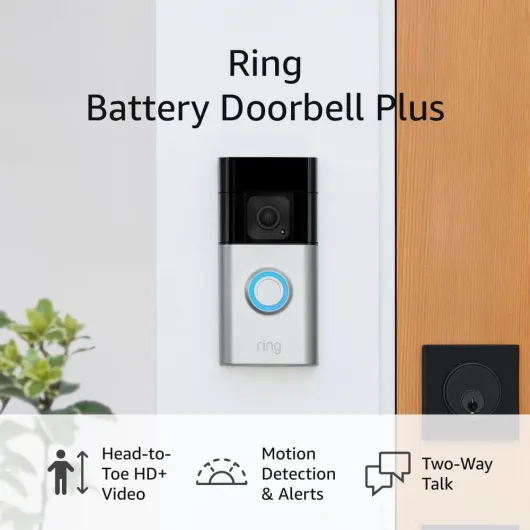
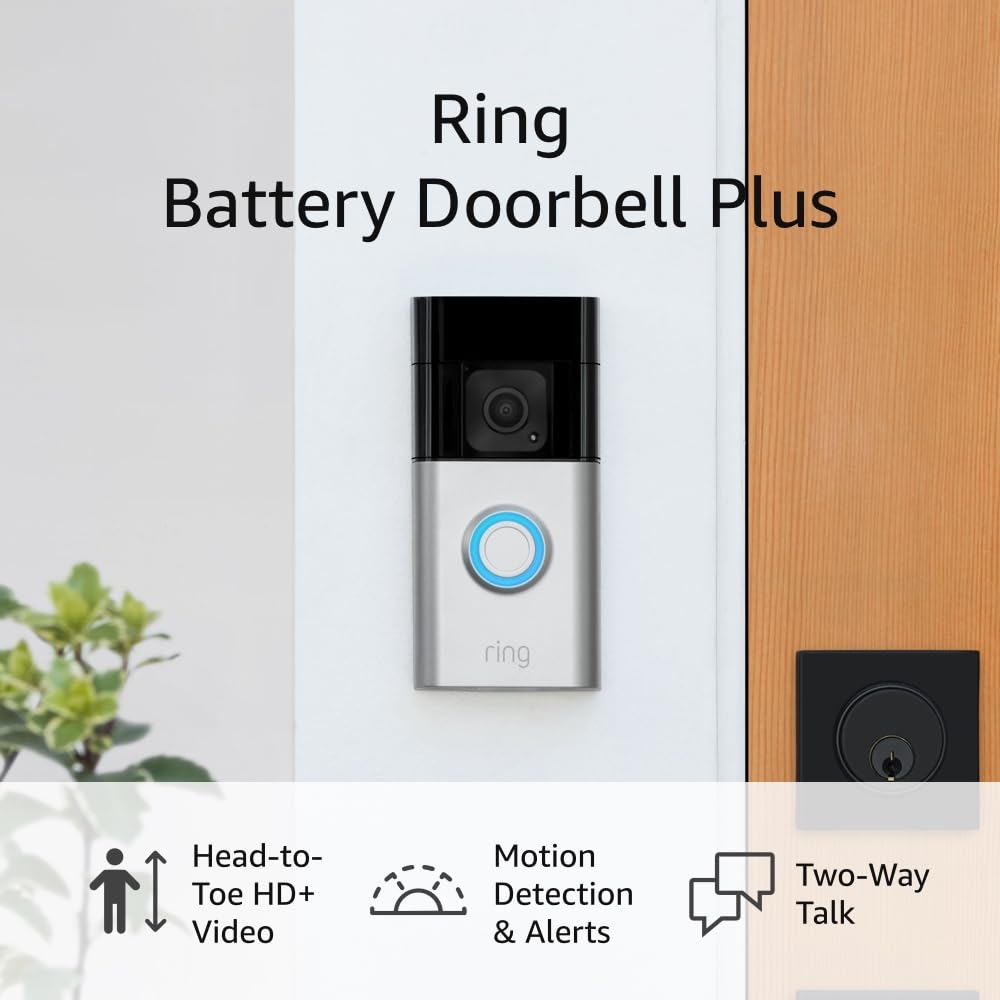
- + HD+ Video quality
- + Motion detection & alerts
- + Two-Way Talk feature
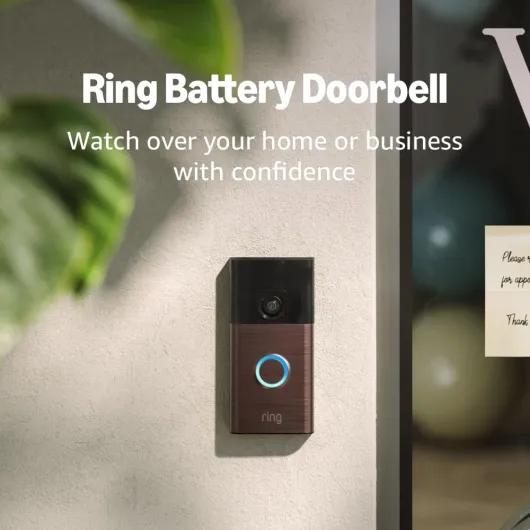
- + Suitable for home or business

Comparing top doorbell cameras with no monthly fees
Popular Doorbell Cameras Without Monthly Fees
When looking for a smart doorbell camera that works great without a subscription, several products stand out for their quality video, reliable security, and user-friendly features. Here’s a comparison of some of the top-rated options based on customer reviews, video storage capabilities, and overall performance.| Product | Video Quality | Power Source | Storage | Key Features | Customer Ratings |
|---|---|---|---|---|---|
| Eufy Security Video Doorbell | 2K HD | Wired / Battery | Local (16GB eMMC) | Color night vision, no monthly fees, app alerts, two-way audio | 4.6 stars |
| Arlo Essential Wireless Video Doorbell | HD | Rechargeable Battery / Wired | MicroSD card (with base station) | Wide field of view, wireless, app integration, night vision | 4.3 stars |
| Amcrest Video Doorbell Camera Pro | 1080p | Wired | MicroSD card (up to 128GB) | Motion detection, local storage, two-way audio, works with Amazon Alexa | 4.2 stars |
| Remo+ RemoBell S | 1080p | Wired | Free cloud (3 days), local storage via microSD card | Motion zones, app notifications, night vision | 4.0 stars |
What Sets These Doorbells Apart?
- Local Storage: Most of these video doorbells offer microSD card or built-in storage, so you don’t need a subscription for video storage. This is a key advantage for people who want to avoid ongoing fees.
- Flexible Power Options: Whether you have existing doorbell wiring or prefer a wireless video doorbell with a rechargeable battery, there are options to suit your setup.
- Smart Features: Features like two-way audio, motion detection, and color night vision are available even without a subscription. Many products also integrate with Amazon Alexa for hands-free control.
- Customer Reviews: These smart doorbells consistently receive high ratings for video quality, ease of use, and reliable security.
Considerations When Choosing a Subscription-Free Doorbell Camera
- App Experience: The app is crucial for managing alerts, viewing live video, and communicating with visitors. Make sure the app is user-friendly and supports your mobile devices over wifi.
- Video Storage: Check if the product supports microSD cards or has built-in storage. Some doorbell cameras offer limited free cloud storage, but local storage is often more reliable and private.
- Installation: Decide if you want a wired or wireless model. Wired options may require doorbell wiring, while wireless video doorbells are easier to install and move.
- Night Vision: Look for color night vision or enhanced infrared for clear video at night.
How to set up and use a doorbell camera without a subscription
Getting Your Doorbell Camera Up and Running
Setting up a doorbell camera without a subscription is straightforward, but a few steps can make the process smoother. Whether you choose a wireless video doorbell or a wired option, most smart doorbells are designed for easy installation and use. Here’s what to expect:
- Check Compatibility: Make sure your chosen video doorbell works with your existing doorbell wiring or is suitable for battery-powered use. Some models offer both options, giving flexibility for different homes.
- Power Source: For wireless doorbell cameras, ensure the rechargeable battery is fully charged before installation. Wired doorbells may need to be connected to your home’s doorbell wiring, so turn off the power for safety.
- Mounting: Most doorbell cameras come with mounting kits. Place the camera at a height that captures clear video of people at your door. Customer reviews often mention that proper placement improves night vision and overall video quality.
- Connecting to WiFi: Use the camera’s app to connect to your home wifi. A strong wifi signal ensures smooth video streaming and reliable notifications.
- App Setup: Download the product’s app on your smartphone. This is where you’ll access live video, two-way audio, and adjust settings like motion detection or video storage preferences.
- Local Storage: If your doorbell camera supports a microsd card, insert it for local video storage. This feature is key for avoiding monthly fees and keeping your footage private.
- Integrations: Many smart doorbells work with platforms like Amazon Alexa, letting you view your camera feed on compatible devices.
Tips for Everyday Use
- Test the camera’s video and audio quality after setup. Adjust settings in the app for better motion alerts or color night vision.
- Regularly check the battery level if you have a wireless model. Most apps send reminders when it’s time to recharge.
- Review customer reviews for your product to learn about real-world performance and troubleshooting tips.
- Keep your app and camera firmware updated for the latest security features and improved performance.
Maximizing Security Without a Subscription
- Use strong passwords for your app and wifi network to protect your video doorbell from unauthorized access.
- Enable notifications so you’re alerted to any activity at your door, even without a subscription.
- Take advantage of features like two-way audio and night vision to interact with visitors and monitor your property day or night.
By following these steps, you can enjoy the benefits of a great doorbell camera—like quality video, reliable security, and convenient app controls—without the need for ongoing monthly fees.
Privacy and security considerations for subscription-free cameras
Protecting Your Privacy with Subscription-Free Doorbell Cameras
When you choose a doorbell camera that works without a subscription, privacy and security become even more important. Unlike some smart doorbells that store your video in the cloud, many subscription-free options rely on local storage, such as a microsd card. This means your video footage stays with you, not on a third-party server, reducing the risk of unauthorized access. However, it also means you are responsible for securing your device and data.
- Local storage: Many wireless video doorbells and wired models offer microsd card slots for video storage. Make sure to check the maximum supported capacity and consider encrypted cards for extra security.
- App security: Always use the official app provided by the product manufacturer. Enable two-factor authentication if available, and keep your app updated to protect against vulnerabilities.
- Wifi network: Secure your home wifi with a strong password and WPA3 encryption if possible. This helps prevent unauthorized access to your doorbell camera and other security cameras.
- Firmware updates: Regularly check for firmware updates for your video doorbell. Updates often include important security patches and new features.
- Physical security: Whether you use a battery-powered or wired doorbell camera, install it securely to prevent tampering or theft. Some models offer anti-theft mounts or alarms.
Balancing Convenience and Security
Subscription-free smart doorbells often give you more control over your data, but they may lack some advanced cloud-based features. For example, while you can store quality video locally, remote access and sharing may depend on your home network and app capabilities. Always review customer reviews and product documentation to understand what each camera offers in terms of privacy and security.
Some wireless and wired doorbell cameras support integration with platforms like Amazon Alexa, but be mindful of what data is shared with third-party services. If you use features like audio recording or color night vision, check your local laws regarding consent and privacy.
Tips for Responsible Use
- Inform people that your property uses video doorbells or security cameras, especially if audio is recorded.
- Regularly review your stored footage and delete unnecessary files from your microsd card to maintain privacy.
- For doorbell pro models or those with rechargeable battery, ensure you follow manufacturer guidelines for safe operation and storage.
By taking these steps, you can enjoy the benefits of a great doorbell camera without a subscription while keeping your home and personal data secure.
Common questions about doorbell cameras without subscriptions
Are doorbell cameras useful without a subscription?
Yes, many doorbell cameras offer essential features even without a subscription. You can still get live video, two-way audio, and instant alerts on your phone through the app. Some models provide local storage options, like a microSD card, so you can save video clips without monthly fees. However, advanced features like cloud video storage or person detection may require a subscription for some brands.
How do I store video footage without paying monthly fees?
Look for doorbell cameras that support local storage. These products often have a slot for a microSD card, letting you keep video recordings on the device itself. Others may offer wireless video storage on a home hub or network-attached storage. Always check the product details to confirm if local storage is included and the maximum card size supported.
Will I still get notifications and live view?
Most smart doorbells provide real-time notifications and live video streaming through their app, even without a subscription. This means you can see and talk to people at your door, monitor deliveries, and check security anytime. Customer reviews often highlight the importance of a reliable app and strong wifi connection for these features to work smoothly.
Can I use a doorbell camera with my existing doorbell wiring?
Many wired video doorbells are designed to work with standard doorbell wiring. If you prefer a wireless option, battery-powered models are available and easy to install. Some products even offer rechargeable battery packs for convenience. Always check compatibility with your current setup before purchasing.
What about night vision and video quality?
Quality video is a top priority for security cameras. Most modern doorbell cameras offer HD resolution and night vision, with some featuring color night vision for clearer images after dark. When comparing products, look for customer reviews that mention video clarity and night performance.
Are these cameras compatible with smart home systems?
Many wireless video doorbells work with popular smart home platforms like Amazon Alexa. This allows you to view your camera feed on compatible devices or integrate with other security products. Check the product description for supported integrations.
Is my privacy protected without a subscription?
Subscription-free doorbell cameras often give you more control over your data, especially if you use local storage. Still, always review the privacy policy of the app and product, and use strong passwords for your wifi and camera accounts. Some smart doorbells offer additional security features like two-factor authentication.
How do I choose the right doorbell camera?
- Decide if you want wired or wireless installation
- Check for local storage options like microSD card support
- Read customer reviews for insights on video quality and app reliability
- Look for features like night vision, two-way audio, and motion alerts
- Consider compatibility with your existing doorbell and smart home devices
By focusing on these factors, you can find a great doorbell camera that fits your needs without the ongoing cost of a subscription.