
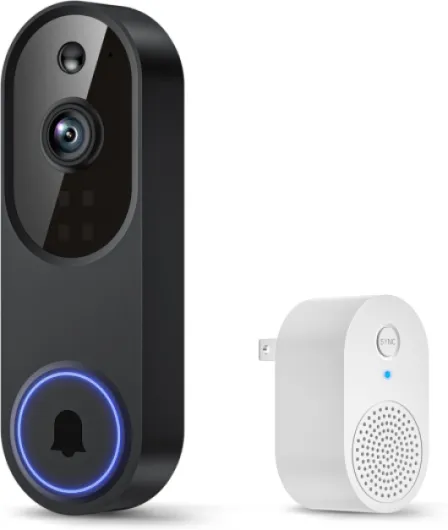
Understanding how wireless front door cameras work
How Wireless Doorbell Cameras Capture and Transmit Video
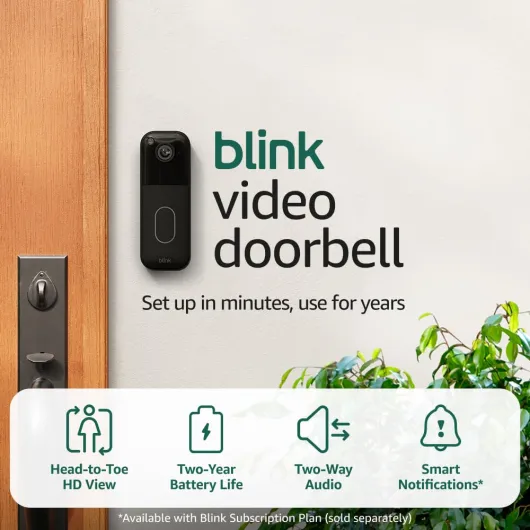
Wireless front door cameras, often called doorbell cameras or video doorbells, use Wi-Fi to send live video and audio from your doorstep directly to your smartphone or smart home device. These wireless cameras are designed for easy installation, avoiding the need for complex wiring. Most models are battery powered, though some offer a wired option for continuous power.
- Live view: See who’s at your door in real time, whether you’re home or away.
- Motion detection: Cameras start recording when movement is detected, sending instant alerts to your device.
- Two-way audio: Speak with visitors or delivery drivers through your phone.
- Night vision: Clear video even in low light, so you don’t miss activity after dark.
What Makes a Doorbell Camera "Smart"?
Many smart video doorbells work with voice assistants like Alexa or Google, letting you check your camera feed with simple commands. Some models integrate with other security cameras for whole-home protection. Features like cloud storage or local storage let you save video clips, though some brands require a subscription for full access. Others, such as Tapo or certain Amazon devices, offer free or affordable plans to save footage.
Understanding Power, Price, and Storage Options
When comparing doorbell cameras, consider the price and ongoing costs. Some have a higher price regular but include features like head to toe video, doorbell chime integration, or advanced motion detection. Battery powered models are flexible but need recharging, while wired options offer reliability. Video can be stored in the cloud or on a memory card (local storage), each with its pros and cons.
For a deeper look at how these cameras compare to other options like peephole cameras, check out this guide on the benefits and challenges of peephole cameras.

Key features to look for in a wireless front door camera
Essential Elements for a Reliable Wireless Doorbell Camera
When searching for the right wireless front door camera, it’s easy to get overwhelmed by the list of features and technical terms. Here’s what really matters for most homeowners:
- Video Quality: Look for cameras offering at least 1080p HD video. This ensures clear footage, whether you’re checking a delivery or reviewing security events. Some models offer head-to-toe views for better coverage.
- Night Vision: Good night vision is crucial for security after dark. Infrared or color night vision helps you see visitors or motion at your door, even in low light.
- Motion Detection: Smart motion detection can alert you to activity at your door. Advanced options let you customize detection zones, reducing false alerts from passing cars or pets.
- Power Options: Decide between battery powered and wired cameras. Battery models offer easy installation and flexibility, but need recharging. Wired cameras provide continuous power but may require professional installation.
- Two-Way Audio: Most video doorbells and cameras include two-way audio, letting you speak to visitors or delivery drivers directly from your phone.
- Integration with Smart Home Devices: Check if the camera works with Alexa, Google Assistant, or other smart platforms. Features like live view on smart displays or voice commands can make daily use easier.
- Storage Options: Consider whether you want cloud storage, local storage, or both. Cloud storage often requires a subscription, but some brands offer free or affordable plans. Local storage, like microSD cards (found in some Tapo cameras), can help you save on ongoing costs.
- Subscription Costs: Many wireless video doorbells and security cameras require a monthly fee for advanced features or video storage. Compare price regular and subscription options before buying.
- Weather Resistance: Make sure your chosen camera is rated for outdoor use, especially if you live in an area with harsh weather.
- Doorbell Chime Compatibility: If you want a traditional chime sound inside your home, check if the doorbell camera supports this feature or if you need to buy a separate accessory.
Comparing Features Across Brands
Popular brands like Ring, Tapo, and others on Amazon offer a range of wireless video doorbells and security cameras. Some focus on smart video features, while others prioritize price or battery life. Always check the list of included features and read reviews to see how each model performs in real-world conditions.
Digging Deeper into Doorbell Camera Functionality
If you want to understand more about how a smart video doorbell works and what sets different models apart, you can explore the functionality of a Ring doorbell for a detailed breakdown.
Installation tips for wireless front door cameras
Getting Your Wireless Doorbell Camera Up and Running
Setting up a wireless front door camera can seem intimidating, but most modern devices are designed for quick installation. Whether you choose a battery powered video doorbell or a wired security camera, the process typically involves a few straightforward steps. Here’s what you need to know to get started and avoid common pitfalls.
- Choose the right spot: Place your camera at a height that captures a clear head-to-toe view of visitors. Make sure it covers the main entryway and isn’t blocked by plants or decorations. For optimal motion detection, angle the camera slightly downward.
- Check your Wi-Fi signal: Wireless cameras rely on a strong internet connection. Test your Wi-Fi strength at the installation spot to ensure smooth live view and video storage. If the signal is weak, consider a Wi-Fi extender.
- Power options: Decide between battery powered or wired models. Battery models offer flexible placement and easy setup, but you’ll need to recharge or replace batteries regularly. Wired cameras or video doorbells require connection to your existing doorbell wiring, which can provide continuous power but may need professional help.
- Mounting the camera: Most smart video doorbells and security cameras come with mounting kits. Use the included template to drill holes and secure the bracket. Attach the camera, making sure it clicks into place. For renters, look for models with adhesive mounts or no-drill options.
- Connect to your smart home: Many doorbell cameras work with Alexa or Google Assistant. Follow the manufacturer’s app instructions to link your device for hands-free control and integration with other smart devices.
- Set up notifications and detection zones: Adjust motion detection settings to reduce false alerts from passing cars or pets. Some cameras let you customize detection zones or sensitivity, helping you save battery and avoid unnecessary notifications.
- Test your system: Once installed, trigger the camera by walking up to your door. Check the video quality, night vision, and two-way audio. Make sure the doorbell chime works and that you receive alerts on your phone or smart speaker.
For a more detailed guide on positioning and lighting, check out this resource on choosing the right outdoor light with camera for your home.
| Feature | Battery Powered | Wired |
|---|---|---|
| Installation | Easy, no wiring | May require electrician |
| Placement | Flexible | Limited by wiring |
| Power Source | Rechargeable battery | Continuous power |
| Price (regular) | Varies, often lower upfront | Can be higher due to installation |
| Maintenance | Battery changes | Minimal |
Remember, whether you choose a Tapo, Ring, or another brand, always review the list of compatible accessories, such as doorbell chimes or local storage options. Many cameras offer free basic features, but advanced video storage or cloud storage may require a subscription. Checking these details before purchase can help you save money and avoid surprises after installation.
Privacy and security concerns with wireless cameras
Protecting Your Privacy with Smart Cameras
Wireless front door cameras, including popular doorbell cameras and video doorbells, offer convenience and security. However, they also raise important privacy and security concerns. Understanding these risks and how to address them is essential before you buy, especially as more homes adopt smart video technology.
Common Privacy Risks
- Unauthorized Access: Wireless cameras can be vulnerable to hacking if not properly secured. This could allow outsiders to access your live view or stored video footage.
- Cloud Storage Concerns: Many video doorbells and security cameras store footage in the cloud. While this makes it easy to review motion detection clips or delivery events, it also means your videos are stored offsite, potentially exposing them to breaches.
- Data Sharing: Some brands may share data with third parties or law enforcement. Always check the privacy policy before choosing a camera, whether it’s a battery powered model or a wired system.
How to Safeguard Your Home and Data
- Secure Your Network: Use strong, unique passwords for your Wi-Fi and camera accounts. Enable two-factor authentication if available.
- Review Privacy Settings: Most smart cameras, including those compatible with Alexa or Google, allow you to adjust privacy settings. Limit who can access live view and video storage.
- Choose Local Storage When Possible: Some cameras, like Tapo models, offer local storage options. This can help you save footage without relying on cloud storage, reducing exposure to online threats.
- Regular Updates: Keep your camera’s firmware up to date. Manufacturers often release security patches to address new vulnerabilities.
Subscription and Video Storage Considerations
Many wireless video doorbells and security cameras require a subscription for advanced features like extended video storage or head to toe video history. Compare the price regular and free plans, and check if the list of features meets your needs. Some brands offer free local storage, while others rely solely on cloud storage.
Legal and Ethical Use
Be mindful of where you point your camera. Avoid recording areas beyond your property, such as neighbors’ homes or public sidewalks. This not only respects privacy but also helps you comply with local laws regarding video surveillance.
By understanding these privacy and security aspects, you can make a more informed decision when selecting a wireless front door camera for your home. Whether you choose a battery powered doorbell camera, a wired security camera, or a smart video system that works with Alexa, taking these steps will help you protect your home and personal data.
Comparing popular wireless front door camera brands
How Top Wireless Doorbell Cameras Stack Up
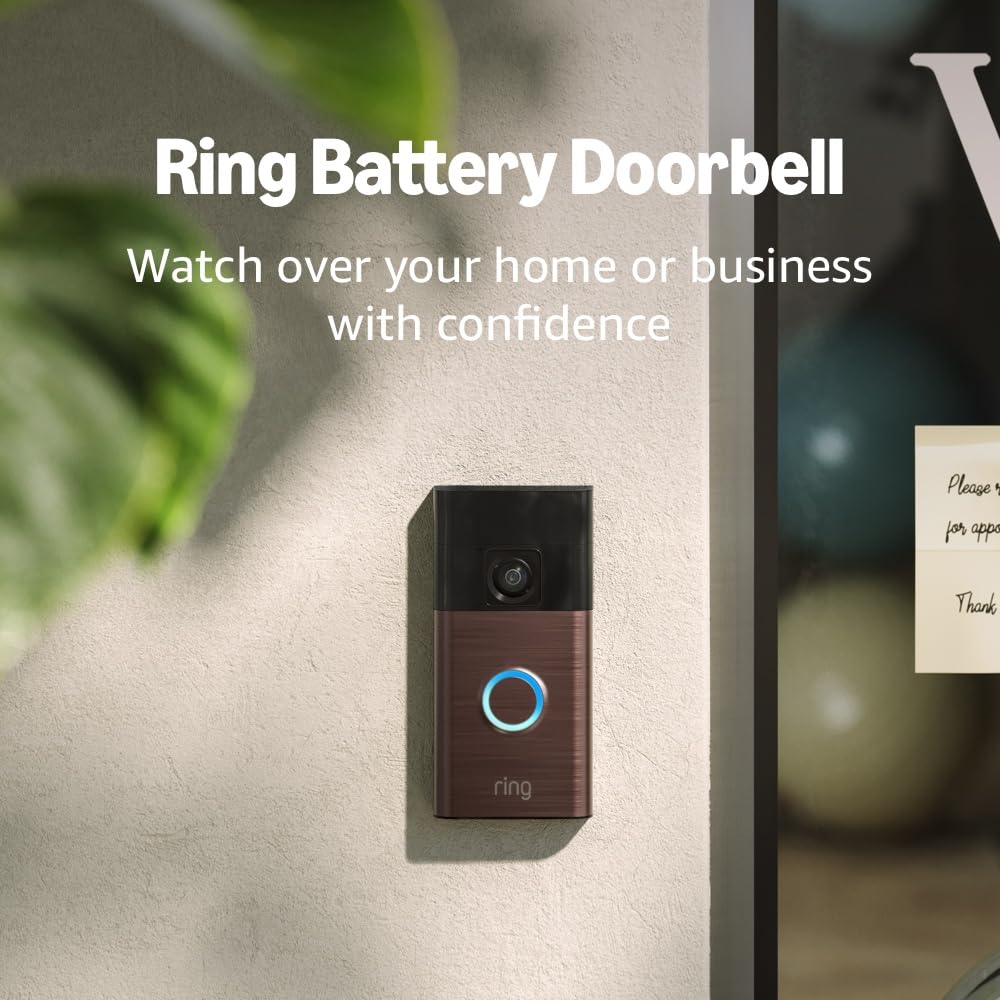
When choosing a wireless front door camera, comparing the most popular brands helps you find the best fit for your home. Here’s a look at how some leading options perform in terms of video quality, battery life, smart features, and price.- Ring Video Doorbell: Known for its easy installation and integration with Alexa, Ring offers a range of wireless video doorbells. Most models provide HD video, motion detection, night vision, and cloud storage. Subscription is required for full video storage and advanced features. Battery powered and wired options are available. Price varies by model, but regular deals on Amazon can help you save.
- Google Nest Doorbell: This smart video doorbell works with Google Assistant and offers head-to-toe live view, clear night vision, and strong motion detection. It supports both battery and wired setups. Free video storage is limited; a subscription unlocks more features. Price is typically higher than some competitors.
- TP-Link Tapo Doorbell Camera: Tapo cameras are gaining popularity for their affordable price and flexible local storage options. They offer wireless video, reliable motion detection, and integration with Alexa and Google. Some models include a doorbell chime in the box. Subscription is optional for cloud storage, making it a good choice for those who want to avoid ongoing fees.
- Arlo Video Doorbell: Arlo’s doorbell cameras deliver sharp video, smart detection, and robust security features. They work with Alexa and Google, and offer both battery powered and wired models. Cloud storage requires a subscription, but local storage is available with some Arlo security cameras.
- Eufy Security Doorbell: Eufy stands out for its free local video storage and no mandatory subscription. The battery life is strong, and the video quality is excellent, including night vision. It works with Alexa and Google, and the price is competitive for the features offered.
Key Comparison Points
| Brand | Video Quality | Battery/Wired | Smart Integration | Storage | Price Range |
|---|---|---|---|---|---|
| Ring | HD, night vision | Battery, wired | Alexa | Cloud (subscription) | $$ |
| Google Nest | HD, head-to-toe | Battery, wired | Google, Alexa | Cloud (subscription) | $$$ |
| Tapo | HD | Battery, wired | Alexa, Google | Local, cloud (optional) | $ |
| Arlo | HD, night vision | Battery, wired | Alexa, Google | Cloud, local (some models) | $$$ |
| Eufy | HD, night vision | Battery, wired | Alexa, Google | Local (free), cloud (optional) | $$ |
What to Consider When Comparing Brands
- Video Storage: Some brands require a subscription for cloud storage, while others offer free local storage. Decide if you want to pay monthly or prefer a one-time purchase.
- Smart Home Compatibility: If you use Alexa or Google Assistant, check if the camera works with your system for hands-free control and live view on smart displays.
- Battery vs. Wired: Battery powered doorbell cameras are easier to install, but wired models can offer continuous power and avoid battery changes.
- Price: Price regular deals on Amazon and other retailers can help you save. Consider the total cost, including any required subscription.
- Detection and Night Vision: Reliable motion detection and clear night vision are essential for security, especially for deliveries and late-night visitors.
Choosing the right wireless doorbell camera means balancing features, price, and how well the device fits into your smart home setup. Make a list of your must-haves, and compare these top brands to find the best match for your needs.
Troubleshooting common issues with wireless front door cameras
Common Problems and Quick Fixes
Wireless front door cameras, including popular brands like Tapo, Ring, and others available on Amazon, offer convenience but can sometimes run into issues. Here’s a list of frequent problems and practical solutions to help you get your video doorbell or security camera back on track:
- Battery Draining Quickly: If your battery powered camera loses charge faster than expected, check for excessive motion detection alerts or high video recording frequency. Adjust the motion sensitivity and reduce the length of video clips to save battery life.
- Connectivity Issues: Wireless cameras rely on a strong Wi-Fi signal. If you experience lag or loss of live view, try moving your router closer or use a Wi-Fi extender. Make sure your camera’s firmware is up to date for optimal performance.
- Video Not Recording or Storing: If your smart video doorbell isn’t saving clips, check your cloud storage or local storage settings. Some brands require a subscription for video storage, while others offer free or local options. Review your plan and ensure your storage isn’t full.
- Poor Night Vision: For security at night, ensure your camera’s lens is clean and not obstructed. If night vision is still weak, check your camera’s placement and consider adding a small light source nearby.
- Motion Detection Not Working Properly: If your camera isn’t detecting people or is sending too many false alerts, adjust the detection zones and sensitivity. Some models allow you to customize detection areas to focus on your front door and ignore passing cars or pets.
- Doorbell Chime Not Ringing: For wireless video doorbells, ensure the chime is paired correctly and within range. Wired models may require checking the transformer and wiring.
When to Seek Professional Help
If you’ve tried these troubleshooting steps and your wireless doorbell camera still isn’t working, it may be time to contact customer support. Most brands offer online resources, live chat, or phone assistance. Keep your purchase details and model list handy for faster service.
Tips to Prevent Future Issues
- Regularly update your camera’s firmware for new features and security patches.
- Clean the camera lens and check for obstructions to maintain clear video quality.
- Review your subscription or local storage plan to avoid losing important footage.
- Test your system after any changes to ensure motion detection and live view work as expected.
By staying proactive, you can save time and keep your home security system running smoothly, whether you use a smart video doorbell, security camera, or a full set of wireless cameras that work with Alexa or Google.