
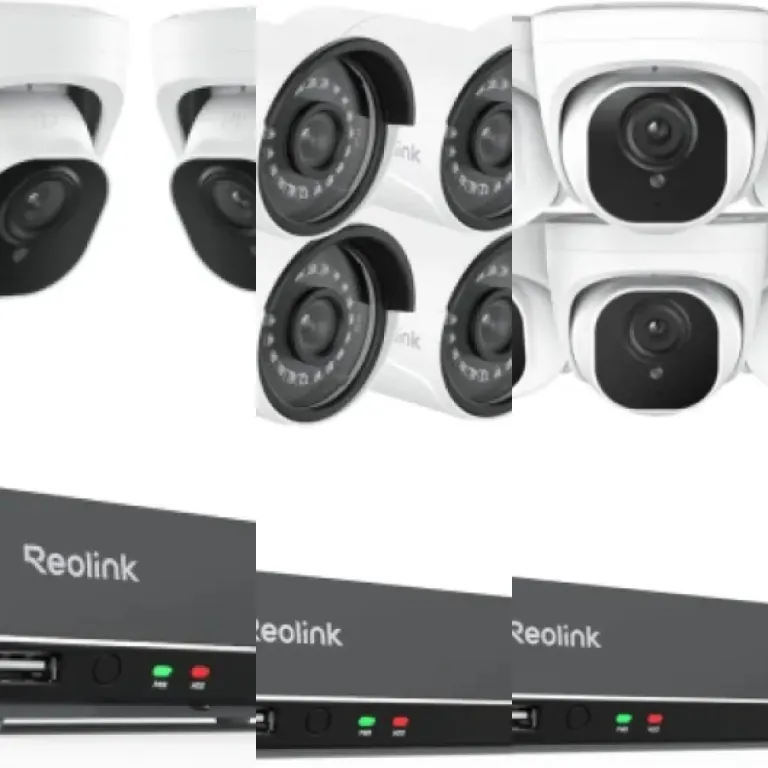
Understanding the benefits of wired outdoor cameras
Why Choose Wired Outdoor Cameras for Home Security?
When considering security solutions for your property, wired outdoor cameras stand out for their reliability and consistent performance. Unlike wireless options, these cameras maintain a steady connection to your home’s power and network, reducing the risk of interruptions caused by weak Wi-Fi signals or dead batteries. This makes them a preferred choice for homeowners who prioritize uninterrupted surveillance and long-term peace of mind.
Advantages That Matter for Everyday Users
- Stable connection: Wired cameras are less susceptible to interference, ensuring continuous video recording and live streaming.
- Higher video quality: With a direct connection, these cameras often deliver clearer images, which can be crucial for identifying details in security footage.
- Reduced maintenance: There’s no need to worry about recharging batteries, making them ideal for hard-to-reach outdoor locations.
- Enhanced deterrence: The visible presence of a wired camera can discourage unwanted activity around your property. For those interested in alternative deterrents, realistic outdoor dummy surveillance cameras can also play a role in property defense.
Long-Term Value and Security
Investing in a wired outdoor camera system means you’re choosing a solution built for durability and consistent protection. These systems are designed to withstand harsh weather conditions and provide 24/7 monitoring, which is especially important for safeguarding entrances, driveways, and other vulnerable areas. As you explore the best options, keep in mind that installation, privacy, and ongoing maintenance are also key factors in maximizing the benefits of your security setup.
Key features to look for in the best wired outdoor cameras
Essential Aspects That Define a Quality Wired Outdoor Camera
When searching for the best wired outdoor cameras, it’s important to focus on features that ensure both reliable performance and long-term satisfaction. Wired outdoor cameras are known for their consistent power supply and stable connection, but not all models offer the same level of quality or security. Here are the most important factors to consider:
- Video Resolution and Night Vision: High-definition video (at least 1080p) is crucial for clear identification of people and objects. Look for cameras with advanced night vision, preferably with infrared LEDs, to maintain clarity after dark.
- Weather Resistance: Outdoor cameras must withstand rain, snow, and extreme temperatures. Check for an IP65 or higher weatherproof rating to ensure durability in various climates.
- Field of View: A wide-angle lens (over 100 degrees) allows you to monitor larger areas with fewer blind spots. This is especially important for driveways, backyards, or entryways.
- Motion Detection and Alerts: Smart motion detection helps reduce false alarms by distinguishing between people, animals, and vehicles. Customizable alert zones can further enhance accuracy.
- Storage Options: Consider whether the camera supports local storage (like microSD cards) or cloud storage. Some users prefer local storage for privacy, while others appreciate the convenience of cloud-based access.
- Integration with Other Security Systems: Compatibility with smart home platforms or existing security systems can add convenience and expand your home’s protection.
- Power and Connectivity: Wired cameras should offer reliable power and network connections. Ethernet-powered options (PoE) can simplify installation by combining data and power in one cable.
Choosing the right combination of these features can make a significant difference in your home’s security and your overall experience. For a more detailed guide on how to choose the best outdoor security camera surveillance system for your home, explore this comprehensive resource.
Installation tips for wired outdoor cameras
Preparing for a Smooth Installation
Before you start installing your wired outdoor camera, it’s important to plan ahead. Make sure you have all the necessary tools and check that your chosen location provides a clear view of the area you want to monitor. Consider factors like power source proximity, Wi-Fi signal strength (if your camera uses network connectivity), and the best angle for capturing activity. Taking time to prepare can help you avoid common installation mistakes and ensure your camera performs optimally.
Step-by-Step Setup Process
- Mounting the Camera: Use the mounting template provided with your product part to mark drill holes. Secure the camera bracket firmly to the wall or ceiling, ideally at least nine feet above the ground for a wide field of view.
- Running the Cables: Route the power and data cables through weatherproof conduits to protect them from the elements. Avoid sharp bends and keep cables away from areas where they might be accidentally cut or damaged.
- Connecting to Power: Ensure the power supply is compatible with your camera’s requirements. If you’re not comfortable working with electrical wiring, consider hiring a licensed electrician for safety.
- Network Setup: For cameras that require an Ethernet connection, plug the cable into your router or network switch. Test the connection before finalizing the installation to confirm reliable data transmission.
- Adjusting the View: Once the camera is powered and connected, use the live feed to fine-tune its position. Make sure there are no obstructions and that the camera covers the desired area.
Common Challenges and Solutions
Some users encounter issues like poor video quality or intermittent connectivity. These problems can often be resolved by checking cable integrity, ensuring weatherproof seals are intact, and verifying that your network meets the camera’s requirements. Regularly inspect your installation for signs of wear or tampering to maintain optimal performance.
For more guidance on selecting the best camera for your entryway, check out this resource on choosing the right wireless front door camera.
Privacy and security considerations
Protecting Your Footage and Data
When choosing a wired outdoor camera, privacy and security should be at the forefront of your decision. Wired cameras, such as those from Ring, offer a stable connection, but it's essential to ensure that your video feeds and personal data remain protected from unauthorized access.
- Encryption: Look for cameras that use end-to-end encryption for both video streams and stored footage. This helps prevent interception of your data during transmission and storage.
- Secure Access Controls: Make sure the system requires strong, unique passwords and supports two-factor authentication. This adds an extra layer of protection, making it harder for intruders to gain access to your camera feeds.
- Firmware Updates: Regularly updating your camera’s firmware is crucial. Manufacturers often release updates to patch vulnerabilities and improve security features. Set reminders to check for updates or enable automatic updates if available.
- Network Segmentation: For added security, consider placing your wired outdoor cameras on a separate network or VLAN. This limits exposure if another device on your home network is compromised.
Balancing Surveillance and Privacy
While outdoor cameras are effective for deterring unwanted activity, it’s important to respect the privacy of neighbors and passersby. Position your cameras so they focus on your property and avoid capturing footage of public spaces or neighboring homes whenever possible. Many wired outdoor cameras, including popular models from Ring, allow you to set customizable motion zones to help with this.
Compliance with Local Laws
Before installing any wired outdoor camera, check your local regulations regarding surveillance. Some areas require you to notify visitors or neighbors if they are being recorded. Understanding these requirements can help you avoid legal issues and foster trust within your community.
Data Retention and Cloud Storage
Consider how long your footage is stored and where it’s kept. Some wired outdoor cameras offer local storage options, while others rely on cloud services. Review the privacy policies of any cloud provider to ensure your data is handled responsibly. If you opt for local storage, secure your recording device in a locked area to prevent tampering or theft.
Comparing popular wired outdoor camera models
How Leading Wired Outdoor Cameras Stack Up
When comparing popular wired outdoor cameras, it’s important to look at how each model delivers on performance, reliability, and value. Here’s a closer look at some of the most recognized options in the market, focusing on their strengths and potential drawbacks.- Ring Floodlight Cam Wired Plus
This camera stands out for its integrated floodlights and two-way audio. The motion-activated lights are bright enough to deter unwanted visitors, while the customizable motion zones help reduce false alerts. However, it requires a stable wired connection and professional installation may be preferred for optimal placement. - Arlo Essential Wired Video Doorbell
Known for its sharp video quality and wide field of view, this model is ideal for monitoring entryways. It supports smart alerts and integrates with major smart home platforms. Keep in mind, a subscription is needed for advanced features like cloud storage and smart notifications. - Google Nest Cam (Wired)
The Nest Cam offers intelligent alerts and continuous recording when paired with a Nest Aware subscription. Its sleek design blends well with most exteriors. Installation is straightforward, but you’ll need to ensure your Wi-Fi signal is strong at the mounting location. - Reolink RLC-820A
This camera is praised for its 4K resolution and reliable PoE (Power over Ethernet) connection, which simplifies wiring and ensures a stable feed. It features advanced person and vehicle detection, but setup may be more technical compared to plug-and-play models.
Comparing Key Specifications
| Model | Resolution | Night Vision | Audio | Subscription Needed? | Special Features |
|---|---|---|---|---|---|
| Ring Floodlight Cam Wired Plus | 1080p HD | Yes | Two-way | For cloud storage | Floodlights, motion zones |
| Arlo Essential Wired Video Doorbell | 1536 x 1536 | Yes | Two-way | For advanced features | Wide field of view, smart alerts |
| Google Nest Cam (Wired) | 1080p HD | Yes | Two-way | For continuous recording | Intelligent alerts, sleek design |
| Reolink RLC-820A | 4K Ultra HD | Yes | Two-way | No (local storage) | PoE, person/vehicle detection |
Choosing the Right Model for Your Needs
Selecting the best wired outdoor camera depends on your priorities. If you value high-resolution footage and local storage, the Reolink RLC-820A is a strong contender. For those who want integrated lighting and easy smart home integration, the Ring Floodlight Cam Wired Plus is a solid choice. Always consider installation requirements, compatibility with your existing setup, and whether ongoing subscription costs fit your budget. For more on what features matter most, review the earlier sections on key features and installation tips.Maintenance and troubleshooting for wired outdoor cameras
Routine Care for Reliable Performance
Keeping your wired outdoor camera in top shape is essential for both performance and longevity. Regular maintenance helps prevent common issues and ensures your camera continues to deliver clear footage and dependable security. Here are some practical steps to follow:
- Clean the lens: Dust, pollen, and water spots can blur your video. Gently wipe the lens with a microfiber cloth every few weeks.
- Inspect cables and connections: Check for frayed wires or loose connections, especially after storms or extreme weather. Secure any exposed cables to prevent water ingress.
- Check mounting hardware: Outdoor conditions can loosen screws or brackets. Tighten any hardware to keep your camera steady and properly aimed.
- Update firmware: Manufacturers release updates to fix bugs and improve security. Log in to your camera’s app or web portal regularly to check for updates.
Troubleshooting Common Issues
Even the best wired outdoor cameras can run into problems. Here are some frequent issues and how to address them:
- No video feed: Confirm that the camera is receiving power. Check the power adapter, outlet, and any extension cables. If the camera is connected to a network video recorder (NVR), ensure the NVR is functioning properly.
- Intermittent connection: Inspect the Ethernet or coaxial cables for damage. Replace any worn or broken cables. If you’re using Power over Ethernet (PoE), verify that the injector or switch is working.
- Poor image quality: Clean the lens and adjust the camera angle to avoid glare from lights or the sun. Check the camera’s resolution settings in the app or software.
- False motion alerts: Adjust the motion sensitivity settings and exclude busy areas like streets or trees that sway in the wind.
When to Seek Professional Help
If you’ve tried these steps and your camera still isn’t working as expected, it may be time to contact the manufacturer’s support team. Many brands offer troubleshooting guides and warranty services for defective product_part. Always keep your purchase information handy for warranty claims.