
Summary
Editor's rating
Good value if you commit to the ecosystem (and subscription)
Simple, compact design that blends in
Battery life is decent, but plan for a rotation
Weather resistance and long-term stability
Video, motion, and Wi‑Fi: solid when your network is solid
What you actually get with this 4-pack
Pros
- Easy to install and add multiple cameras in the Ring app
- Good video and audio quality with reliable motion alerts on solid Wi‑Fi
- Flexible wireless setup with quick-release batteries and weather-resistant design
Cons
- Strongly dependent on good Wi‑Fi and internet; weak networks cause offline issues and delays
- Cloud recording and smart features require a paid Ring subscription
- Battery management can be annoying if cameras are mounted high and in busy areas

Specifications
View full product page →| Brand | Ring |
Four wireless eyes around the house
I’ve been using the Ring Outdoor Cam (Stick Up Cam) Battery 4-pack around my house for a while now. I’ve got one watching the driveway, one on the backyard, one near the front door as a backup to the doorbell, and one on the side gate. So this is not a quick unboxing impression — it’s based on daily use, random Wi‑Fi issues, and a few real motion events (deliveries, neighbors, raccoons, the usual).
Overall, the main thing to know is this: the cameras themselves are pretty solid, the app is decent, but the whole experience depends heavily on two things: your Wi‑Fi quality and whether you’re willing to pay for the Ring subscription. Without those two in place, you’re not getting the full value, and some of the complaints you see online start to make sense.
In terms of what they actually do, they cover the basics: 1080p video, motion alerts, two-way audio, night vision, and Alexa integration. Nothing mind-blowing on paper, but in practice it’s enough for most home setups. What I liked is how easy it was to add multiple cameras and see everything in one app, instead of juggling different brands and apps like I did before.
It’s not a perfect system. I’ve had the occasional offline camera, some delays when my Wi‑Fi was weak, and the battery swaps are a bit annoying if you don’t plan ahead. But for the price of the 4-pack, it’s a good all-round solution if you want to cover a whole house quickly without running cables. I’ll go through design, performance, battery, and value so you can see if it fits what you need or if you should look at something else.
Good value if you commit to the ecosystem (and subscription)
In terms of value, this 4-pack sits in a pretty sweet spot if you’re okay with two things: paying for the Ring subscription and already being (or planning to be) in the Ring/Alexa ecosystem. The cameras themselves do their job well enough to justify the price, especially compared to cheaper options like Blink where the app and video quality feel more basic. One Amazon reviewer actually did that switch — tried to save money with Blink, then came back to Ring because the experience just wasn’t on the same level.
Where people sometimes feel burned is on the ongoing costs. To get cloud recording (up to 180 days), smart alerts like people and package detection, and multi-device features, you need a Ring Protect plan. For one or two cameras you might be tempted to skip it, but with a 4-pack, not having recordings kind of defeats the point of having security cameras. So, realistically, factor the subscription into the total cost of ownership. The good side is that with one plan you can cover multiple Ring devices, including doorbells and other cams, so if you’re building a full setup, it starts to make more sense.
Compared to running a wired NVR system, you’re paying more over time for cloud storage, but you’re saving on installation (no running cables, no drilling through every wall) and the app is generally easier to use for most people. For renters, or anyone who doesn’t want to drill and run Ethernet everywhere, the value of a wireless 4-pack like this is pretty clear: you can install them in 5–10 minutes each and take them with you when you move.
So, from my point of view: good value for money if you want convenience and are fine with a subscription. If you absolutely refuse to pay any ongoing fees and you’re comfortable setting up your own local recording system, then this is not the most economical route. But for a plug-and-play multi-camera setup that ties in with Alexa and other Ring gear, the price is fair for what you get.
Simple, compact design that blends in
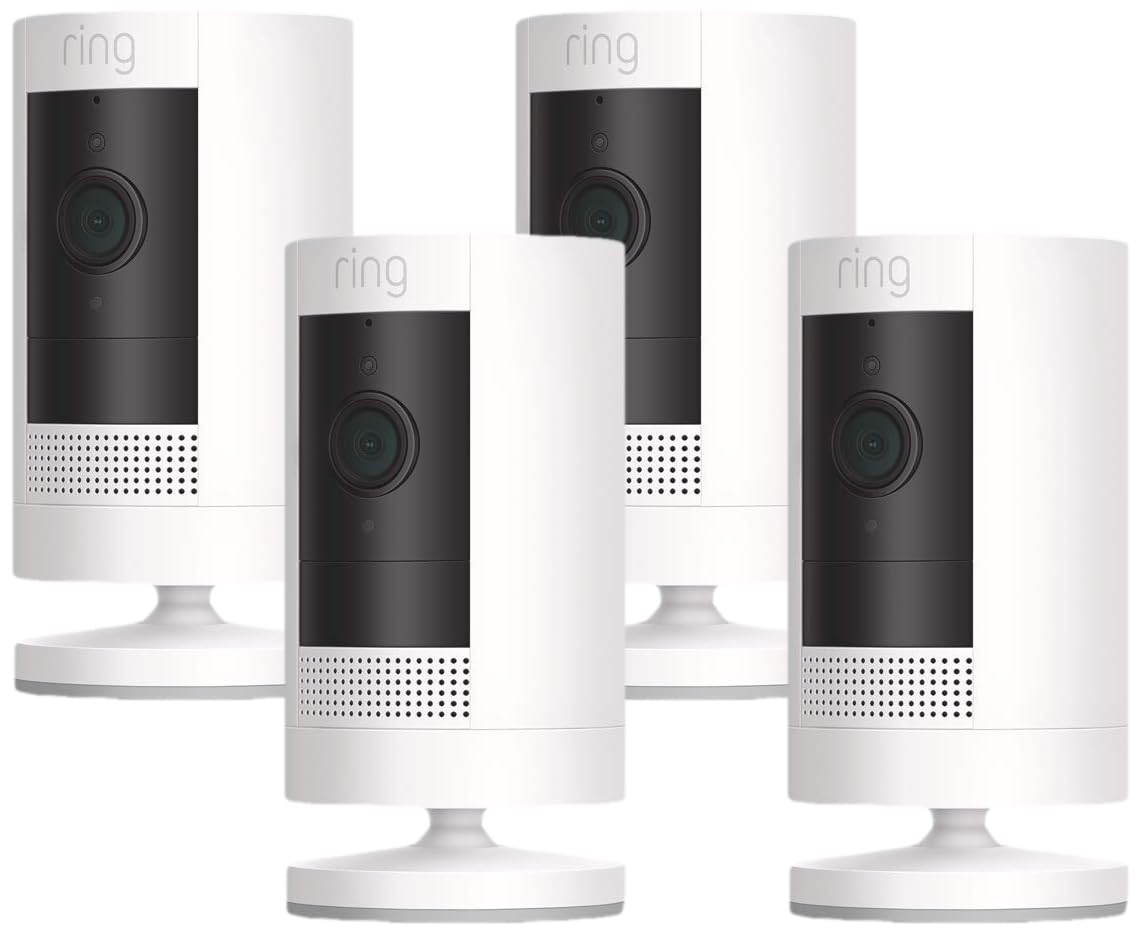
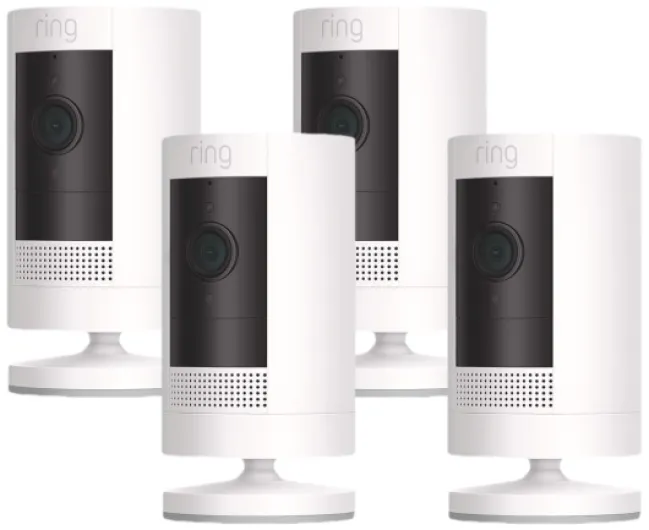
Design-wise, the Stick Up Cam is pretty straightforward. It’s a small white cylinder (about 2.36 x 2.36 x 3.82 inches) with an integrated base that doubles as a stand and wall mount. No flashy shapes or huge antennas sticking out. On my white siding and light-colored trim, they’re discreet enough that guests don’t immediately notice them, but they’re visible enough to act as a deterrent if you’re looking for them. If you want something more low-key on darker walls, there’s also a black version, but this pack is white.
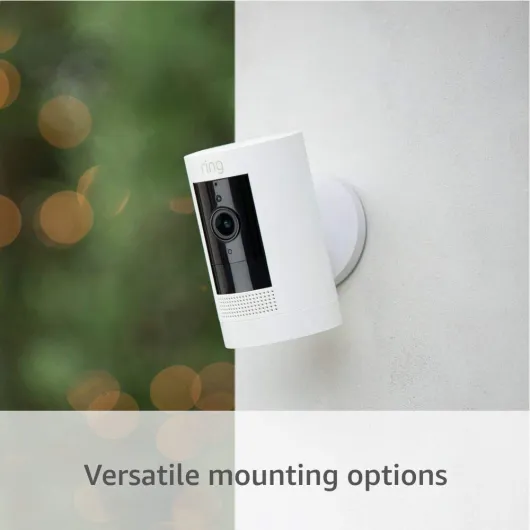
The integrated base is actually one of the better things about the design. You can set the camera freestanding on a shelf or ledge, or screw the base into a wall and angle the camera. You can flip the base around for different mounting setups. I mounted two on walls near the corners of the house and one sitting on a window ledge under a small overhang. The adjustability is decent — you can tilt and rotate enough to get the view you need without weird hacks.
The camera body itself feels like solid plastic, not luxury, but it doesn’t feel cheap or flimsy either. You can tell it’s meant to live outside: no exposed ports except the battery compartment, and everything is tucked away. The quick-release battery clicks in with a firm feel. I’ve had them in rain and wind and there’s been no sign of water ingress or condensation inside the lens so far. Of course, if you mount them totally exposed without any eave or awning, I’d still try to angle them a bit so water doesn’t sit on the face all day.
One thing I’d point out: there’s no huge visible floodlight or anything like that. These are cameras with standard IR/color night vision, not full-blown spotlight cams. So if you were expecting them to light up the yard like a stadium, that’s not what they do. From a design point of view that’s good if you want something low-key, but if you want a strong visual deterrent at night, you might want to mix in a Ring Spotlight Cam or use existing exterior lights with these.
Battery life is decent, but plan for a rotation
Each camera in this pack runs off a quick-release battery pack. No cables by default, which is nice for mounting flexibility, but it also means you have one more thing to manage: charging schedules. In my case, with motion zones tuned reasonably and not running live view all day, I’m getting several weeks to a couple of months per charge depending on how busy the area is. The front door cam, which sees constant deliveries and foot traffic, needs charging sooner than the backyard cam that mostly catches the occasional cat or wind-blown branch.
The good part is the quick-release design. You press a button, slide out the battery, charge it via micro‑USB, then slide it back in. The camera doesn’t need to be fully removed from the wall, which helps if you mounted it high. That said, if you put it 10 feet up and you’re not comfortable on a ladder (like the legally blind reviewer mentioned), battery cameras can be a pain. In that kind of situation, I’d either mount them lower or consider getting the solar panel add-ons or a wired model so you’re not constantly up and down a ladder.
If you’re buying a 4-pack, I strongly recommend grabbing at least one extra battery. That way you keep one fully charged and just swap it in when a camera runs low, then charge the empty one at your own pace. It turns the whole thing into a 30-second job instead of having a camera offline for hours. One Amazon reviewer mentioned doing exactly this and barely needing to touch the cameras even after heavy testing.
Battery drain also ties into your settings. If you crank motion sensitivity to max, leave live view on often, and have weak Wi‑Fi (which makes the camera keep trying to reconnect), you’ll chew through the battery quicker. Once I tuned sensitivity and made sure Wi‑Fi was decent, the batteries lasted long enough that it stopped being something I thought about every week. So, battery life is fine, but you do need to be realistic: these are not “install and forget for a year” devices if you have a busy front yard.

Weather resistance and long-term stability
These cameras are rated for -5°F to 122°F and are labeled as weather resistant. In real life, that’s translated into no obvious issues in normal outdoor conditions for me. I’ve had them through heavy rain, strong winds, and hot summer days, and they’re still running fine. The housing doesn’t feel fancy, but it doesn’t feel fragile either. The seals around the battery compartment and body seem to do their job — I haven’t seen any fogging behind the lens or water damage.
One thing I’ve noticed is that they handle temperature swings better than some cheap no-name cameras I’ve tried. Those would glitch or reboot repeatedly on very cold mornings. The Rings just keep going. That said, if you’re somewhere that regularly goes below -5°F or above 122°F, you’re outside the official spec, so I wouldn’t expect miracles. In moderate climates, though, they seem totally fine to just leave up year-round.
On the software side, durability means: do they stay online, and does the app stay usable over time? Once my network was dialed in, the cameras have been pretty stable. I’ve had the odd “offline” message, but usually a quick router reboot or moving an access point solved it. One Amazon reviewer had a nightmare week of daily calls to Ring until their ISP replaced the modem and reworked the wiring — after that, the camera finally behaved. So the hardware itself isn’t fragile, but the system is very sensitive to bad networking gear.
Physically, there are no moving parts except the tilt/swivel of the mount, so not much to wear out. The 1-year warranty is standard, not generous. I’d have liked a bit longer given these are meant to live outside. But overall, considering the price of the 4-pack and what I’ve seen in the months I’ve had them up, I’m not worried about them falling apart anytime soon. Just don’t expect them to survive a direct baseball hit or someone deliberately yanking them off the wall — they’re consumer cameras, not industrial hardware.
Video, motion, and Wi‑Fi: solid when your network is solid
On the performance side, the cameras are good but very dependent on your Wi‑Fi. When the signal is strong (RSSI around -40 like in the top Amazon review), live view loads quickly, the video is smooth, and motion alerts hit my phone in about 1–3 seconds. That’s fine for day-to-day use. I’ve compared them side by side with cheaper brands like Blink, and the Ring video and audio quality are clearly better — faces are easier to recognize, and the audio doesn’t cut in and out as much.
Motion detection is decent once you dial in the settings. You can adjust zones and sensitivity so it doesn’t trigger on every car that passes in the distance. For example, my front cam is angled so it sees the street, but by blocking off the top area and focusing on the lower half, it only triggers when someone walks up to the door or into the driveway. That lines up with what other users said: if you set it right, you don’t get constant false alarms, but it takes a bit of tweaking the first few days.
Where things go downhill is when your Wi‑Fi is weak or unstable. One of my cameras is a bit farther from the router and was sitting around RSSI -64 at first. That one had choppy video, long delays to connect, and missed notifications here and there. After rebooting my mesh system and slightly shifting the access point, the signal improved and the problems basically disappeared. Another reviewer had a whole saga where it turned out their ISP modem/router was the weak link and everything stabilized after an upgrade. So, in my experience, most of the “Ring is unreliable” complaints are actually Wi‑Fi or internet issues, not the camera itself.
Two-way audio works fine when the connection is good. I’ve used it to talk to delivery drivers and to yell at raccoons in the trash. There’s a tiny delay, but nothing crazy. If your upload speed is trash or your router is old, then yeah, it can feel laggy or you’ll get “device offline” messages. So before buying a 4-pack, I’d honestly check your Wi‑Fi coverage around the outside of your house. If you’re on a budget router in a corner of the house, you’re going to fight with these more than you should.
What you actually get with this 4-pack
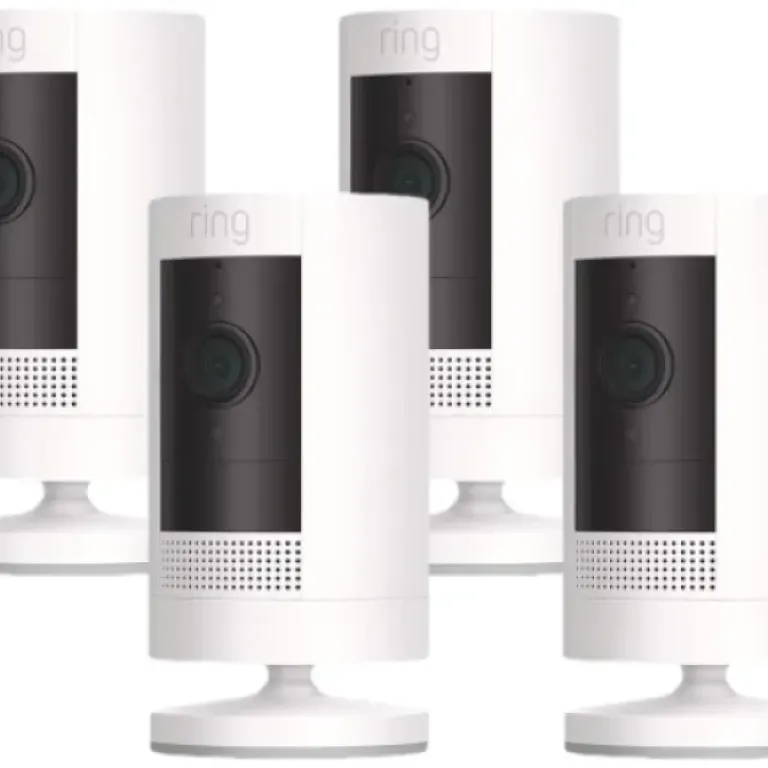
This 4-pack is basically four identical Ring Outdoor Cam (Stick Up Cam) Battery units in white, each with its own quick-release battery, mounting base, screws, wall anchors, and a micro‑USB charging cable. No base station needed, no NVR, no DVR — everything runs over your existing 2.4 GHz Wi‑Fi and gets managed through the Ring app. So if you’re expecting a full local recording system, that’s not what this is. It’s a cloud- and app-focused setup.
Each camera has 1080p video, a 130° diagonal field of view, night vision, motion detection, and two-way talk with noise cancellation. They’re rated for -5°F to 122°F and are weather-resistant, not fully waterproof like something you’d submerge, but fine for rain and sun. I’ve had mine outside in heat and storms and they’ve held up so far. They’re the 3rd generation (2019 release), so not the newest design ever, but still supported and getting software updates.
In practice, the product is aimed at people who want to cover multiple angles of a house or small business without wiring. You just mount them where you want and connect each one to Wi‑Fi via the app. If you’ve got an Echo Show or similar, you can pull up a live view with your voice, which is handy when you hear a noise outside and don’t want to reach for your phone. The app lets you see all four on one dashboard, with status and quick access to live view and history (if you pay for the subscription).
The catch that isn’t obvious when you just look at the box: to keep recordings for up to 180 days and get people/package alerts and the smarter stuff, you need a Ring subscription. Without it, you still get live view and motion alerts, but you can’t go back and watch old events. That’s fine if you just want to check outside in real time, but for actual security (like checking who came to the door yesterday), the subscription is basically mandatory. So when you look at this 4-pack, think of it as the upfront hardware cost plus an ongoing monthly or yearly fee if you want the full feature set.
Pros
- Easy to install and add multiple cameras in the Ring app
- Good video and audio quality with reliable motion alerts on solid Wi‑Fi
- Flexible wireless setup with quick-release batteries and weather-resistant design
Cons
- Strongly dependent on good Wi‑Fi and internet; weak networks cause offline issues and delays
- Cloud recording and smart features require a paid Ring subscription
- Battery management can be annoying if cameras are mounted high and in busy areas
Conclusion
Editor's rating
The Ring Outdoor Cam (Stick Up Cam) Battery 4-pack is a practical option if you want to cover several angles of your home or small business without messing with cables. The cameras do the basics well: 1080p video, decent night vision, motion alerts, and two-way talk that’s actually usable when your network is solid. The design is simple, the mounts are flexible, and installation is fast enough that you can realistically set up all four in an afternoon.
The big caveats are clear though. First, your Wi‑Fi and internet need to be decent. Most of the horror stories I’ve seen and experienced come down to weak signal or bad ISP hardware, not the camera itself. If you’re willing to check your RSSI in the app and maybe move a router or add a mesh node, you’ll get a much smoother experience. Second, the Ring subscription is basically required if you want proper security use — being able to review past events, get smarter alerts, and store video history. Without it, you’re just getting live view and real-time alerts.
If you already have a Ring doorbell or other Ring devices, or you’re deep into the Alexa world and want voice control and quick Echo Show views, this 4-pack fits in nicely and offers good overall value. If you hate subscriptions, have very weak Wi‑Fi, or want full local recording with no cloud dependency, you’re probably better off with a wired NVR system instead. For most everyday users who just want to see what’s happening outside and talk to people at the door from their phone, these cameras get the job done with minimal hassle once your network is sorted out.