
Summary
Editor's rating
Is it good value? Depends if you’re already in the Ring ecosystem
Design & installation: simple look, some small practical details
Power & backup: plug-in is great, but the battery side is a bit confusing
Build quality & reliability: decent, with some hiccups reported
Video, motion, and app performance: solid but not magic
What this camera actually does (beyond the marketing buzzwords)
Pros
- Stable plug-in power with option for backup batteries, so minimal maintenance once installed
- Good 1080p video quality with effective spotlights and usable color night vision
- Easy setup and integration with other Ring devices and Alexa, especially if you already have the ecosystem
Cons
- Most useful features (video history, smart alerts) require a paid Ring subscription
- No local storage option, fully dependent on the cloud and Ring’s ecosystem
- Requires nearby outdoor outlet or visible cabling, and can be stolen if mounted too low

Specifications
View full product page →| Brand | Ring |
A no-nonsense take on the Ring Spotlight Cam Plus Plug-In
I’ve been using Ring stuff for a while (doorbells and a couple of older stick-up cams), so this Spotlight Cam Plus Plug-In was kind of the logical next step for me. I wanted a camera with decent lights, stable power, and something I could check quickly from my phone without fiddling with settings every time. This isn’t some fancy smart home showroom review – I put it on the side of a real house with real weather and people walking past.
What pushed me toward the plug-in version is simple: I’m tired of climbing ladders to swap batteries. The idea of just running a cable once and being done was appealing. Ring says setup is 5–10 minutes. That’s a bit optimistic if you’re routing the cable neatly, but overall it’s not far off. The app walks you through it, and if you’ve already got a Ring account, it’s pretty painless.
My expectations were clear: I wanted reliable motion alerts, clear video day and night, and lights that actually act as a deterrent. I don’t care about fancy AI names or buzzwords – I just want to see who’s in my driveway and be able to yell at them if needed. I also already pay for a Ring subscription, so adding another camera under the same plan was part of my thinking.
Overall, after using it in normal day-to-day life, I’d say it’s a solid but not perfect camera. It does most of what it promises pretty well: image quality is good, alerts are fairly quick, and the integration with other Ring devices and Alexa is convenient. But you have to accept two things: you’re basically locked into the subscription for the useful features, and you’re buying into an ecosystem. If that bothers you, there are better options for local storage and more privacy control.
Is it good value? Depends if you’re already in the Ring ecosystem
On price versus what you get, I’d call the Spotlight Cam Plus Plug-In good but not outstanding value. The camera itself is fairly priced for an outdoor unit with lights, siren, and decent software. The plug-in power and optional dual batteries give you flexibility that some cheaper cameras don’t offer. Video quality and motion features are solid for the money. The real catch is the ongoing subscription cost if you want recordings and smart alerts.
If you already pay for a Ring Home plan and have other devices, this camera slots in nicely. One subscription covers multiple cameras, and that’s where it starts feeling like a better deal. For example, people with 5–7 cameras are basically stretching that subscription cost across the whole system, which makes each camera feel cheaper in the long run. In that setup, adding one more Spotlight Cam Plus is an easy decision: more coverage, same subscription.
If this is your first and only Ring device, the math is different. The camera by itself is not too expensive, but once you add a yearly subscription just to get video history, the total cost over a couple of years climbs. There are other brands that offer local storage on an SD card or NVR without forcing a cloud plan. Those might be better if you hate subscriptions or don’t want your video stored online. With Ring, you’re paying partly for the convenience: smooth app, easy integration with Alexa, simple multi-camera management, and decent support.
Overall, I’d say the value is pretty solid if you: 1) already use Ring or plan to add several cameras, 2) want plug-in power with backup battery options, and 3) are fine paying for a subscription. If you just want one basic camera with no ongoing costs, this is probably not the smartest financial choice, even though the hardware itself is good. There’s better bang for your buck out there if you’re willing to sacrifice the polished ecosystem and cloud features.

Design & installation: simple look, some small practical details
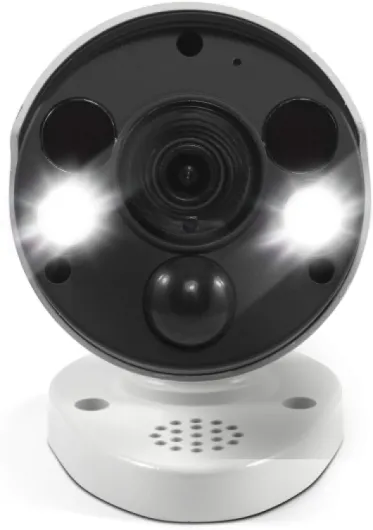
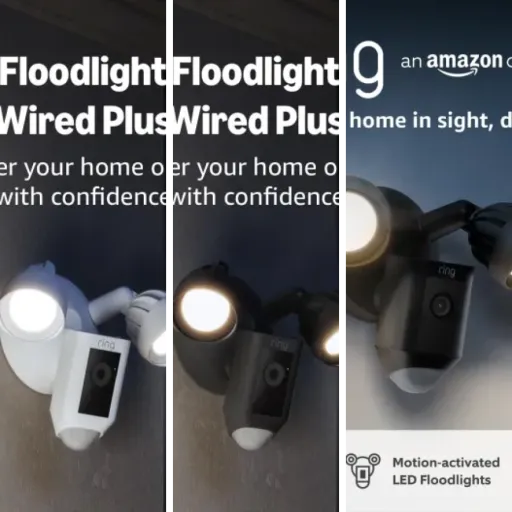
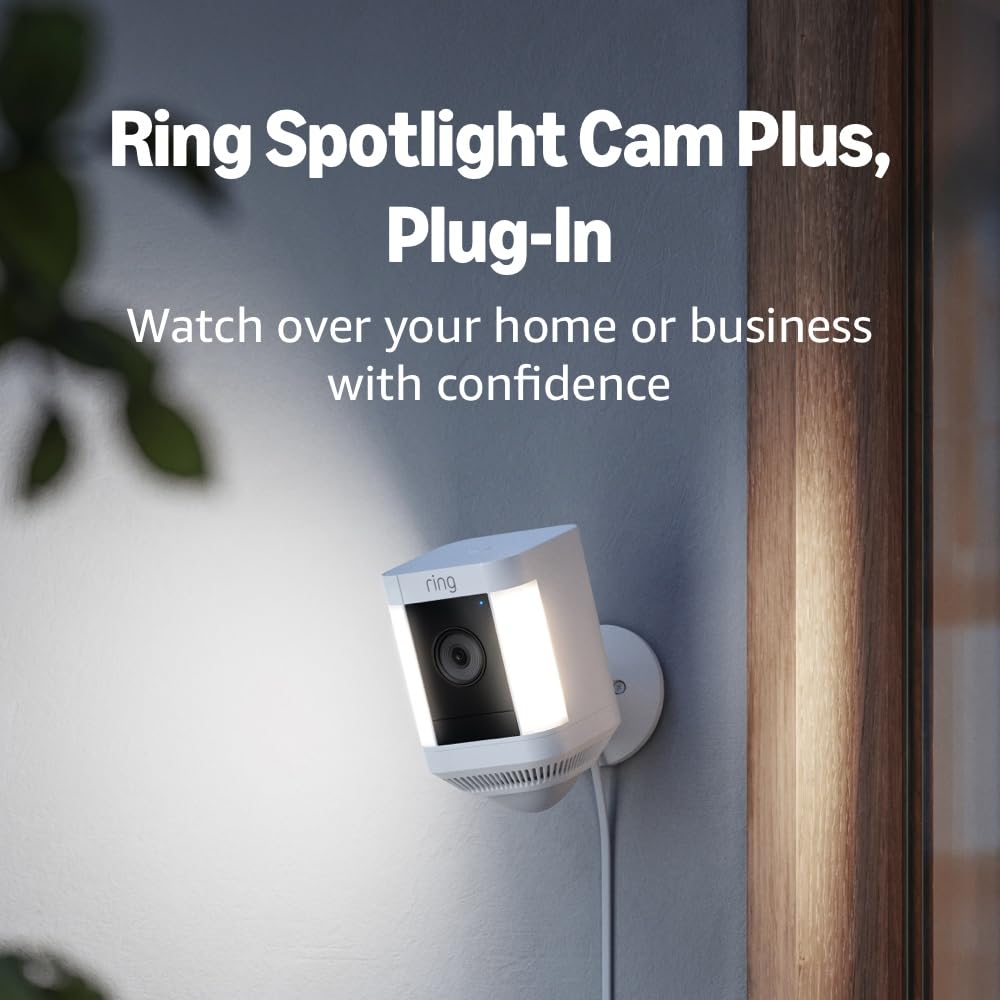
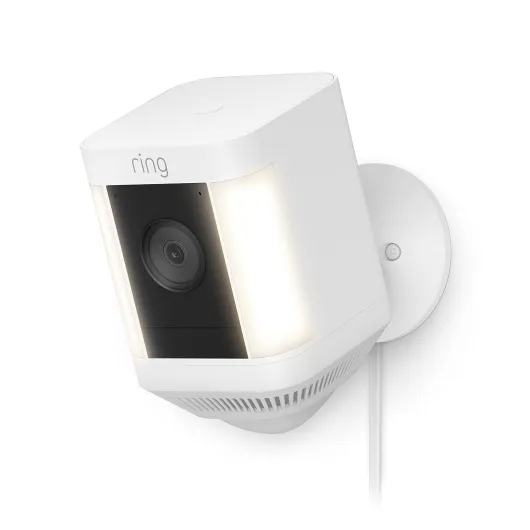
Design-wise, the Spotlight Cam Plus is pretty plain, and that’s fine. It’s a compact white block with the camera in the middle and the spotlights on the sides. Nothing fancy, but it doesn’t look cheap. Mounted on a wall, it blends in enough that you notice it, but it doesn’t scream “industrial security system.” I prefer that over something huge and ugly. The housing feels solid enough for outdoor use, and the weather-resistant rating has held up fine so far in rain and cold.
The mounting bracket is straightforward: you screw it into the wall (or siding mounts if you don’t want to drill), then the camera attaches to the bracket and you can tilt and rotate it to get the angle you want. There’s enough flexibility to aim it where you need, but you do have to think about where the power cable will run. The included USB‑C cable is about 19.7 feet long, which is actually pretty generous. For me, that was enough to run from an outdoor outlet up to the eaves without an extension. If your outlet is farther away, you’ll either need an extension cord or to rethink the mounting spot.
One thing I liked is that the camera doesn’t feel like a fragile gadget. It’s not heavy, but there’s a bit of weight to it, and the joints for tilting/rotating hold their position well once tightened. It doesn’t droop every time the wind blows or someone bumps the wall. On the flip side, because it’s relatively compact and uses a simple bracket, it is stealable if mounted low. If someone really wants it, they can probably yank it off. So, like one of the reviewers mentioned, mount it high enough that a random person can’t just grab it.
Overall, the design is functional and “just works.” It doesn’t look fancy, but it’s clean, modern enough, and practical. I wouldn’t buy or skip this camera based on looks alone; it’s neutral. Where the design really matters is the plug-in aspect and the cable routing. If you hate visible cables, you’ll either have to get creative with clips and paint or accept that you’ll see a white line running down your wall.
Power & backup: plug-in is great, but the battery side is a bit confusing
This specific model is the plug-in version, so the main idea is you run it off constant power from an outlet and stop worrying about recharging. That part works well. Once it’s plugged in, it just stays online. No battery swaps, no low-power mode drama. For most people, that alone is worth picking this version over the purely battery version, as long as you have an outlet reasonably close by or you don’t mind using a weatherproof extension cord.
What’s slightly confusing is the whole dual power thing. The camera can use a plug-in adapter and also support Ring’s quick-release batteries (up to two inside). This means you can have plug-in as your main power and batteries as backup if the power goes out. In theory, that’s nice. In practice, you need to buy the batteries separately if they’re not included in your particular bundle. Once installed, the camera automatically switches between plug-in and battery when needed. I tested a short power cut by unplugging it, and it kept running off battery without dropping the connection, which is exactly what I wanted.
Charging the Ring batteries is a bit slow, which some people complain about, but they also last a good while in pure battery setups, so it’s a trade-off. In my case, since I’m plugged in, the batteries are basically just backup. If you’re thinking of using this camera only on battery (not really the point of the plug-in model, but still possible), expect to recharge every few weeks or months depending on how busy the area is. High motion areas drain the battery much faster because the camera is waking up and recording constantly.
One thing to be aware of: some users reported weird behavior with the spotlights not triggering correctly on battery-only setups until they did a factory reset. I didn’t run into that personally, but it’s worth noting if you plan to rely heavily on battery mode. As a plug-in camera with backup battery, though, it’s pretty reliable. For me, the plug-in power is the main reason to buy this specific version – if you don’t care about that and just want solar or battery, you might be better off with one of the other Ring models.
Build quality & reliability: decent, with some hiccups reported
In terms of build, the Spotlight Cam Plus feels like typical Ring hardware: solid plastic, weather-resistant, but not indestructible. I’ve had it outside through rain, wind, and some cold nights, and it hasn’t flinched. The operating range is listed as -4°F to 120°F, which covers most real-world conditions unless you live somewhere very extreme. The housing doesn’t feel flimsy, and there’s no rattling or loose parts. The LEDs and lens area are well-sealed, and I haven’t seen any fogging or moisture getting inside.
Where durability gets a bit mixed is on the electronics side. Some Amazon users mentioned early failures: one had a burned-out video processor, another unit refused to go into setup mode. In both cases, Ring support replaced the cameras quickly, which is good, but it still means there’s some variability in quality control. Personally, my unit has been stable: no random reboots, no freezing video, no constant disconnects. Wi‑Fi stability will depend a lot on your router and distance – if your signal is weak outside, you’ll see more issues. With a decent 2.4 GHz signal, it’s fine.
The movable parts (mount, tilt joints) also seem to hold up. I’ve adjusted the angle a few times and it still stays exactly where I put it, even after wind and minor bumps. I don’t baby my outdoor gear, and so far this one hasn’t shown any cracks or yellowing. The white plastic does pick up a bit of dirt and dust over time, but a quick wipe cleans it. If you’re really picky about looks, the black version might hide dirt better.
Long-term, if I look at my older Ring devices, I’d say they generally last several years without major problems, but they do depend heavily on software updates and the Ring ecosystem continuing to support them. The good news is Ring does push regular security updates, and you can check that in the Control Center. The bad news is you’re tied to their cloud and their app. Hardware-wise, I’d rate the durability as good enough for normal home use. It’s not industrial gear, but it doesn’t feel like a disposable gadget either.
Video, motion, and app performance: solid but not magic
On performance, the camera is generally pretty solid. The 1080p video is clear enough to see faces, license plates at short distance, and general activity. It’s not 4K, and anyone saying it looks sharper than 4K is exaggerating, but for home security it’s more than enough. During the day, colors are accurate, and the wide-angle view covers a good chunk of space. At night, the color night vision works when there’s a bit of ambient light (streetlight, porch light). If it’s really dark, the built-in spotlights kick in and you get a bright, usable image in color. Without the lights, you get standard infrared-style night vision, which is fine but less detailed.
Motion detection is where you can either love or hate this camera depending on how much time you spend tuning it. Out of the box, it tends to be a bit sensitive and may trigger on cars or distant movement. Once you set custom motion zones and adjust sensitivity, it calms down. I found that turning off some of the AI filters (like separate vehicle/person detection) made the alerts a bit faster, which lines up with what one of the Amazon reviewers mentioned. If you’re patient and tweak it over a few days, you can get to a point where it mostly alerts for actual people coming near your property, not every random thing.
Notification speed is decent. On my Wi‑Fi (about 200 Mbps down / 10 Mbps up), I usually get an alert on my phone within a couple of seconds of motion. It’s not instant, but it’s quick enough that if someone walks up to the door, I can open the app and see them before they leave. Live view opens in a few seconds; sometimes it hangs a bit if my network is busy, but that’s more on my router than the camera. The app itself is easy to use: timeline view, quick access to events, and basic controls are all intuitive. If you already use Ring, it’s exactly what you know.
The siren and lights as a deterrent are more psychological than anything, but they do their job. The spotlights are bright enough to light up a driveway or patio and clearly tell someone they’re being watched. The siren is loud enough to be annoying and draw attention, but it’s not some crazy alarm that will wake the whole neighborhood. I see it more as something you trigger manually if you see someone messing around, not an automatic system. Overall, performance is good for the price range, but you’re not getting pro-level security gear here – it’s consumer-grade, and it behaves like it.
What this camera actually does (beyond the marketing buzzwords)
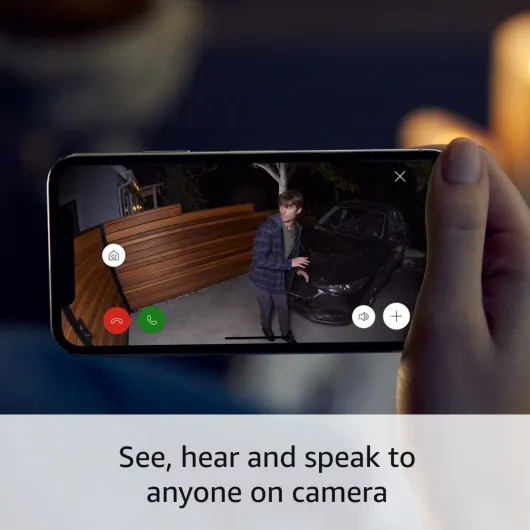
On paper, the Ring Spotlight Cam Plus Plug-In is pretty straightforward: it’s an outdoor camera with 1080p video, motion detection, two-way talk, built-in LED spotlights, a siren, and it runs off a wall outlet via a long USB‑C power adapter. It connects to 2.4 GHz Wi‑Fi and uses the Ring app for everything: live view, notifications, history (with subscription), and settings. The field of view is 140° horizontal, which in practice is wide enough for most driveways or yards if you place it reasonably well.
There are a few things that matter in daily use that the spec sheet doesn’t really highlight. First, the motion zones and detection tuning are key. If you don’t adjust them, you’ll get spammed with alerts from cars, neighbors, or trees moving in the wind. Once dialed in, it’s much more manageable and focuses on the area you care about. Second, the lights and siren are controlled in the app, so you can set the lights to come on with motion or only when you manually trigger them. The siren is app-triggered only (which is fine, you don’t want it going off randomly).
Another important bit: Ring quietly assumes you’ll pay for a subscription. Without a Ring Protect plan, you get live view and notifications, but you don’t get video history. That means if someone walks by and you miss the alert, you can’t go back and see what happened. With the plan, you get up to 180 days of event history, snapshot captures, and smarter alerts for people and packages. Since I already had the subscription for other Ring devices, adding this camera didn’t cost extra, which makes it easier to swallow. If this is your first Ring product, factor that ongoing cost in.
In practice, this camera is best seen as part of a wider Ring setup. If you already have a Ring doorbell or other cameras, the Spotlight Cam Plus just slides into your existing modes (Home/Away/Disarmed) and shares the same notification style and app layout. If you’re starting from zero and only want a single camera with no subscription, I’d say this is not the best value. But if you want a network of cameras around your house and you’re okay with cloud storage, it fits the role pretty well.
Pros
- Stable plug-in power with option for backup batteries, so minimal maintenance once installed
- Good 1080p video quality with effective spotlights and usable color night vision
- Easy setup and integration with other Ring devices and Alexa, especially if you already have the ecosystem
Cons
- Most useful features (video history, smart alerts) require a paid Ring subscription
- No local storage option, fully dependent on the cloud and Ring’s ecosystem
- Requires nearby outdoor outlet or visible cabling, and can be stolen if mounted too low
Conclusion
Editor's rating
Overall, the Ring Spotlight Cam Plus Plug-In is a solid, practical outdoor camera that does what most people need: clear 1080p video, reliable motion alerts (once tuned), bright spotlights, and easy remote access through a decent app. The plug-in power is the main win here – once you’ve run the cable and mounted it, you basically forget about power management. Add in the option for backup batteries and it becomes a low-maintenance part of your home security setup.
Where it falls a bit short is mostly around the subscription and ecosystem lock-in. The hardware is good, but without a Ring Protect plan you lose a big chunk of its usefulness, especially video history. If you already have Ring devices and a plan, this camera is an easy recommendation: it integrates smoothly, shares the same modes, and benefits from the same subscription. If you’re starting from scratch and only want a single camera with no recurring fees, you might want to look at alternatives with local storage.
I’d recommend this to people who: already use Ring, want a simple way to add coverage to a yard/driveway, prefer plug-in power over climbing ladders, and are okay with cloud storage and a subscription. I’d say skip it if you hate ongoing costs, want total control over your recordings locally, or don’t have a convenient outdoor outlet. It’s not perfect, but as a straightforward, plug-in outdoor camera, it gets the job done pretty well.