
Summary
Editor's rating
Price, Subscriptions, and Whether It’s Worth It
Chunky but Practical: Design and Build
Battery Life: Marketing vs Reality
Build Quality and How It Holds Up Day to Day
Video Quality, Motion Detection, and Real-World Performance
What You Actually Get and How It Fits Into a Real Setup
Does It Actually Protect Your Porch?
Pros
- Dual cameras give clear views of both visitors’ faces and packages on the ground
- Includes Wi‑Fi chime and supports local microSD storage, reducing dependence on cloud
- Flexible power options (battery or hardwired) with a removable, rechargeable battery
Cons
- Real-world battery life is much shorter than the advertised 6 months on busy porches
- Motion detection and notifications need tuning and can be unreliable if Wi‑Fi is weak
- Best experience still nudges you toward a paid Wyze Cam Plus subscription

Specifications
View full product page →| Brand | WYZE |
Why I Swapped My Old Doorbell for the Wyze Duo Cam
I’ve been running Wyze cams around my house for a while, so when my old basic doorbell camera started acting up, I figured I’d try this Wyze Wireless Duo Cam Video Doorbell. The big hook for me was the dual cameras (one for people, one for packages) and the fact it’s battery powered but can also be hardwired. I’ve used it for a few weeks now, enough to see what’s good, what’s just okay, and what’s slightly annoying.
My setup: standard single-family home, router in the living room, doorbell on a covered porch, average amount of foot and car traffic. I installed it battery-only first to see how it behaves, then tried it wired to my existing doorbell transformer. I also paired it with the included chime in the back of the house so I could actually hear it over kids and TV noise.
Compared to Ring and Eufy stuff I’ve used before, this one sits kind of in the middle. The price is definitely more friendly than Ring when you factor in subscriptions, and I already had the Wyze app, which helps. But it’s not magic. There are some rough edges, especially around battery life and motion detection if you don’t tweak the settings properly. Some of the negative Amazon reviews make sense, but a few are clearly from people who didn’t dig into the options.
If you’re expecting a perfect, zero-maintenance doorbell that just works out of the box with no tuning, this probably isn’t it. If you’re okay tinkering a bit in the app and you like the idea of local SD storage and two camera views, then it starts to look pretty solid for the money. I’ll break down the parts that mattered most to me: design, performance, motion alerts, battery, and whether it’s actually good value.
Price, Subscriptions, and Whether It’s Worth It
On the money side, the Wyze Duo Cam Doorbell sits in a pretty friendly spot compared to Ring and some others. The big plus is that you can use a microSD card for local recording and technically avoid a subscription. Out of the box, you do get limited cloud clips without paying, but there are cooldowns and short clip lengths unless you go for Cam Plus. The 1-star reviewer complaining about needing a subscription for basic stuff is partly right: if you want longer cloud clips and fewer cooldowns, you’ll probably end up paying a small monthly fee.
For me, the value feels decent because:
- The hardware price includes the Wi‑Fi chime, which some brands sell separately.
- You get dual cameras and 2K video, which you usually pay more for elsewhere.
- You have the option to lean on local SD storage instead of pure cloud.
Compared to a Ring doorbell, you’re trading some polish and ecosystem maturity for lower overall cost and more flexibility. The app is a bit clunkier than Ring’s in places, and you may have to fiddle more with settings. On the other hand, you’re not locked into expensive yearly fees just to keep basic video history. If you’re already in the Wyze ecosystem, this slots in pretty nicely and makes more sense than mixing brands.
So in terms of value, I’d rate it as good but not mind-blowing. It’s good value for money if you’re willing to tinker and maybe accept a Wyze subscription that’s still cheaper than Ring. If you want something ultra simple, super polished, and don’t mind paying higher subscription fees, then a higher-end Ring or Google Nest might feel more “worth it” to you despite the higher cost.
Chunky but Practical: Design and Build
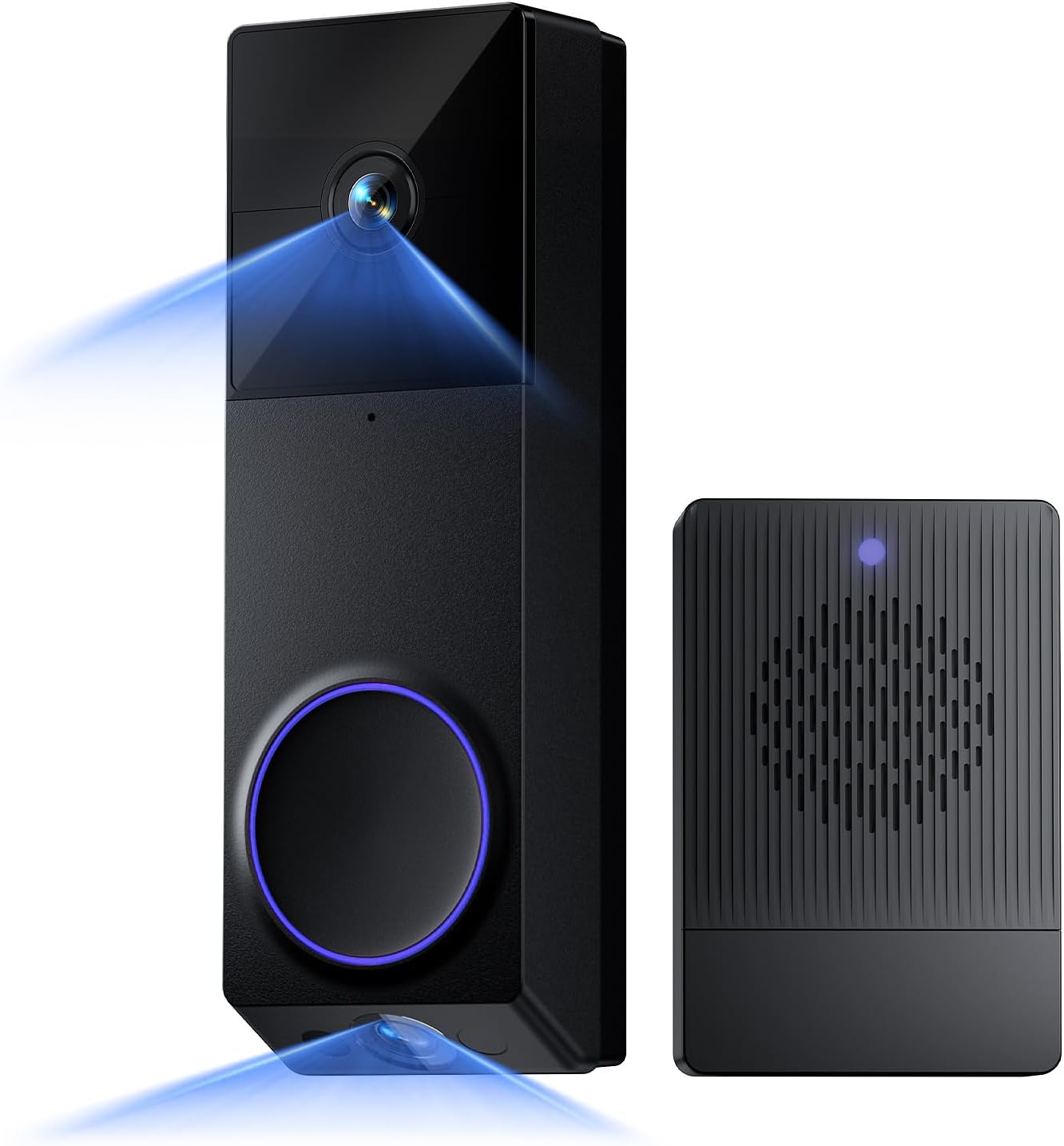
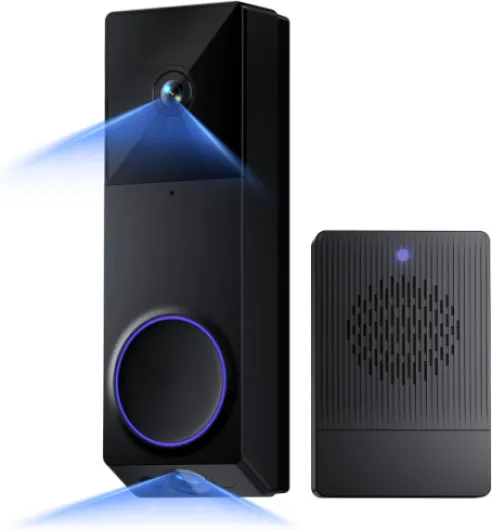
Design-wise, the Wyze Duo Cam Doorbell is not tiny. It’s taller and a bit chunkier than a basic doorbell, mainly because of the dual cameras and the removable battery. The black body looks fine on my white trim, but it definitely stands out more than the super slim wired models. If you care a lot about having a low-profile doorbell, this one might look a bit bulky. Personally, I care more about what it does than how “sleek” it looks, so it’s fine.
The button has a solid click, and the LED ring is easy to see, so visitors know where to press. The front plastic doesn’t feel premium, but it doesn’t feel cheap toy-level either. It’s more “decent electronic gadget” than “high-end hardware”. The IP65 rating is reassuring; I’ve had it get hit with wind-blown rain and a couple of temperature swings and it hasn’t freaked out yet. It’s on a covered porch though, so I’m not hammering it with direct weather all day.
Mounting options are flexible. You can use 3M adhesive if you really don’t want to drill, or screws for a more secure install. I’d say if you have any kind of textured or older paint, just use the screws. The corner wedge is useful if your doorframe is recessed or your porch angle is weird; I had to tilt mine slightly to catch people approaching from the side path. The back plate and release pin system make it reasonably easy to pop the unit off to charge the battery, but it’s still not something you’ll want to do every week.
Overall, the design is more about function than style. It’s a chunky black rectangle with two lenses that clearly looks like a camera and a doorbell. That’s not a bad thing; the obvious camera presence is its own deterrent. But if you’re hoping for something very minimal or “designer”, this isn’t it. It feels like a practical gadget for people who care more about coverage and features than making the front door look like a showroom.
Battery Life: Marketing vs Reality
Wyze claims up to 6 months of battery life on a charge, and that’s the usual “best case scenario” kind of number. In real use, it depends heavily on how busy your front door is and what settings you use. On a fairly active street with a few dozen motion events a day and notifications on, I was nowhere near 6 months. More like several weeks to maybe two months if I dialed back some of the more aggressive settings.
When I first set it up, I had motion sensitivity fairly high, package and person detection on, and recorded every motion event. In that mode, the battery dropped noticeably faster. We’re talking more like “needs charging every 4–6 weeks” instead of months. That lines up more with the critical 1-star review saying the battery was bad, although in my case it didn’t die in four days. Still, if your porch is busy, expecting 6 months is unrealistic. Think of that number as “super quiet porch with minimal motion and conservative settings.”
The good part is the removable battery pack. You don’t have to unmount the whole doorbell or leave your doorbell dead while it charges. Pop the unit off with the included pin, slide the battery out, charge via USB, and slide it back in. It’s not as convenient as hardwiring, but it’s manageable. If you really hate downtime, you could technically buy a second battery and swap them, but that’s extra cost.
Personally, I ended up hardwiring it to my old doorbell wires after a while. That way, the battery basically acts as backup, and I don’t have to think about charging at all. If your house has existing chime wiring and a compatible transformer, I’d strongly recommend doing that. If you’re full battery-only and have a busy area, just be honest with yourself: you’ll be charging this more often than the marketing suggests. It’s not unusable, but it’s not a “set and forget for half a year” situation unless your porch is pretty quiet.
Build Quality and How It Holds Up Day to Day
I haven’t had this thing for years obviously, but after a few weeks of daily use and some rough weather, I have a decent feel for the build quality. The housing feels solid enough, no creaks or loose parts when you press the button. The lenses are slightly recessed, which helps protect them from random bumps and fingers. I’ve wiped it down a couple of times after rain and dust, and it hasn’t scratched or fogged up.
The IP65 weatherproof rating seems fair so far. Mine’s on a covered porch, but it still gets hit by sideways rain and humidity. No condensation inside the lens, no weird glitches after storms. The temperature swings (hot day, cooler night) haven’t caused any obvious issues either. If your door is fully exposed to heavy direct rain or snow, I’d probably keep an eye on it for the first season, but I don’t see any red flags in the design that scream “this will fall apart.”
The removable battery snaps in firmly and doesn’t rattle. The doorbell-to-bracket connection is also tight enough that I’m not worried about it just falling off by itself. You do need the little pin tool to remove it, which is good for security but slightly annoying if you misplace the pin. I’d tape the pin to the inside of a nearby closet or something so you don’t lose it.
Long term, the main durability question will probably be the battery health and whether Wyze keeps software support solid. Lithium batteries degrade over time, and if you’re charging it often because of a busy porch, you might see capacity drop in a couple of years. At least it’s not sealed – you can replace the pack. On the software side, Wyze has had ups and downs, but they do push updates fairly often. So far, I’d say durability looks pretty solid for the price, but if you want something built like a tank with metal housing, this plastic-bodied unit isn’t that. It’s more “good enough for regular home use” than heavy-duty commercial gear.
Video Quality, Motion Detection, and Real-World Performance
The 2K video is one of the better parts of this doorbell. During the day, faces are clear, text on boxes is readable if they’re not too far, and the colors look pretty natural. The field of view is wide enough to cover my whole porch and a chunk of the walkway without going so wide that everything looks warped. The dual cameras actually help here – you don’t have to choose between seeing faces or seeing packages. At night, the color night vision is decent if there’s some ambient light. With almost no light, it switches to more standard night mode but still usable within about 15–20 feet.
Motion detection is where things can be hit or miss depending on how you set it up. Out of the box, it was a bit too sensitive and picked up cars on the street. After I played with detection zones and sensitivity, it got better. It now mostly focuses on people coming up the path and package drops. There are still occasional misses, like if someone sprints past or hugs the edge of the frame, but for normal walking speed it picks them up. I’ve seen some reviews saying it doesn’t detect motion at all; in my case, it works, but I had to tinker a bit to get there.
Notifications to my phone usually come within a couple of seconds of motion. There is a slight delay if my phone is on a weaker data connection, but on Wi‑Fi at home it’s quick enough to catch delivery people before they leave. The two-way audio is usable: I can talk to people, and they can hear me, but there’s a small lag and the speaker is a bit thin. It’s fine for “leave it by the door” or “I’ll be right there,” but you’re not having a long conversation through it.
Overall performance is pretty solid for the price range, but not flawless. You’ll want to:
- Set up detection zones to avoid street traffic.
- Play with sensitivity to avoid either missing people or getting spammed by random motion.
- Accept a small delay on live view and audio.

What You Actually Get and How It Fits Into a Real Setup
Out of the box, you’re getting the doorbell unit with two cameras, a removable battery pack, the Wyze Wi‑Fi chime, mounting plate, corner wedge, screws, 3M tape, wiring bits for hardwiring, and a USB charging cable. No microSD card is included, so if you want 24/7 local recording, you need to buy that separately. The instructions are short but clear enough. It feels more like a DIY gadget than a polished Apple product, but that’s fine for the price.
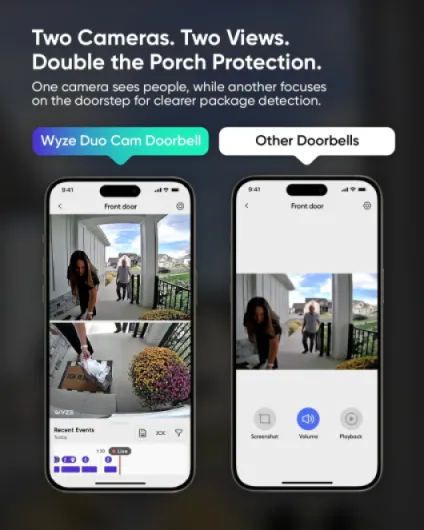
In the Wyze app, it shows up as two separate video panes: top camera (people) and bottom camera (packages). You tap either one to go full screen and zoom in. It sounds like a gimmick, but in practice it’s actually useful. I can see someone’s face clearly and also what’s on the mat or just beyond it. With my old doorbell, I constantly missed packages that were tucked close to the door because of the weird fish-eye distortion.
The included Wi‑Fi chime is a nice touch. You plug it into an outlet inside, pair it in the app, pick one of the many tones, and set the volume. It’s not fancy, but it’s loud enough to hear from the back of the house. If you live with people who don’t always have their phone on them (kids, older parents), this makes the doorbell feel like a normal wired doorbell instead of a smart gadget only your phone knows about.
From a “living with it” standpoint, this doorbell fits into a normal routine pretty easily. Notifications come to my phone, the chime rings, I can talk to people at the door, and I can scroll back through events. It’s not perfect: there’s a second or two delay when opening the live view and sometimes a hiccup if Wi‑Fi is spotty. But overall it behaves like a standard smart doorbell. The big difference is the dual view and the option to lean more on local storage instead of paying for cloud right away.
Does It Actually Protect Your Porch?
From a plain “does it do the job” point of view, I’d say yes, it covers the basics of porch security pretty well. I get alerts when people walk up, I can see when packages arrive, and I can check the live view if I hear a noise outside. The dual cameras are more than a gimmick – I’ve caught delivery drivers tucking boxes off to the side that my old single-camera doorbell would have barely seen. Having a dedicated lower view aimed at the mat is very handy.
The motion-activated voice deterrence is one of those features that sounds cheesy but actually works as a light deterrent. When a person walks up and hears a voice saying they’re being recorded, you can see them straighten up or look at the camera. It’s not going to stop a determined thief, but it’s enough to make sketchy people think twice. For regular visitors, it’s just a quick reminder they’re on camera.
Where it’s less strong is catching fast or weird motion. If someone darts in and out quickly at the edge of the frame, or a dog runs across the porch and back, it might miss or only catch the tail end. There’s a user review complaining it didn’t catch a dog messing up their porch several times; I can see that happening if the motion zone or sensitivity isn’t tuned or if the dog is staying just outside the zone. You have to spend a bit of time getting those settings right, which not everyone wants to do.
As far as reliability, mine has been mostly stable. There have been a couple of times when the live view took too long to load or timed out, usually when my Wi‑Fi was acting up. That lines up with the 1-star review complaining it “usually won’t connect,” but for me it’s occasional, not constant. I’d say if your Wi‑Fi is borderline at your front door, any video doorbell will struggle, and this one is no exception. Overall, it does what I need: records clear clips of people and packages, lets me talk to visitors, and gives me a decent log of what’s happened at the front door.
Pros
- Dual cameras give clear views of both visitors’ faces and packages on the ground
- Includes Wi‑Fi chime and supports local microSD storage, reducing dependence on cloud
- Flexible power options (battery or hardwired) with a removable, rechargeable battery
Cons
- Real-world battery life is much shorter than the advertised 6 months on busy porches
- Motion detection and notifications need tuning and can be unreliable if Wi‑Fi is weak
- Best experience still nudges you toward a paid Wyze Cam Plus subscription
Conclusion
Editor's rating
Overall, the Wyze Wireless Duo Cam Video Doorbell is a solid option if you want dual cameras, decent 2K video, and the flexibility of battery or hardwired power without jumping straight into expensive subscriptions. The best parts for me are the separate people/package views, the included Wi‑Fi chime, and the ability to add a microSD card for local recording. It does the basic job of door and package monitoring well enough once you’ve tuned the motion zones and sensitivity.
It’s not perfect. The battery life is clearly not the “6 months” you see on the box unless your porch is quiet and your settings are conservative. Motion detection can be fussy until you dial it in, and the app experience isn’t as polished as Ring or Nest. If your Wi‑Fi is weak at the front door, you’ll probably see some connection hiccups, just like that angry 1-star reviewer mentioned. And while you can use it without a subscription, the reality is that Cam Plus makes it a lot more pleasant to use, so factor that into your thinking.
I’d say this doorbell is a good fit if you already own Wyze gear, care about local storage, and don’t mind spending a bit of time in the settings menu. If you want a dead-simple, install-and-forget doorbell and you don’t care about paying more long term, you might be happier with a higher-end Ring or Nest. For the price, though, this Wyze model offers good value for money and enough features to cover most home users’ needs, as long as you go in with realistic expectations about battery life and the need to tweak things a bit.