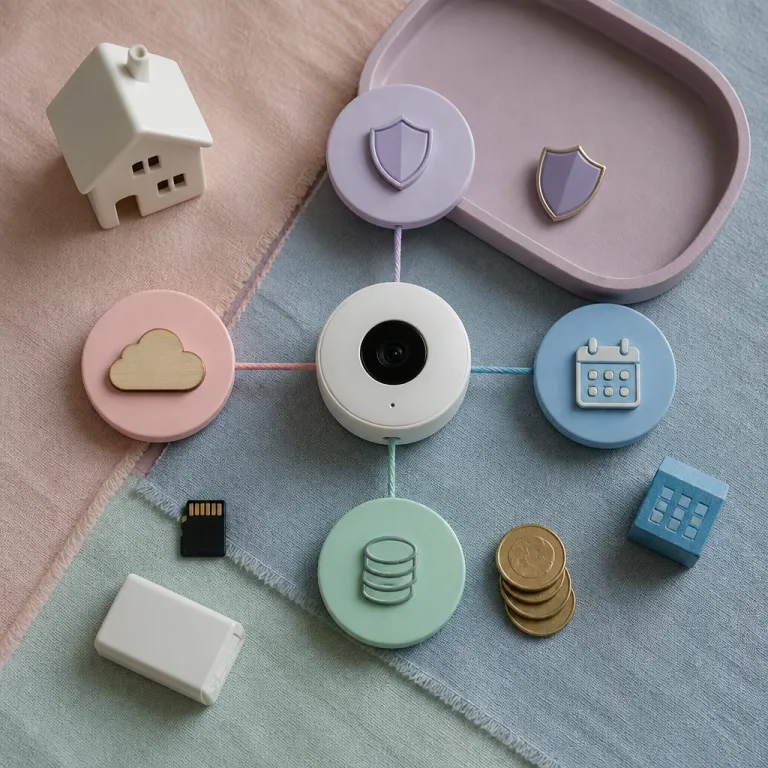
How the new Ring Protect tiers actually work now
The current Ring Protect tier matrix looks simple on paper but behaves differently once you connect a real Ring camera to a busy household. Under every tier, you still get live video, instant alerts, and basic motion notifications for all compatible Ring devices without paying for any subscription plan at all. Free access also includes Live View in the Ring app, two-way talk on each camera or doorbell device, and basic integration with a wider security system such as Alexa routines or a third party alarm hub.
Where the real Ring Protect plan comparison starts is with recording, storage, and automation rather than with the number of cameras. As of June 2024 in the US, the Basic Protect plan is listed at about $4.99 per month or $49.99 per year for a single Ring device, with event based video history, snapshot captures, and a clip retention window that is typically up to 180 days in supported regions, according to Ring’s official Ring Protect plans page. The Plus and Pro tiers extend that same foundation to multiple devices at one location, add longer storage where available, and unlock more advanced security camera features such as rich notifications, smart motion zones, and cellular backup for a Ring Alarm base station.
Pro Intelligence sits on top of the Pro plan and changes the decision tree again by gating the most advanced AI tools behind the highest subscription. As of June 2024, Ring lists Pro Intelligence at roughly $24.99 per month or $249.99 per year in the US, and this tier adds Familiar Faces Pro, Unusual Event Alerts, and more assertive active warnings that turn a Ring Pro camera into something closer to a virtual security guard for your driveway or garden. In practice, the choice between plans is no longer about how many cameras you own but about how much professional style monitoring and automation you actually use every week.
What you get for free versus Basic, Plus, Pro, and Pro Intelligence
Every Ring camera, from a wired Floodlight Cam to a battery powered Ring Video Doorbell, works without any paid Ring subscription at all. You can open the Ring app, check live video, talk through the speaker, and use basic motion alerts as part of a simple security system that still feels modern. For some small flats with a single camera, that free tier plus a separate alarm siren or lock can be enough.
Basic Protect covers one Ring device and is the first real step into paid plans, because it adds cloud video recording, person alerts, and a video history that Ring currently lists as up to 180 days in many regions on its official plan comparison (pricing and features checked June 2024 and subject to regional variation). If you want a deeper breakdown of what that looks like day to day, a guide such as understanding the essentials of the Ring Basic subscription can help you map features to your own hallway or driveway. Basic also unlocks extended warranty coverage for that single camera while the plan is active, which matters if you mount a Ring device outdoors where rain, dust, and insects are relentless.
To see how the tiers differ in practice, it helps to condense the Ring Protect plan comparison into a quick matrix based on June 2024 US pricing:
- Free: No cost; live view, instant alerts, two-way talk, and basic motion notifications only.
- Basic: About $4.99/month or $49.99/year per device; cloud recording, person alerts, snapshots, and extended warranty for that camera or doorbell.
- Plus: Around $10/month or $100/year per location; covers multiple Ring devices at one address with video history and longer storage where available.
- Pro: Roughly $20/month or $200/year per location; adds professional monitoring for a compatible Ring Alarm kit, cellular backup, and backup internet options.
- Pro Intelligence: About $24.99/month or $249.99/year per location; includes all Pro benefits plus Familiar Faces Pro, Unusual Event Alerts, and enhanced active deterrence tools.
Storage length, 24/7 recording, and what households really use
Clip storage length sounds boring until you actually need to pull video for an insurance claim or a police report. The jump from roughly 30 days on older plans to the current Ring standard of up to 180 days of cloud video history on eligible Ring Protect tiers, as documented on the Ring Protect plans page and last checked in June 2024, is the quiet line that separates casual monitoring from serious security. If you travel often, rent out a room, or manage deliveries for a small business, that longer window can be the difference between having evidence and having nothing.
Most people imagine they want full 24/7 recording from every camera, but real usage logs from Ring devices tell a different story. Event based recording, where the camera wakes on motion or a doorbell press, covers almost all incidents while using far less bandwidth and storage than continuous local video. When you add multiple security cameras around a property, the noise of constant footage quickly outweighs the benefit unless you are running a shop, a shared entrance, or a high risk site that truly needs continuous monitoring.
If you are tempted by 24/7 recording, start with a single Ring device in the most critical spot and check how often you actually scrub through the timeline. Many smart home enthusiasts find that a mix of event based recording on most cameras and continuous recording on one key camera gives a better balance of cost, privacy, and extended warranty value. For households that really want no ongoing subscription at all, it can be worth reading a guide to security cameras with no subscription to understand what you give up when you leave the Ring subscription ecosystem entirely.
Whole home pricing, multi device setups, and Pro Intelligence AI
The biggest change in any modern Ring Protect plan comparison is the shift from per camera pricing to whole property pricing at the Pro tier. Once you cross from a single Ring doorbell to a cluster of three or four cameras plus a Ring Alarm kit, Pro usually becomes cheaper than stacking several Basic plans, based on the monthly and annual prices listed on the official Ring Protect pricing page as of June 2024. That is especially true if you want professional monitoring with cellular backup, backup internet, and a single dashboard that treats all Ring devices as one security system rather than as separate gadgets.
To see how this plays out, imagine a homeowner with four cameras and a Ring Alarm base station. Four Basic plans at about $4.99 each would be close to $20 per month, but they would not include professional monitoring or backup connectivity. A single Pro subscription at roughly $20 per month instead covers all those devices at one address, adds monitoring, and centralises alerts, which is why whole home pricing becomes more attractive as your system grows.
Pro Intelligence then adds a second decision layer that has nothing to do with how many devices you own. Features such as Familiar Faces Pro, Unusual Event Alerts, and more assertive active warnings live only in this tier, and they are designed for people who treat their cameras as a virtual security guard rather than as a simple doorbell. If you rarely open the Ring app except to check a delivery, you will not gain much from that extra AI, but if you run complex routines, multi camera views, and Ring multi zone automations, the upgrade can feel like moving from a basic alarm to a professional security console.
A 90 day decision tree for picking your Ring Protect tier
The cleanest way to choose between the different plans is to treat your first three months as a structured test rather than as a permanent commitment. Start with the Basic Protect plan on your most important Ring device, whether that is a front door camera, a driveway Floodlight Cam, or a Ring Alarm base station that anchors your security system. During those 90 days, keep a simple log in the Ring app notes or in any notebook of every moment you wished the system had done more.
Did you ever need footage older than the default history in your region, or did you struggle to find a clip because several cameras triggered at once and you wanted a unified view? If you found yourself checking multiple security cameras daily, juggling notifications, or worrying about gaps when your internet dropped, that is a strong signal that a Pro plan with backup internet, cellular backup, and whole home coverage will actually be used. On the other hand, if you rarely opened the app except to check one or two events per week, staying on Basic or moving only one camera to a higher tier can save money without reducing real security.
Use that same log to decide whether Pro Intelligence is worth it for you. If you repeatedly thought “I wish this camera could act more like a security guard and less like a passive recorder”, then the AI features, multi device coordination, and extended automation in that tier will probably earn their keep. When you are ready to expand, and especially if you add a wired floodlight or a complex outdoor camera, a wiring guide such as the one on Ring Floodlight Cam setup and wiring can help you avoid the common mounting failures that undermine even the best subscription plan.
FAQ
Is Ring Protect Pro worth it if I only have one camera ?
If you own a single Ring camera or Ring Video Doorbell, the Basic Protect plan usually makes more financial sense than Pro. Pro becomes attractive when you add several Ring devices, want professional monitoring for a Ring Alarm kit, or need longer video storage and extended warranty coverage across the whole location. Treat Pro as a whole home security system upgrade rather than as a simple add on for one device.
Do I need Pro Intelligence for Familiar Faces and advanced alerts ?
Familiar Faces Pro, Unusual Event Alerts, and the most advanced active warnings are reserved for the Pro Intelligence tier, as outlined in Ring’s feature comparison on the Ring Protect plans page (details verified June 2024 and subject to change). If you mainly use your cameras to check deliveries and occasional visitors, those tools may be excessive. They are most valuable when you rely on your security cameras as a virtual security guard and run complex automation routines across multiple Ring devices.
How important is the 180 day storage option in real life ?
The longer storage window matters when incidents are discovered late, such as slow building disputes, vandalism that goes unnoticed, or insurance claims that take weeks to file. For many households, the default video history listed for your region on the official Ring Protect comparison is enough to check packages, visitors, and minor issues. If you manage rentals, travel often, or share access with neighbours, the 180 day option in higher plans offers a safer buffer.
Can I mix different Ring Protect plans on different devices ?
You can assign a Basic Protect plan to one Ring device and run other cameras without any subscription, but Pro and Pro Intelligence are designed as property wide tiers. Once you subscribe to Pro for a location, all compatible Ring devices at that address share the same benefits, according to Ring’s account level rules on the Ring Protect plans page. This structure is why the Ring Protect plan comparison shifts sharply once you own several cameras and a Ring Alarm kit.
What happens to my cameras if I cancel my Ring subscription ?
If you cancel your Ring subscription, your cameras keep working for Live View, motion alerts, and two-way talk through the Ring app. You lose access to recorded video history, some smart notifications, and extended warranty benefits tied to paid plans, as Ring explains in its Protect terms. For people who only use cameras to check live events, running without a subscription can be acceptable, but it significantly reduces the security and monitoring value of the system.