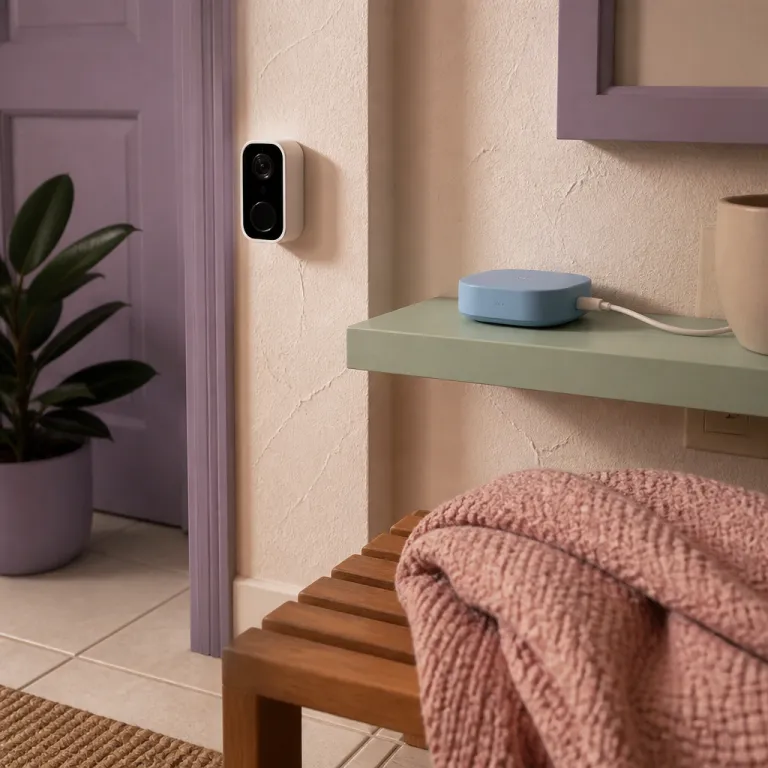
The real problem with ring camera apartment wifi in rentals
Most renters blame the Ring camera when video freezes or stutters. In reality, ring camera apartment wifi usually fails because the building’s shared radio space is a mess, not because the camera product is weak. Your goal is a stable connection that keeps every smart camera and doorbell online without touching the landlord’s walls.
Ring cameras such as Ring Video Doorbell Battery, Ring Indoor Cam and Ring Spotlight Cam Battery mostly use the 2.4 GHz wifi band. That 2.4 ghz band travels farther than 5 ghz wifi but it is crowded in apartments where every neighbor runs an old router, a microwave and several smart security cameras. When your single router fights twenty others on the same channel, even the best video doorbell or spotlight cam will drop real time cam live feeds and delay motion alerts.
Think about your apartment as a stack of radios, not just rooms and corridors. Each ring camera, each indoor cam and each ring doorbell competes for the same air, so motion detection clips and live view sessions fail when interference spikes. Before you return a best seller Ring cam or newest model Ring security cameras kit, you need to tune the wifi environment so every camera, doorbell and cam live stream has a clear view through the noise.
For most renters, the first fix is understanding where the router sits. A router buried in a hallway closet behind thick drywall and metal shelves ruins connection quality for any wall mount camera on the balcony or at the entry door. Moving that single box two metres can save you from buying extra hardware and can restore night vision recordings, motion detection reliability and time notifications for every ring camera on your account.
Once you accept that ring camera apartment wifi lives or dies on radio physics, your choices become clearer. You will decide whether to use a dual band router, a mesh kit or a Ring Chime Pro based on distance, walls and interference, not on marketing labels like smart or newest model. That is how you protect your security, save subscription value and keep every video clip, alert and live view working when you actually need it.
Why 2.4 GHz rules your ring cameras in apartments
Most Ring cameras and video doorbell models in apartments connect only on 2.4 ghz wifi. That single design choice shapes almost every ring camera apartment wifi complaint, because 2.4 ghz travels well through walls but suffers badly from congestion and interference. When your cam or doorbell loses a stable connection, the crowded band is usually the culprit, not a defective product.
In dense buildings, dozens of routers shout across the same 2.4 ghz channels. Your ring cameras, indoor cam units and spotlight cam devices then fight for airtime with baby monitors, Bluetooth speakers and every other smart gadget. The result is delayed motion alerts, frozen video frames during live view and gaps in night vision recordings exactly when you care about security the most.
Channel selection is the quiet superpower here. On 2.4 ghz wifi, only channels 1, 6 and 11 avoid overlapping with each other, so picking one of those for your home network gives each ring camera and ring doorbell a cleaner connection point. Free apps such as WiFi Analyzer on Android or similar tools on laptops let you scan which channels your neighbors use, then you choose the emptiest one for your own router.
Once you move your router to channel 1, 6 or 11, test every camera. Start a cam live session from the Ring app, walk in front of each doorbell or indoor cam and watch how quickly motion detection clips appear in the event history. If video loads faster, alerts arrive promptly and real time live view feels smoother, you have just improved ring camera apartment wifi without buying any new product.
Firmware also matters for stability. Ring support articles explain that keeping devices updated helps with connectivity, and Ring occasionally changes how motion detection, time notifications and video compression behave on models like Ring Battery Doorbell Plus and Ring Indoor Cam. Detailed breakdowns such as this firmware change analysis for Battery Doorbell Plus and Indoor Cam owners show how those tweaks affect wifi performance. Keeping your cameras on the newest model firmware helps maintain a stable connection and can quietly fix issues that looked like pure wifi problems the week before.
Router placement, walls and repeaters in small apartments
Even the best router fails when it hides in the wrong corner. In many rentals, the internet modem and wifi router sit in a metal cabinet or deep hallway closet, which is the worst possible point for ring camera apartment wifi. Drywall, brick and metal studs all weaken the 2.4 ghz signal before it reaches your doorbell or cameras.
Line of sight beats everything else. If you can see the router from where your ring doorbell or indoor cam is mounted, your cam live view will almost always be more stable than when the router is two rooms away behind a closed door. Try moving the router onto an open shelf, at least one metre off the floor, roughly midway between your main security cameras and the devices that stream video most often.
When you cannot move the landlord’s modem, a repeater or range extender becomes your next tool. Place the extender halfway between the router and the furthest ring camera, not right next to the camera itself, because it needs a strong upstream connection to rebroadcast a clean wifi signal. After installing the extender, reconnect each camera and doorbell to the new network name, then test motion alerts, night vision clips and real time live view again.
Mesh systems change the game for renters who can afford them. A two node kit from brands like TP Link Deco or Amazon Eero lets you place one unit near the modem and another near your entry door, giving every ring camera and spotlight cam a more stable connection without drilling or permanent wall mount brackets. Because mesh units are fully portable, you can pack them when you move and rebuild the same smart security layout in your next apartment.
Settings matter as much as hardware. In the Ring app, adjust motion detection zones so cameras ignore busy hallways or elevators that constantly trigger alerts, which reduces wifi load and saves battery. Before long trips, guides such as this vacation mode settings checklist help you tune time notifications, recording frequency and privacy toggles so your ring cameras stay useful without flooding your connection while you are away.
Ring Chime Pro, mesh kits and dual band choices for renters
For many renters, the Ring Chime Pro is the cheapest targeted fix for ring camera apartment wifi. Chime Pro acts as a dedicated wifi repeater for Ring cameras and Ring doorbell models, so it focuses on keeping video and alerts flowing instead of serving every laptop and console. You plug it into a hallway outlet, connect it to your router, then connect each camera and doorbell to the Chime Pro network.
Placement again decides whether it helps. Put Chime Pro roughly midway between your router and the furthest ring camera or video doorbell, ideally with as few walls as possible in between. When you run a cam live view test from the Ring app after setup, you should see faster loading, fewer drops and more reliable motion detection clips, especially on devices like Ring Indoor Cam or Spotlight Cam Battery that sit far from the router.
Mesh wifi kits cost more but solve broader problems. A dual band mesh system uses both 2.4 ghz and 5 ghz bands, letting your phones and laptops sit mostly on 5 ghz while your ring cameras stay on 2.4 ghz with less competition, which improves security video stability. Because mesh nodes are small and freestanding, renters can avoid permanent wall mount hardware and still keep a stable connection for every smart product in the apartment.
When choosing between a single range extender, a Chime Pro or a full mesh kit, think about your next lease as well as this one. If you plan to move soon, a compact dual band mesh kit or a Chime Pro travels easily and can keep supporting ring cameras, indoor cam units and ring doorbell devices in the next building. Long term homeowners might justify a more expensive mesh system, while budget conscious renters often get most of the benefit from a well placed Chime Pro and a carefully tuned router channel.
Model selection also plays a role. Some newer Ring devices support dual band wifi, which can reduce interference in crowded buildings, but even those models still rely heavily on 2.4 ghz for range and wall penetration. When you read deep buying guides such as this long term video doorbell comparison, focus on how each camera handles wifi, motion detection and night vision rather than chasing the newest model label or best seller badge alone.
Power modes, quality settings and privacy controls that affect wifi
Inside the Ring app, several quiet settings decide how hard your ring camera apartment wifi has to work. Power Mode, video quality and motion detection frequency all change how often each camera uploads clips and how long each live view session lasts. Tuning these options can save bandwidth, extend battery life and still protect your security.
Start with Power Mode on battery powered cameras and video doorbell units. The default balanced mode tries to keep motion alerts timely without draining the battery too quickly, but in weak wifi conditions it can still push frequent uploads that struggle across a congested 2.4 ghz band. Switching to a more conservative mode reduces how often the camera wakes, which can stabilize the connection and reduce failed uploads for cameras far from the router.
Next, look at video resolution and night vision settings. High resolution video looks great but demands more bandwidth, so lowering quality one step on a distant indoor cam or spotlight cam can make motion clips more reliable on unstable wifi. In many apartments, a slightly softer image that records every event beats a sharper stream that fails whenever neighbors start streaming films on their own networks.
Customizable privacy zones and motion zones also help. By masking parts of the frame that show public hallways or busy streets, you reduce unnecessary motion detection events and the number of clips each camera must upload, which lightens the load on your ring camera apartment wifi. Fewer false alerts mean your time notifications focus on real visitors at your doorbell or suspicious movement near your balcony, not every passing dog.
Finally, pay attention to how often you open live view. Constantly checking cam live feeds from work or while watching television at home can saturate a weak connection, especially when several cameras stream at once. Treat live view as a targeted tool rather than a permanent monitor, and your wifi will have more headroom for real time alerts and critical recordings when something actually happens at 2 a.m. — because what matters is not the megapixel count, but the view from your porch at 2 a.m.
FAQ
Why does my Ring camera work fine on my phone’s hotspot but not on apartment wifi ?
When a Ring camera works on a mobile hotspot but fails on apartment wifi, the usual cause is interference or router configuration rather than a bad camera. Hotspots typically serve a single device on a clean channel, while building routers share crowded 2.4 ghz bands with many neighbors. Adjusting router channels, moving the router or adding a Chime Pro or mesh node usually resolves the issue.
Do I need 5 GHz wifi for Ring cameras in an apartment ?
Most Ring cameras and doorbells rely on 2.4 ghz wifi because it travels farther and penetrates walls better than 5 ghz. Dual band routers still help, because they move phones and laptops to 5 ghz and leave more room on 2.4 ghz for cameras. You do not need 5 ghz support on the camera itself to get reliable motion alerts and live view in a small flat.
Where should I place my router for the best Ring performance in a rental ?
Place the router in an open, central location, ideally one to two metres high and away from metal cabinets or thick walls. The goal is a clear path between the router and your main Ring doorbell or indoor cam, with as few doors and corners as possible. Avoid hiding the router in closets or behind televisions, because those placements weaken the signal before it reaches your cameras.
Is Ring Chime Pro worth it for a small apartment ?
Ring Chime Pro is often the most cost effective upgrade for renters who only need to support a few cameras and a single doorbell. It acts as a dedicated repeater for Ring devices, improving connection quality without changing the landlord’s router or wiring. In many one bedroom apartments, a well placed Chime Pro fixes laggy live view and missed motion alerts for less money than a full mesh kit.
Can changing motion settings really improve my Ring wifi stability ?
Yes, reducing unnecessary motion events lowers how often each camera uploads video, which eases the load on congested apartment wifi. Tightening motion zones, using customizable privacy masks and lowering recording frequency on less critical cameras all help. The result is fewer false alerts, more consistent clips and better performance when you actually need a real time notification.